






As the web platform continues its relentless march toward modernization, Cascading Style Sheets (CSS) has long outgrown its humble origins as a simple layout and color-tinting mechanism. Today, CSS operates almost as a full-fledged application layout engine, blending deeply with JavaScript application layers, introducing advanced typography management, and tackling complex UI architecture problems that once required brittle, non-standard hacks.
Recent developer community discoveries, specifications updates, and engineering deep-dives have highlighted a wave of powerful techniques. From the JavaScript-powered CSS Custom Highlight API to ingenious workarounds for image overflows, fine-tuned typography strokes, skeleton UI architectures, line-height units, and the game-changing world of scroll-axis locking and navigation matching, the frontend ecosystem is moving faster than ever.
Main Facts
The contemporary web landscape is shifting toward native, declarative solutions for problems that previously demanded cumbersome JavaScript interventions or structural HTML modifications.
- The CSS Custom Highlight API: Supported globally across all major browser vendors, this API allows developers to style arbitrary text ranges dynamically using JavaScript, bypassing the traditional DOM manipulation limitations of wrapping text nodes in
<span>tags. - Image Element Overflow Dynamics: The
<img>element functions essentially as an architectural container where "replaced content" (the actual image data) can overflow, enabling unique visual treatments and dynamicsrcor multi-resolutionimage-setswapping natively through CSS. - Fixing
text-strokeArtifacts: Thepaint-orderproperty rescues the notoriously center-alignedtext-strokeproperty, painting the text fill directly over the harsh internal half of the stroke to render crisp, legible typography. - Skeleton UI Strategies: Frontend authorities like Lea Verou and community contributors have pioneered clever CSS-only skeleton loading states utilizing transparent text colors, heavy text decorations, and masking properties.
- The Versatility of the
lhUnit: Measuring precisely equal to the computedline-heightof an element, thelhunit has unlocked fluid, proportional sizing models for layout components relative to their typography context. - Diagonal Scrolling and Navigation Matching: Innovations by developer advocate Bramus introduce fluid multi-axis panning via
scroll-axis-lock: nonealongside declarative CSS navigation matching, transforming how single-page applications handle route transitions and dynamic styling.
Chronology of Recent CSS Discoveries
The rollout of these advanced browser features and community breakthroughs has occurred iteratively across developer blogs, social architectures like Bluesky, and technical journals throughout mid-2026:
- Late July 2026: Bramus unveils early-stage explorations into CSS navigation matching, giving developers the unprecedented ability to declaratively style elements based on a user’s directional routing path.
- Early August 2026 (The Spark): Lea Verou posts a community challenge on Bluesky inquiring about purely CSS-driven skeleton UI loaders, prompting a flurry of creative solutions involving transparent text fills and
box-decoration-break: clone. - Mid-August 2026: Sunkanmi Fafowora publishes a comprehensive guide on implementing progressive enhancement via the CSS Custom Highlight API, while Temani Afif deconstructs the structural nature of
<img>elements and replaced-content overflows. Concurrently, Tyler Sticka highlights the utilization ofpaint-orderto resolve jagged text-stroke artifacts. - Late August 2026: Ahmad Shadeed releases an exhaustive examination of practical
lhunit deployments, and Bramus documents the mechanics of unlocking diagonal scrolling through thescroll-axis-lockproperty.
Supporting Data and Technical Mechanics
1. The Power and Precision of the CSS Custom Highlight API
Historically, if a developer wanted to dynamically highlight portions of text within a document—such as search result matches or syntax highlighting tokens—they had to programmatically traverse the DOM, slice text nodes, and inject inline elements like <mark> or <span>. This approach was performance-heavy, prone to breaking DOM mutations, and notoriously tricky to clean up.
Sunkanmi Fafowora’s analysis of the CSS Custom Highlight API shows a cleaner path forward. While styled via the ::highlight() pseudo-element in CSS, the actual ranges are computed and assigned entirely via JavaScript using the Highlight and CSS.highlights interfaces.
// Conceptual JavaScript implementation of the Custom Highlight API
const range = new Range();
range.setStart(textNode, 0);
range.setEnd(textNode, 15);

const myHighlight = new Highlight(range);
CSS.highlights.set('search-results', myHighlight);
/* Corresponding CSS styling */
::highlight(search-results)
background-color: #ffeb3b;
color: #000;
This decouples styling from structural DOM trees, preserving raw text performance and allowing multiple overlapping highlight layers to run smoothly on all modern rendering engines.
2. Unlocking Image Element Architecture
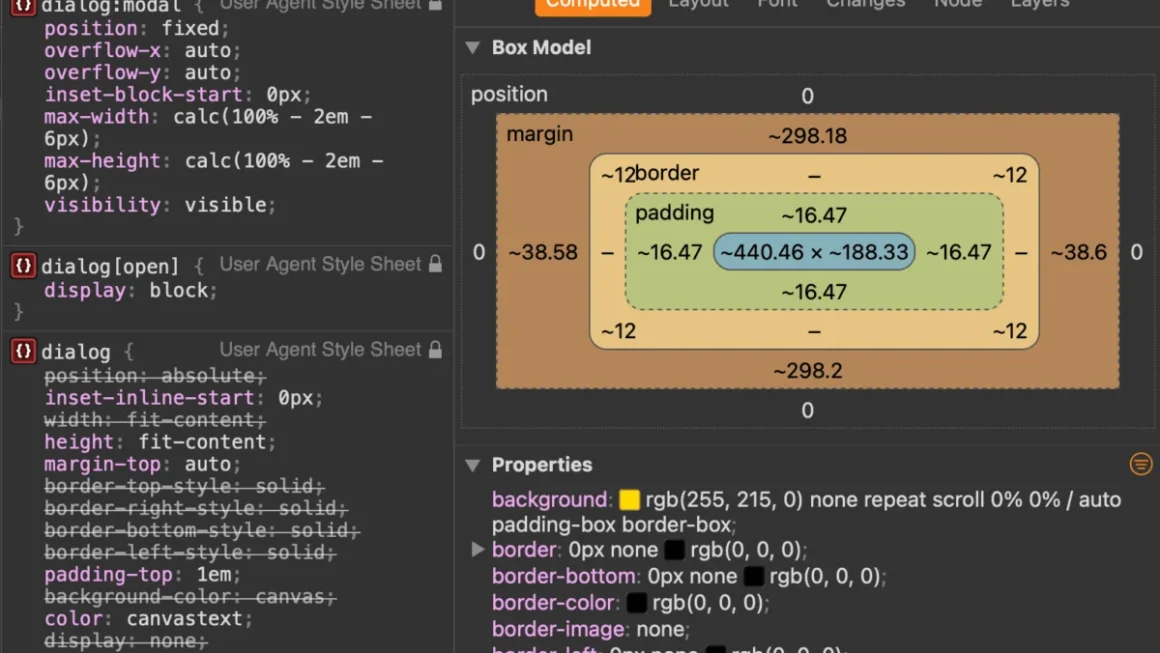
Temani Afif’s exploration into the <img> tag reveals a fundamental truth about replaced elements: the HTML image element acts as a bounding container, while the underlying graphical resource behaves as content that can theoretically overflow its bounds. This structural quirk not only explains advanced cropping and layout behaviors but also grants developers the ability to dynamically swap asset sources natively via CSS property mappings:
img
  content: url("new-image.avif") / "Alternative descriptive text";


img.responsive-asset
  content: image-set(
    url("image-1x.avif") 1x,
    url("image-2x.avif") 2x,
    url("image-3x.avif") 3x
  );
3. Typography Mastery: text-stroke and paint-order
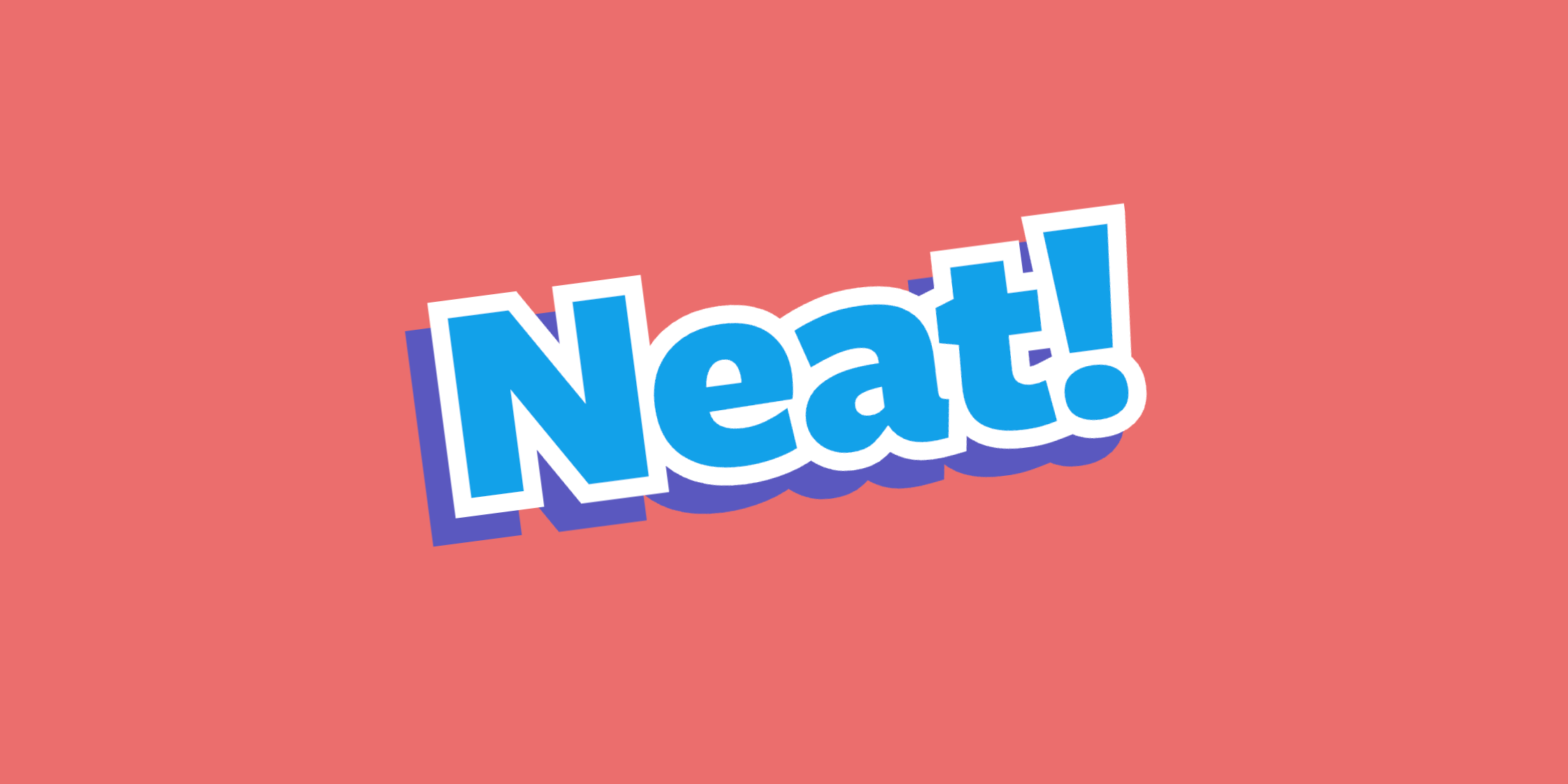
Tyler Sticka brought much-needed attention to a long-standing frustration in web typography: the text-stroke property. Because browser rendering engines render strokes centered directly on the vector boundary of character glyphs, precisely 50% of the stroke bleeds inward, crowding counter spaces and creating messy, illegible inner corners.
While a true alignment control property for text strokes remains absent from core specifications, developers can dramatically improve visual output by combining text-stroke with the paint-order property:
.styled-heading
  font-size: 3rem;
  color: #0056b3;
  -webkit-text-stroke: 6px #ffffff;
  paint-order: stroke fill; /* Forces the interior stroke to be painted beneath the solid text fill */
By forcing the rendering pipeline to paint the text fill over the interior stroke, the glyph’s internal counter-spaces remain sharp and uncompromised.
4. Crafting Skeleton UIs with Pure CSS
When designing modern, high-performance web applications, loading states (skeleton UIs) are essential for perceived performance. Lea Verou challenged the web development community to solve skeleton loading states using strictly CSS, avoiding the overhead of generating dummy DOM nodes.
By leveraging transparent text fills (color: transparent), thick text decorations, and CSS masking layers—combined with utility properties like Agustin Capeletto’s suggestion of box-decoration-break: clone—developers can construct fluid, responsive, content-agnostic skeleton loaders that adapt dynamically to arbitrary string lengths without breaking layouts.
5. Proportional Layouts with the lh Unit
Ahmad Shadeed’s deep-dive into the lh unit highlights its value for establishing typographic harmony. Unlike root font-relative units (rem) or viewport dimensions (vw/vh), 1lh mirrors the exact computed line-height of the active element.

This makes it exceptionally useful for aligning icons, managing floated media containers, or matching the explicit height of multi-line text blocks without relying on brittle, hardcoded pixel values:
.sidebar-media
  float: left;
  height: 6lh; /* Perfectly matches a vertical block spanning precisely six lines of adjacent body text */
  margin-right: 1rem;
Official Responses and Industry Perspectives
The reception to these evolving specifications has underscored a broader industry consensus: CSS is entering a hyper-expressive era.
Browser engineers and standards bodies have increasingly leaned into developer ergonomics, aiming to eliminate JavaScript-heavy polyfills for common layout challenges. The rapid adoption of the Custom Highlight API indicates a maturing pipeline for text-level styling, while experimental features like Bramus’s work on scroll-axis-lock: none (which enables unrestricted diagonal scrolling) and CSS navigation matching point toward a future where single-page app transitions and native-feeling scroll surfaces require minimal boilerplate.
However, debate remains regarding the fragility of bleeding-edge techniques. Community discussions across platforms like Bluesky often highlight the tension between pushing CSS to its absolute declarative limits and maintaining backwards compatibility for enterprise environments. Despite these hurdles, the consensus is clear: tools like paint-order, the lh unit, and advanced selector strategies are permanently changing how frontend architectures are built.
Implications for Frontend Developers
As these features transition from experimental community tips to stable, universally supported standards, the day-to-day workflow of web developers is undergoing a fundamental shift:
- Reduced JavaScript Dependency: Features like the Custom Highlight API and CSS-driven image swapping demonstrate that visual text modifications and dynamic asset routing can be cleanly offloaded from heavy JavaScript DOM parsers back to the browser’s native styling engine.
- Resilient Typography and Layouts: The combination of
paint-order,lhunits, and container-based image overflows allows for more resilient, fluid design systems that scale gracefully across distinct screen resolutions and typographic scales. - Enhanced Perceived Performance: Purely CSS-driven patterns—such as skeleton UI loaders and lightweight layout locks—minimize script evaluation times, leading to faster First Contentful Paint (FCP) and Cumulative Layout Shift (CLS) scores.
The frontier of modern CSS proves that after decades of evolution, the language continues to surprise even its most seasoned practitioners, opening up creative avenues that were previously thought impossible on the open web.