








Main Facts
The WordPress ecosystem boasts dozens of Learning Management System (LMS) plugins, yet the industry standard for reviewing these platforms remains notoriously superficial. Traditional "best-of" lists routinely aggregate feature lists directly from vendor homepages, obscuring crucial operational expenses. Consequently, creators frequently commit to a platform only to discover that basic functionalities—such as processing credit card payments or generating completion certificates—require expensive add-ons.
This report cuts through the marketing noise. Rather than focusing solely on feature counts, our evaluation zeroes in on the metrics that directly impact a site owner’s balance sheet:

- What features are actually included in the free version?
- What are the hidden costs of payment gateway integration?
- How much will the platform cost in year two once introductory discounts expire?
(Disclosure: Masteriyo is part of the Themeisle family, the same team behind this publication. However, it is evaluated alongside eight competing plugins, and its renewal pricing is presented with complete transparency.)
Chronology & Landscape Overview
Historically, building an online course on WordPress meant relying on clunky eCommerce workarounds or expensive, closed-source SaaS platforms like Teachable or Kajabi. Over the past decade, the WordPress LMS market matured rapidly, introducing dedicated open-source plugins designed to handle student management, quiz grading, and content delivery directly within the WordPress dashboard.
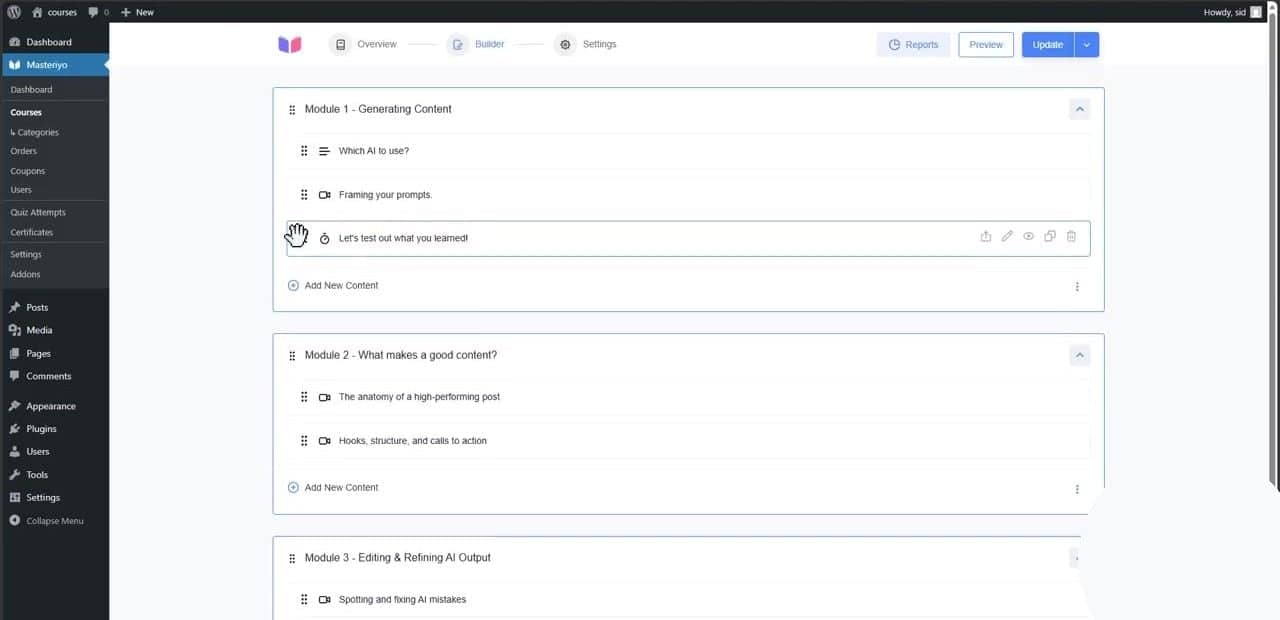
However, as competition heated up, vendor pricing models evolved. Introduction of tiered subscriptions, split renewals, and restrictive free-tier limitations made selecting an LMS more financially complex than ever.
Today, the market splits cleanly into three operational tiers:
- Free-Core / Freemium Plugins (e.g., Masteriyo, Tutor LMS, LearnPress, Academy LMS) that allow users to launch basic schools without upfront software costs.
- Premium-Only Suites (e.g., LearnDash, MemberPress Courses) that require an upfront financial commitment before a single course can be built.
- Hybrid Ecosystems (e.g., LifterLMS, Sensei LMS) that blend free foundational tools with mandatory paid extensions for transactional capabilities.
Supporting Data: The Financial Breakdown
To provide total clarity, we analyzed nine of the most prominent WordPress LMS plugins across four critical financial and operational vectors: initial pricing, renewal structures, payment gateway access, and user adoption metrics.
Quick Picks and Pricing Matrix
| Plugin | Best For | Free Version | Paid From (Year 1) | After Year One (Renewal) | Lifetime Option |
|---|---|---|---|---|---|
| Masteriyo | Selling courses on a free plugin | Yes | $99/yr (Basic) | Renews at $199/yr | $499 (1 site) |
| Tutor LMS | Marketplaces & multi-instructor schools | Yes | $199/yr | Renewal price unlisted | $499 |
| LearnDash | Established course businesses | No | $259/yr | Same price (no intro discount) | None |
| LifterLMS | Memberships plus courses | Yes | $199 (Earth bundle) | Renews at $398/yr | $10,000 (unlimited) |
| LearnPress | Paying only for needed add-ons | Yes | $299 (Pro Bundle) | Optional $209.30/yr for updates | Lifetime included |
| Sensei LMS | Block editor & WooCommerce sites | Yes | $179/yr (Sensei Pro) | Renewal price unlisted | None |
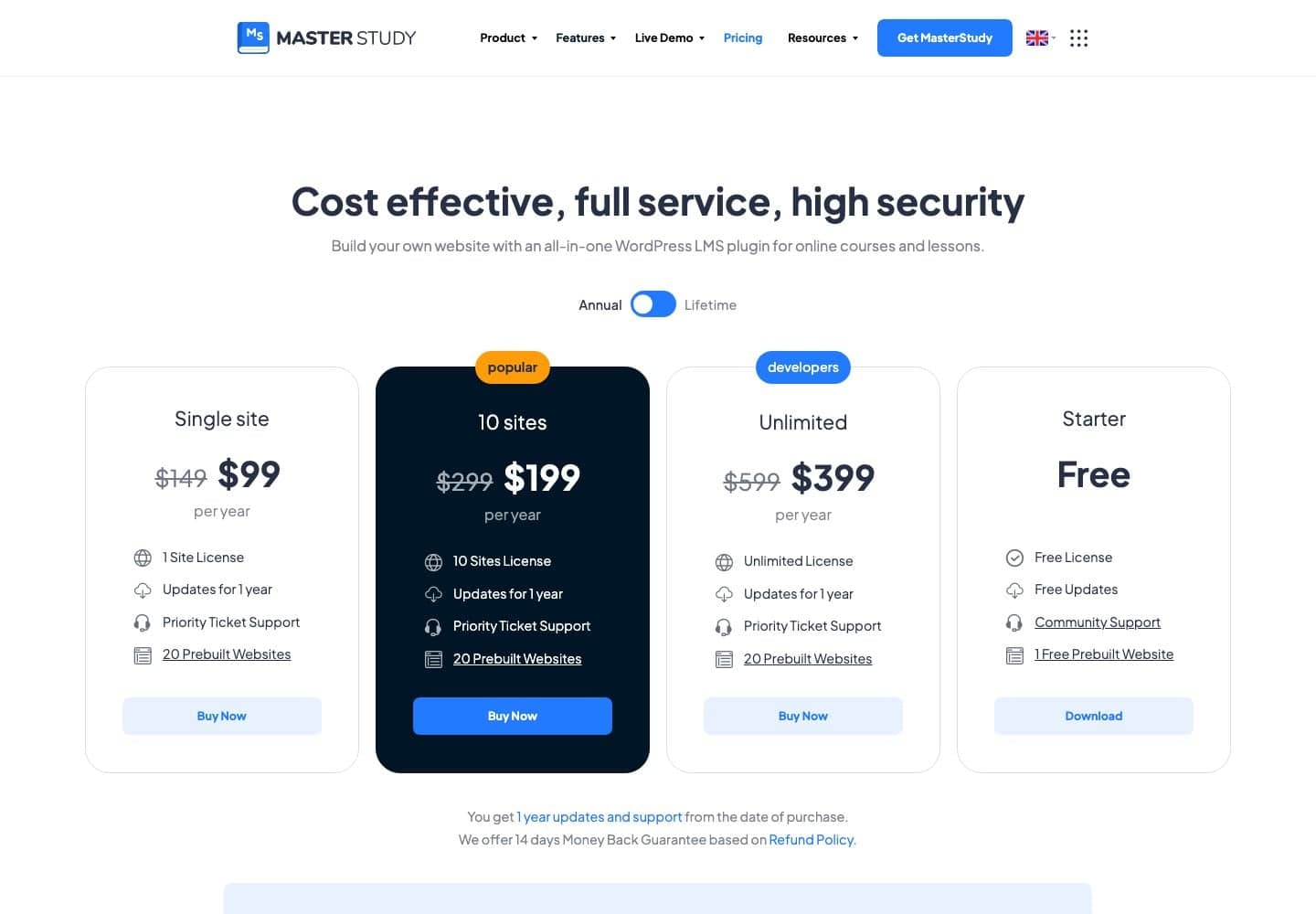
| MasterStudy LMS | Udemy-style marketplaces | Yes | $99/yr | Renewal price unlisted | $249 |
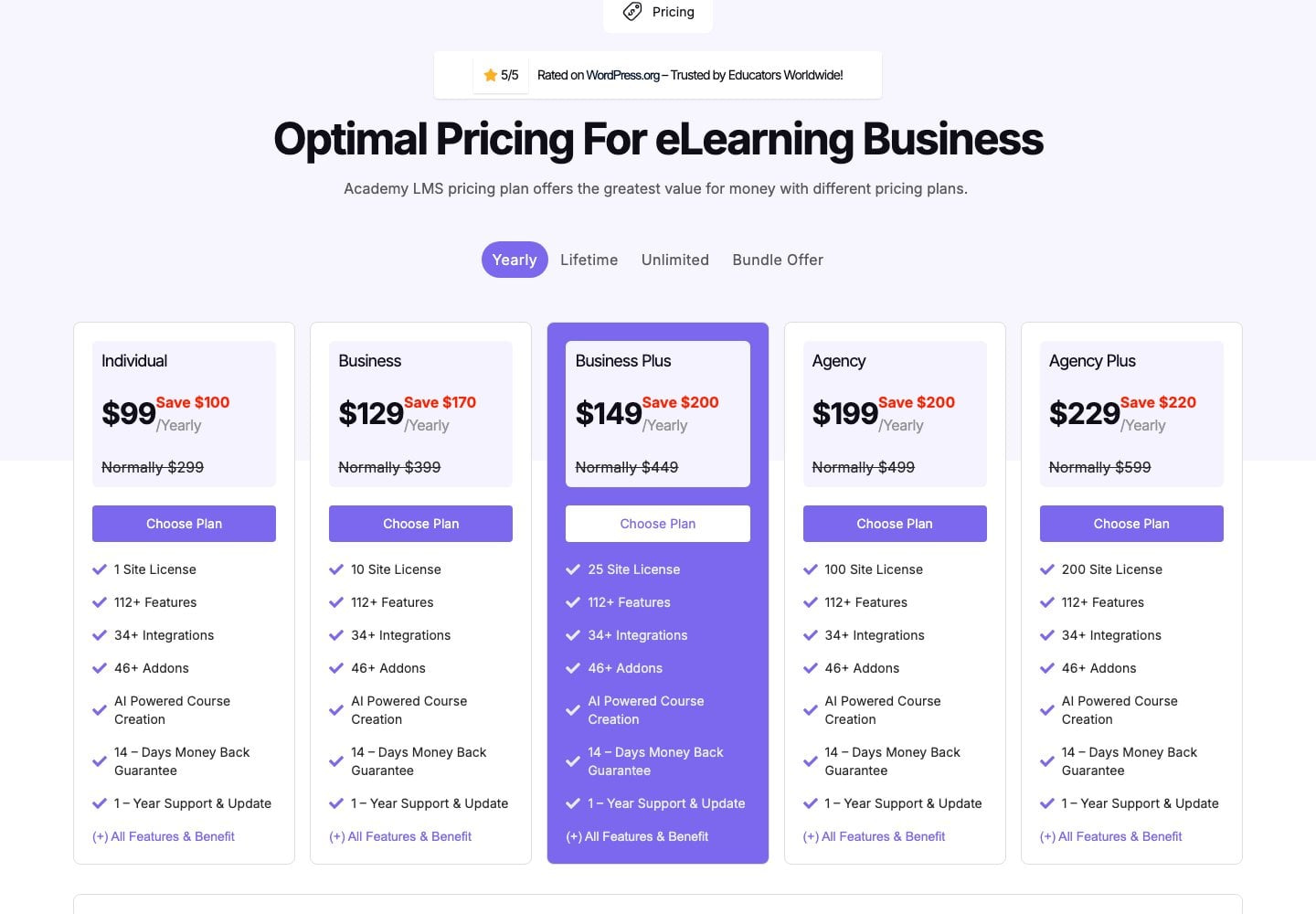
| Academy LMS | Agencies & multi-site licences | Yes | $99/yr | Renewal price unlisted | $149 |
| MemberPress Courses | Membership sites with embedded courses | No | $199.50 (Launch) | Renews at $399/yr | None |
Payment Gateway Access: What’s Truly Free?
The most common point of friction for new course creators is discovering that a "free" LMS plugin cannot accept credit card transactions without a paid tier or extension.

| Plugin | Stripe on Free Plugin? | PayPal on Free Plugin? | Platform Transaction Fee |
|---|---|---|---|
| Masteriyo | Yes (plus Mollie & Lemon Squeezy) | Yes | None |
| Tutor LMS | Pro only | Yes | None |
| LifterLMS | Paid add-on ($149/yr) | Paid add-on | None |
| LearnPress | Paid add-on ($39) | Yes | None |
| Sensei LMS | Requires Sensei Pro + WooCommerce | Same | None |
| Academy LMS | Via StoreEngine (free separate plugin) | Via StoreEngine | None |
| LearnDash | Included on every plan | Included | None |
| MemberPress Courses | Included (Launch is Stripe-only) | From Growth plan upwards | 4.9% on Launch plan |
(Note: Every platform still requires payment processing fees charged directly by the gateway provider, such as Stripe’s standard 2.9% + $0.30 per transaction).
Detailed Plugin Analysis
1. Masteriyo: Best for Selling Courses on a Free Plugin
Masteriyo is engineered around a singular philosophy: creators should be able to launch and monetize a course without purchasing software upfront.
- What’s Free: Core course builder, unlimited courses, student dashboards, and crucially, built-in Stripe and PayPal integration.
- What’s Paid: Assignments, gradebooks, prerequisites, coupons, subscriptions, course bundles, and multi-instructor support.
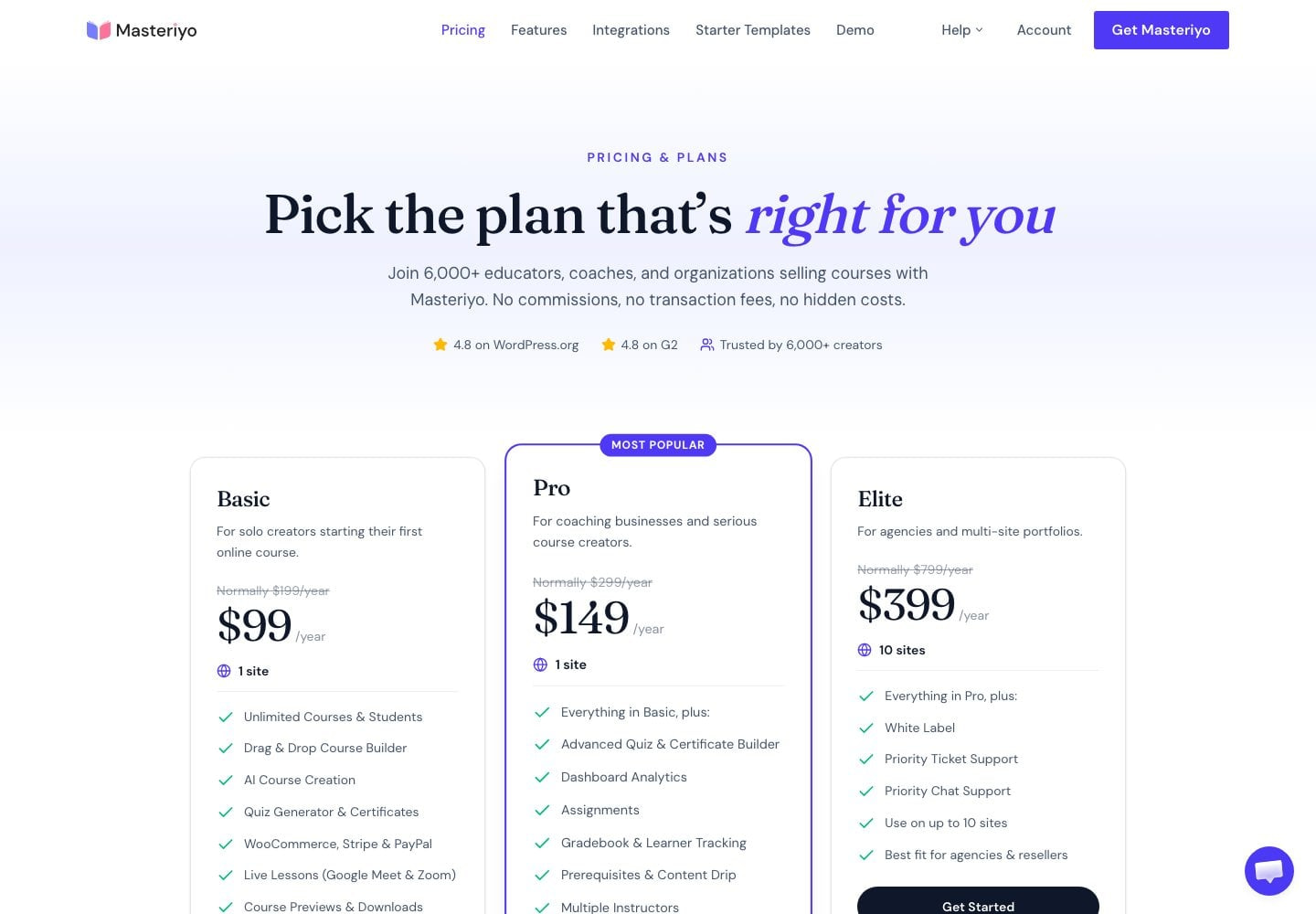
- Pricing: Basic starts at $99 for the first year, renewing at $199. Pro starts at $149, renewing at $299. No platform transaction fees are assessed.
- Limitations: With roughly 6,000+ active installs, its third-party ecosystem is smaller than legacy competitors, and its introductory discounts double upon renewal.
2. Tutor LMS: Best for Marketplaces and Multi-Instructor Schools
Commanding over 100,000+ active installs, Tutor LMS is the market share leader in this category, known for its robust front-end dashboards tailored for multi-instructor environments.
- What’s Free: Drag-and-drop course builder, unlimited quizzes, basic certificates, and front-end dashboards for both students and instructors.
- What’s Paid: Stripe, Mollie, Paddle integrations, content drip, assignments, and AI Studio. The Individual plan runs $199/year.
- Limitations: Credit card processing via Stripe requires the Pro tier, and its user rating sits at a modest 4.4/5.
3. LearnDash: Best for Established Course Businesses
As the gold standard of premium WordPress LMS plugins, LearnDash operates exclusively on paid tiers, ensuring dedicated developer support and robust native features.
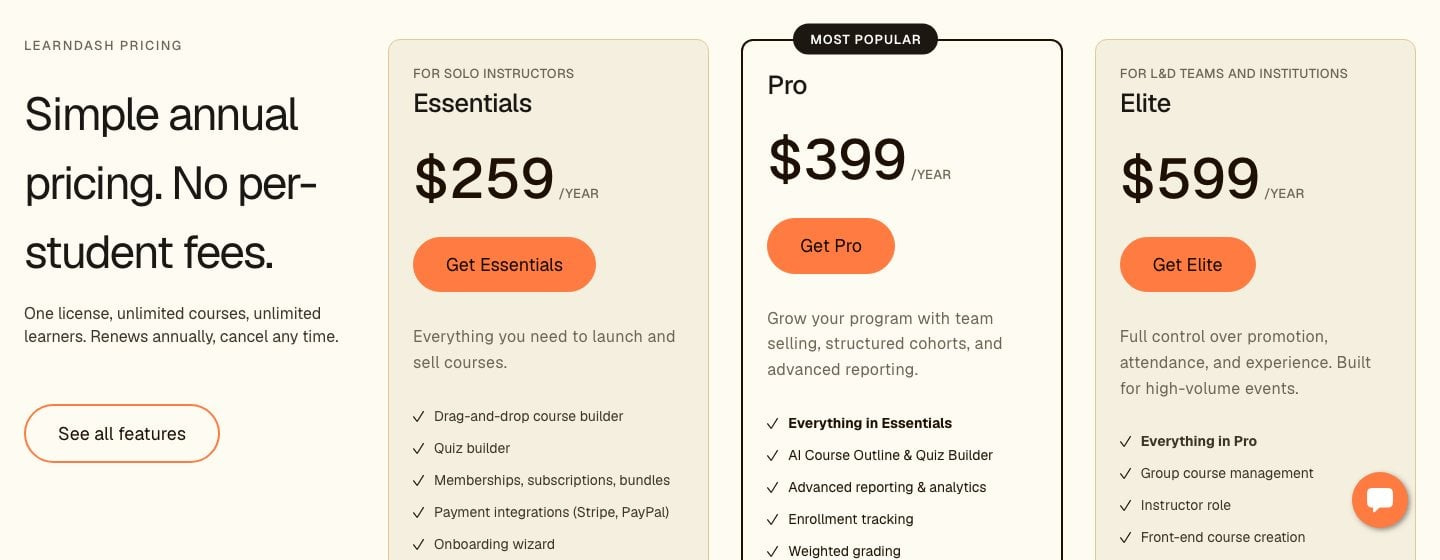
- Pricing: Essentials costs $259/year, Pro runs $399/year, and Elite is $599/year. Because there are no introductory discounts, renewal prices remain stable year-over-year.
- Limitations: It is one of the most expensive entry points on the market, offering no free trial tier.
4. LifterLMS: Best for Memberships Plus Courses
LifterLMS provides a remarkably generous free builder for complex academic structures, though monetization requires careful budgeting.
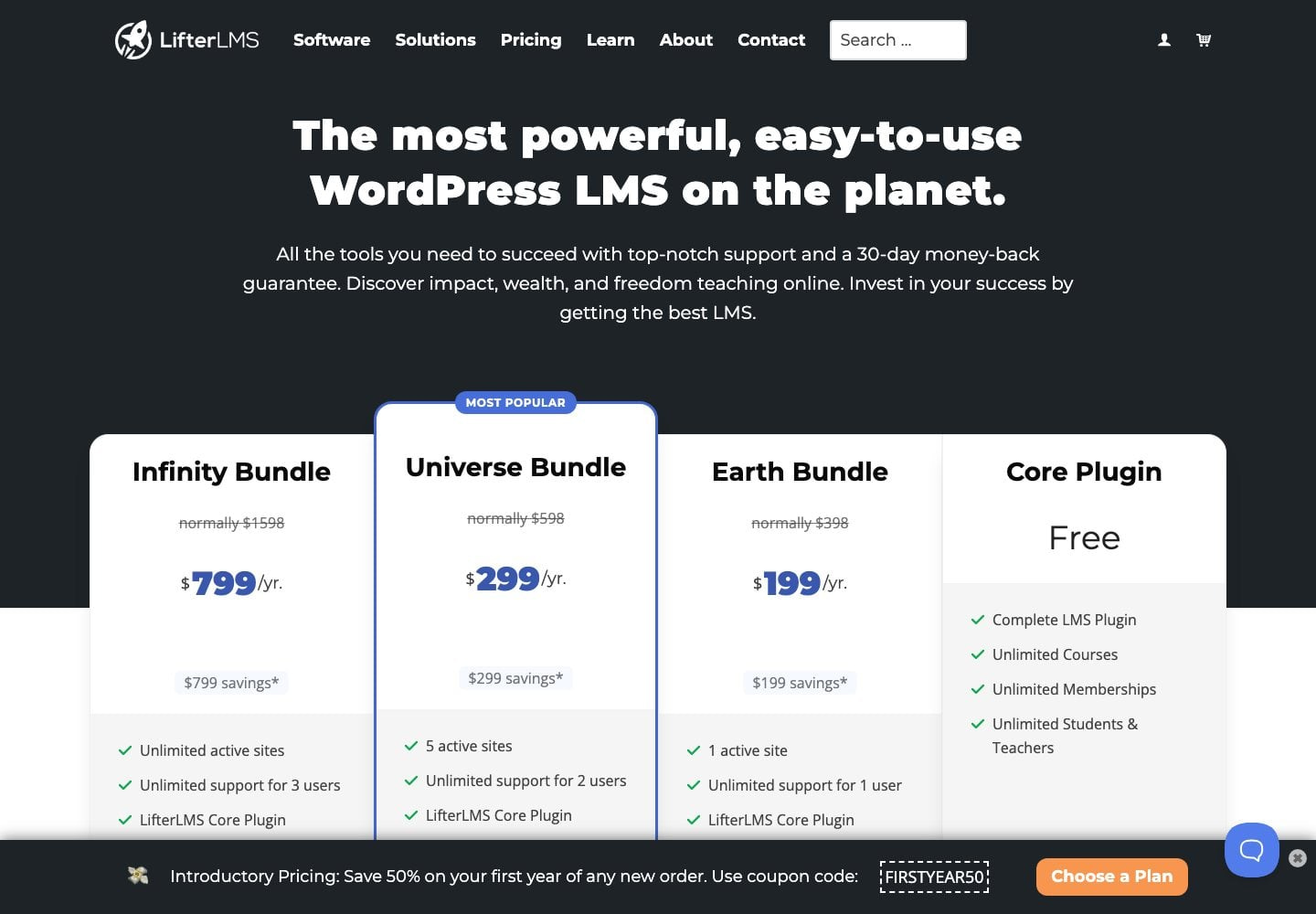
- The Catch: While the core plugin supports content drip, prerequisites, and memberships for free, taking credit card payments requires a paid add-on ($149/year) or upgrading to the Earth bundle ($199 for year one, renewing at $398).
5. LearnPress: Best for Modular Budget Builds
With over 70,000+ active installs, LearnPress offers deep modularity.
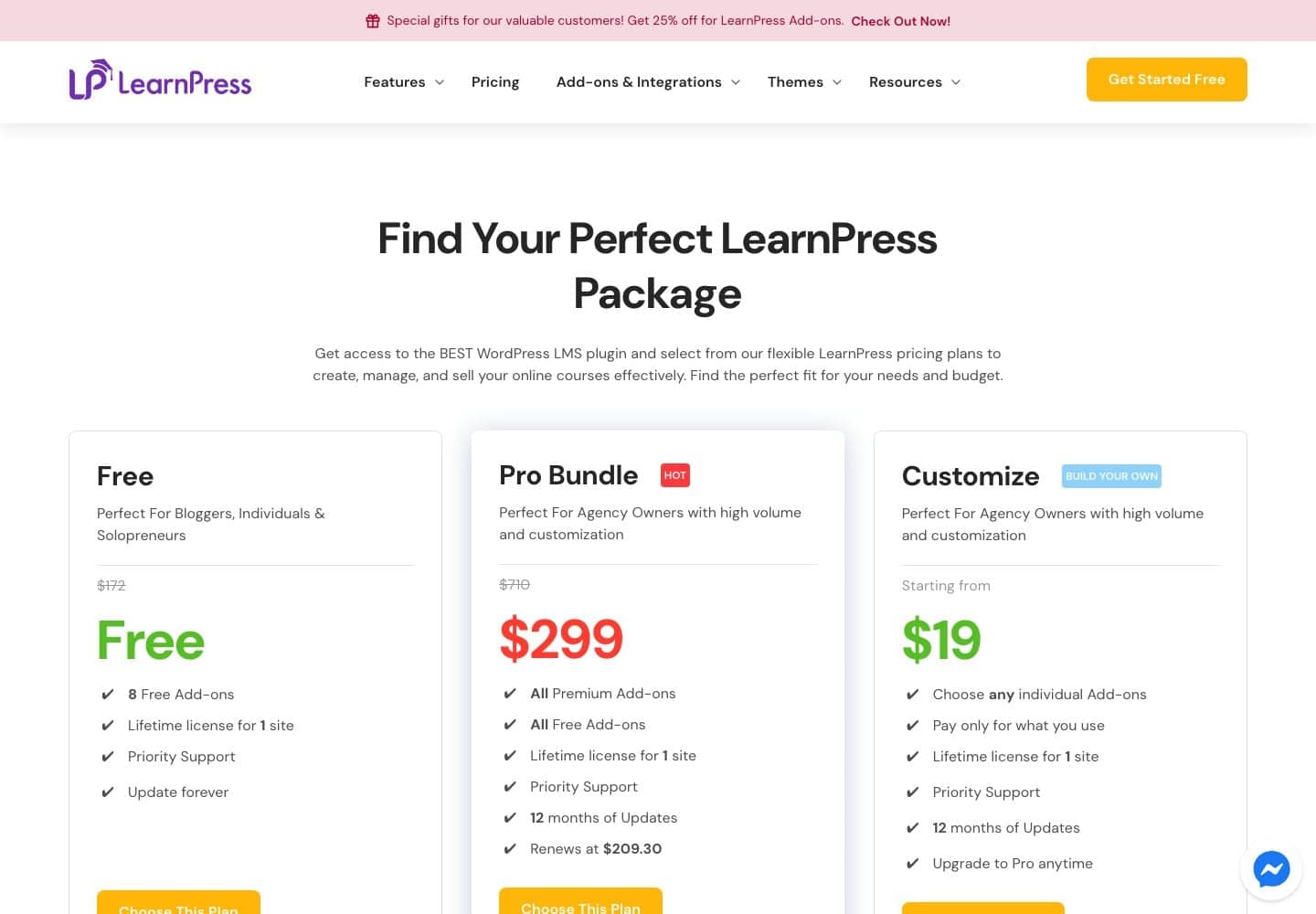
- Pricing: The core plugin is free, but individual add-ons cost around $39 each. Alternatively, the Pro Bundle is available for a flat $299 lifetime license for one site, with optional update renewals at $209.30/year.
6. Sensei LMS: Best for Block Editor and WooCommerce Sites
Backed by Automattic, Sensei LMS integrates seamlessly with the native WordPress block editor and WooCommerce.
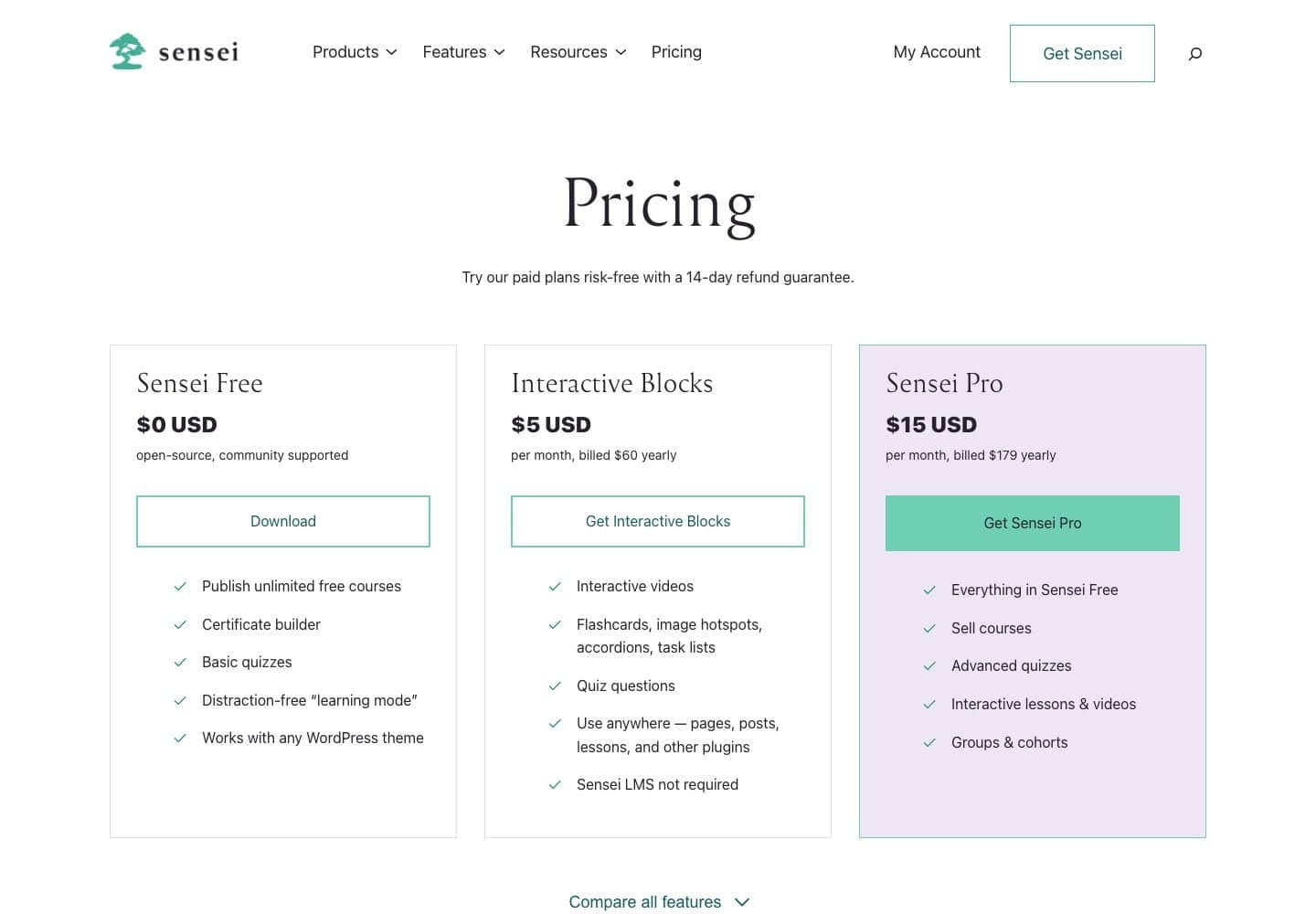
- Pricing: Sensei Pro costs $179/year.
- Limitations: The free plugin cannot sell courses natively, requiring WooCommerce and Sensei Pro for transactional capabilities.
7. MasterStudy LMS: Best for Udemy-Style Marketplaces
MasterStudy focuses heavily on multi-teacher revenue sharing and commission structures.
- Pricing: Single-site licenses start at $99/year (regularly $149), with lifetime options available at $249. Advanced features like content drip require the Pro package.
8. Academy LMS: Best for Agencies and Multi-Site Licences
Boasting a stellar 4.9/5 rating, Academy LMS provides exceptional value for developers managing multiple client websites.
- Pricing: Individual plans start at $99/year, while agency multi-site licenses scale up to $229 for 200 sites. Lifetime options start at $149.
9. MemberPress Courses: Best for Membership Sites
Operating primarily as a membership management framework, MemberPress bundles its course builder directly into its core access control suite.
- Pricing: The Launch plan is $199.50 for the first year, renewing at $399. Crucially, the Launch plan imposes a 4.9% platform transaction fee on all course sales, which is removed only upon upgrading to the Growth plan ($349.50/year).
Official Responses & Industry Implications
The architectural shift toward transparency in plugin pricing reflects broader macroeconomic pressures on digital creators. Platform developers are increasingly moving away from hidden transaction fees toward predictable subscription models, though "lock-in" pricing traps remain prevalent.
Industry analysts emphasize three core questions creators must ask before committing to an LMS:
- Can I collect revenue on day one without upgrading? (Crucial for bootstrapped projects).
- What will my software overhead look like in year two? (Beware of 100% price jumps upon renewal).
- Does the plugin rely on a third-party eCommerce bridge like WooCommerce, or is checkout handled natively?
Conclusion & Strategic Recommendations
Choosing a WordPress LMS plugin is a foundational infrastructure decision. Migrating student data, course progress, and quiz histories between platforms later is notoriously difficult and prone to data loss.
Before committing your brand to a live environment, always deploy your chosen LMS on a secure staging server, perform comprehensive transaction tests, and verify both your recurring year-two software costs and payment gateway fees.