




In the fast-paced world of digital marketing, waiting hours for a site-wide crawl to finish can be the difference between capturing a search trend and losing your position to a competitor. Whether you are troubleshooting a product page that has suddenly slipped in the SERPs or diagnosing a high-intent landing page that refuses to convert, immediate insights are paramount.
The SEOquake Chrome extension, developed by Semrush, has become an essential tool for SEO professionals who need to move from triage to diagnosis without leaving their browser. By streamlining technical signals, on-page factors, and linking strategies into a lightweight interface, it allows for a comprehensive audit in just three minutes.

What Is SEOquake and Why Does It Matter?
SEOquake is a robust browser extension designed to provide instant access to the technical and performance data that search engines use to evaluate a webpage. Once installed, it transforms any URL into an open book, revealing metadata, link profiles, keyword density, and core Semrush metrics with a single click.

The tool is built on a color-coded reporting system, which is critical for rapid decision-making:

- Green: Indicates that the element meets standard best practices.
- Orange: Flags warnings that require a human judgment call.
- Red: Highlights critical errors that likely require immediate technical intervention.
This visual hierarchy allows SEOs to prioritize their workload effectively, focusing on "red" blockers before addressing "orange" optimizations.

The Three-Minute Workflow: Triage to Diagnosis
A successful audit doesn’t require a deep dive into every single line of code. Instead, it requires a systematic, time-boxed approach. By following a three-minute workflow, you can isolate issues and determine whether they require a page-level fix or a broader site-wide strategy.

Minute One: Triage with the Quick View Pop-up
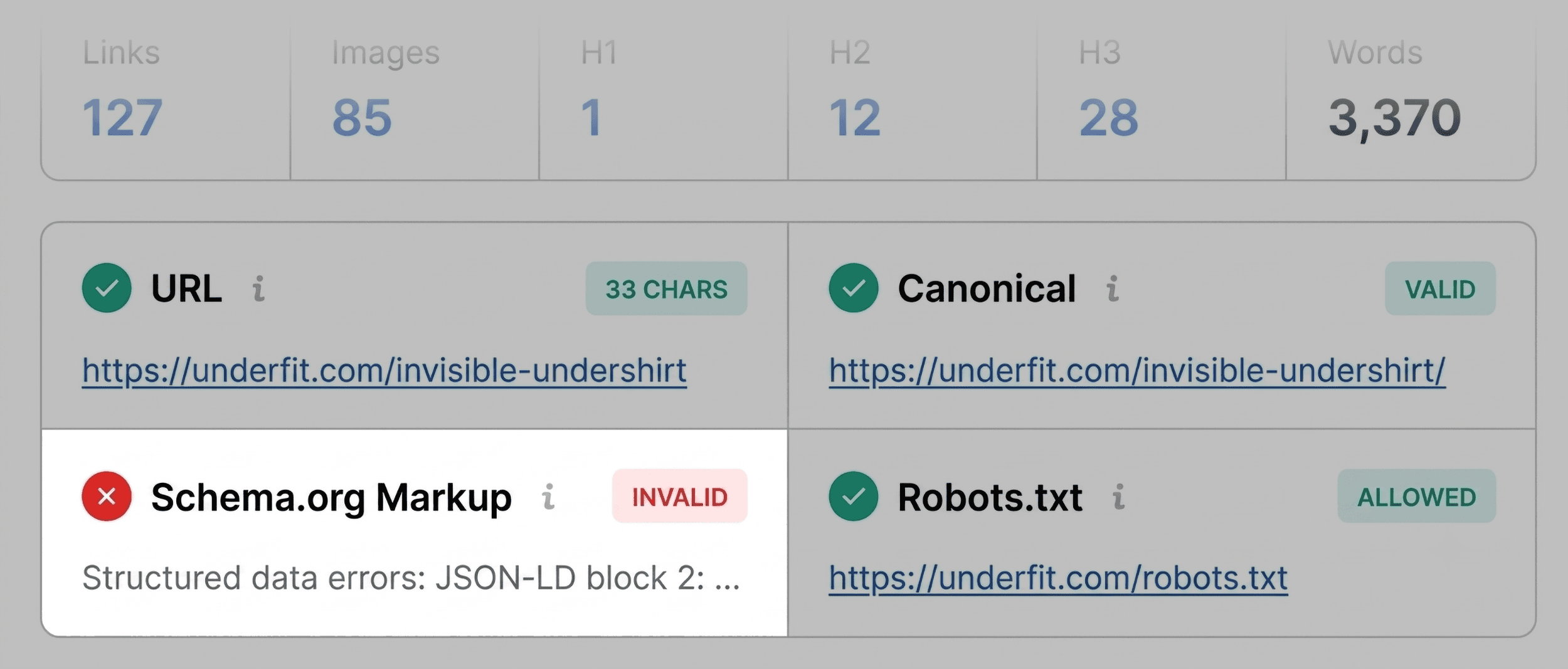
The first 60 seconds are dedicated to high-level observation. When you open the SEOquake extension on a target page, you are greeted with a dashboard containing five primary tabs: Page Info, Diagnosis, Internal, External, and Density.

For an initial triage, focus on three specific areas:

- Page Info: Here, you verify the basics—Title tags, Meta descriptions, and Canonical URLs. These are the "front door" of your SEO; if they are missing or incorrectly implemented, nothing else matters.
- Audit: This tab identifies structural issues, such as missing H1 tags, image alt-text gaps, or issues with Schema markup.
- Content: This tab provides a structural view of how your headings are organized.
During this phase, keep an eye out for red-flagged Schema.org markup. For e-commerce sites, invalid product schema is a severe issue—it prevents search engines from displaying rich snippets like pricing, star ratings, and stock availability, all of which are proven to increase click-through rates.

Minutes Two and Three: Deep-Dive Diagnosis
Once the triage is complete, you move to the "Full Report." By clicking "View Full Report," you transition from a snapshot to a forensic analysis.

The Full Report categorizes data into six distinct panels. If your triage revealed a technical issue, you should navigate directly to the Audit panel. This section goes beyond surface-level checks to examine crawlability, indexation status, mobile compliance, and sitemap accessibility.

Example Scenario:
Suppose you identify that your XML sitemap is not correctly linked. In the Full Report, you can confirm this under the "Technical Compliance" section. You can then evaluate whether this is a localized oversight on one page or a global configuration error across your entire content management system.

Supporting Data: Keyword Density and Link Health
Data-driven SEO requires looking beyond technical health. Two panels—Keyword Density and Links—provide the necessary context to determine if your content is optimized for the right audience and if your link equity is being preserved.

Evaluating Topic Coverage
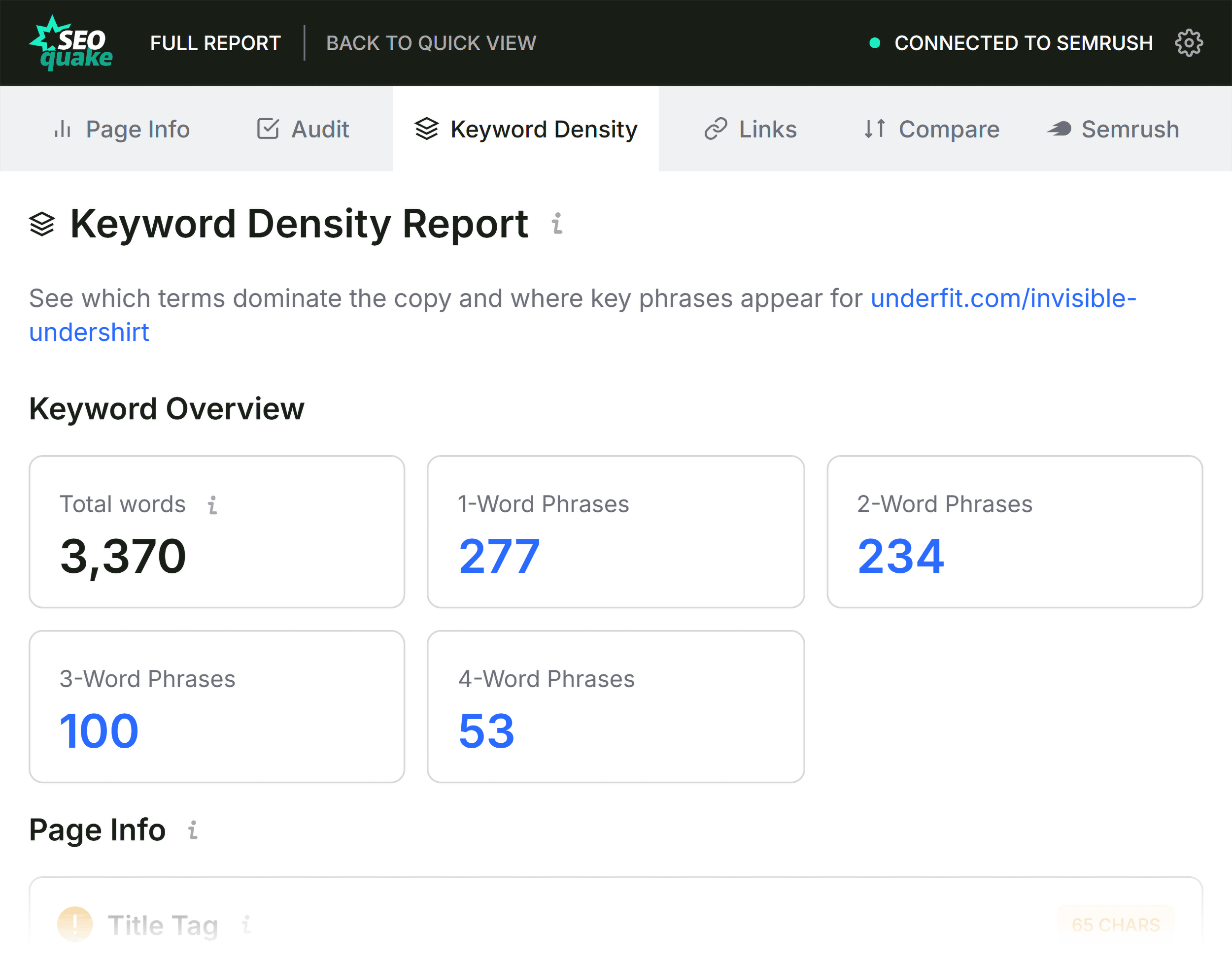
The Keyword Density panel is an excellent tool for identifying "topic gaps." By looking at the Keyword Cloud, you can instantly see if your page is hitting the necessary semantic keywords.

If you are auditing a "v-neck undershirt" product page but the word "undershirt" is not in your top five most frequent terms, you have a content relevance issue. Conversely, if you see high-frequency terms that are irrelevant to your product, it may indicate that your page structure is confusing the search engine’s crawlers.

Assessing Link Integrity
Broken links are more than just a nuisance for users; they represent a failure to pass authority through your site. The Links panel allows you to export a CSV of all internal and external links.

Journalistic and technical best practices dictate that you should aim for a zero-broken-link policy. By using the SEOquake report to identify dead external links, you can reclaim that "wasted" authority by either updating the link or replacing it with a functional resource.

Implications: When to Escalate to a Site Audit
The final stage of your three-minute audit is the "Decision Phase." You must ask: Is this issue unique to this URL, or is it a symptom of a systemic site failure?

- Page-Level Fix: If the title tag is malformed or alt text is missing on a specific product image, you can assign this to a copywriter or developer to resolve immediately.
- Site-Wide Audit: If you discover that your entire product category is missing Schema markup, or if your XML sitemap is unreachable, this is a systemic failure.
In the latter case, SEOquake serves as the trigger for a broader initiative. Using a tool like the Semrush Site Audit, you can crawl your entire domain to identify how widespread the issue is. This approach ensures that you aren’t just putting a band-aid on a single page, but actually improving the architectural integrity of your entire website.

Official Response and Best Practices
Semrush emphasizes that while tools like SEOquake are powerful, they are designed to augment, not replace, strategic thinking. The data provided by the extension is a starting point for investigation.

"The goal of SEOquake is to eliminate the friction between identifying a problem and finding its source," says a spokesperson for the development team. "By providing actionable, real-time data, we empower SEOs to make informed decisions without needing to wait for the next scheduled report."
Summary Checklist for Your Next Audit:
- Install: Add the extension from the Chrome Web Store.
- Scan: Use the Quick View to identify red-flagged technical issues.
- Validate: Click "View Full Report" to drill down into the Audit and Links panels.
- Prioritize: Distinguish between page-specific fixes and site-wide architectural needs.
- Act: Execute the fix or initiate a full site crawl if the problem is global.
By integrating this workflow into your daily routine, you move from reactive troubleshooting to proactive site management. In the evolving landscape of search—where AI systems and search algorithms prioritize speed and clarity—the ability to audit a page in three minutes is no longer just a luxury; it is a competitive necessity.