





For decades, the term "cinematic visual effects" was synonymous with massive budgets, specialized teams of compositors, and hardware that cost as much as a luxury sedan. Whether it was the complex rotoscoping required for Star Wars or the intricate color grading of a blockbuster thriller, professional-grade production was a gatekept industry.
Today, that barrier has effectively collapsed. The emergence of artificial intelligence (AI) in the post-production pipeline has transformed the laptop into a portable, high-powered visual effects studio. From automating tedious frame-by-frame cleanup to generating photorealistic textures, AI is no longer just a futuristic concept—it is a functional, accessible reality for creators at every skill level.

The New Era of Accessible VFX
The fundamental shift in video production is the transition from "manual labor" to "AI-assisted creativity." In the past, a creator might spend four hours masking a subject out of a frame; today, neural networks can perform that same task with higher precision in seconds.
This evolution has fundamentally altered the role of the editor. Rather than being buried in the weeds of technical execution, the modern filmmaker is increasingly becoming a director of AI processes. By leveraging tools such as Envato VideoGen, Runway ML, and DaVinci Resolve’s Neural Engine, creators can focus on the core tenets of cinema: storytelling, pacing, and emotional impact.

Chronology: From Manual Mastery to Algorithmic Assistance
To understand how we reached this point, we must look at the timeline of digital post-production:
- The Pre-Digital Era (Pre-1990s): Effects were achieved through physical trickery, optical printers, and hand-painted film frames. It was labor-intensive and prohibitively expensive.
- The Non-Linear Era (1990s–2010s): Software like Adobe Premiere and After Effects revolutionized the industry. However, the learning curve remained vertical. Proficiency required years of technical training.
- The Automation Era (2015–2020): Tools began integrating basic machine learning for simple tasks, such as stabilizing shaky footage or basic noise reduction.
- The Generative AI Era (2021–Present): With the introduction of Large Language Models (LLMs) and diffusion models, AI can now "understand" the semantic content of a video. We can now prompt an AI to "remove the person in the background" or "relight this scene to look like a sunset," and the software executes the change by analyzing the spatial and temporal data of the clip.
The Arsenal: Top AI Tools for Cinematic Results
If you are looking to integrate AI into your workflow, the selection of tools can be overwhelming. Below are the industry-leading solutions tailored for beginners and intermediate users.

1. Envato VideoGen
VideoGen is arguably the most approachable entry point for those intimidated by complex interfaces. As a text-to-video tool, it allows users to generate visual assets from prompts. It is particularly effective for social media content, YouTube thumbnails, and B-roll. Its strength lies in its simplicity: it bypasses the need for traditional camera equipment, allowing the creator to focus entirely on the narrative arc.
2. Runway ML
Runway is the gold standard for browser-based AI video editing. It is not merely a generator; it is a suite of professional-grade tools. Features like "Gen-3 Alpha" for video generation and "Inpainting" for removing objects from scenes make it a powerhouse. It is designed for creators who want to experiment with advanced VFX without needing to install heavy software.

3. Adobe Premiere Pro + Firefly
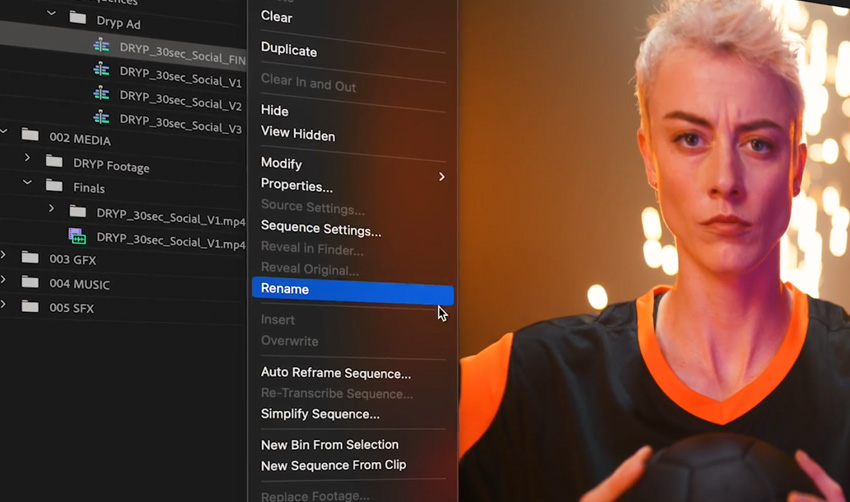
Adobe has integrated its "Firefly" generative AI directly into the Premiere Pro timeline. This is a game-changer for professional editors who need to augment their existing workflows. Whether it is using Generative Fill to extend a shot or AI-powered text-based editing, Adobe keeps the creative process within a familiar, high-performance environment.
4. DaVinci Resolve (Neural Engine)
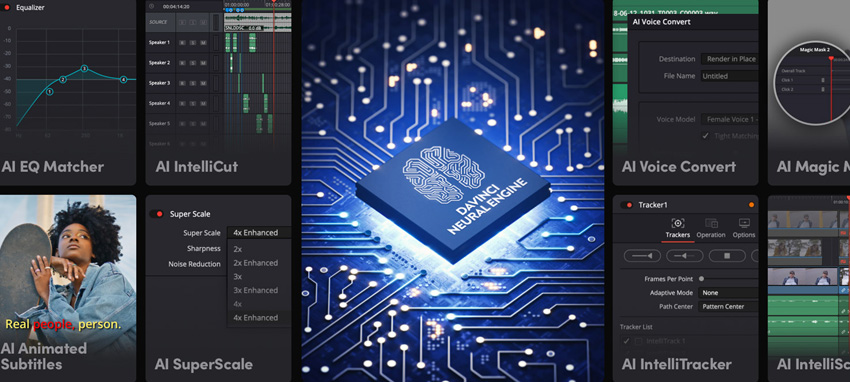
DaVinci Resolve is the industry standard for color grading. Its "Neural Engine" leverages AI to automate complex tasks such as "Magic Mask," which tracks people or objects through a scene without manual keyframing. While the learning curve is steeper than a browser-based tool, the free version of DaVinci is arguably the most powerful piece of software a beginner can own.
Supporting Data: The Efficiency Gap
The efficiency gains provided by AI are not merely incremental; they are exponential. According to internal industry case studies, AI-driven workflows have demonstrated the following improvements:
- Rotoscoping/Masking: What once took a professional editor 60 minutes per minute of footage now takes approximately 5–10 minutes with AI-assisted object tracking.
- Color Grading: AI-matched color grading tools reduce the time spent on "shot matching" by up to 70%, allowing editors to maintain a consistent aesthetic across a project in a fraction of the time.
- Object Removal: Traditional "cloning" and cleanup of unwanted elements in a shot has seen a time reduction of roughly 80% compared to traditional manual patching.
These efficiencies allow independent creators to produce content that rivals the production values of high-budget commercial studios.
The Human-AI Partnership: Strategic Implications
A common concern among industry professionals is the question of whether AI will replace the human editor. The current consensus, supported by creators and technologists alike, is that AI acts as an accelerator, not a replacement.
The "Creative Handshake"
The most successful creators are those who treat AI as a junior assistant. The AI handles the "heavy lifting"—the repetitive, time-consuming tasks—while the human provides the "creative heartbeat." AI struggles with nuance, emotional intent, and the subtle "feel" of a cut.
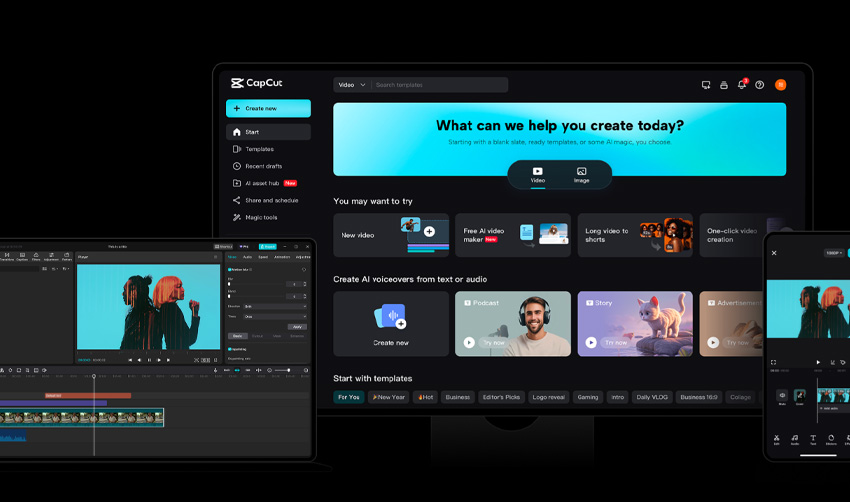
For instance, an AI can color-grade a clip to be "cinematic," but it cannot decide if that specific shade of blue conveys the character’s loneliness at that precise moment in the script. The human creator must retain control over the narrative intent.
Ethical and Quality Considerations
There is a danger in over-relying on AI: the "Auto-Generated" look. When creators rely too heavily on stock prompts or default AI filters, projects can begin to feel homogeneous. The key to standing out in a saturated market is to use AI for the technical cleanup, but to manually refine the final polish to ensure the work retains a distinct, personal style.
Expert Guidance: Best Practices for Beginners
If you are just starting your journey into AI-assisted cinema, follow these four steps to ensure professional quality:
- Prioritize Source Quality: AI can enhance a good shot, but it cannot fix a poorly composed, blurry, or badly lit one. Always start with the highest quality raw footage possible.
- Use AI for Utility, Not Just Novelty: Focus on using AI to remove distractions (like wires or background people) or to stabilize footage. Use it to solve problems, not just to generate flashy, superficial effects.
- The "Less is More" Rule: Cinematic beauty is often found in subtlety. Avoid over-saturating colors or over-sharpening textures. If you use an AI effect, consider dialing back the intensity by 20–30% to keep it grounded.
- The Final Manual Review: Always perform a manual pass on your project. Watch it without the influence of the AI tools. Ask yourself: Does this flow? Does it tell a story? If you feel something is off, trust your creative intuition over the algorithm.
Conclusion: The Future is Yours to Direct
We are currently witnessing the greatest democratization of creative power in the history of film. The barriers that once restricted the ability to produce high-end visual effects have been dismantled by code and neural networks.

Whether you are a 3D artist, a YouTuber, or a filmmaker, these tools are not here to usurp your role—they are here to invite you to the table. The future of cinematic storytelling does not belong to the largest studio or the most expensive camera; it belongs to the person with the most compelling vision. With these AI tools at your fingertips, you have everything you need to turn your vision into a cinematic reality. Start small, experiment often, and remember that technology is simply the brush; you are the painter.