







In the fast-paced world of web development, the smallest details often present the greatest hurdles. While styling a single border or shadow is a task that takes seconds, maintaining that visual consistency across an entire enterprise-grade website is a monumental challenge. As projects scale, designers and developers often find themselves in a cycle of “patchwork styling”—manually tracking down border-radius values, shadow opacities, and stroke widths across dozens of modules.
With the release of Divi 5, Elegant Themes has introduced a transformative shift in workflow: Option Group Presets. By decoupling styling logic from specific module types, Divi 5 empowers users to build a robust, scalable design system that ensures visual harmony from a single source of truth.
The Core Innovation: What Are Option Group Presets?
Historically, Divi users relied on "Element Presets." While effective for saving the configuration of an entire module—like a specific Call to Action (CTA) or a complex Blurb—they were often too rigid. If you wanted to apply a specific shadow to both an Image module and a Column, you were forced to manage those settings separately or rely on global CSS.
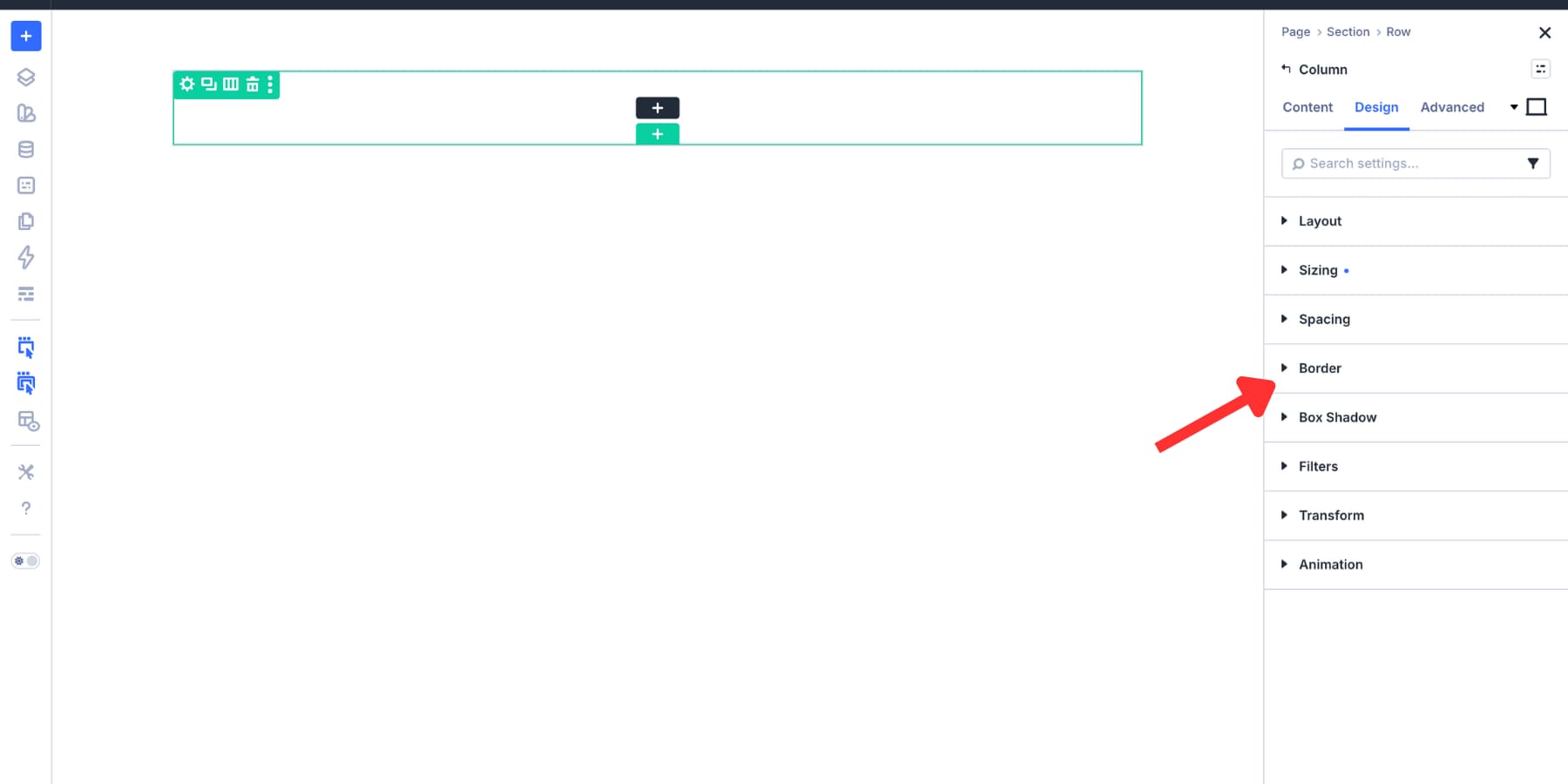
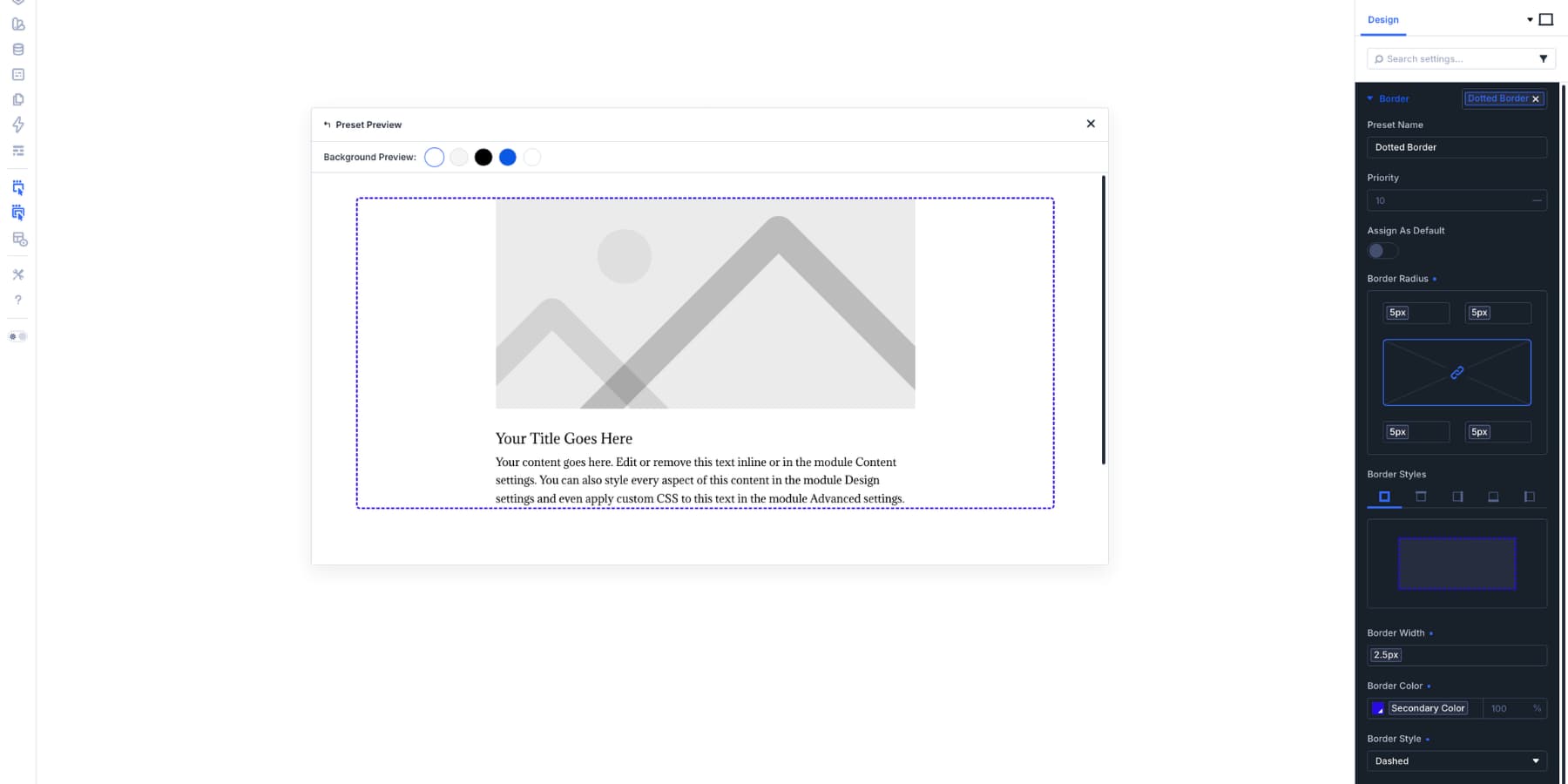
Option Group Presets change the paradigm. They isolate specific functional groups—such as Border, Box Shadow, Spacing, or Background—allowing these settings to exist as independent, reusable entities. A border preset created for a column can be seamlessly applied to a section, a row, an image, or any other element supporting border controls. This granular control means you are no longer saving an entire module; you are saving a design decision.
The Role of Design Variables
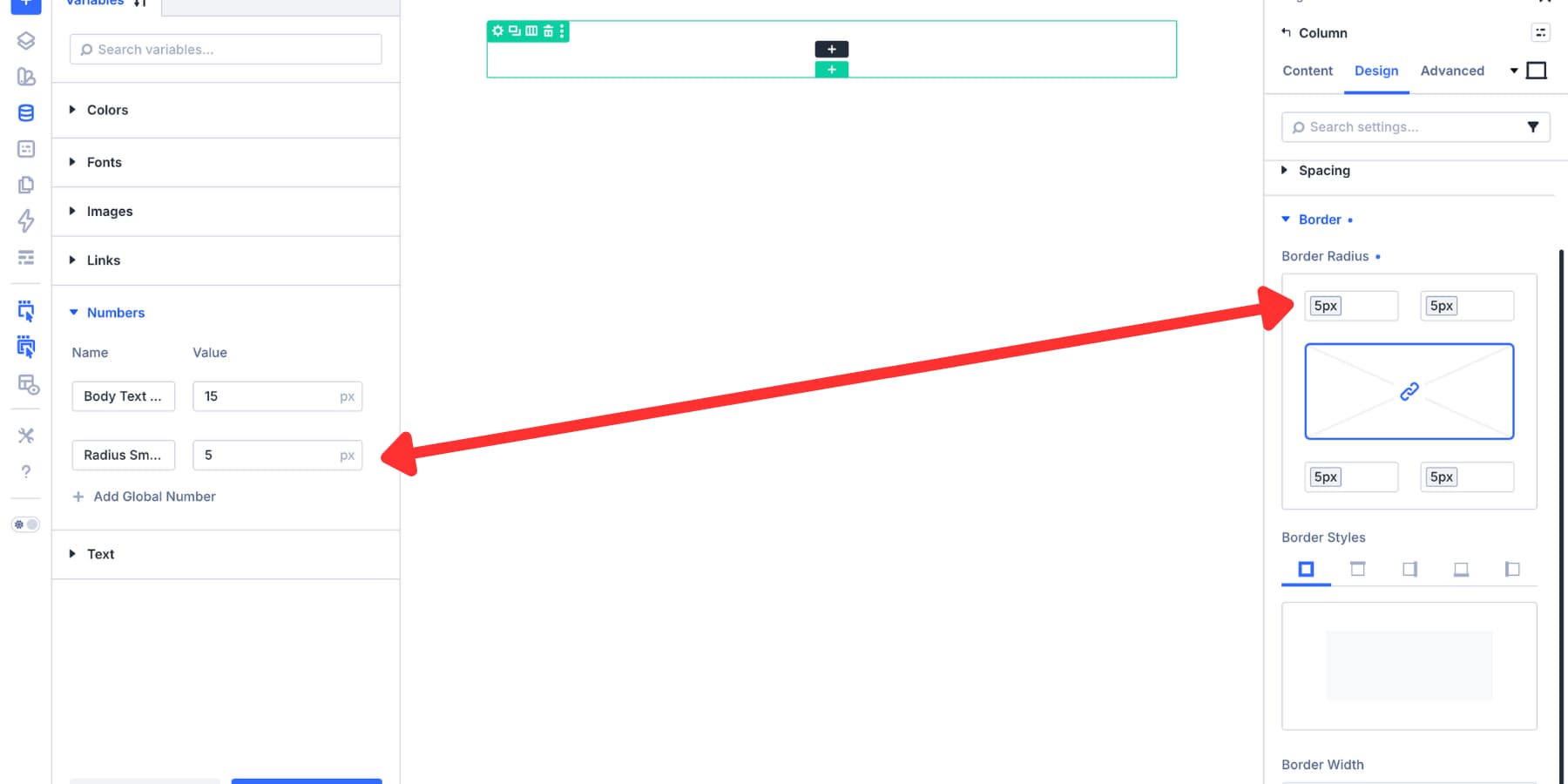
The power of Option Group Presets is amplified when paired with Design Variables. By using variables to store raw values (e.g., a specific "Brand-Primary" color or a "Subtle-Shadow-Blur" number), presets become dynamic. If your brand palette shifts, updating the variable automatically propagates the change across every preset and element referencing it. This creates a living design system that is as agile as it is consistent.
Chronology: From Static Design to Systemic Architecture
The transition to a preset-based workflow reflects a broader industry trend toward "Design Operations" (DesignOps).
- The Era of Manual Replication: Early web design required manual input for every element. If a designer wanted 10 cards to have a 12px shadow, they had to input those values 10 times.
- The Element Preset Phase: Introduced in previous iterations, this allowed for faster module creation but created "bloated" presets where individual styles were tied to specific elements.
- The Divi 5 Systemic Shift: With Option Group Presets, Divi 5 mimics the logic found in professional-grade design tools like Figma or Adobe XD. By separating what an element is from how an element looks (borders, shadows, spacing), developers can now build component libraries that are modular and infinitely scalable.
Why a Border and Shadow Library is Essential
Designers often underestimate the psychological impact of UI consistency. A site where every card has a slightly different border radius feels "cheap" or "amateur." Conversely, a site with a unified visual language feels polished, trustworthy, and premium.
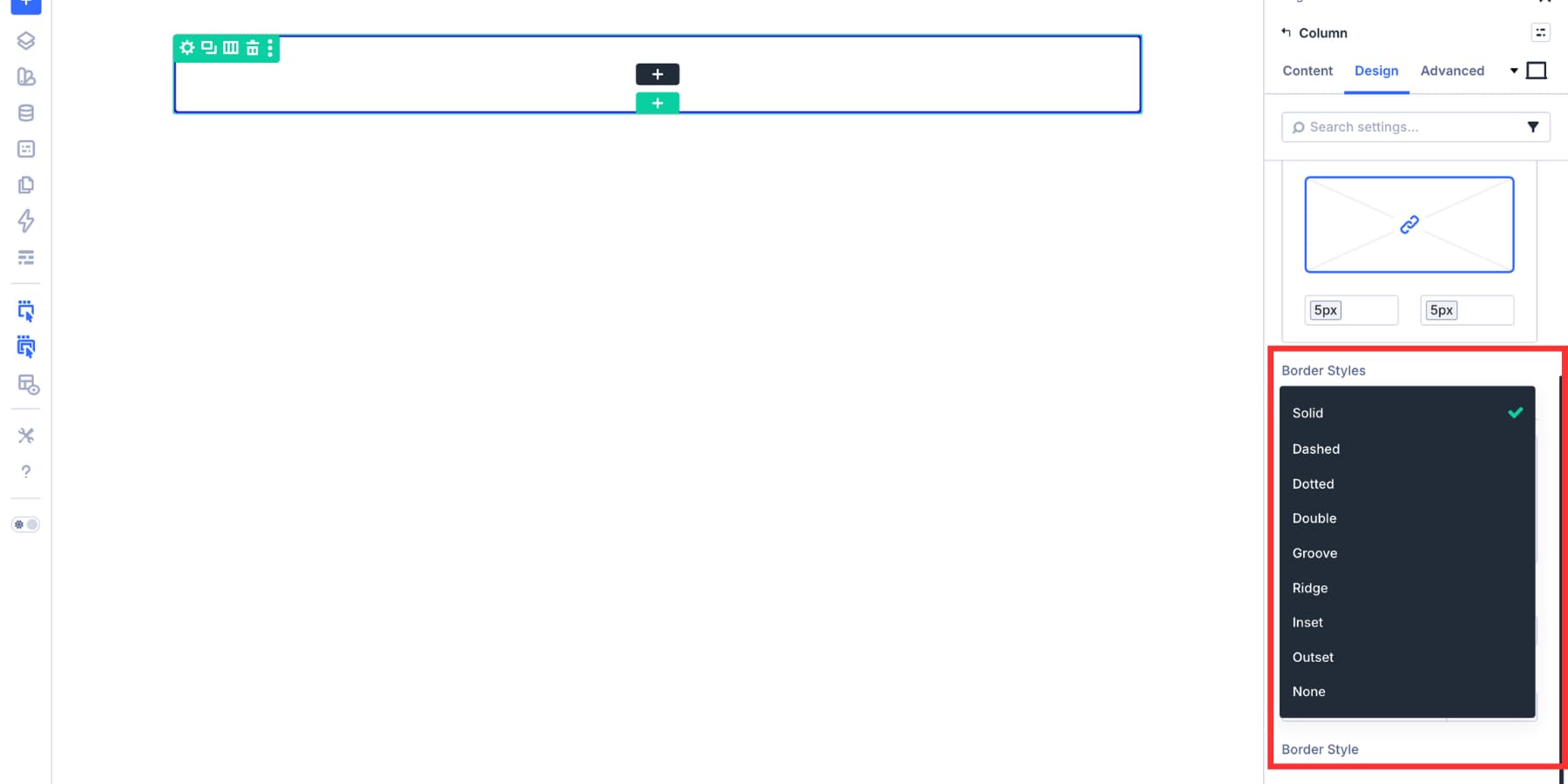
Supporting Data and Design Logic
- Cognitive Load: Consistent shadows provide visual cues about hierarchy. If users see a consistent "depth" across all interactive elements, they intuitively know what is clickable.
- Maintenance Efficiency: In a site with 50 pages, manually changing a border color is a task that could take hours. With a preset library, that task is reduced to a single click in the Preset Manager.
- Collaborative Scaling: When working in teams, a centralized library prevents "style drift," where different team members inadvertently create their own versions of "standard" elements.
Implementation Strategies: Creating Your Library
There are two primary paths to building your library in Divi 5, both designed to cater to different stages of the development lifecycle.
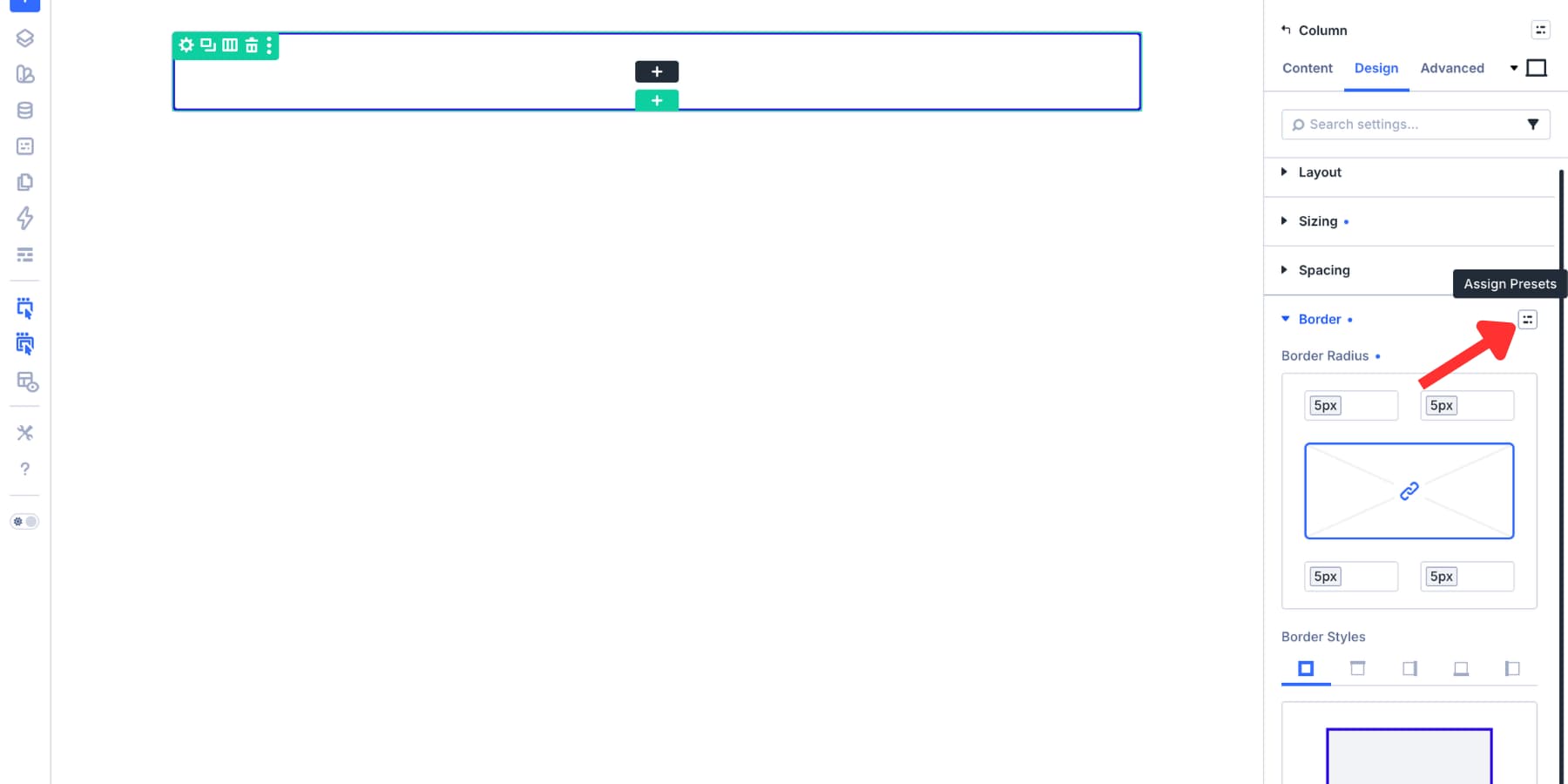
Path 1: The "Design-First" Approach
This approach is ideal for developers who are currently in the flow of building a layout.
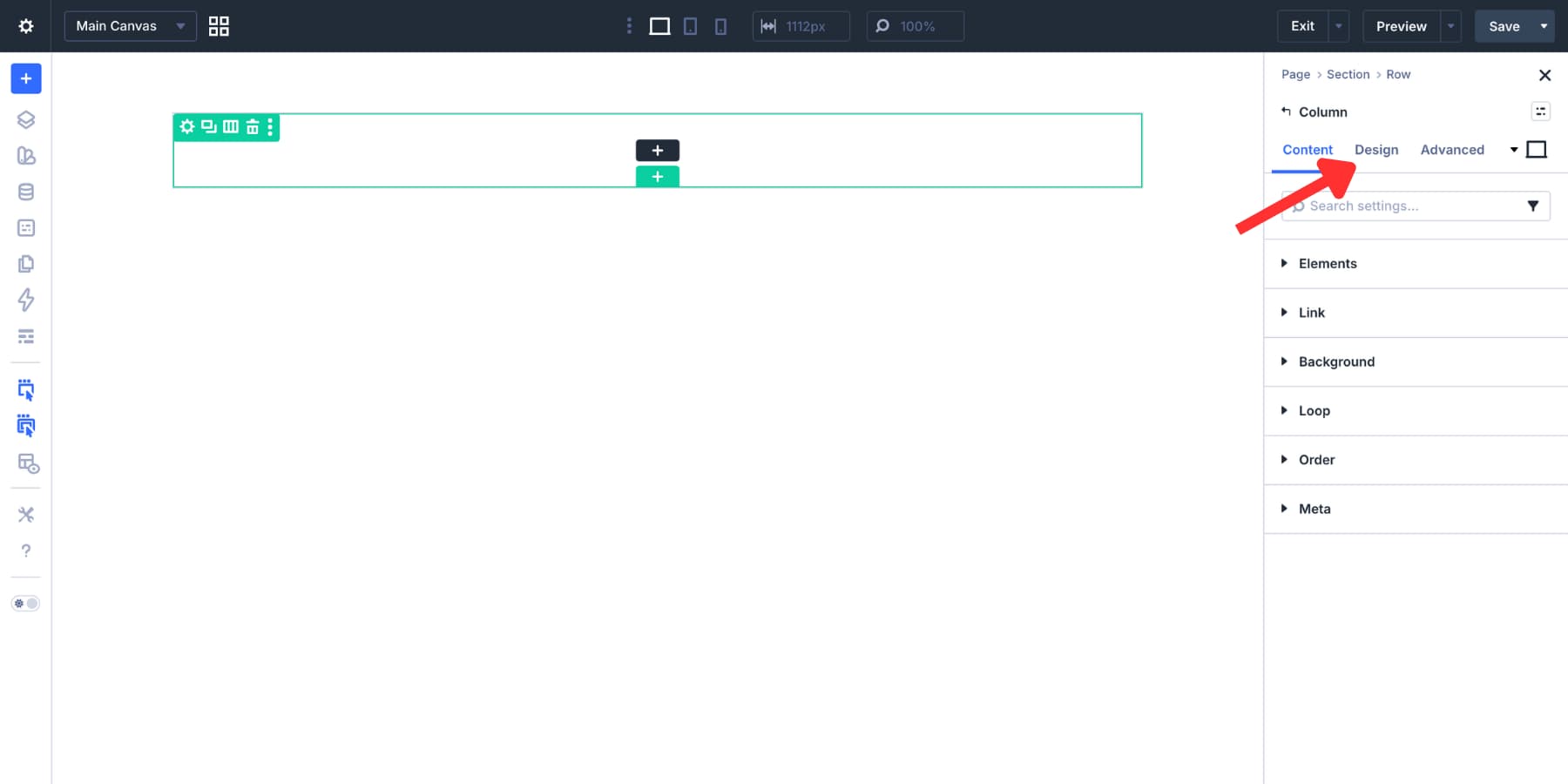
- Styling: Select an element (e.g., a Column) and head to the Design tab.
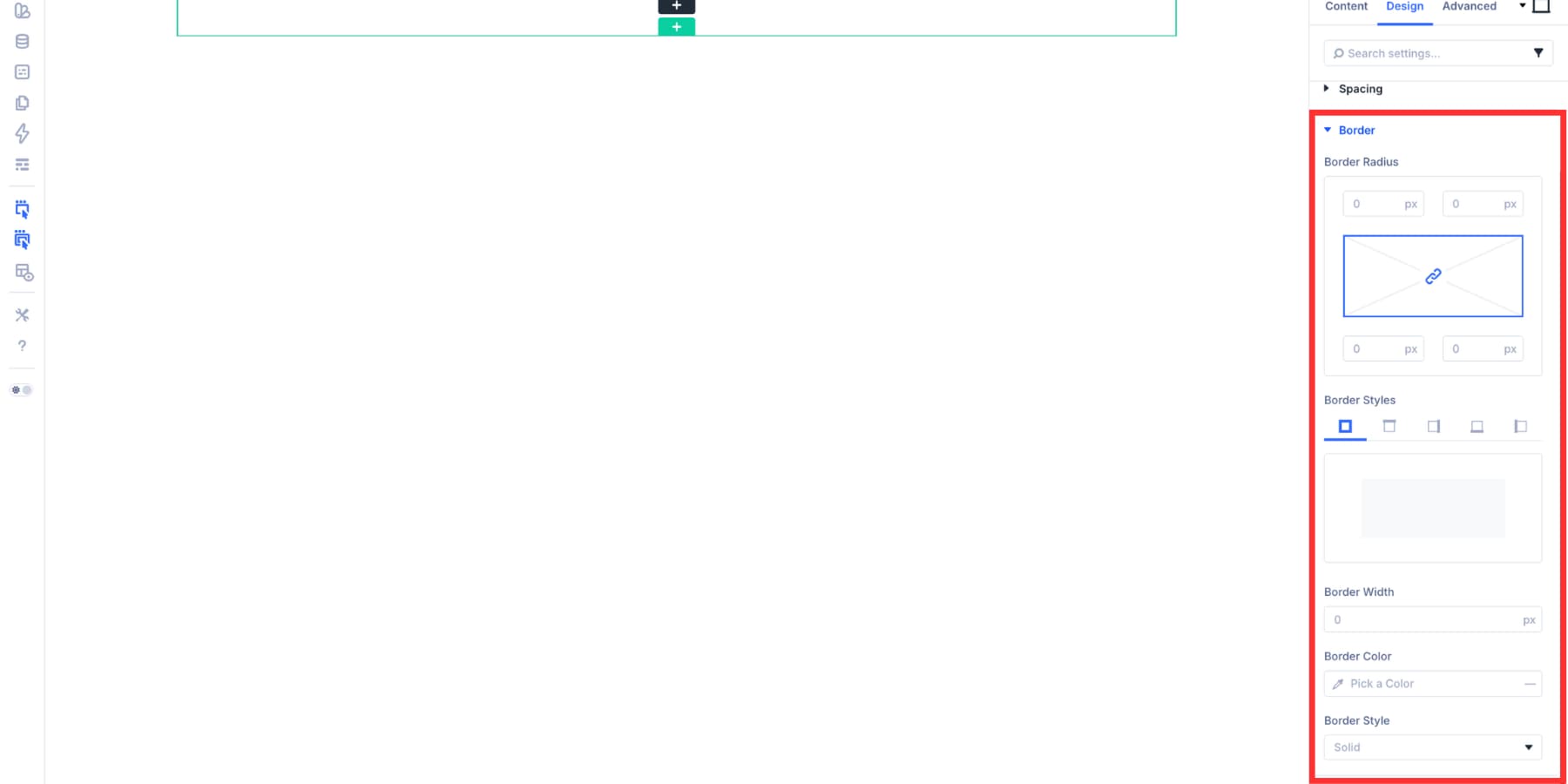
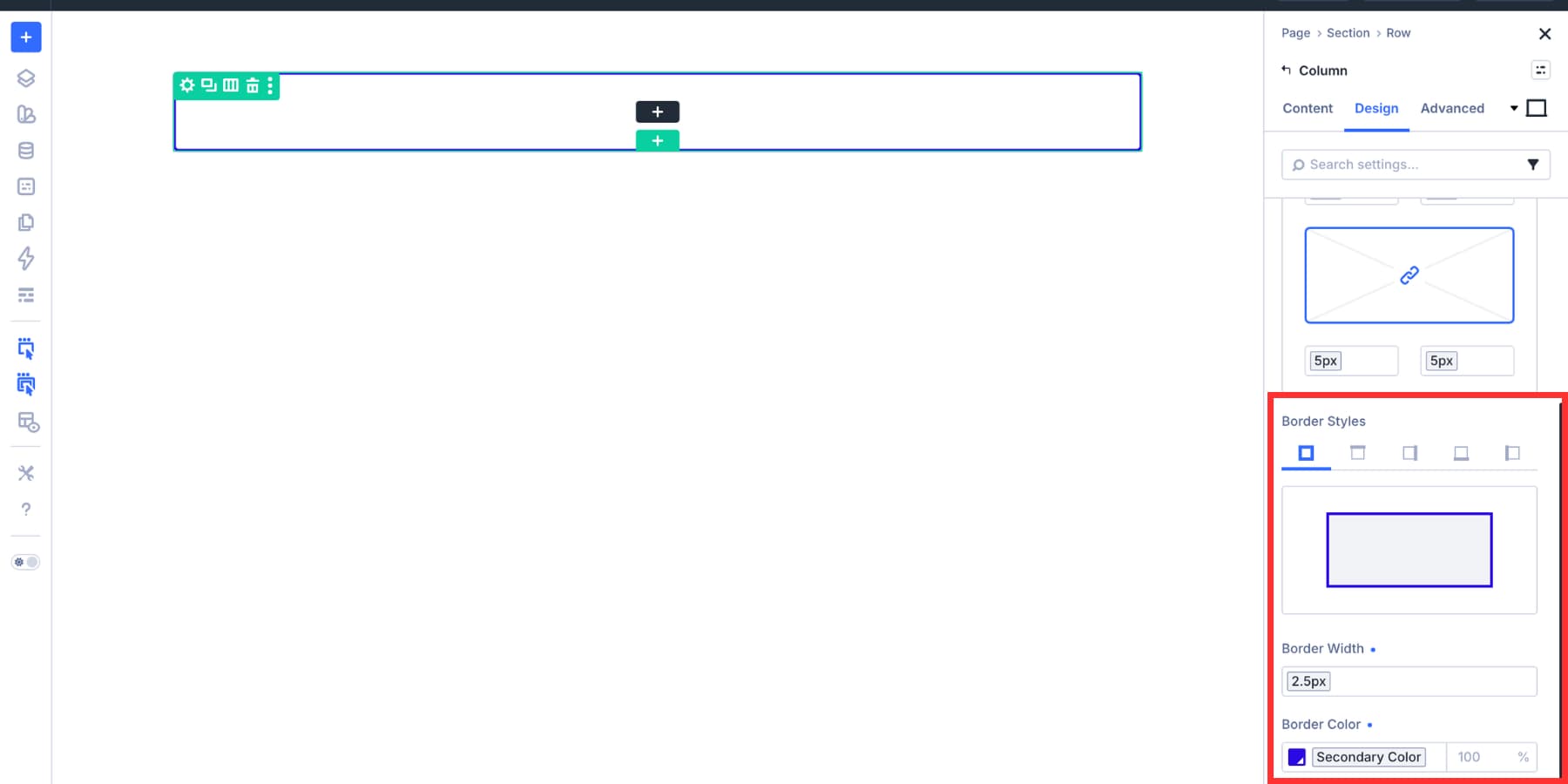
- Configuration: Define your border radius, width, and color. Use a Design Variable for the color to ensure future-proofing.
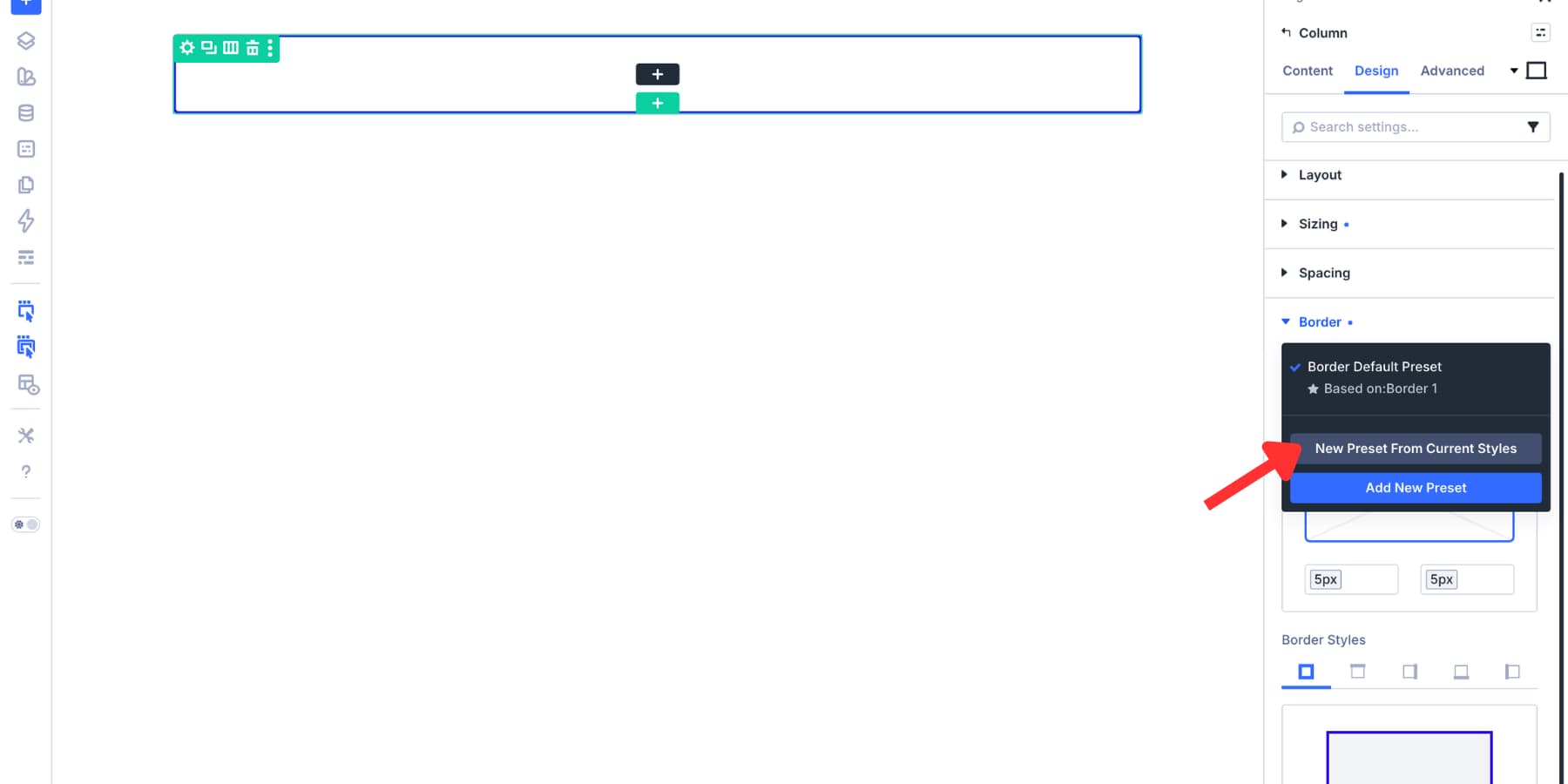
- Saving: Hover over the "Border" group header and click the Preset Icon.
- Creation: Select "New Preset From Current Styles." By naming this preset according to its function—such as
Card-Border-SoftorSection-Divider-Light—you create a reusable component that is ready for any other element.
Path 2: The "System-First" Approach via Preset Manager
For those building a design system from scratch, the Preset Manager is the command center.
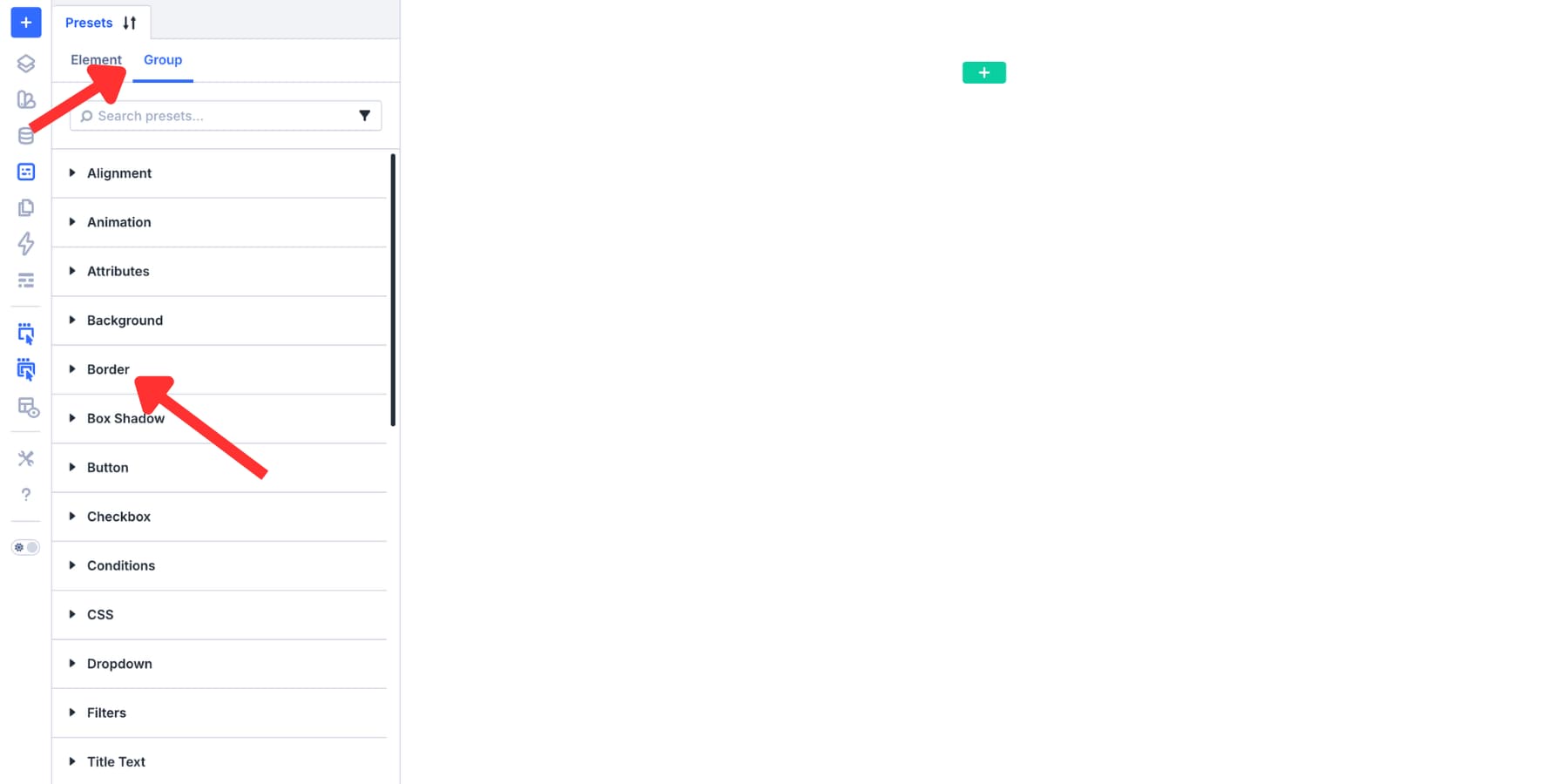
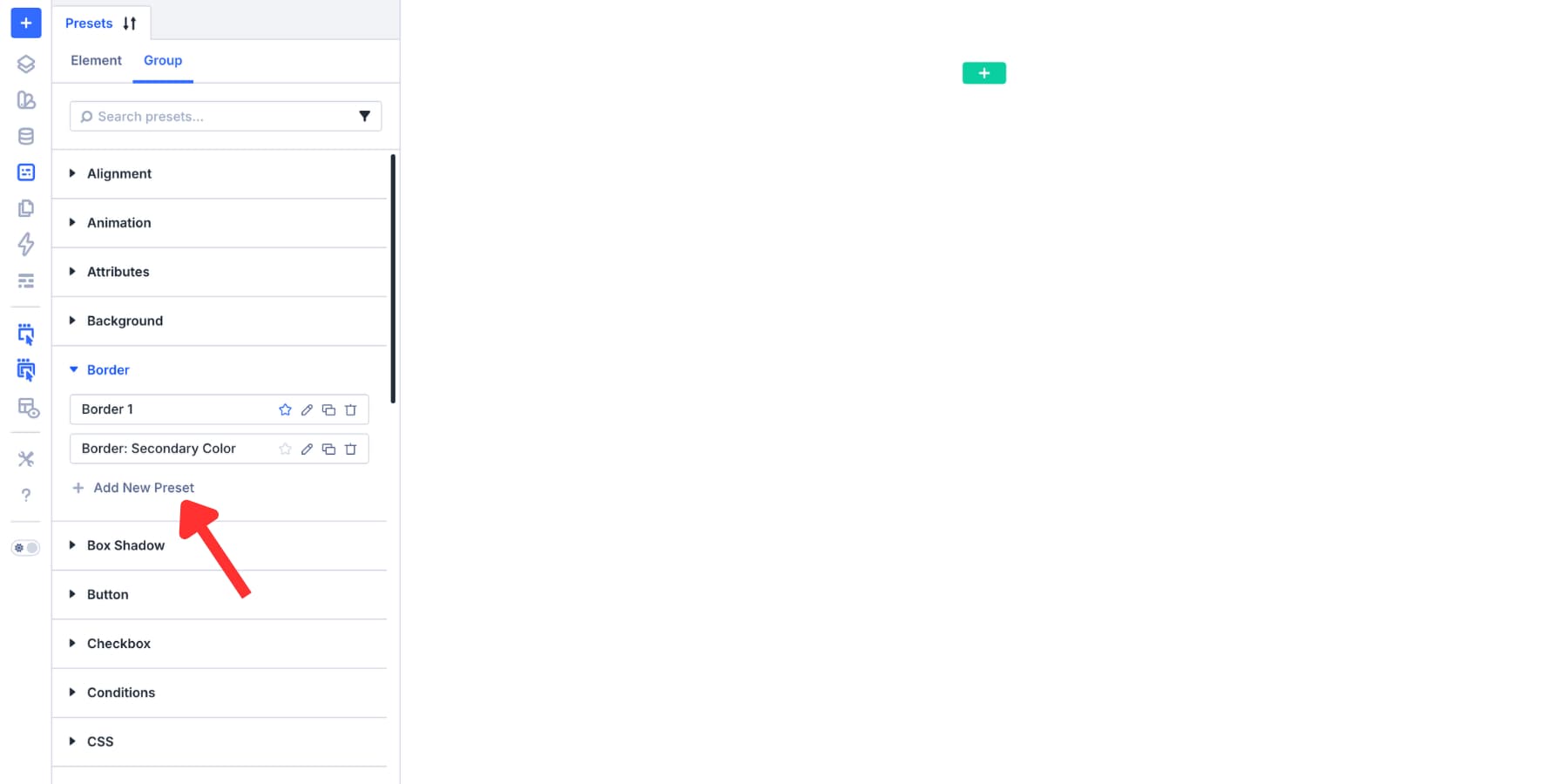
- Access the Preset Manager from the left sidebar of the Visual Builder.
- Navigate to the Group tab.
- Select the category (Border or Box Shadow) and click Add New Preset.
- Here, you can define your styles in a vacuum. This is the preferred method for agencies or teams working with a pre-defined style guide, as it ensures all team members pull from the same established library from the start of the build.
Mastering Shadow Dynamics
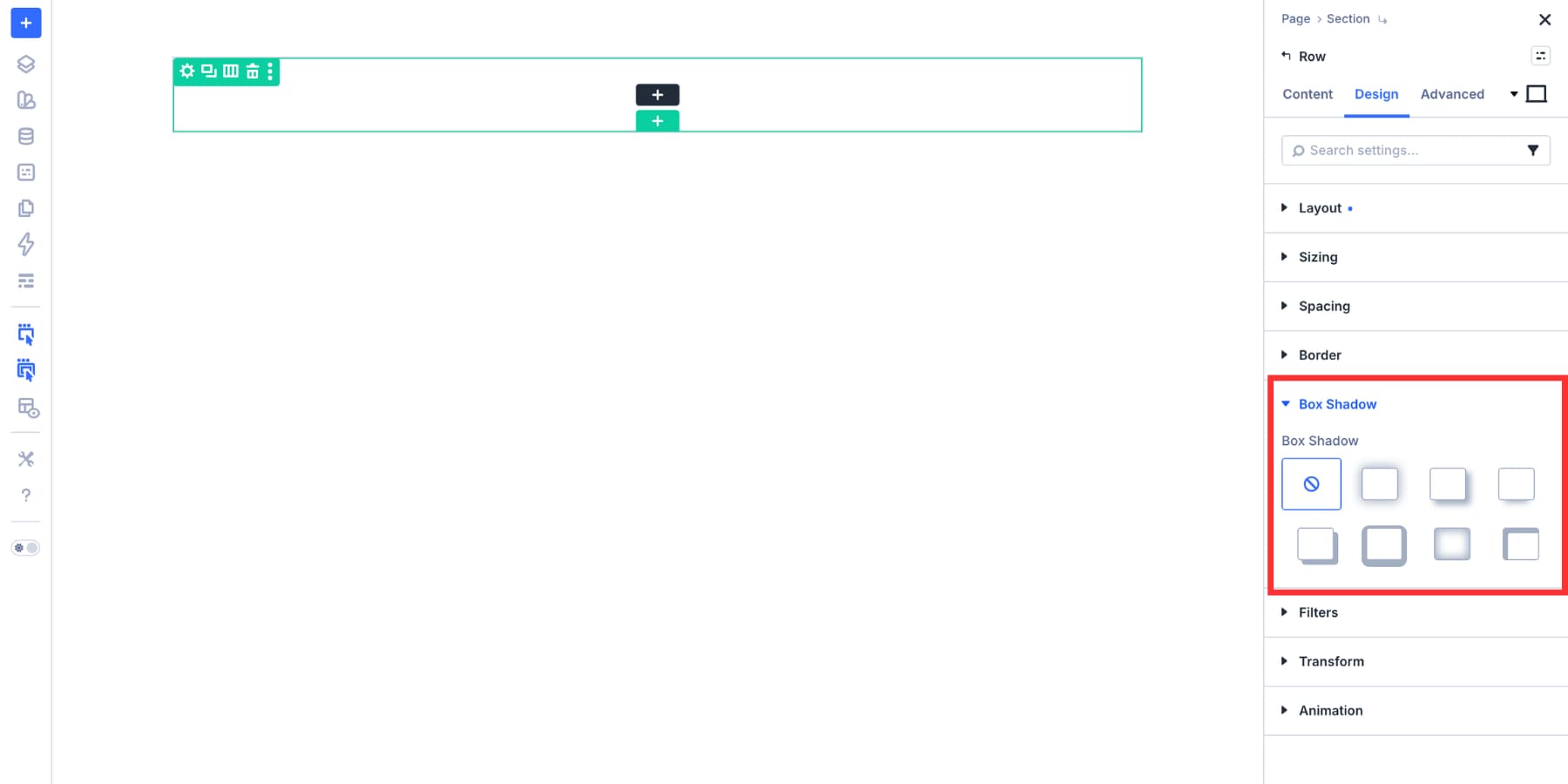
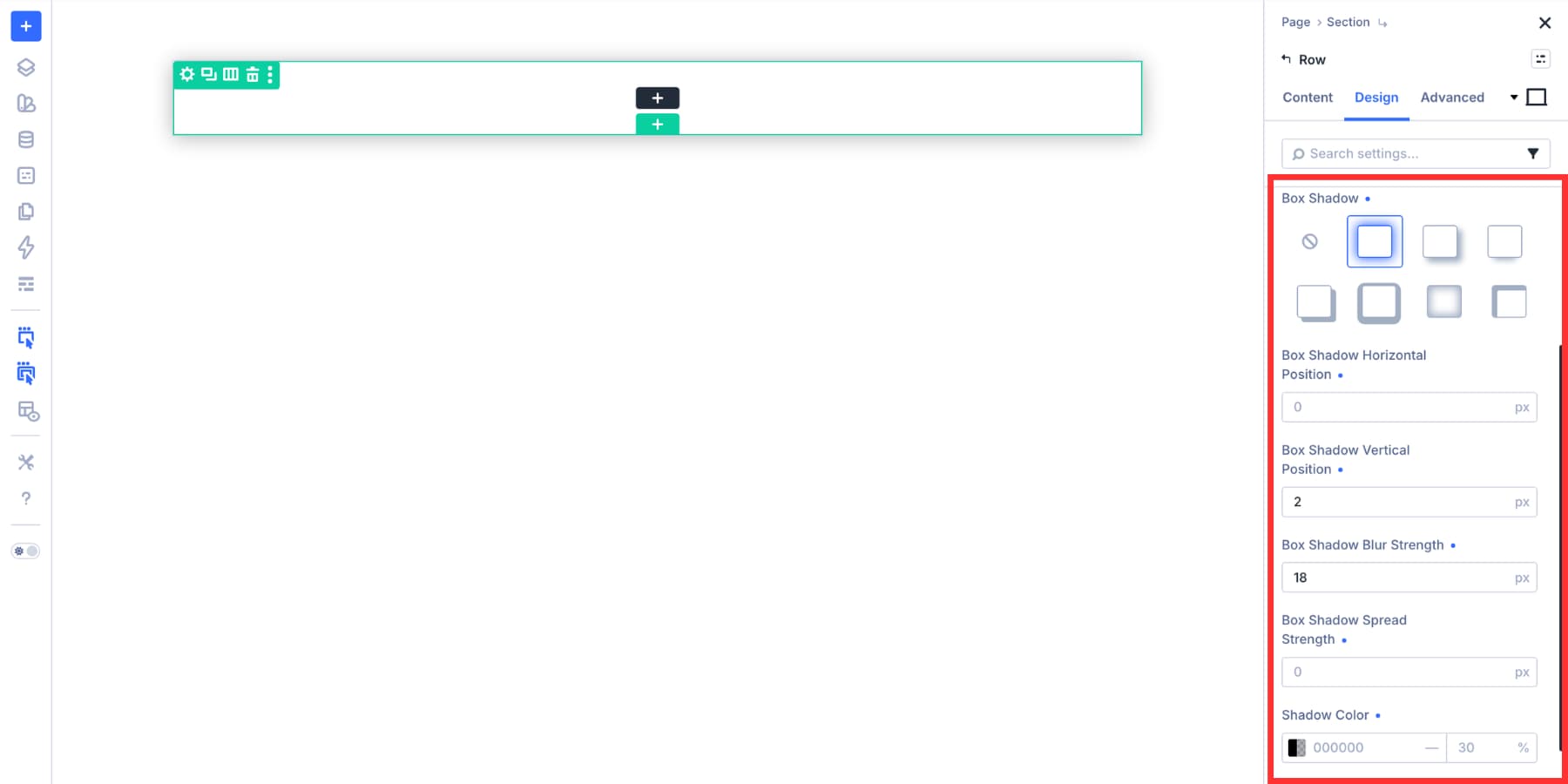
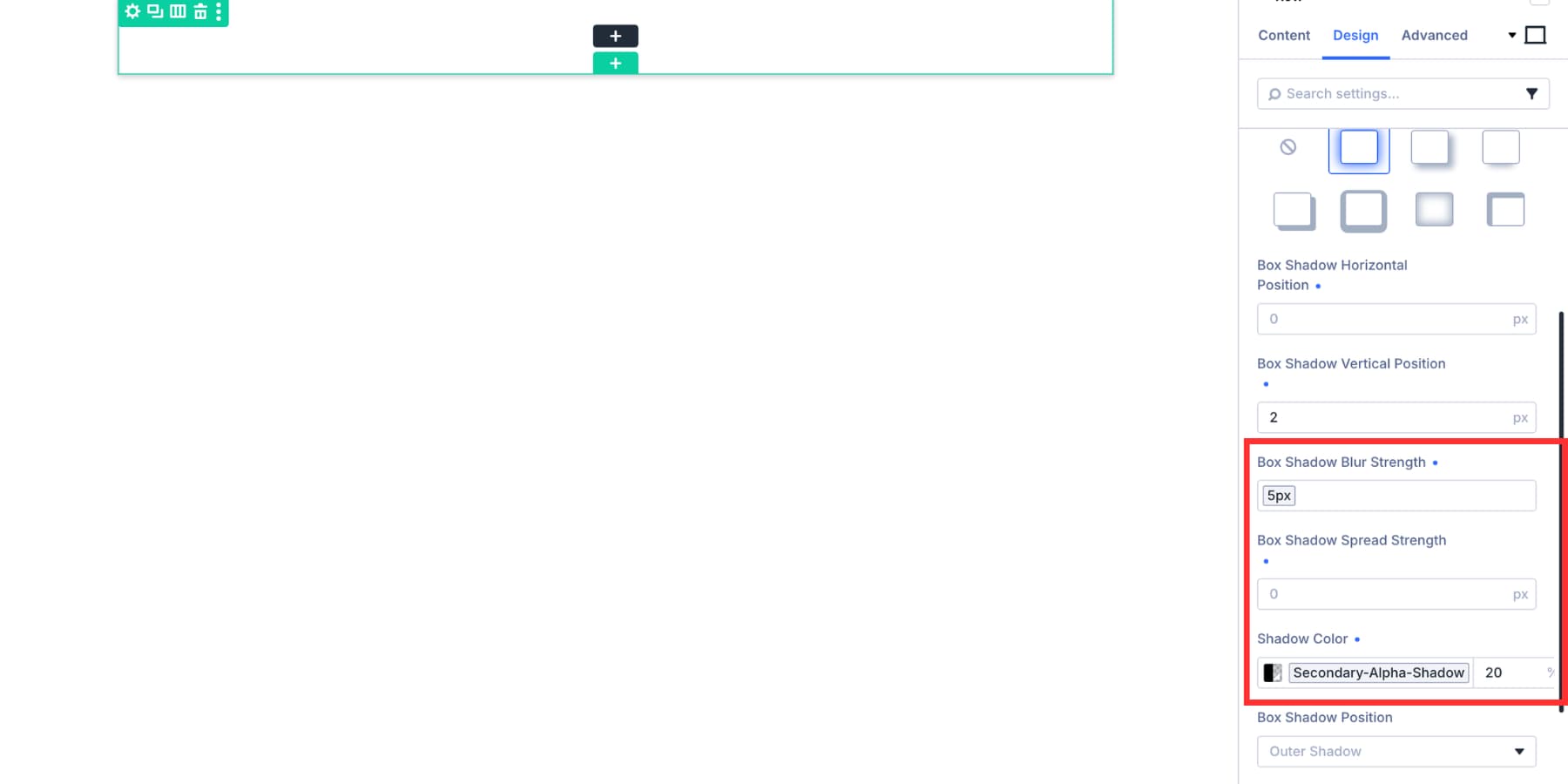
Shadows are the "secret sauce" of modern web aesthetics. In Divi 5, the Box Shadow controls allow for precise tuning of:
- Vertical Position: Governs the "weight" of the element.
- Blur Strength: Determines the softness of the shadow.
- Spread Strength: Controls the size. A negative spread can create a "contained" look, which is perfect for subtle, high-end UI elements.
Pro-Tip: Always consider "Contextual Shadowing." A shadow that looks soft and elegant on a white background may disappear entirely on a dark surface. By creating specific presets for different backgrounds—such as Shadow-Light-Mode and Shadow-Dark-Mode—you ensure your design remains legible regardless of the layout’s color scheme.
Implications for Future-Proofing
The implementation of Option Group Presets has profound implications for the longevity of a website.
- Global Updates: Because presets are centrally managed, a brand refresh that once took weeks now takes minutes. You update the variables or the preset definitions, and the entire site updates instantly.
- Layered Systems: By using Nested Presets, you can create "Element Presets" (like a Card) that contain "Group Presets" (like a Border and Shadow). This layered architecture is the gold standard for high-end web development, allowing you to update a base shadow style that automatically ripples through every "Card" on your site without breaking the specific content inside those cards.
- Cleaner Code and Faster Performance: By relying on standard presets, the system reduces the amount of unique, inline CSS generated for the site, leading to cleaner code and improved rendering performance.
Conclusion: The Professional Standard
The transition to Divi 5’s Option Group Presets represents a maturation of the platform. By moving away from module-specific styling and toward a component-based, systemic approach, Elegant Themes has provided developers with a professional-grade toolset that mirrors the practices of modern software engineering.
A well-maintained library of border and shadow presets does more than just save time—it enforces discipline. It encourages a design-first mindset where consistency is not an afterthought, but a foundational requirement. As you begin to integrate these tools into your workflow, remember the core philosophy: keep your library small, your naming conventions clear, and your connections to Design Variables robust.
In doing so, you ensure that as your site grows in complexity, its design remains as crisp, professional, and cohesive as the day it was launched. Whether you are an agency managing dozens of client sites or a solo developer refining your personal brand, these tools provide the infrastructure needed to turn a collection of web pages into a unified, high-performance digital experience.