







A free Stripe plugin for WordPress is a bit like adopting a free puppy: the initial acquisition costs you nothing, but the ongoing maintenance and overhead are where the true commitment reveals itself. In the ecosystem of WordPress e-commerce and digital fundraising, "free" tiers typically operate on a revenue-share model. They take a small slice of every payment you process, and over time, that quietly accumulates until it eclipses the outright cost of purchasing a paid software license.
For site owners, solopreneurs, and digital agencies, understanding the actual financial footprint of accepting credit card payments is critical. This comprehensive audit breaks down what Stripe payments on WordPress cost layer by layer, provides a definitive math formula to calculate your personal break-even point, and explores when staying free—or opting out of plugins altogether—makes the best business sense.
The Two Layers of Cost: Understanding Your Payment Stack
When a customer completes a transaction on a WordPress site integrated with Stripe, the total transaction fee is divided into two distinct layers. Recognizing how these layers interact is the first step toward optimizing your processing overhead.
Layer 1: The Processor Fee (The Unavoidable Baseline)
This is the core fee charged directly by Stripe for processing credit card transactions (typically around 2.9% + 30¢ for standard online card charges in the US). This fee is universal; regardless of whether you use a plugin, a custom integration, or a hosted checkout link, Layer 1 remains fundamentally identical.
However, a crucial mathematical nuance exists within this layer: Stripe’s fixed 30-cent fee means that micro-payments carry a disproportionately heavier percentage burden than large invoices.
- A $10 digital tip or donation effectively costs roughly 5.9% in total Stripe overhead.
- A $100 professional invoice costs closer to 3.2%.
Because Layer 1 physics cannot be altered by plugins, businesses handling high volumes of micro-transactions must evaluate their processing costs against their average order value, rather than relying on headline percentages.
Layer 2: The Plugin Fee (The Variable Choice)
Layer 2 consists of the extra fees levied by third-party WordPress plugins that sit between your site and your Stripe account. While some tools charge nothing beyond Stripe’s native rates, others tack on transaction fees on top of Layer 1 unless you upgrade to a paid annual license.
| Route / Tool | Plugin Fee (Layer 2) | What Removes the Fee? |
|---|---|---|
| Stripe Payment Links (Native, no plugin) | $0 per transaction | Nothing to remove (inherently free) |
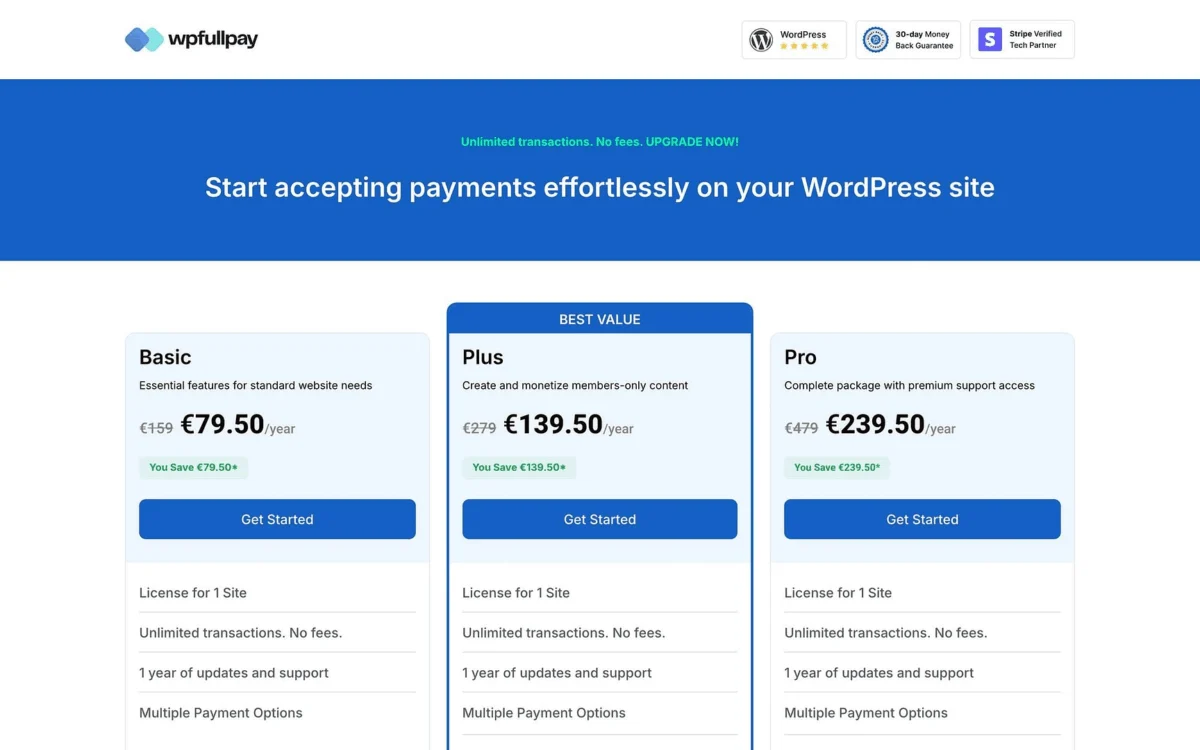
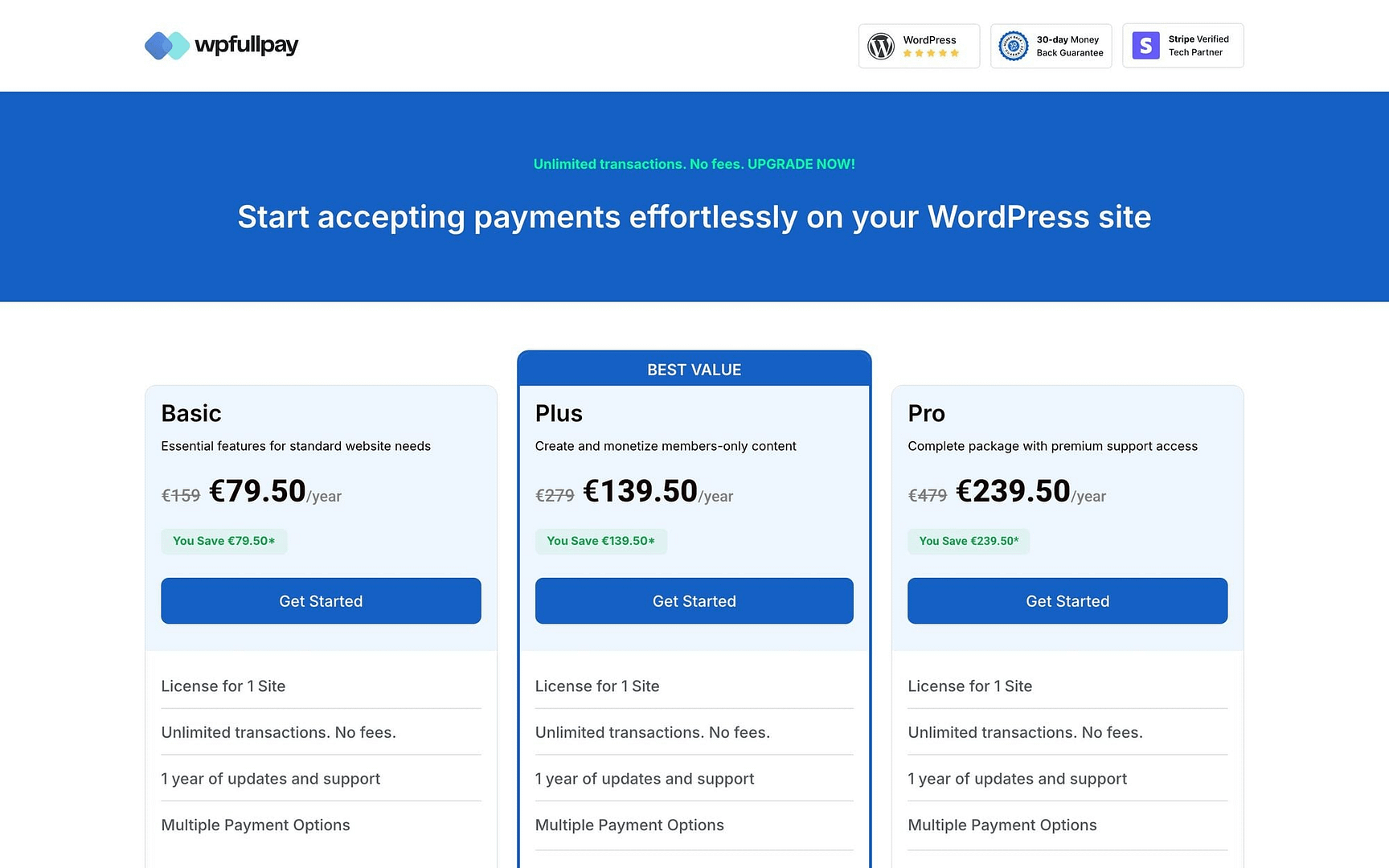
| WPFullPay (Free Tier) | 5% per transaction | Basic License (€79.50 introductory, €159 renewal) |
| WP Simple Pay Lite | 3% per transaction | Personal License ($49.50 introductory, $99 renewal) |
Disclosure: WPFullPay operates within the ThemeIsle family, mirroring the publisher of this guide.
If your business model can function using a hosted checkout page rather than an embedded form on your site, the Layer 2 plugin fee vanishes entirely. The remainder of this analysis applies when your conversion strategy demands an embedded on-site form.
The Golden Formula: How to Calculate Your Break-Even Point
Rather than guessing whether a paid plugin makes financial sense, site owners can apply a straightforward equation to determine their precise inflection point.
$$textBreak-Even Volume = fractextAnnual License PricetextPlugin Fee Rate$$
If your total annual transaction volume falls below this threshold, the free tier is your most cost-effective option. If your volume exceeds this figure, purchasing an annual license will save you money.
Real-World Thresholds Worth Memorizing
Applying this formula to market rates reveals two critical benchmarks for site administrators:
- At a 5% Plugin Fee: An annual license priced at €159 reaches its break-even point at €3,180 in annual volume.
- At a 3% Plugin Fee: An annual license priced at $99 reaches its break-even point at $3,300 in annual volume.
The Introductory Pricing Trap
A hidden financial trap lies within introductory software pricing, which frequently doubles after the first year. For example, a site processing €2,500 annually will pay €125 in free-tier plugin fees. In year one, this is slightly more expensive than a €79.50 introductory license. However, from year two onward, the standard €159 renewal price makes the free tier cheaper again—unless your transaction volume grows.
The correct strategy is to capitalize on introductory pricing, then re-run the break-even formula at your first renewal using standard full pricing.
Three Case Studies: Analyzing Different Business Models
Mathematical formulas are helpful, but contextualizing them with real-world business models illuminates how different operations should handle their checkout infrastructure.
[Weekend Bakery ($3,600/yr)] ---> Above Break-Even ---> Best Route: Payment Links ($0 Fee)
[Consultant ($24,000/yr)]    ---> Well Above       ---> Best Route: Annual License or Links
[Small Shop ($96,000/yr)]    ---> Massive Volume   ---> Best Route: Premium Multi-Site License
1. The Weekend Bakery (Low Complexity, Moderate Volume)
- Annual Volume: $3,600 ($300/month)
- Free WPFullPay Cost (5%): $180
- Free Simple Pay Cost (3%): $108
- Recommended Route: Stripe Payment Links ($0 plugin fee) or an outright license.
Analysis: Processing $3,600 a year puts this bakery slightly above both break-even lines, making free tiers more expensive than a flat-fee license. However, a preorder form for weekend sourdough doesn’t require complex recurring subscriptions or advanced donor management. A clean, hosted checkout page branded with the bakery’s logo eliminates plugin fees entirely. For hobbyist-plus volumes, skipping the plugin layer is often the smartest financial move.
2. The Consultant (High Volume, Low Complexity)
- Annual Volume: $24,000 ($2,000/month)
- Free WPFullPay Cost (5%): $1,200
- Free Simple Pay Cost (3%): $720
- Recommended Route: Paid License or Payment Links.
Analysis: At $24,000 annually, the 3% free-tier option costs $720 a year—roughly seven times the cost of an annual license. Furthermore, professional service invoices easily tolerate a redirect checkout page, because clients already trust the entity they are paying. The choice here comes down to branding: do you want the invoice page hosted on your own custom domain or on Stripe’s secure infrastructure? Financially, both paid licenses and native payment links crush the free percentage tiers.
3. The Small E-Commerce Shop (High Volume, Embedded Checkout)
- Annual Volume: $96,000 ($8,000/month)
- Free WPFullPay Cost (5%): $4,800
- Free Simple Pay Cost (3%): $2,880
- Recommended Route: Paid License (with multi-site considerations).
Analysis: This is where feature sets and volume collide. A growing shop requires an embedded checkout form directly on its sales pages to maintain high conversion rates among cold traffic, ruling out external payment links. At $96,000 a year, paying a 5% plugin fee results in an astonishing $4,800 annual drain—meaning the shop spends more in plugin fees every three weeks than a software license costs for the entire year.
The Three-Year Financial Outlook
When evaluating software investments, looking at a single year can obscure long-term expenses. Percentage-based fees scale aggressively alongside business growth, whereas software license fees remain relatively stable.
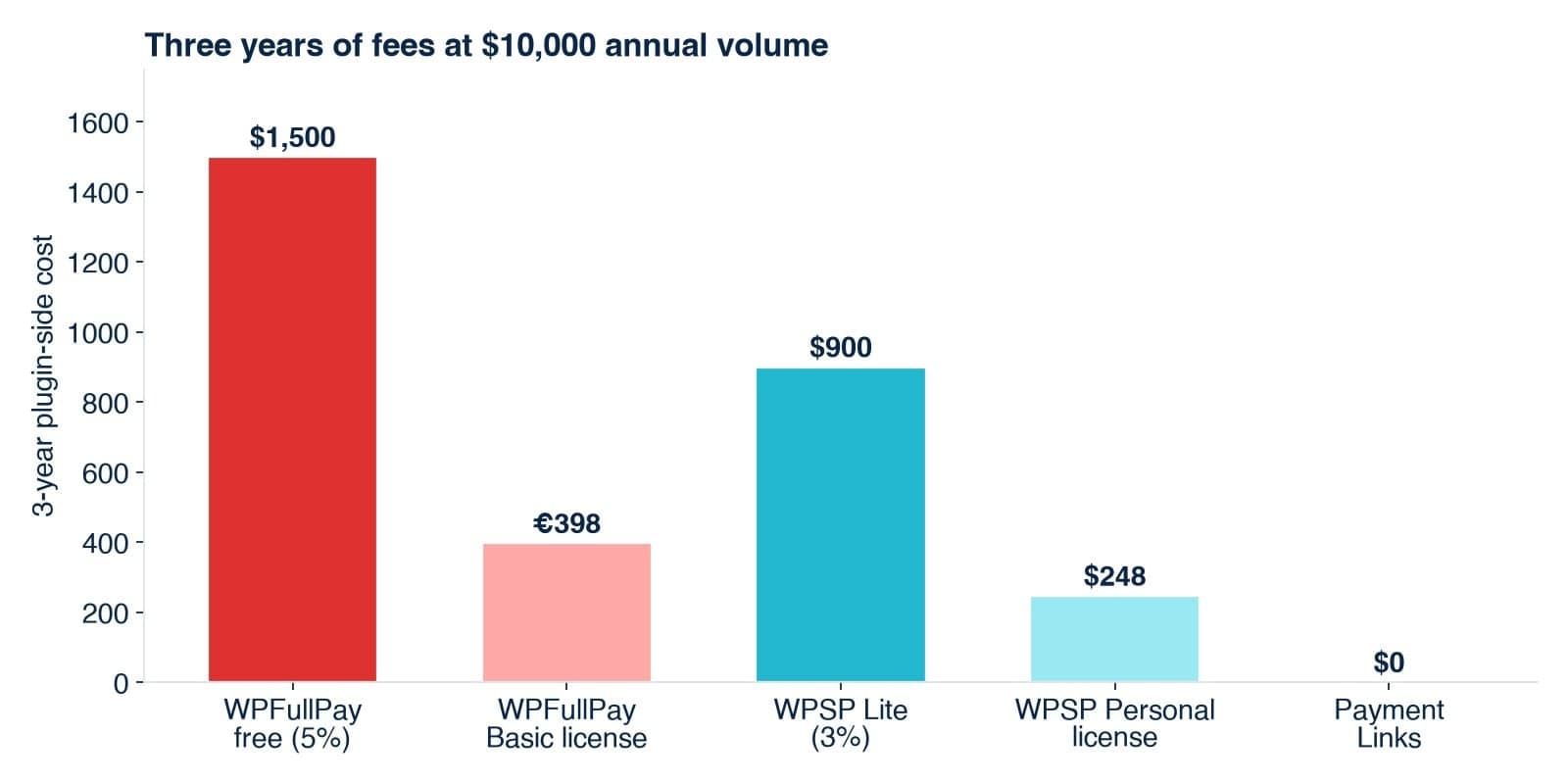
Consider a business processing a steady $10,000 in annual volume over a three-year period (incorporating introductory pricing in Year 1 and standard renewals in Years 2 and 3):
| Route / Tool | Year 1 Cost | Years 2 & 3 Cost | 3-Year Total Cost |
|---|---|---|---|
| WPFullPay Free (5% of $10k) | $500 | $1,000 | $1,500 |
| WPFullPay Basic License | €79.50 | €318 | €397.50 |
| WP Simple Pay Lite (3% of $10k) | $300 | $600 | $900 |
| WP Simple Pay Personal License | $49.50 | $198 | $247.50 |
| Stripe Payment Links | $0 | $0 | $0 |
The takeaway is stark: at steady commercial volumes, paying percentage fees on a free tier over a three-year span buys the equivalent software license several times over. Additionally, paid licenses include ongoing updates and dedicated technical support—a safety net that pays for itself the first time a checkout form experiences a conflict during a major product launch.
Action Plan: The Five-Minute Site Audit Worksheet
To determine whether your current setup is bleeding revenue, gather your financial metrics from the previous year (or use realistic projections) and complete this worksheet:
- A. Average monthly card volume: $___
- B. Projected annual volume ($A times 12$): $___
- C. Your free plugin’s fee rate (3% or 5%): ___%
- D. Annual free-tier cost ($B times C$): $___
- E. Annual license cost (using renewal pricing): $___
The Verdict: If $D > E$, purchase the license immediately. If $D < E$, remain on the free tier.
Pro-Tip for Growing Businesses
If your enterprise is scaling rapidly, calculate Line B using next year’s projected volume rather than historical data. Making infrastructure decisions based on outdated metrics is how successful stores inadvertently hand over 5% of their banner months to plugin developers. Schedule an annual calendar reminder to re-evaluate this calculation, as business growth and software price adjustments can quietly alter your financial landscape.
Summary: When "Free" Is Actually the Best Choice
None of this analysis suggests that free WordPress plugins are predatory; they remain an invaluable tool for bootstrapping entrepreneurs. Sticking with a free tier is entirely rational when:
- Your total sales volume sits safely below your calculated break-even point.
- You are testing a new business concept and aren’t certain you will be processing payments six months from now.
- The feature set of the free tier meets all your operational needs (such as basic recurring subscriptions or simple donation processing).
Ultimately, the only genuinely costly mistakes are continuing to pay a percentage fee on significant commercial volume simply because migrating felt like too much work, or purchasing an enterprise license for a form that generates $30 a month. Run the numbers, audit your traffic, and let mathematics guide your checkout infrastructure.