








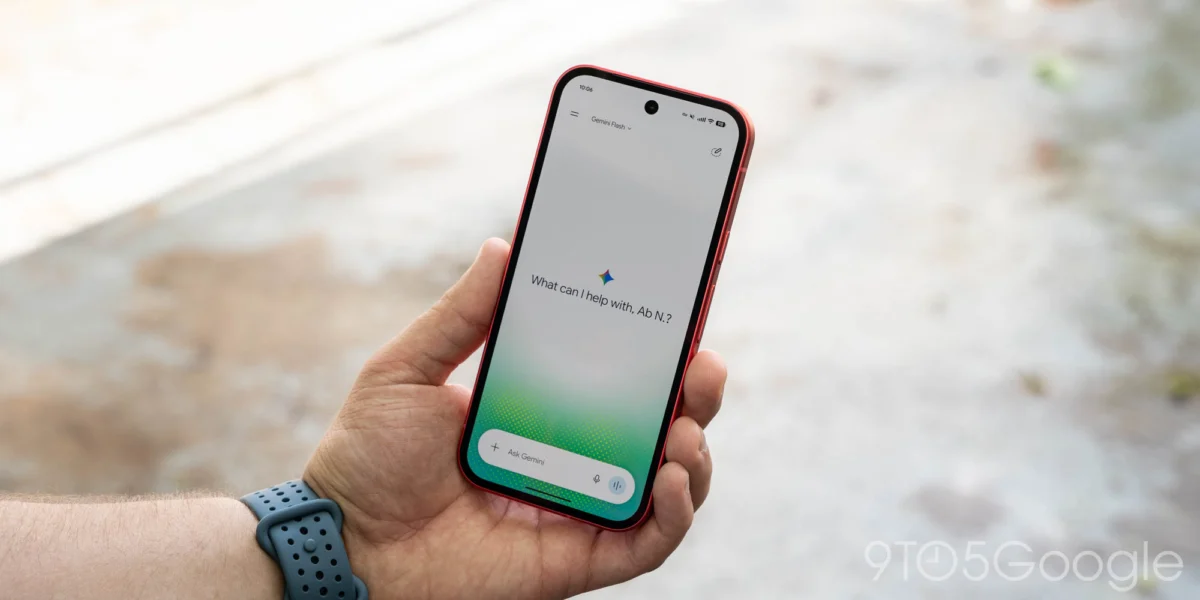
Following the recent rollout of the "Spark-to-Task" update, Google has officially pushed a significant interface redesign to the Gemini mobile application on Android. This latest update, which harmonizes the mobile experience with the recent Gemini 4 Argon release on web and desktop platforms, aims to reduce navigation friction and consolidate account management. As Google continues to integrate its generative AI model deeper into the Android ecosystem, these UI refinements signal a transition from a experimental tool to a core utility.
Main Facts: The Anatomy of the Redesign
The latest Gemini update brings two primary changes to the Android interface: a reorganized navigation drawer (side panel) and a completely unified settings menu.
The New Navigation Layout
Google has prioritized accessibility by shifting the search functionality to the top-right corner of the app, ensuring that users can initiate new queries without navigating through menus. Perhaps the most impactful change is the migration of the "Library" button. Previously relegated to the bottom of the interface, the Library is now situated prominently near the "New chat" button at the top of the side panel.
To maintain a clean aesthetic, Google has implemented a "smart collapse" feature for chat history. The side panel now displays only the five most recent interactions by default. To access older conversations, users must tap the "More" button to expand the list. For power users—specifically those subscribed to the "AI Ultra" tier—the expanded menu provides a comprehensive hub including:
- New chat
- Library
- Images
- Scheduled Tasks
- Daily Briefs
- Customization Settings
- Student Tools
- Video Analytics
- Gems (Custom AI Personas)
A Unified Settings Hub
Perhaps the most requested improvement is the consolidation of the settings architecture. Historically, Gemini users struggled with fragmented preferences, where some options lived in the account profile menu while others were hidden under "Gemini Settings."
The new, singular Settings page serves as a "control center" for the entire experience. The account profile menu has been stripped of extraneous settings, now functioning strictly as a tool for switching between active Google accounts, accessing Help, or submitting feedback. The new centralized settings menu is now categorized into logical sections:
- Account Management: Manage subscriptions and usage limits.
- Preferences: A deep list of modular controls, including Notifications, Personal Intelligence (data usage), Avatar configuration, Task settings, Theme (introducing a dedicated dark/light mode toggle), Skills, Voice synthesis, Media integration, Device controls, Cart and Orders (for integrated shopping), and the new Gemini Notebook.
Chronology: From Spark to Argon
The rapid evolution of the Gemini interface reflects Google’s aggressive development cycle. To understand the current state of the app, one must look at the recent timeline of feature deployments:
- Mid-2026 (Pre-Spark): Gemini functioned as a primarily text-and-image-based assistant, with a settings menu that often felt like an afterthought bolted onto the standard Google App architecture.
- October 12, 2026: Google introduces the "Spark-to-Task" update. This was the first major architectural shift, allowing users to convert Gemini conversations directly into actionable tasks, marking a pivot toward productivity software.
- October 13, 2026: The release of "Gemini 4 Argon." This update served as the backbone for the desktop and web experience, introducing the refined sidebar that users are now seeing on Android.
- October 16, 2026: Google introduces the "Universal Cart," allowing Gemini to interface with shopping platforms. This was the final piece of the puzzle that necessitated the consolidation of the settings menu.
- Current Date: The wide-scale server-side rollout for Android users. Because this is a server-side update, users do not necessarily need to download a new APK from the Play Store; the interface changes are being triggered dynamically across the global user base.
Supporting Data: Why the Change?
The shift toward a "collapsed by default" navigation drawer is supported by telemetry data suggesting that users primarily interact with their most recent three-to-five sessions. By prioritizing recent context, Google is effectively reducing the cognitive load on the user.
Furthermore, the consolidation of the settings menu addresses a significant pain point in Google’s design language. In previous versions, the "Gemini Settings" menu was notoriously difficult to navigate due to its overlap with the standard Google account settings. By creating a dedicated "Preferences" sub-menu that includes niche features like "Gemini Notebook" and "Cart and Orders," Google is effectively signaling that Gemini is no longer just a chatbot—it is an operating system layer.
The inclusion of the "Theme" setting as a top-level preference is also notable. Previously, Gemini inherited the system theme from Android. By allowing individual customization, Google is acknowledging that many users prefer a high-contrast dark theme for AI interaction even when their system-wide UI is in light mode.
Official Responses and Strategic Context
While Google has not released a detailed manifesto regarding the UI changes, internal sources suggest this is part of the "Unified Assistant" initiative. The goal is to move Gemini away from the "search box" paradigm and toward a "productivity dashboard" model.
The integration of "Gems" and "Student Tools" into the primary side panel suggests that Google intends to make Gemini a personalized environment. By placing these tools in the "More" expansion, Google is creating a hierarchy of features where the most commonly used tools are immediately visible, while specialized AI "personalities" (Gems) remain accessible but out of the way.
Industry analysts have noted that this move mirrors the strategies of competitors like OpenAI (with ChatGPT’s sidebar) and Microsoft (with Copilot’s task-pane approach). The race is no longer about who has the smartest model, but who can integrate that model into the user’s workflow with the least amount of "click-tax."
Implications for the Future
1. The Rise of the AI Workspace
With the addition of "Gemini Notebook" and "Cart and Orders" into the settings menu, it is clear that Google is preparing for a future where the AI app is a hub for commerce and research. The "Cart" integration, specifically, suggests that Gemini will soon be capable of managing transactions, comparing prices, and handling returns directly through the interface, effectively turning the chatbot into a personal shopping agent.

2. Fragmentation vs. Consolidation
While the settings menu has been consolidated, the number of features within the app is growing. There is a potential risk that as Google adds more "Skills" and "Notebook" features, the app will become bloated. The use of the "More" menu is a temporary fix, but in the long term, Google may need to consider an "Advanced" vs. "Basic" interface toggle to ensure the app remains accessible to casual users.
3. Cross-Platform Parity
By forcing the Android mobile app to mirror the web experience (Gemini 4 Argon), Google is ensuring that user behavior remains consistent regardless of the device. This is crucial for their enterprise strategy; a user who builds a "Gem" on their desktop should expect that same "Gem" to be available and functional on their Android device. The seamless transition between the web-based "Gemini 4 Argon" and the Android app suggests a high degree of backend synchronization.
4. Accessibility and Discovery
The movement of the search bar to the top-right is a subtle but aggressive change. By placing it in the top-right, Google is following the design patterns of modern mobile browsers. This makes the "Search" function feel like a global utility, rather than just a button within the app. It reinforces the idea that Gemini is the search engine of the future, rather than just an add-on.
Conclusion
The latest update to the Gemini app on Android is more than just a fresh coat of paint. It represents a fundamental shift in how Google wants users to interact with its AI. By streamlining the settings, prioritizing recent tasks, and creating a scalable architecture for future features like "Skills" and "Gems," Google is positioning Gemini to be the primary interface for the next generation of mobile computing.
For the average user, the interface is now cleaner, faster, and more intuitive. For the power user, the consolidation of settings into a single, logical hub makes managing an increasingly complex AI workflow significantly easier. As we move further into the era of the "Gemini 4" lifecycle, these UI improvements will likely serve as the foundation for even more complex, agent-based AI tasks that Google is expected to unveil in the coming months.
Users who have not yet seen the update on their devices should expect a server-side push in the coming days, as the deployment continues to propagate globally. To ensure the best experience, users are encouraged to keep their Google app suite updated, though the core changes will reflect automatically once the update hits their account.