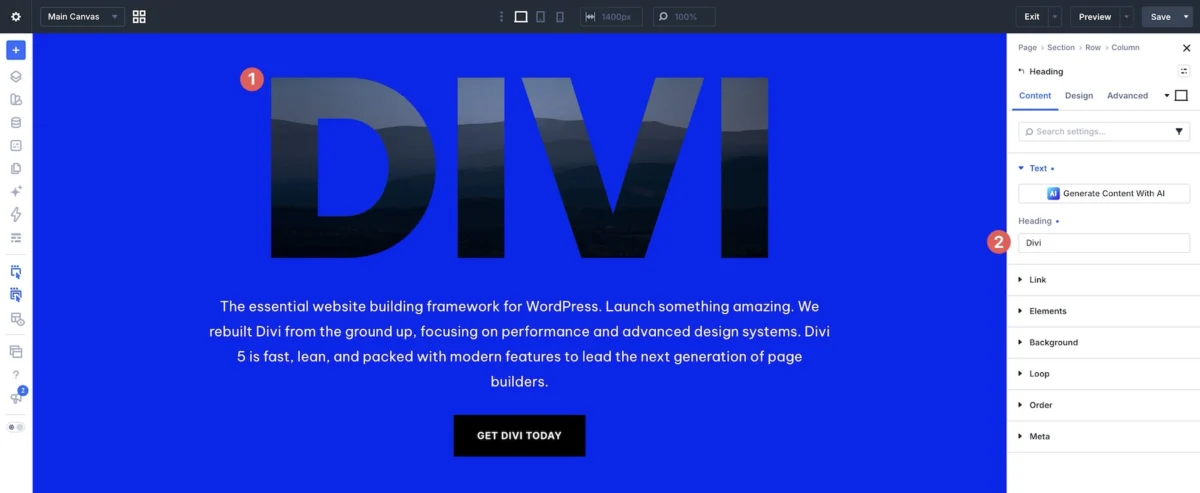
In the modern digital landscape, the intersection of typography and imagery has become a cornerstone of high-end web aesthetics. Designers are constantly seeking ways to break the "grid" and create immersive, high-impact visuals that grab user attention within milliseconds. A breakthrough in this creative pursuit is the use of "Text Background Clips"—a sophisticated design technique where imagery or textures are contained within the letterforms themselves, effectively turning the headline into a window into the brand’s visual identity.
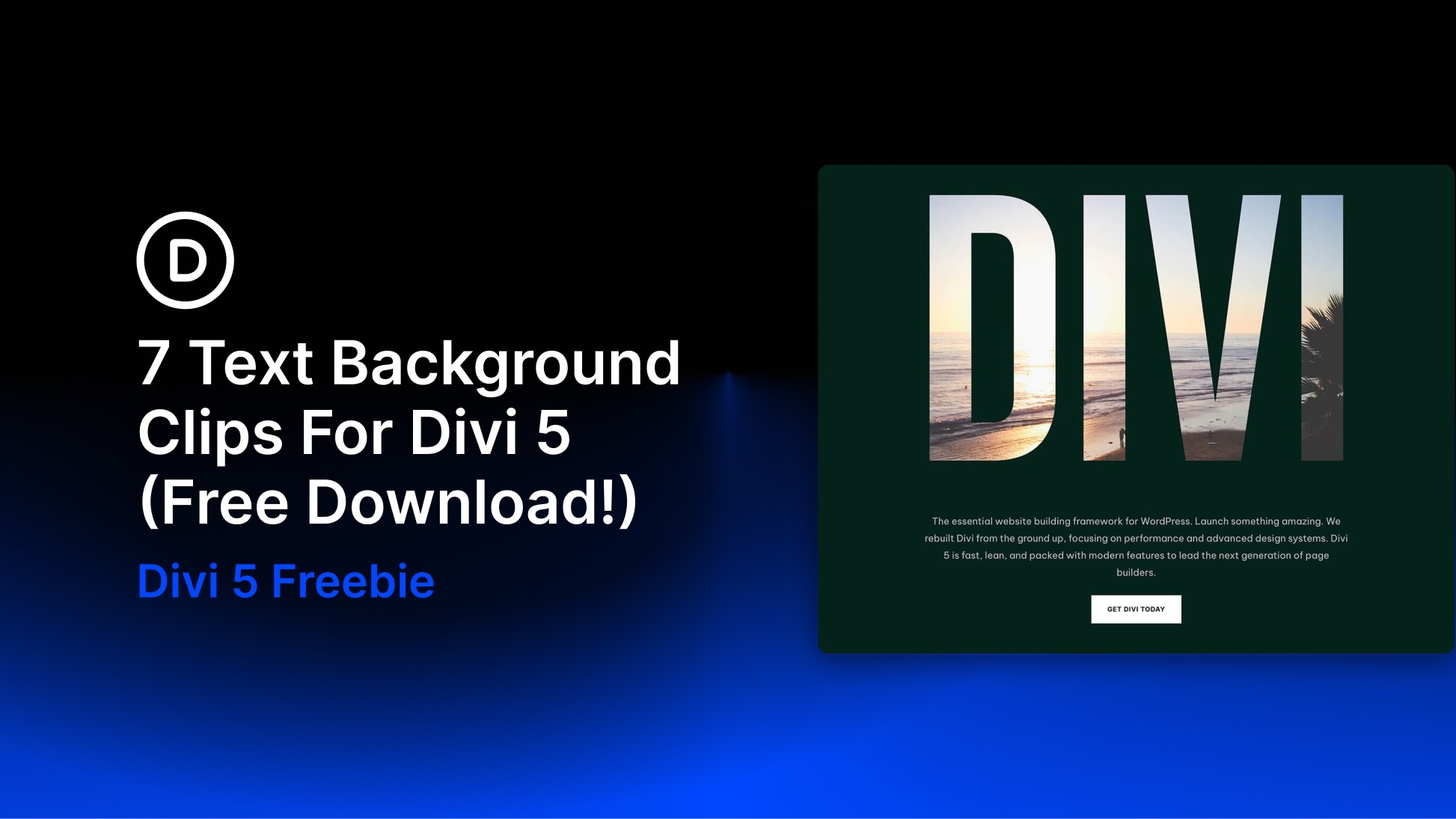
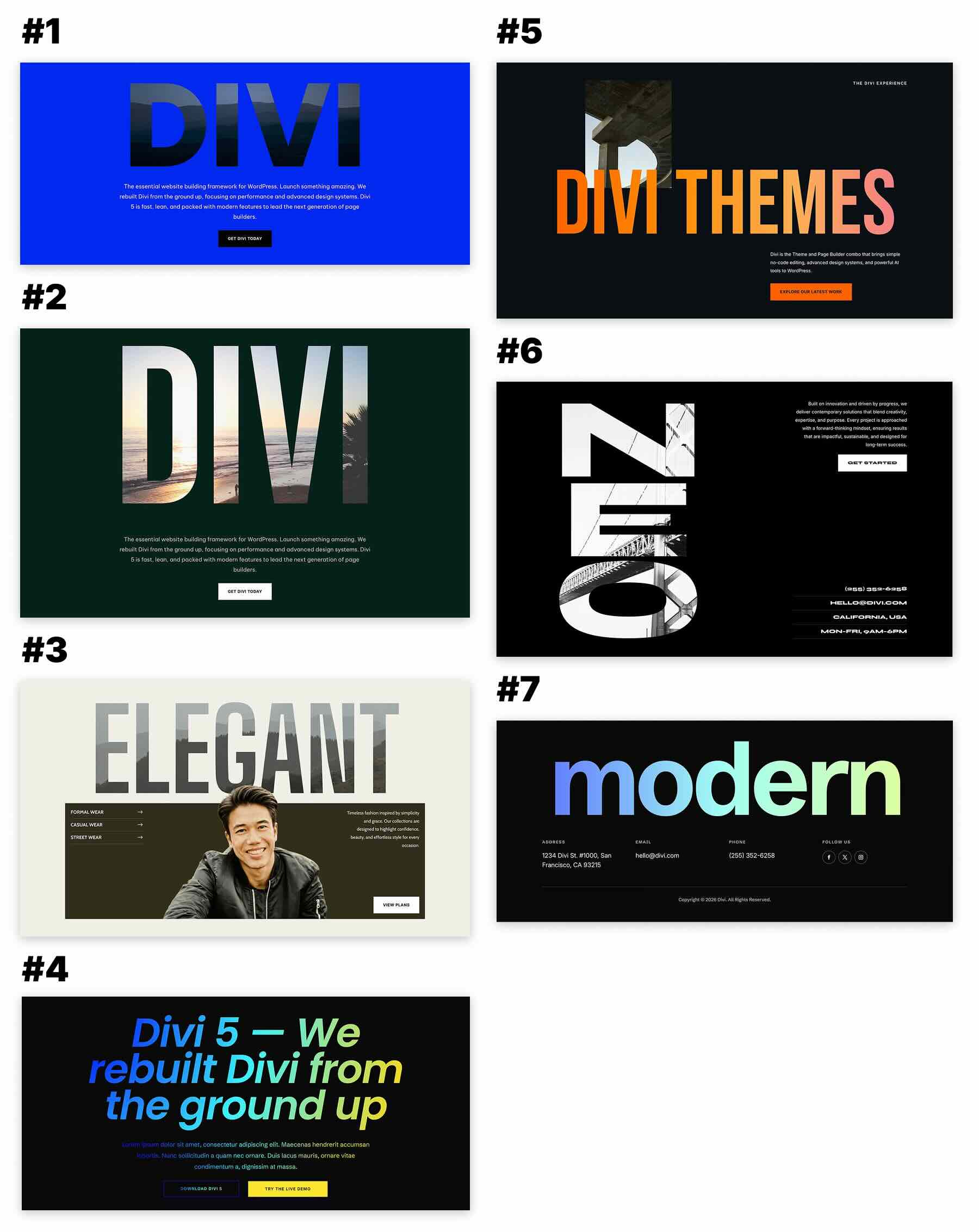
To support this evolution, Elegant Themes has released a new, free pack of seven Text Background Clip Sections specifically engineered for Divi 5. These pre-built layouts provide a turn-key solution for agencies, portfolios, fashion brands, and editorial designers looking to elevate their projects from standard to cinematic.
The Core Concept: Typography as Art
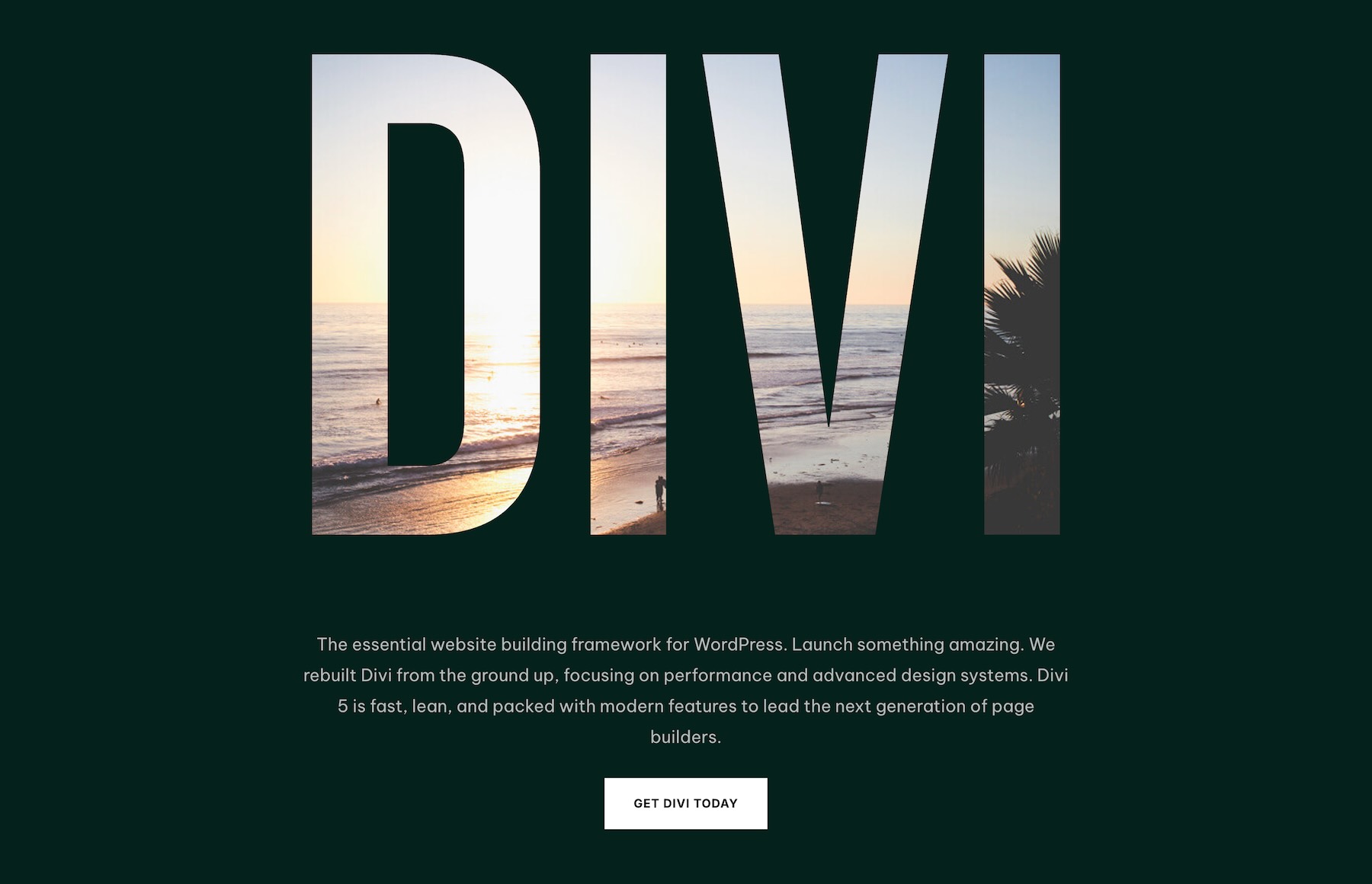
At its heart, the text background clip effect transforms text from a medium of communication into a primary visual element. By clipping an image behind bold, oversized typography, designers can create a sense of depth and hierarchy that traditional text simply cannot achieve. This technique moves beyond mere decoration; it integrates the brand’s visual storytelling directly into the typography, ensuring that the message and the mood are inextricably linked.
The release of these seven sections for Divi 5 represents a shift toward more experimental, editorial-style layouts that were once reserved for print media. Whether it is a single, massive word dominating the hero section or vertical typography serving as an architectural anchor, these designs provide the structural foundation for truly creative web design.
A Chronology of Design Evolution
The transition from static, flat web design to the current era of immersive, motion-friendly, and content-rich layouts has been rapid. Historically, web typography was constrained by browser limitations and basic CSS styling. However, with the maturation of modern page builders like Divi 5, the "barrier to entry" for advanced design techniques has effectively vanished.
- The Early Web Era: Typography was largely functional. Images sat next to text, never within it, due to technical constraints.
- The CSS Transition: The introduction of the
background-clip: textproperty allowed developers to manually code this effect, but it remained cumbersome and difficult to manage within a CMS. - The Divi 5 Revolution: With the enhanced performance and deeper customization capabilities of Divi 5, designers can now drag and drop complex compositions. The release of this collection is the latest milestone in this timeline, enabling creators to deploy sophisticated clipping effects without writing a single line of custom code.
Supporting Data: Why Visual Hierarchy Matters
Design psychology suggests that users process visual information—specifically large, high-contrast imagery—far faster than they process body text. When text and imagery are combined, the user’s cognitive load is reduced because the image provides context to the word.
For instance, an architecture firm using a picture of a concrete texture clipped into the word "STRUCTURE" provides an immediate, subconscious understanding of their brand ethos. Data consistently shows that sites utilizing bold, experimental typography see higher engagement rates, as these "focal points" act as magnets for user attention. The seven layouts in this pack are specifically optimized to ensure that this visual weight is balanced, preventing the text from becoming unreadable while maximizing its artistic impact.
Official Guidance: Implementing the Pack
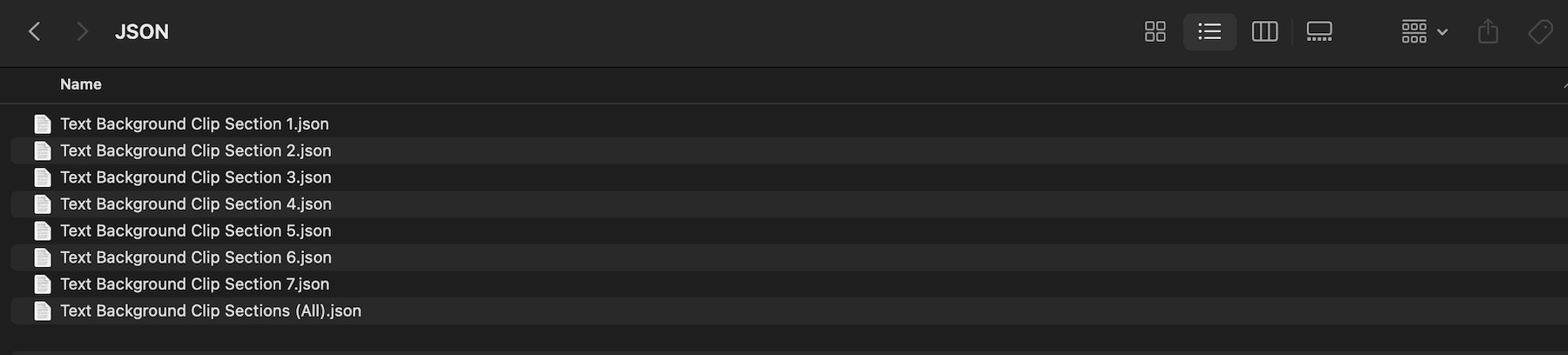
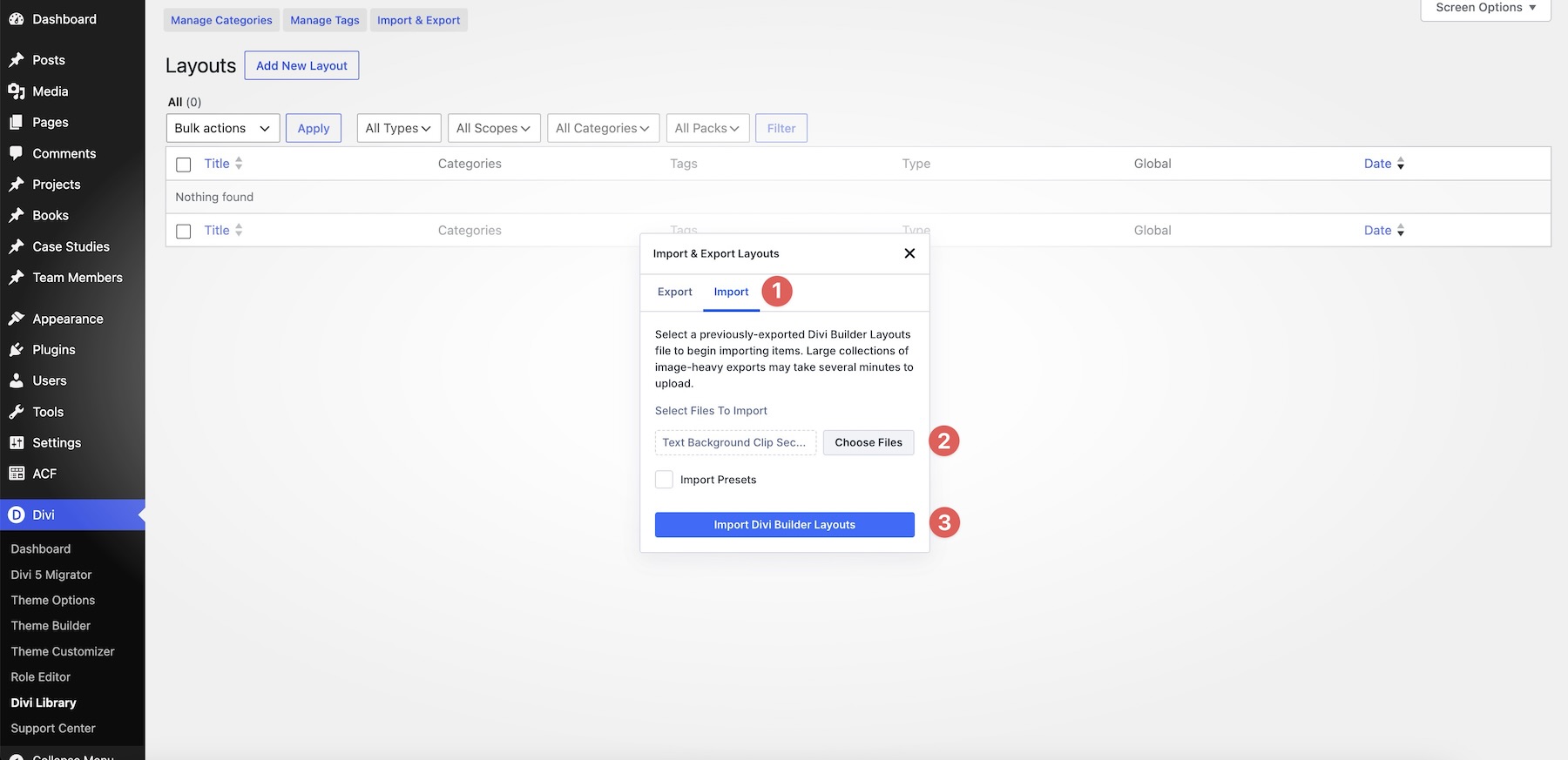
The integration of these sections into a workflow is designed to be seamless. The pack includes one combined JSON file for bulk importing and seven individual files for targeted design needs.
1. The Import Process
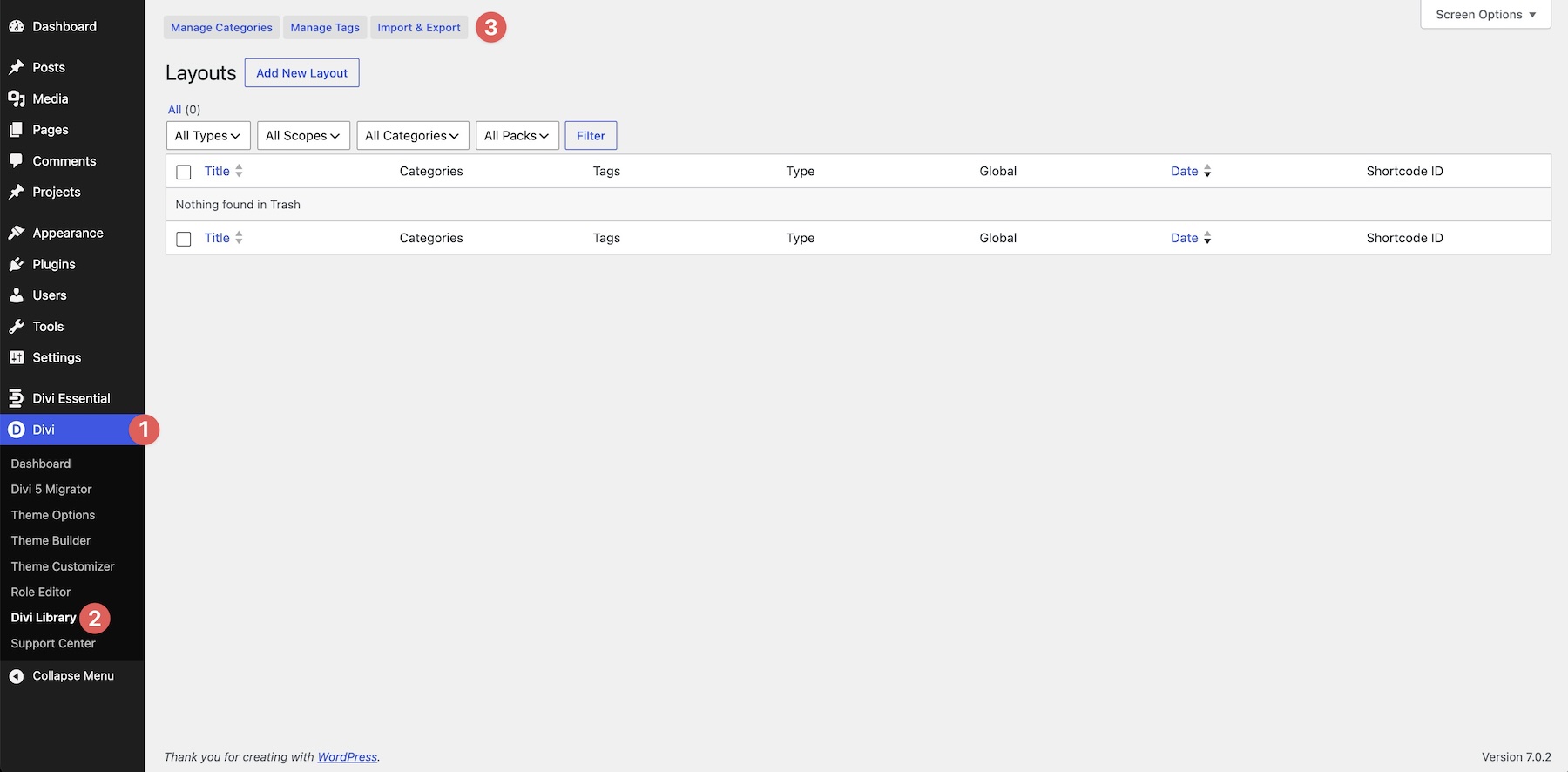
To begin, navigate to the Divi Library within the WordPress dashboard. By selecting the "Import & Export" tool, users can upload the JSON files provided in the download. It is critical to select the JSON files directly; the ZIP folder acts as a container for the individual components, but the builder recognizes the specific JSON structure.
2. Strategic Customization
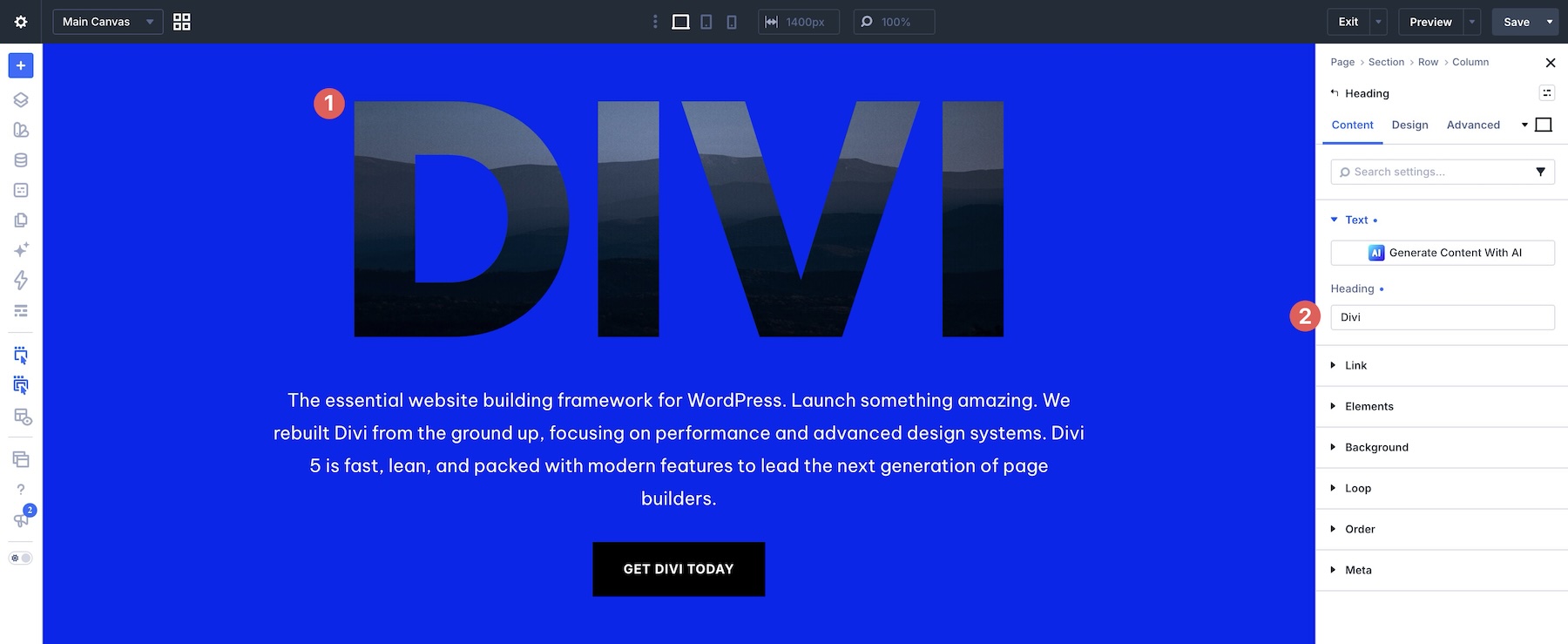
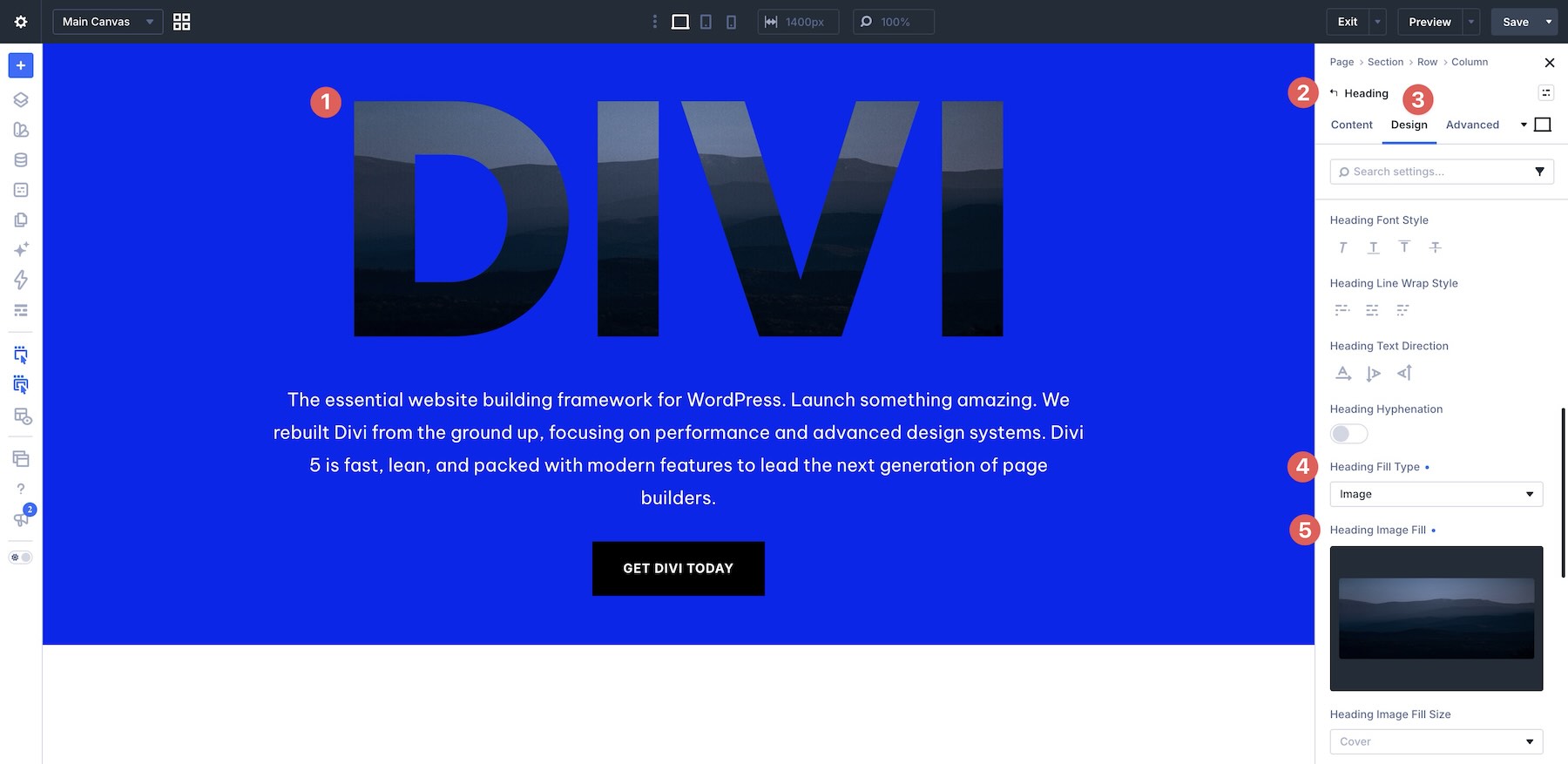
Once a section is loaded into the Visual Builder, the real work of branding begins. Elegant Themes suggests a systematic approach:
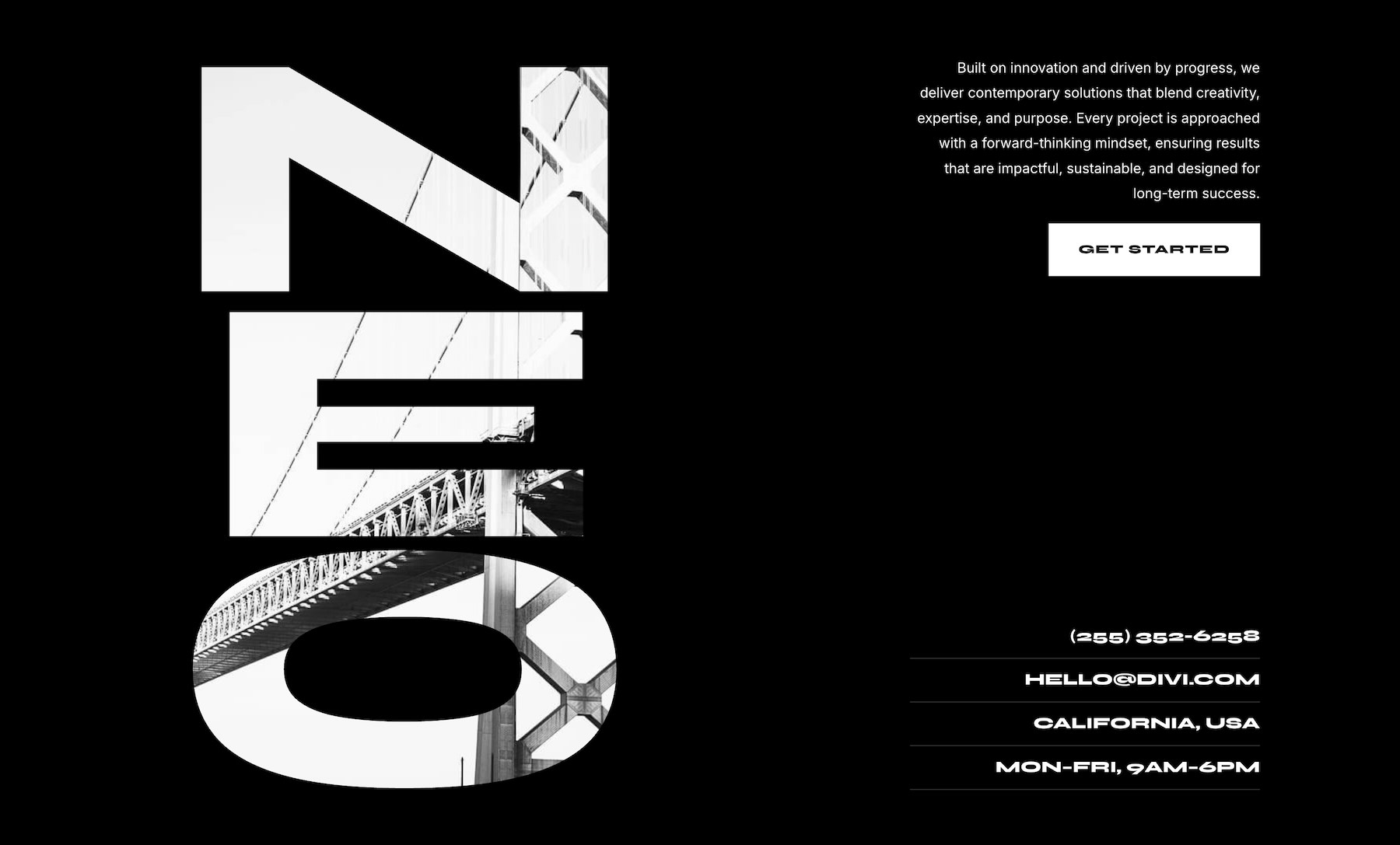
- Typography Selection: Choose a font that is wide and heavy (sans-serifs often work best) to maximize the "window" through which the image is seen.
- Image Curation: Prioritize images with clear silhouettes or strong structural lines. Avoid images with excessive noise or tiny, intricate details that lose their form when cropped.
- Managing Hierarchy: The clipped headline is the "hero." Ensure that supporting elements—buttons, navigation, and body copy—are kept clean and minimal to prevent visual clutter.
Implications for Modern Agencies
The release of these sections has significant implications for web professionals. For agencies, the ability to deploy "premium" designs in minutes rather than hours increases profitability and allows for more time spent on client strategy.
Furthermore, these designs are fully responsive. A common pitfall with large typography is its behavior on mobile devices. The included sections have been pre-configured to handle scaling gracefully. On smaller screens, the text is designed to adjust its wrapping, and the background positioning is optimized to ensure the image remains recognizable even on a portrait-oriented smartphone screen.
Advanced Tips for Expert Results
To truly master this effect, one must move beyond the "default" settings. The power of these sections lies in their adaptability.
The "Less is More" Philosophy
When working with these clips, resist the urge to fill every corner of the layout. The beauty of a text clip is the "negative space" it creates. By keeping the surrounding area clear, you allow the typography to breathe.
Leveraging Design Variables
If you are building a larger site, save your brand colors as Design Variables in Divi 5. By assigning these variables to the text background sections, you ensure consistency across your entire project. If the client decides on a color shift midway through the project, you only need to update the variable, and the effect will propagate across every page.
The Readability Test
Always remember the golden rule: The message must remain legible. If your image is too busy, it will compete with the letters, making the word difficult to decipher. If you find the text is hard to read, consider adding a slight drop shadow or adjusting the contrast of the image layer using Divi’s built-in filters.
The Future of Divi Design
As web design continues to trend toward high-impact, editorial aesthetics, tools like the Text Background Clip pack become essential. They bridge the gap between complex graphic design and accessible web development. By lowering the barrier to these sophisticated visual techniques, Elegant Themes is empowering a new generation of designers to push the boundaries of what is possible in the browser.
Whether you are building a personal portfolio, a high-fashion e-commerce site, or a bold agency landing page, these seven sections provide the perfect starting point. The combination of bold, oversized typography and high-impact imagery is a timeless design language, and now, it is more accessible than ever.
To get started, download the collection, experiment with your own photography, and observe how a single, well-placed word can define the entire personality of a webpage. The tools are in your hands; the only remaining ingredient is your creative vision.