







In the modern landscape of digital publishing and affiliate marketing, the management of outbound links has evolved from a trivial task into a sophisticated technical discipline. Long, unwieldy affiliate URLs cluttered with tracking codes, parameters, and alphanumeric strings not only look spammy to discerning readers but can also deter potential click-throughs.
To combat this, professional publishers employ a strategy known as "link cloaking." By masking raw merchant URLs behind clean, brand-aligned redirects hosted on their own domains, marketers can elevate user trust, streamline tracking, and protect their revenue streams.
This comprehensive guide delves into the mechanics of link cloaking, examining why it is indispensable for serious publishers, and provides a step-by-step masterclass on setting up, configuring, and optimizing Pretty Link Pro—the industry-standard WordPress plugin for managing affiliate links.
1. Main Facts: Understanding Link Cloaking and Its Core Value
At its foundational level, link cloaking involves creating custom, clean URLs on your own website that seamlessly redirect visitors to an external affiliate link.
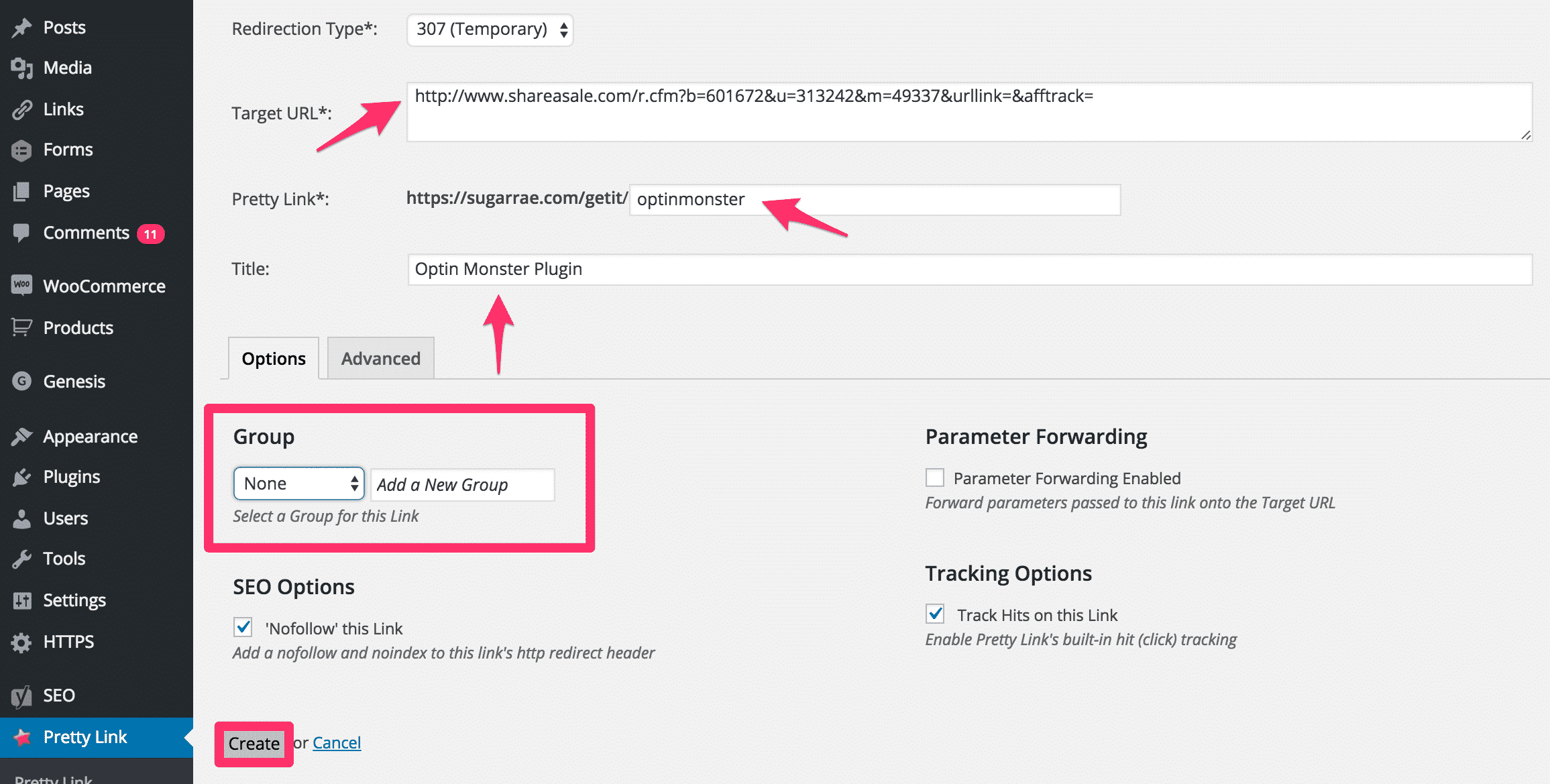
The Anatomy of a Cloaked Link
Consider a standard, uncloaked affiliate link for a popular WordPress tool like OptinMonster:
- Raw Affiliate Link:
http://www.shareasale.com/r.cfm?b=601672&u=313242&m=49337&urllink=&afftrack= - Cloaked Affiliate Link:
https://yourdomain.com/getit/optinmonster
Despite the vast aesthetic and structural differences between the two, both URLs direct the user to the exact same destination. More importantly, both correctly execute the necessary tracking cookies, ensuring that the publisher receives proper attribution and commission for any resulting sales.
Why Cloaking Matters
- Aesthetic Appeal: Clean links build user confidence. Readers are naturally hesitant to click on suspicious, miles-long tracking URLs filled with arbitrary numbers and symbols.
- Brand Protection: Cloaked links keep your domain front and center. Instead of advertising a third-party tracking network, you are promoting your own brand.
- Link Management: If an affiliate program changes its tracking network or updates its destination URL, publishers using uncloaked links must manually update every single mention across hundreds of blog posts. With a cloaked link management system, you only need to change the destination URL in one centralized location, and every instance across your site updates instantly.
- Enhanced Analytics: Premium cloaking tools offer robust reporting dashboards that track click volumes, referrers, and user behavior far beyond what standard analytics platforms provide.
2. Chronology: The Evolution of Link Management and Manual Methods
Before dedicated plugins dominated the market, publishers relied on manual, server-level methods to redirect traffic. Tracing the evolution of link cloaking highlights the technological leap from fragile manual configurations to automated, user-friendly software solutions.
The Era of Manual .htaccess and Hardcoded Redirects
Historically, webmasters utilized the server’s .htaccess file or simple PHP redirect scripts to route traffic. While effective, this method carried severe operational risks.
- The Danger Zone: The
.htaccessfile is a critical configuration file for Apache servers. A single misplaced character, syntax error, or faulty rewrite rule can instantly crash an entire website, rendering it inaccessible ("Error 500"). Consequently, experts strongly advise against manual.htaccessmanipulation unless the administrator possesses advanced technical fluency. - The Yoast Method: SEO pioneers like Yoast popularized creating manual folder structures for redirects, but these manual techniques lack the dynamic features, click-tracking matrices, and category management offered by modern plugins.
The Rise of Dedicated WordPress Plugins
Recognizing the friction and risks associated with manual redirects, developers introduced dedicated WordPress plugins. While free entry-level options exist—such as Pretty Link Lite—they often lack advanced architectural controls, such as custom base slug modifications.
To unlock enterprise-grade functionality, professional publishers migrated to paid solutions like Pretty Link Pro. Over the years, these plugins have evolved from simple redirect managers into comprehensive marketing analytics suites capable of split-testing, automated categorization, and sophisticated bot-filtering.
3. Supporting Data: Setting Up Pretty Link Pro for Optimal Performance
While Pretty Link Pro offers an overwhelming array of advanced features, successful deployment relies on a streamlined configuration. Below is a step-by-step framework for installing and optimizing the plugin for maximum efficiency and security.
Installation and Database Upgrade
- Purchase, download, and install the Pretty Link Pro plugin via your WordPress dashboard under Plugins > Add New > Upload Plugin.
- Activate the plugin and navigate to the newly minted Pretty Link menu item to verify your purchase license.
- Upon activation, a notification will prompt you to run a database upgrade. Click Automatically upgrade your database to ensure compatibility and system stability.
Configuring Basic Options
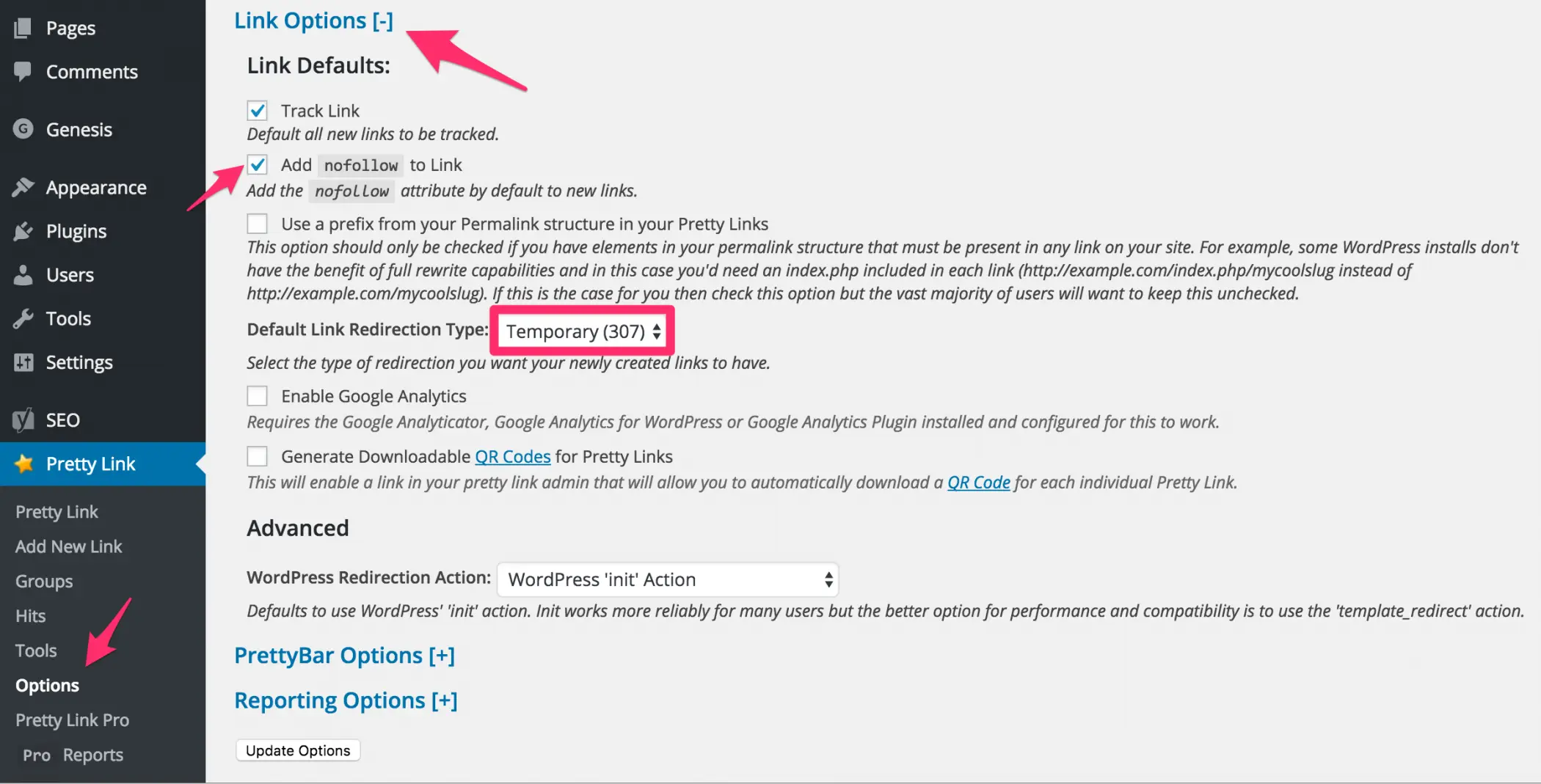
Navigate to Pretty Link > Options in your WordPress sidebar to configure the foundational settings:
- Link Options: Ensure your default redirect type is set correctly (typically a 307 Temporary or 301 Permanent redirect, depending on your marketing strategy).
- Reporting Options: Track your clicks accurately by configuring exclusion parameters.
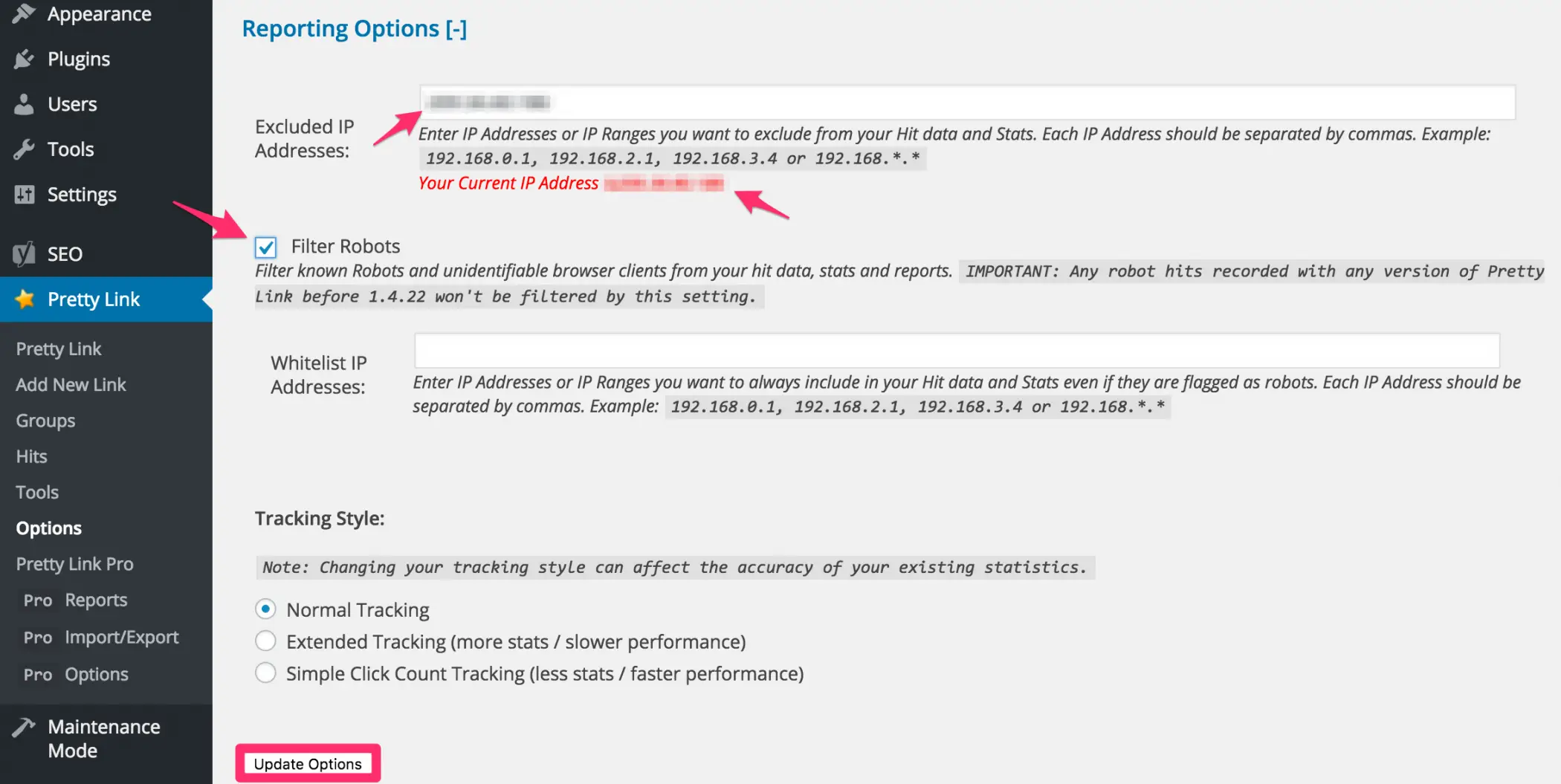
- Crucial Warning for Site Owners: If you utilize a broken-link checker or site-crawling plugin, these automated tools will constantly trigger your cloaked links, severely skewing your analytics with false clicks. To prevent this, input your website’s server IP address into the Excluded IP Addresses field. This filters out internal crawler activity from your live performance reports.
Configuring Pro Options: Disabling Keyword Replacement
Under the Pro Options tab, you will find the Keyword & URL Replacement Options. This feature automatically turns specific keywords within your content into clickable affiliate links.
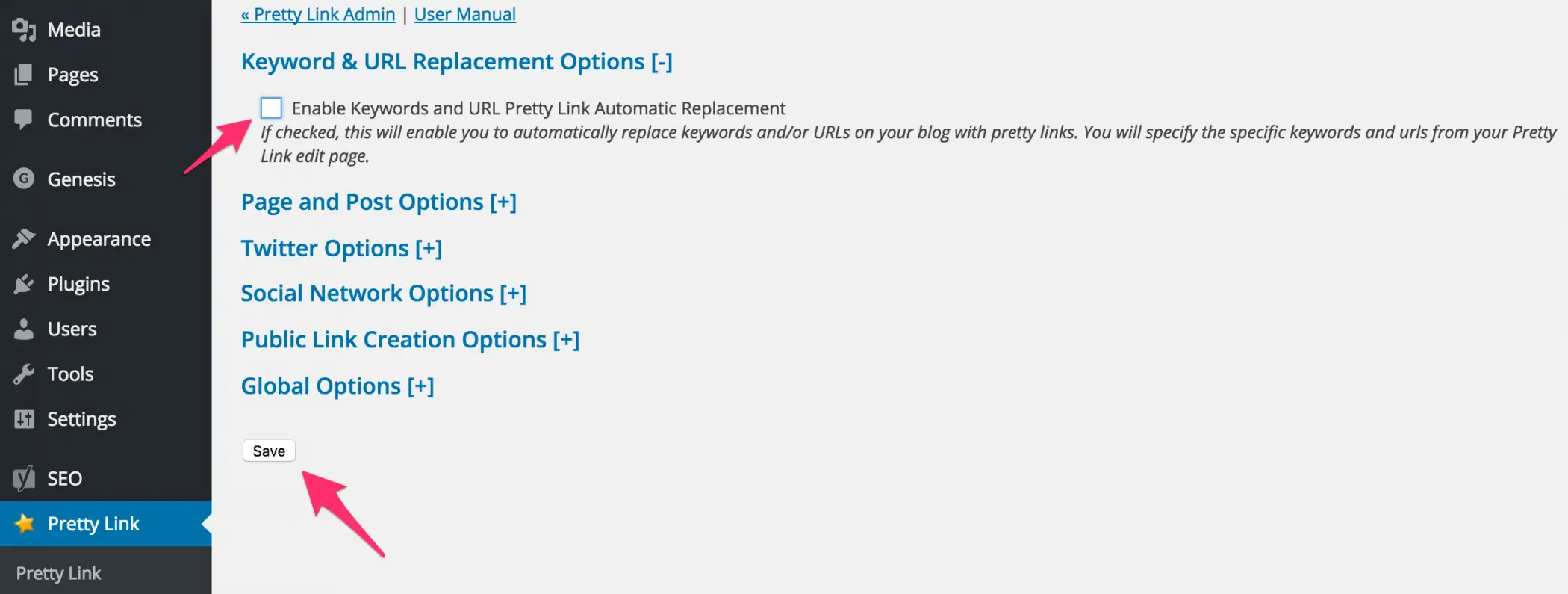
- The Compliance Risk: While convenient, automated keyword replacement carries significant regulatory risks. Modern digital advertising standards—most notably Federal Trade Commission (FTC) guidelines—require clear, conspicuous affiliate disclosures adjacent to every affiliate link. Automated injection risks placing affiliate links in paragraphs that lack proper disclosure, exposing publishers to severe legal penalties.
- Best Practice: Uncheck and disable the automatic keyword replacement option. Hardcode your Pretty Links manually within your content to ensure absolute compliance with FTC disclosure regulations.
Optimizing Global Options and Base Slugs
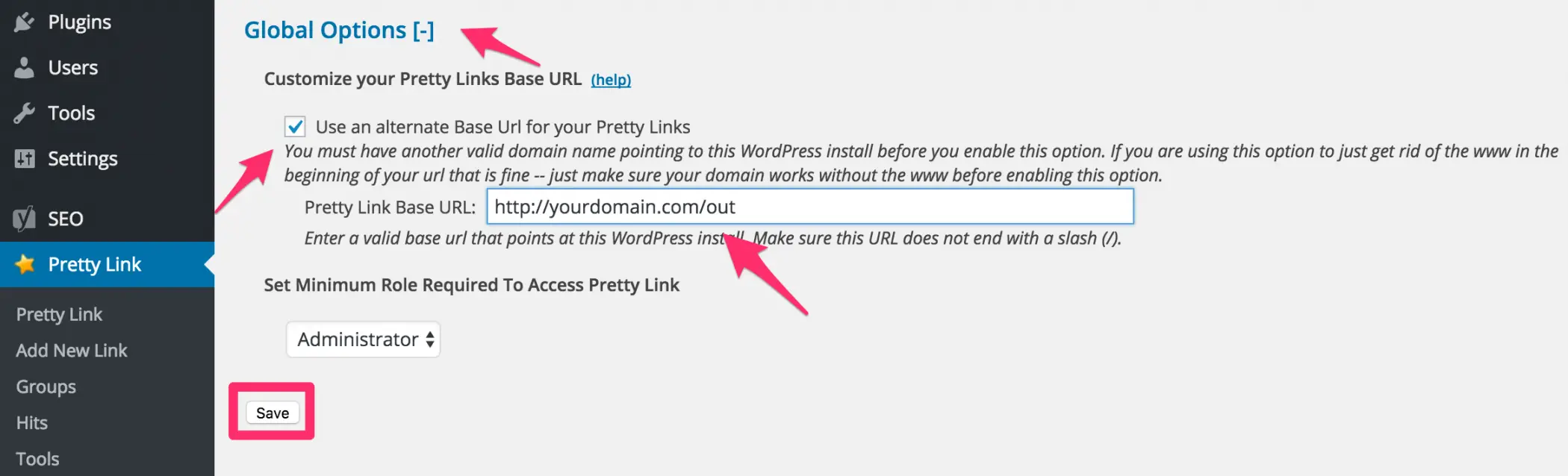
By default, Pretty Links use your domain followed by the slug (http://yourdomain.com/myprettylink). However, professional publishers utilize the Global Options tab to customize their base URL.
- Creating a Subfolder: Change your base URL to include a dedicated directory, such as
/out/,/go/, or/recommend/(e.g.,http://yourdomain.com/out/brandname). - Note: Avoid placing a trailing slash at the end of your custom base slug.
4. Official Guidelines and Technical Safeguards: Preventing Search Engine Crawling
Creating a clean subfolder for your affiliate links introduces a secondary challenge: search engine optimization (SEO). Search engine web crawlers (like Googlebot) allocate a finite crawl budget to your website. Allowing them to waste resources crawling endless redirect links is inefficient. Furthermore, you want to prevent search engines from indexing raw redirect chains that offer no unique value to human readers.
To resolve this, professional publishers instruct search engines to ignore their affiliate subfolder entirely using the robots.txt file.
Editing Robots.txt via SEO Plugins
If you use an SEO suite like Yoast SEO:
- Navigate to your WordPress dashboard and select SEO > Tools > File Editor.
- If a
robots.txtfile does not exist, the tool will allow you to generate one automatically. - Insert the following disallow directive into the editor (replace
/out/with whatever custom base slug you configured in your Global Options):
User-agent: *
Disallow: /out/- Click Save changes to Robots.txt.
This simple step ensures that search engine bots bypass your affiliate routing structure completely, preserving your crawl budget for high-value content pages.
5. Implications: Advanced Management, Grouping, and SID Tracking
Once your foundational setup is complete, you can leverage Pretty Link Pro’s advanced organizational features to audit your marketing performance accurately.
Categorizing with Groups
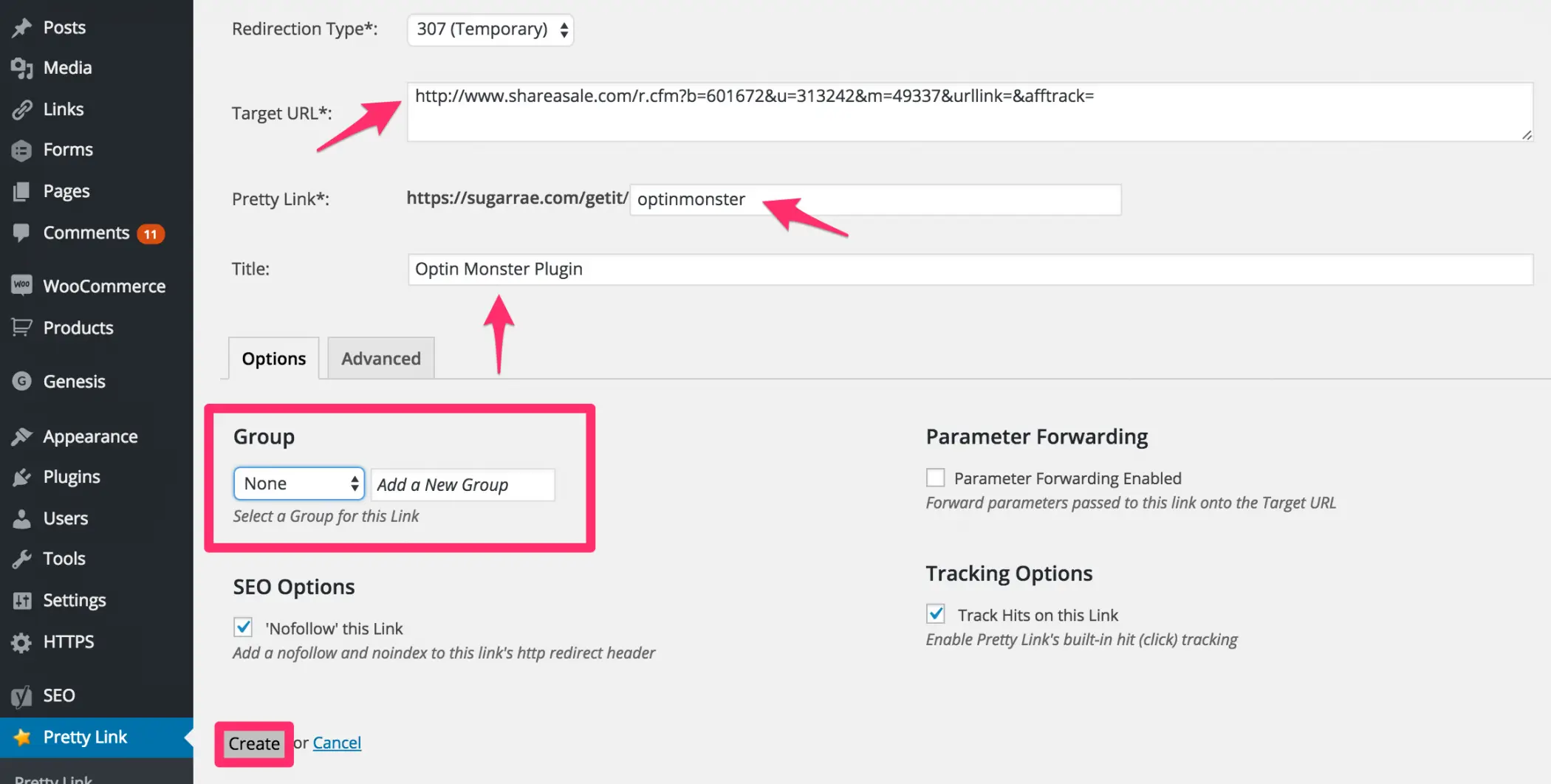
The Groups feature allows you to categorize related links—such as grouping all hosting provider links together or segmenting software tools.
- Operational Tip: Always create your Groups via the dedicated Groups submenu before attempting to assign links to them from the "Add New Link" screen, as the inline group creation tool can occasionally fail depending on your theme environment.
Segmented Group Reporting and SID Tracking
Groups truly shine when paired with advanced merchant analytics. For instance, if you maintain a dedicated "Tools I Use" resource page, you can assign all outbound links on that page to a specific "Tools" Group.
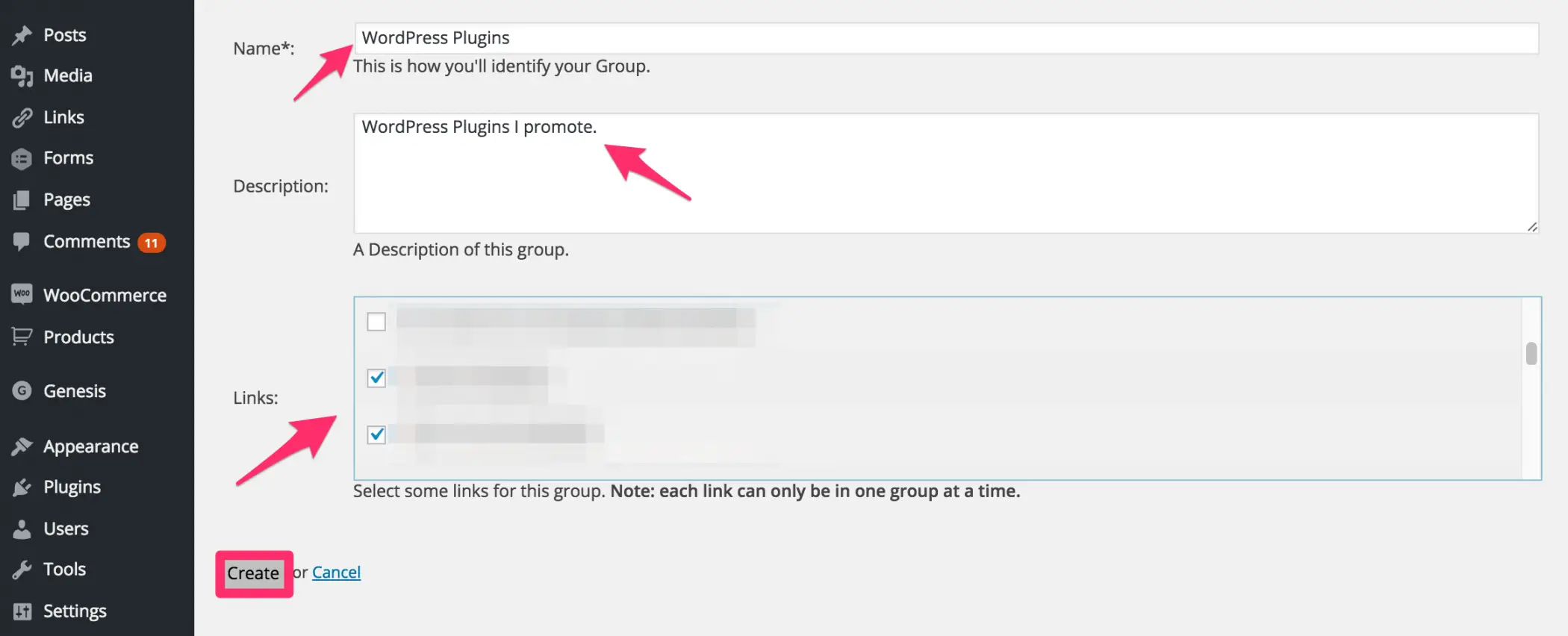
By combining Pretty Link Groups with network-specific sub-ID (SID) tracking parameters, publishers can:
- Cross-reference internal click reports generated by Pretty Link Pro with the sales data reported by the merchant network.
- Accurately measure the exact return on investment (ROI) generated by specific resource pages, sidebars, or footer placements.
Conclusion
Link cloaking is far more than a cosmetic upgrade for your website—it is an essential operational strategy for professional affiliate marketers. By implementing robust tools like Pretty Link Pro, properly configuring reporting filters, ensuring strict compliance with FTC disclosure guidelines, and blocking search engine crawlers from redirect directories, publishers can build a secure, scalable, and highly optimized affiliate marketing engine.