In the competitive landscape of digital retail, the ability for a shopper to navigate a catalog seamlessly is the difference between a conversion and a bounce. A well-structured product grid is more than just a gallery; it is a functional tool that bridges the gap between a user’s intent and your inventory. With the release of Divi 5, Elegant Themes has fundamentally transformed how WordPress users manage these experiences, moving away from rigid, plugin-heavy architectures toward a fluid, native approach.
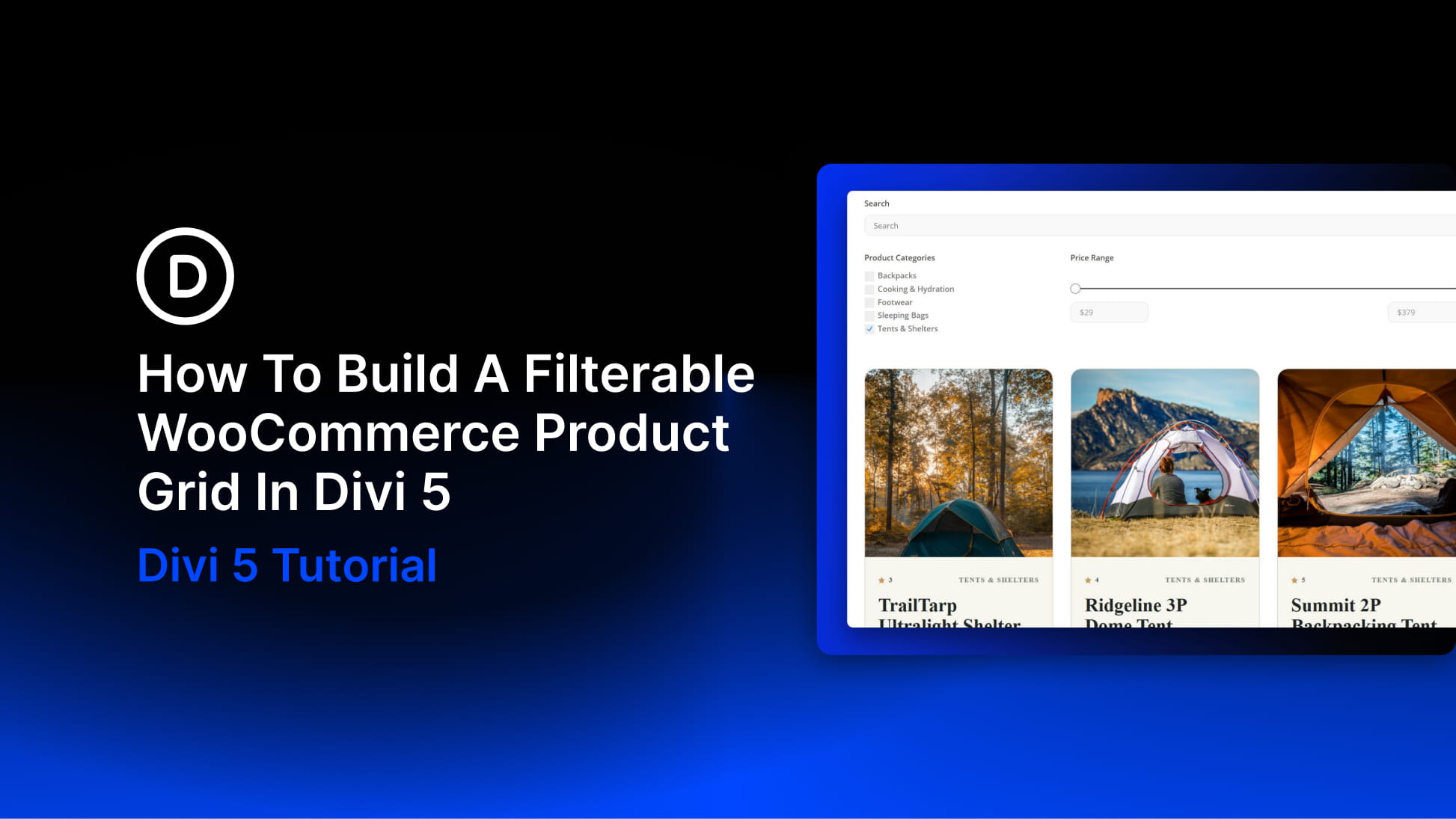
By leveraging the Loop Builder and the Post Filter Module, store owners can now create custom, high-performance product displays that are fully integrated with WooCommerce. This article explores the architecture of these new tools and provides a blueprint for building a sophisticated, filterable product ecosystem.
Main Facts: The Power of Native Integration
The core innovation in Divi 5 lies in the decoupling of the product display and the filtering logic. Historically, creating a custom WooCommerce grid often required third-party plugins that could slow down a site or conflict with theme styling.
- The Loop Builder: This feature allows designers to construct a "master" product card using standard modules (Image, Heading, Text, Button). Once the container is set, the Loop repeats that design dynamically across the page, pulling real-time data from your WooCommerce catalog.
- The Post Filter Module: This module acts as the "brain" of the operation. It interfaces with the Loop Builder to provide real-time, AJAX-powered filtering, allowing users to narrow down results by keyword, category, price, attributes, and stock status without ever refreshing the page.
- No-Code Flexibility: Because the system is built on Divi’s native framework, every element—from the spacing between cards to the typography of the price filter—is customizable within the Visual Builder, ensuring your store maintains a unique brand identity.
Chronology: A Step-by-Step Implementation
Building a professional, filterable grid requires a systematic approach. By following this progression, you ensure that the data architecture is sound before you begin the design phase.
Phase 1: Foundation and Data Preparation
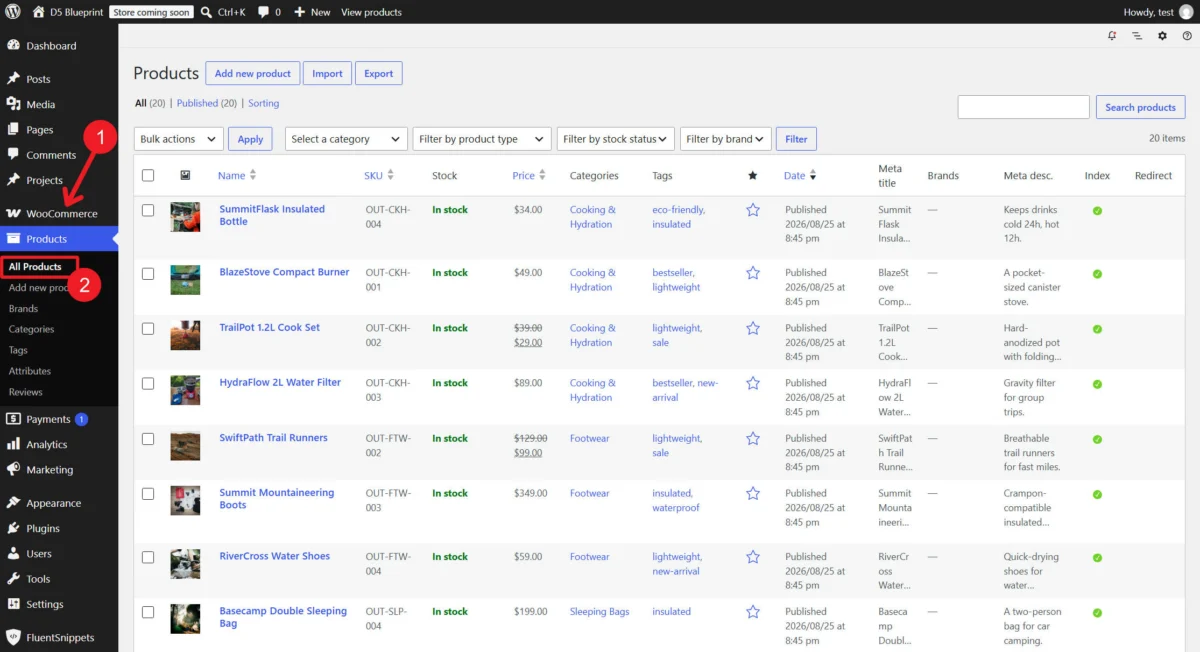
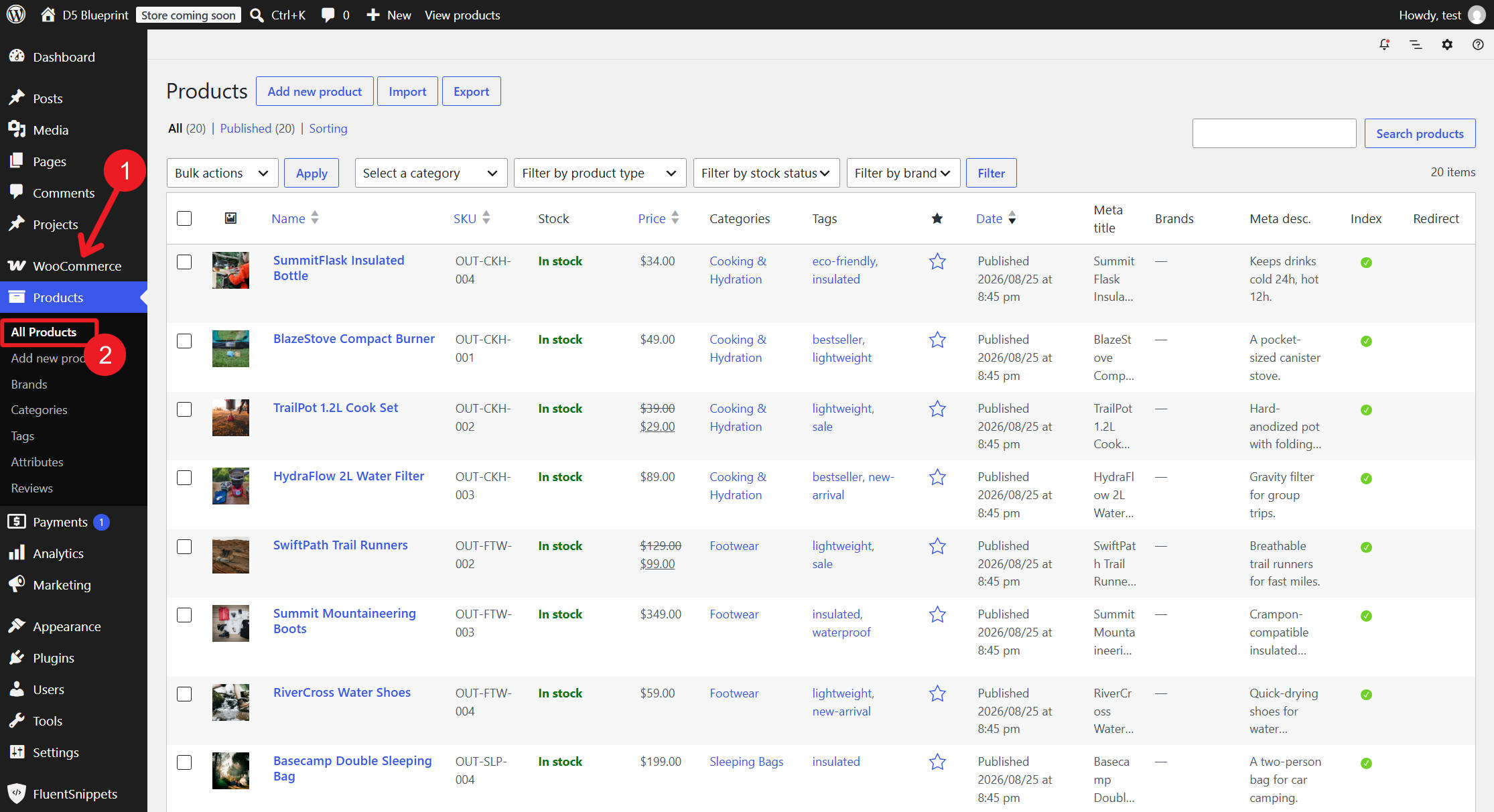
Before opening the Visual Builder, ensure your WooCommerce environment is fully populated. Filters are only as effective as the metadata they pull from.
- Categorization: Assign products to specific categories.
- Global Attributes: Define attributes (e.g., Size, Color, Material) and ensure they are assigned to your inventory.
- Pricing and Reviews: Ensure your catalog includes a diverse range of price points and review ratings, which are essential for testing the efficacy of your filter sliders and rating toggles.
Phase 2: Architecting the Loop
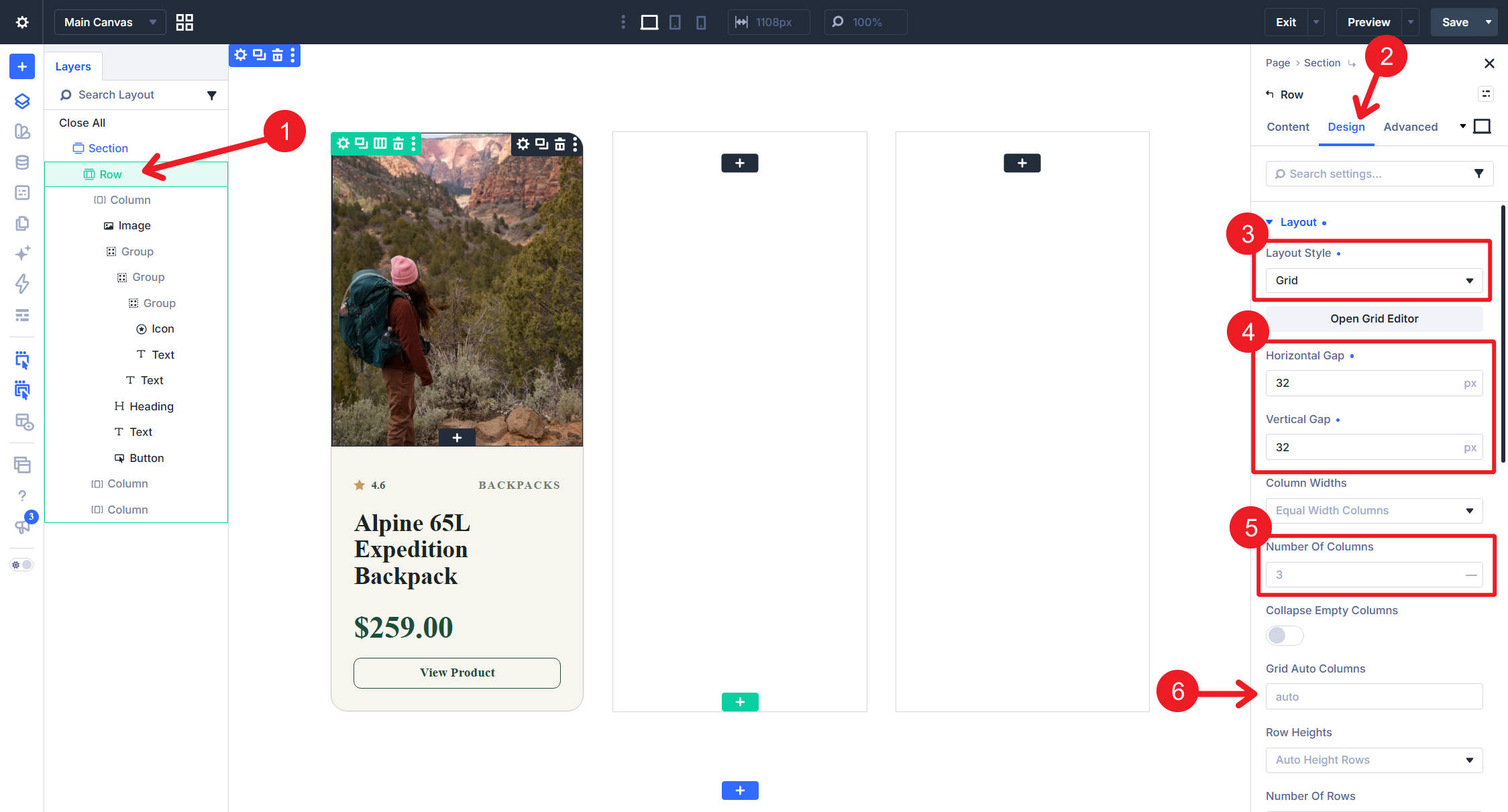
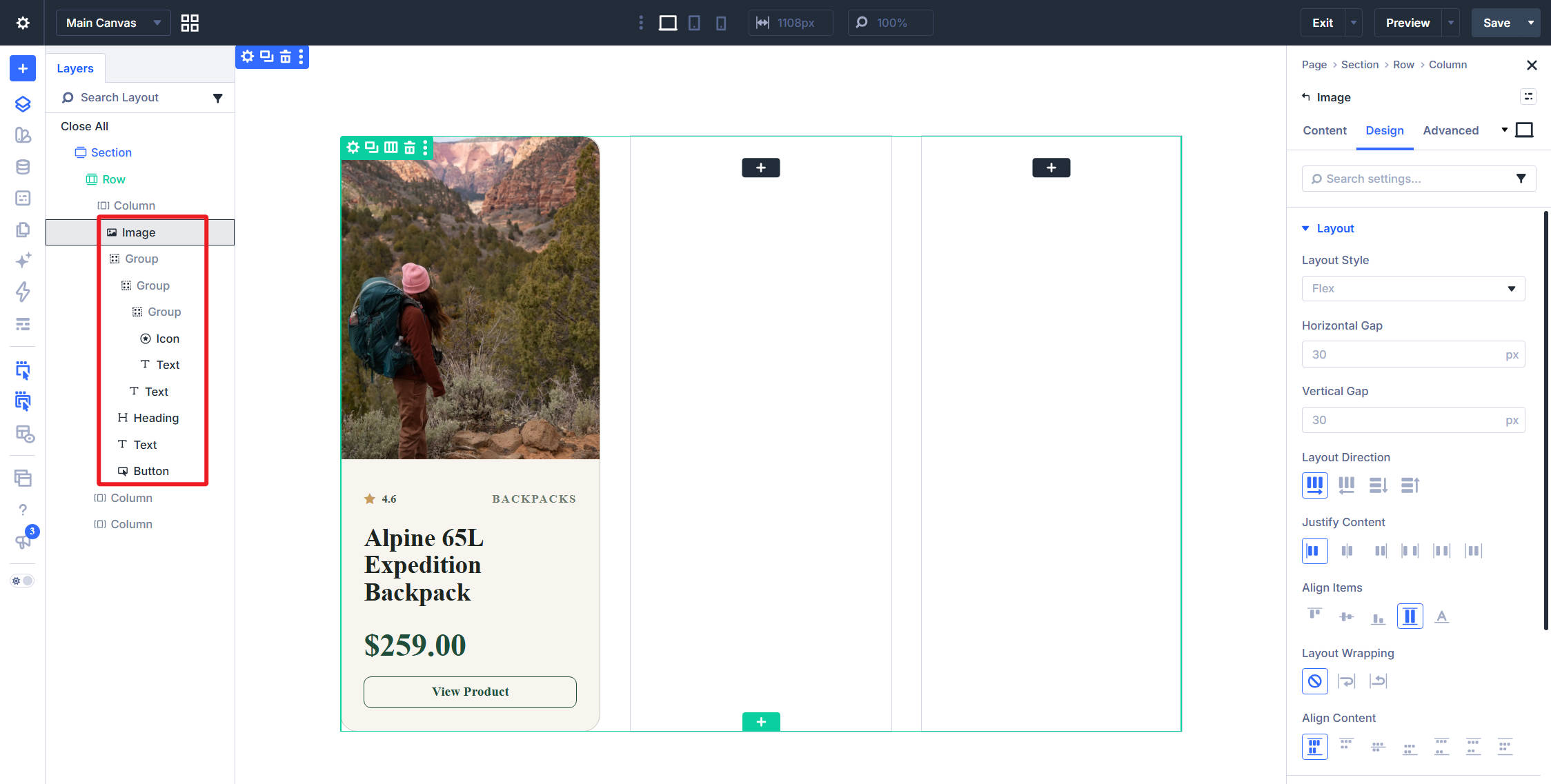
Within the Divi Visual Builder, use a Row or Group container to define your grid. By switching the layout to CSS Grid, you gain precise control over your columns and gaps. Within this container, you will build your "master" product card.
- Pro-Tip: Use Group Modules to organize internal elements like buttons and prices, allowing you to create complex layouts that remain responsive on mobile devices.
- Activation: Once the layout is finished, enable the Loop on the card container, select Products as your source, and define your desired "Posts Per Page."
Phase 3: Connecting the Data
Connect your modules to dynamic content. The Image module should be mapped to the Featured Image, the Heading to the Product Title, and the Text module to the Price. Once you bind these elements, the Loop will automatically populate every card with the unique information for each individual product in your database.
Supporting Data: Why Filtering Matters
The efficacy of an e-commerce site is measured by the "Time to Product" metric—how quickly a user can find what they are looking for. Data suggests that search-based navigation reduces abandonment rates by as much as 40%.
Enhancing User Discovery
The Post Filter Module provides specific controls that cater to different shopper personas:
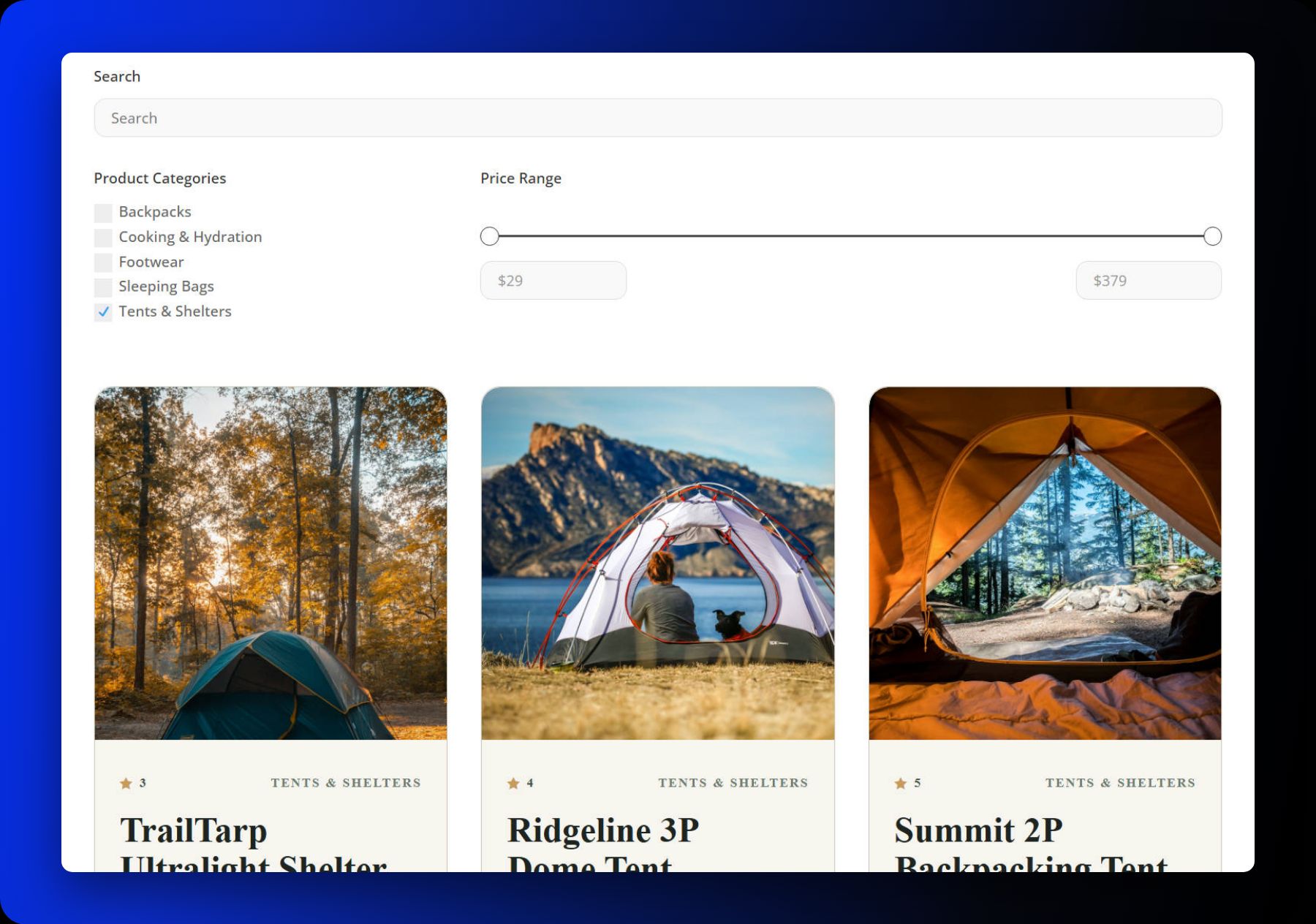
- Price Range Sliders: Essential for budget-conscious shoppers.
- Attribute Checkboxes: Crucial for apparel or technical gear where specific specs (size, color, weight) dictate the purchase.
- Sorting Logic: By allowing users to sort by "Popularity," "Rating," or "Price," you guide them toward high-converting items, effectively functioning as an automated sales assistant.
URL Parameters and SEO
One of the most powerful aspects of the Divi 5 filter system is that it appends active filters to the page URL. This is a significant SEO advantage. Not only can shoppers bookmark specific filtered views (e.g., "Men’s Hiking Boots under $150"), but these deep-linked results can be shared on social media or in marketing emails, driving traffic directly to a pre-refined, high-intent product list.
Official Perspectives: The Evolution of Divi 5
Elegant Themes has positioned Divi 5 as a "performance-first" update. According to development documentation, the move to a more modular, component-based architecture was designed to address the bloat common in older page-building technologies.
"The goal of the Loop Builder," notes the official Divi documentation, "is to remove the barrier between the designer and the database." By providing a visual interface for complex queries, Divi 5 allows users to build functionality that was previously the domain of custom PHP developers. The integration with WooCommerce is deep; the system respects the native WooCommerce database structure, ensuring that your filters are always accurate and that stock statuses are updated in real-time as users refine their search.
Implications: The Future of WooCommerce Design
The implications for store owners are profound. By moving to a native filtering solution, businesses can:
- Reduce Plugin Dependency: Fewer plugins mean faster page loads and a more secure site architecture.
- Improve Conversion Rates: A bespoke filtering experience—styled to match your brand—feels more trustworthy and professional than a generic sidebar widget provided by a third-party plugin.
- Scalability: As your catalog grows from 50 products to 5,000, the architecture remains the same. The same logic you used to build your initial grid will handle thousands of items without requiring a redesign.
Responsive Design Considerations
The final step in any professional deployment is ensuring the grid is as functional on a smartphone as it is on a desktop. The Post Filter Module allows you to stack filters vertically on mobile devices, preventing the "cramped" UI that often plagues e-commerce sites on small screens.
By setting the Column Class to full width at the mobile breakpoint, you ensure that the search bar, category dropdowns, and price sliders remain touch-friendly and easy to navigate.
Conclusion
Building a product grid in Divi 5 is an exercise in both design and utility. By following these steps—preparing your data, constructing a robust Loop, and implementing a tailored Post Filter Module—you create a shopping experience that feels intuitive and premium. Whether you are selling artisan crafts or complex technical equipment, the combination of Divi 5 and WooCommerce provides the tools to turn your catalog into a conversion-driving engine. Start small, test your filters, and watch as your users find exactly what they need, exactly when they need it.