The landscape of web design and e-commerce is shifting. For many small business owners, freelancers, and non-profit organizations, the overhead of managing a full-scale e-commerce platform—with its complex product catalogs, inventory tracking, and tax calculation engines—is often unnecessary. Recognising this gap, Elegant Themes has introduced the Payment Button Module as part of the highly anticipated Divi 5 ecosystem. This feature allows users to accept payments via PayPal and Stripe directly through a dedicated module, bypassing the need for a traditional storefront.
Main Facts: What Is the Payment Button Module?
The Payment Button Module is a native, lightweight integration within Divi 5 designed to handle one-time transactions. It acts as a bridge between your website’s front-end design and a secure, third-party payment gateway.
Unlike traditional e-commerce solutions such as WooCommerce, this module is not designed to manage stock, calculate shipping, or maintain user order histories. Instead, it focuses on the "Point of Sale" aspect of web interaction. By placing a button on your site, you provide visitors with a frictionless path to complete a transaction. The module handles the visual design and the redirection to the payment provider, while PayPal or Stripe handles the heavy lifting of processing the payment, securing sensitive card data, and managing financial records.
This approach is ideal for:
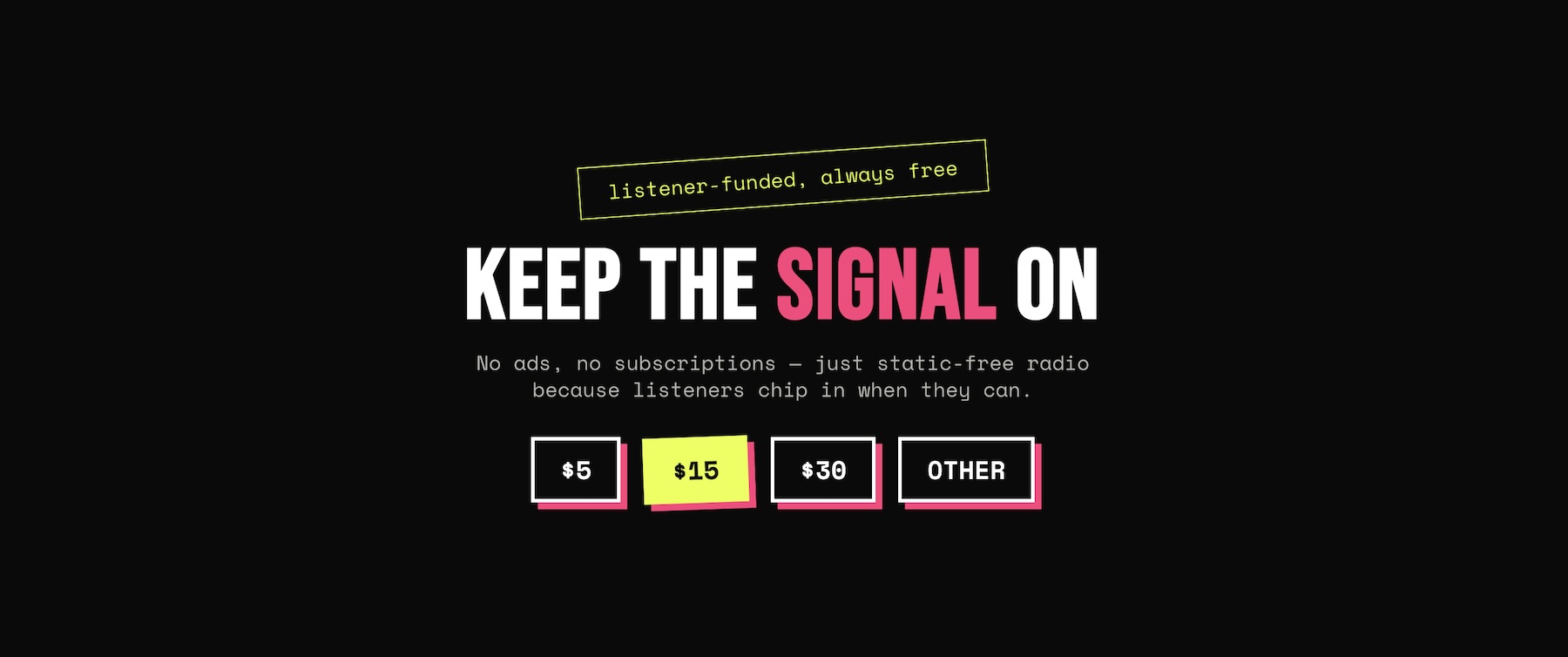
- Donations: Allowing users to choose their own contribution amount or selecting from fixed tiers.
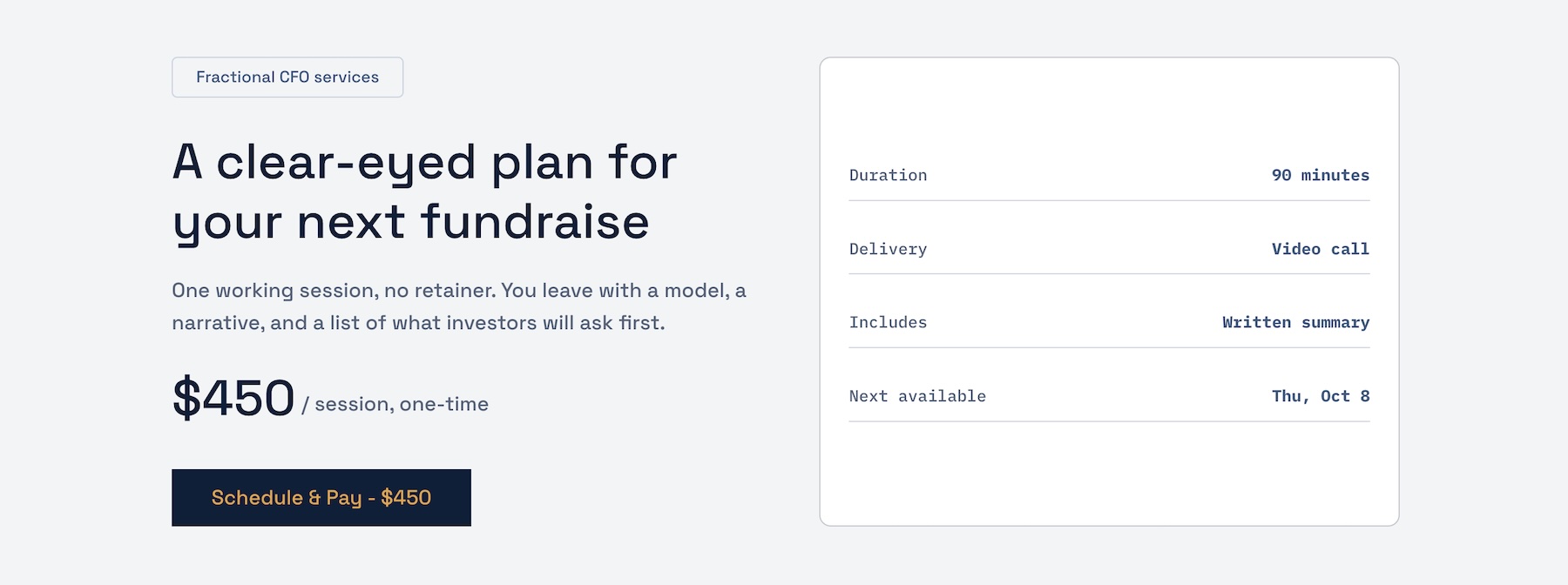
- Consultation Fees: Perfect for professionals who charge for single sessions, audits, or one-off advice.
- Event Registrations: Ideal for workshops or seminars where a simple seat-purchase is required.
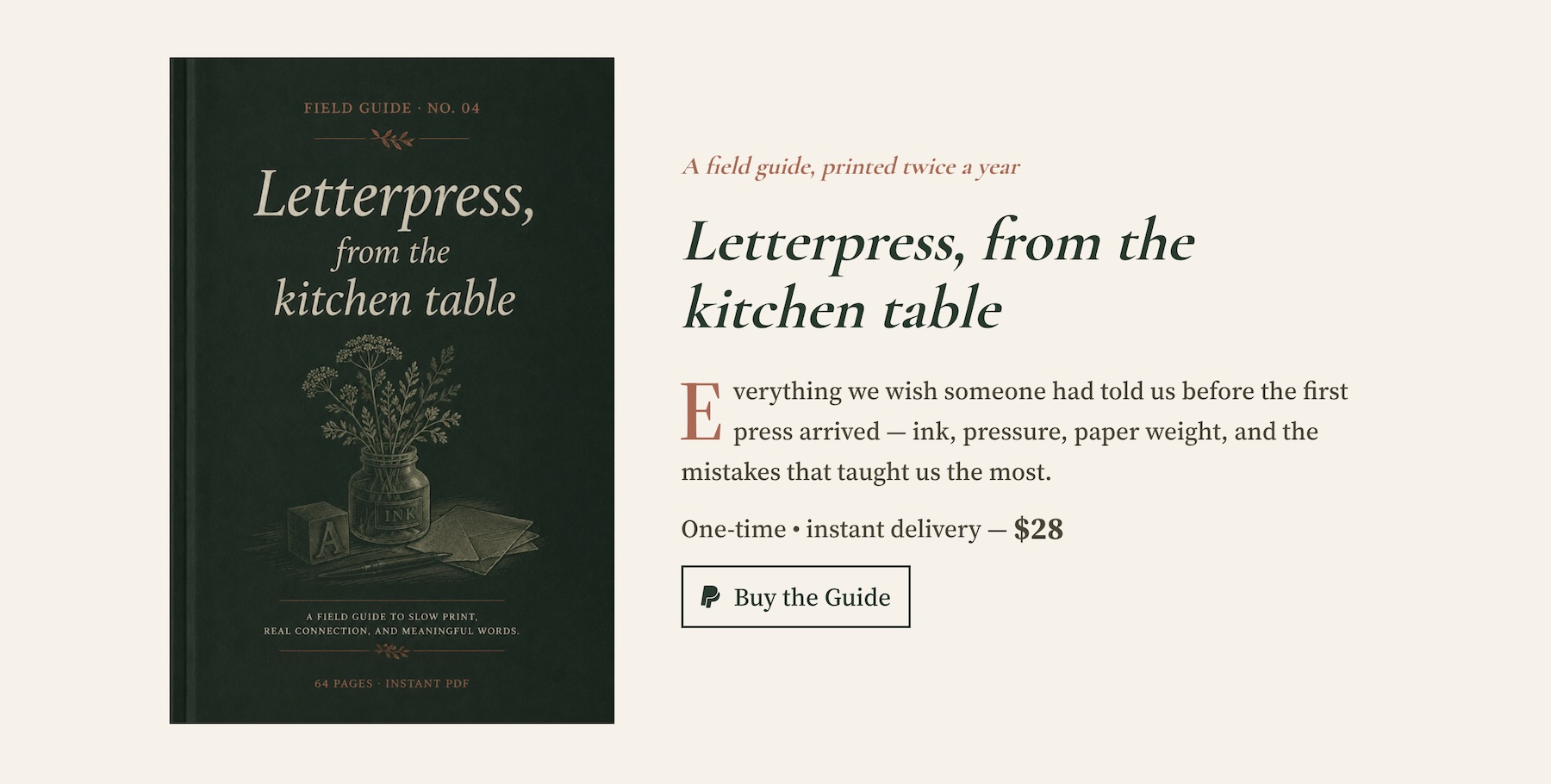
- Digital Products: A straightforward way to sell a single PDF guide, e-book, or resource.
Chronology and Integration: A Path to Implementation
The journey to using the Payment Button Module began with the release of Divi 5.11. This update brought the module into the native Divi builder, ensuring that users have full access to design controls without needing third-party plugins.
1. Initial Setup and Configuration
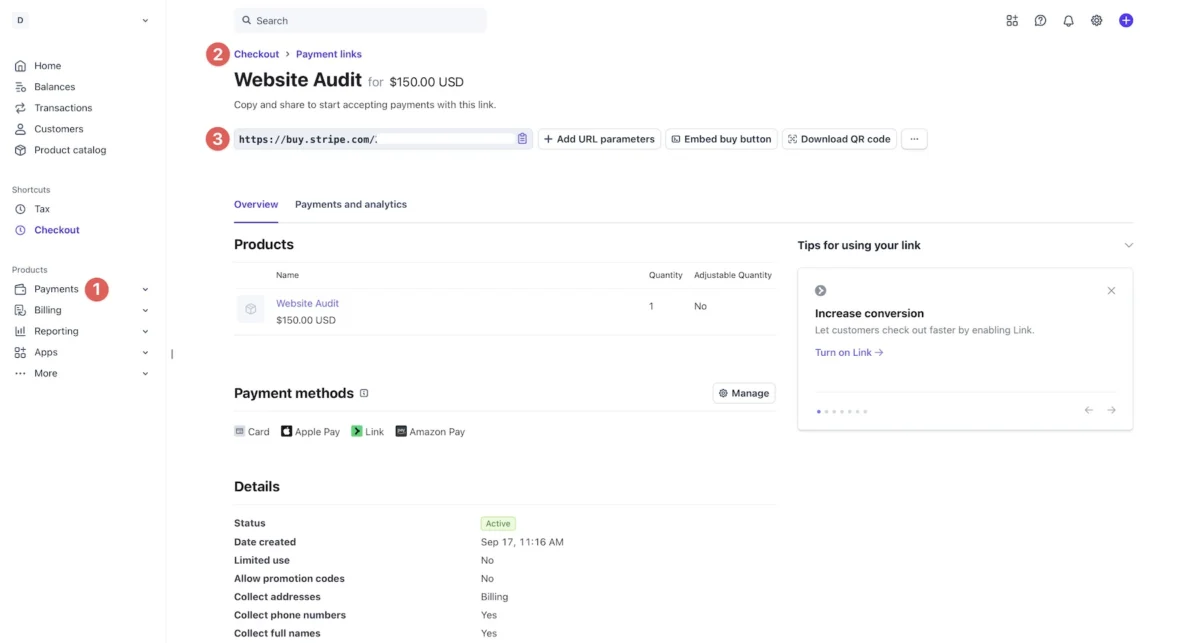
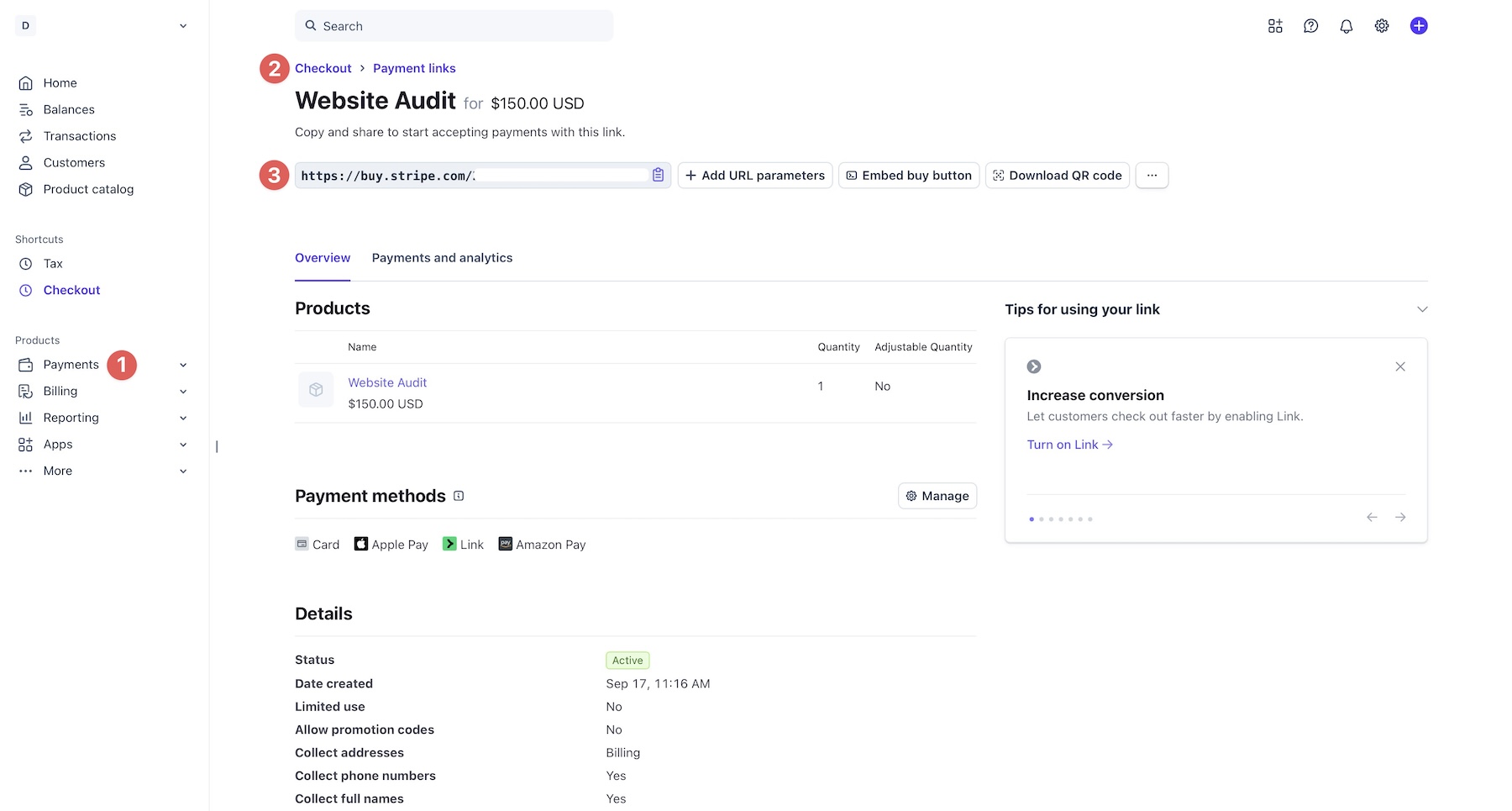
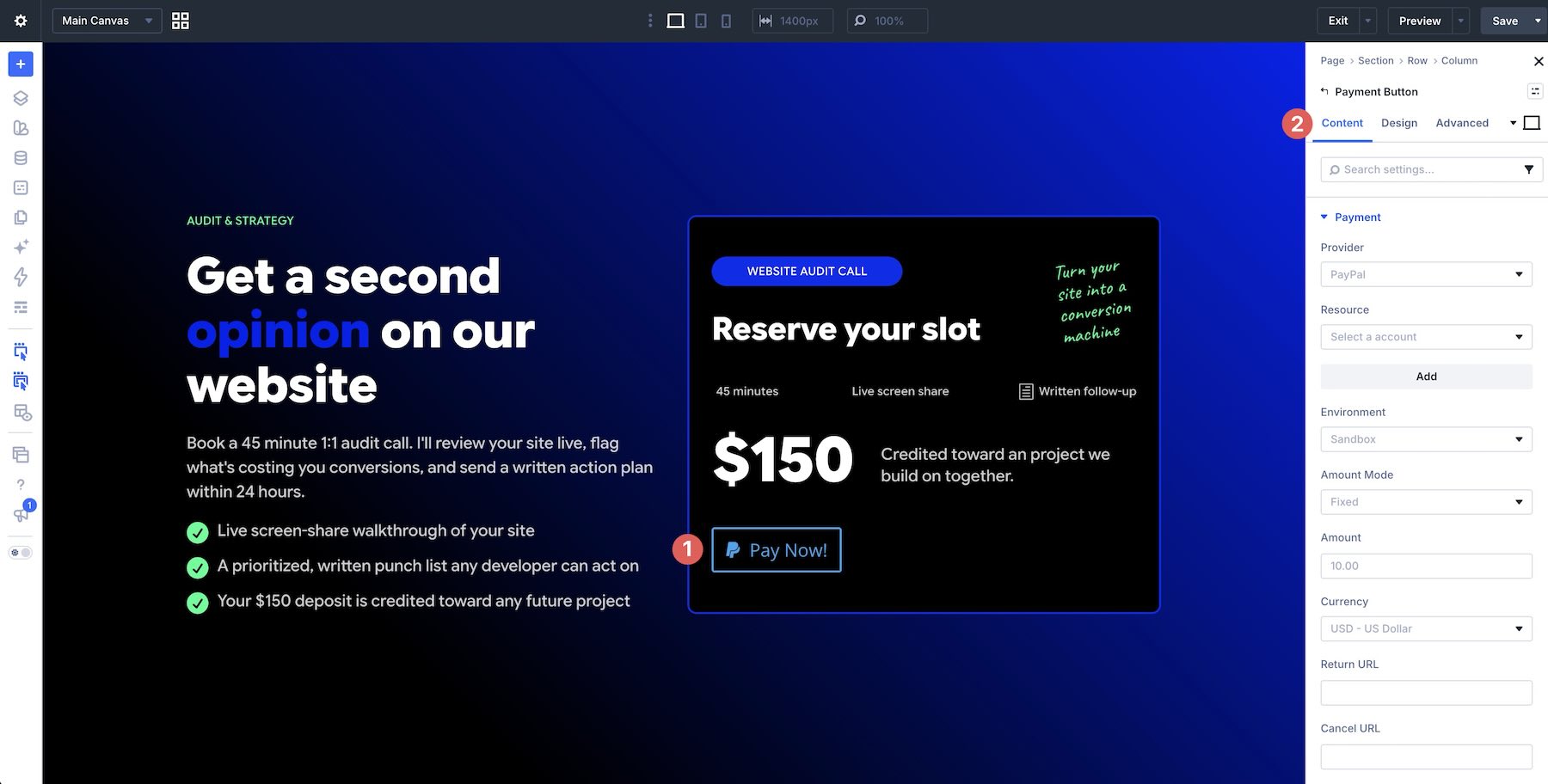
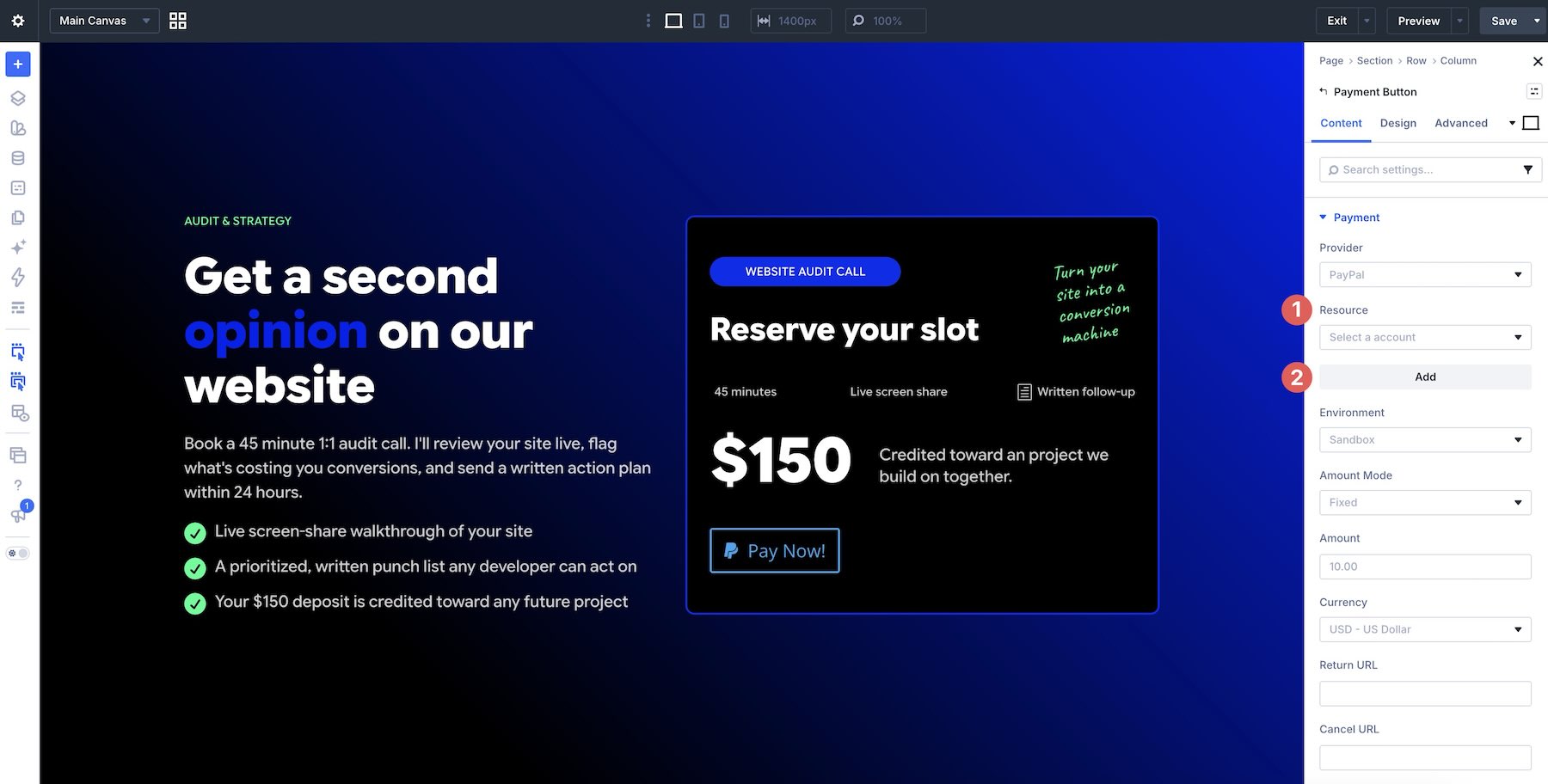
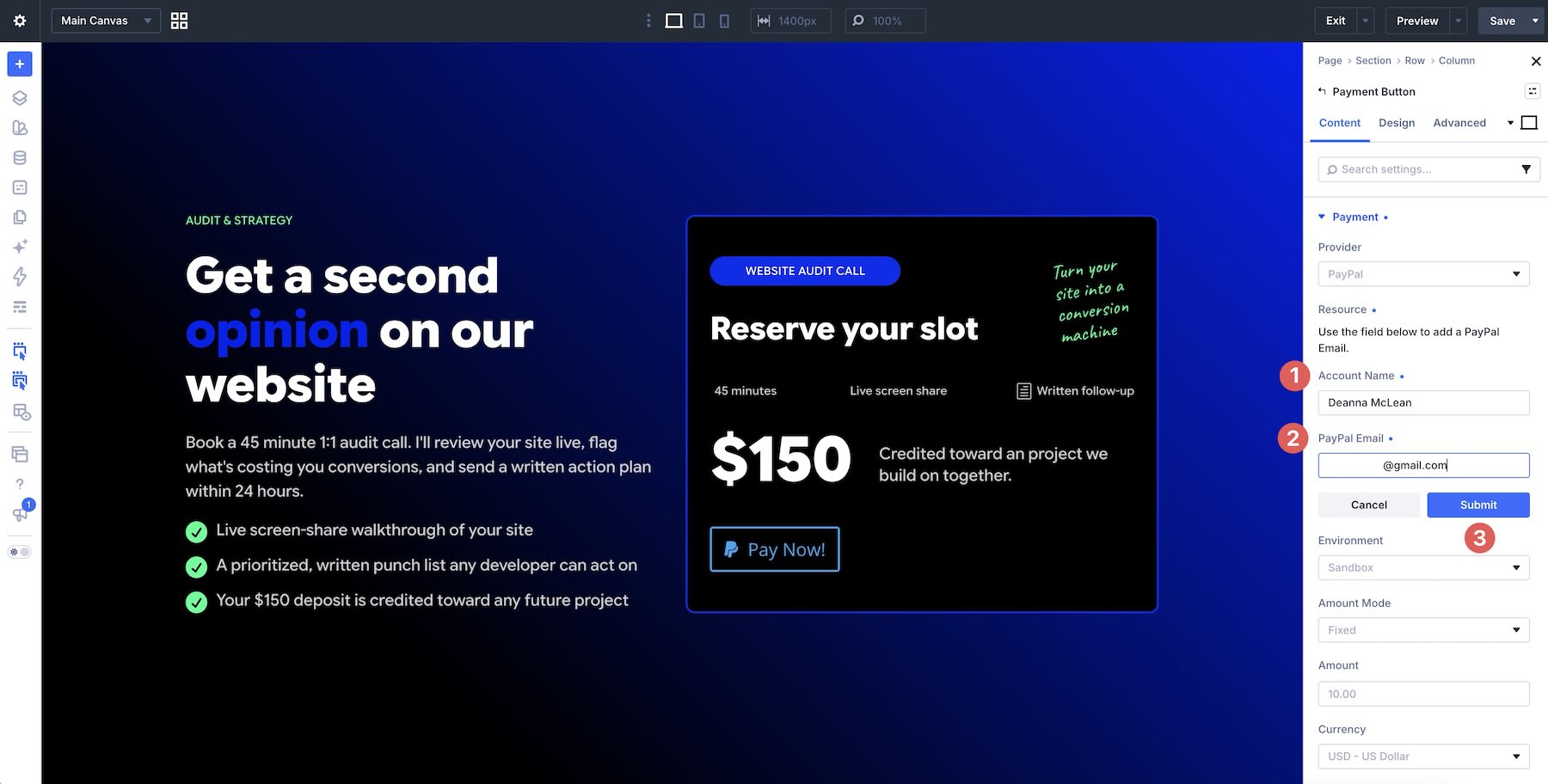
Before implementing the module, users must ensure they have their credentials ready. For PayPal, this involves a Business account email. For Stripe, it requires the creation of a "Payment Link" within the Stripe dashboard.
2. The Design Phase
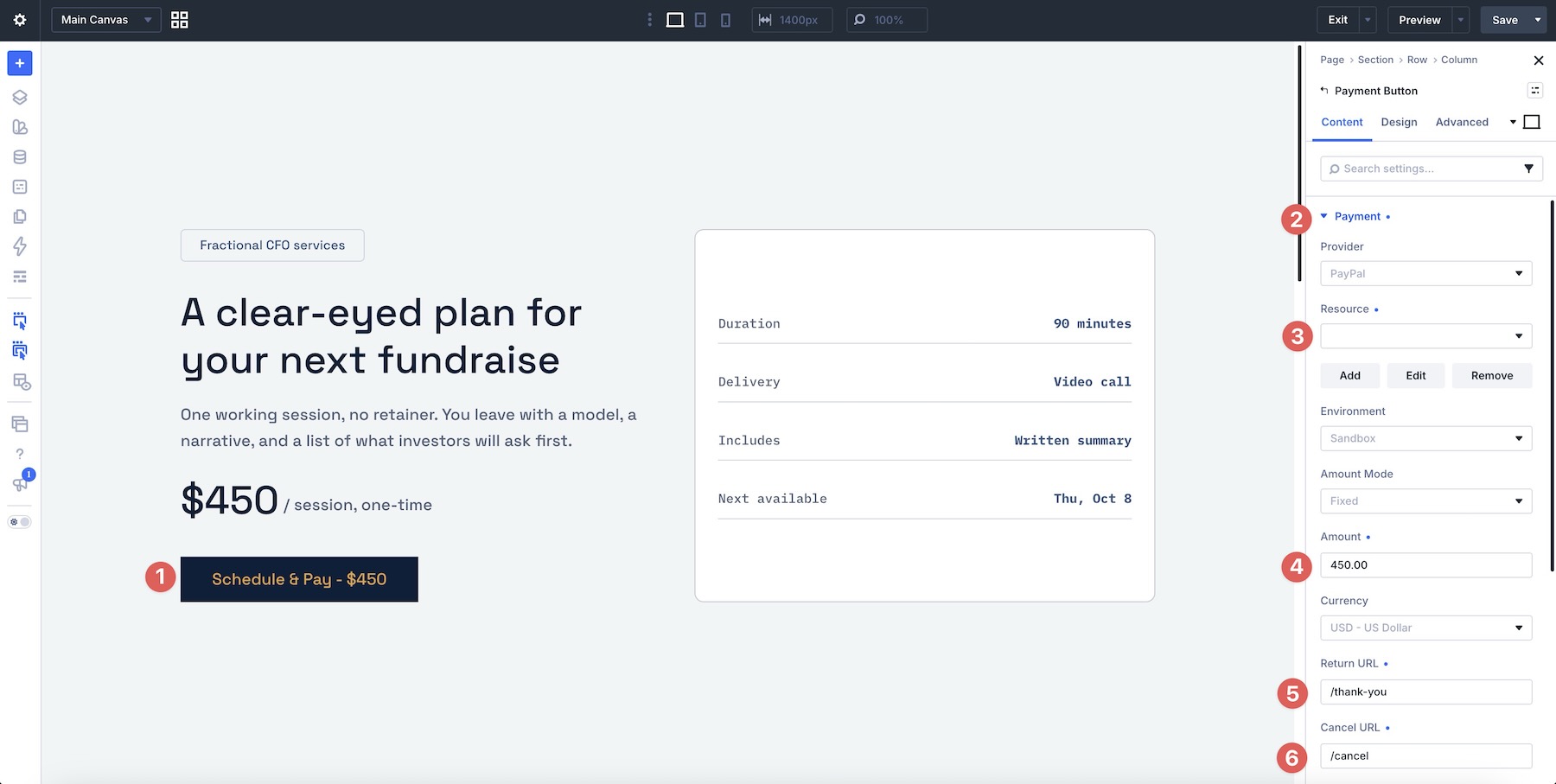
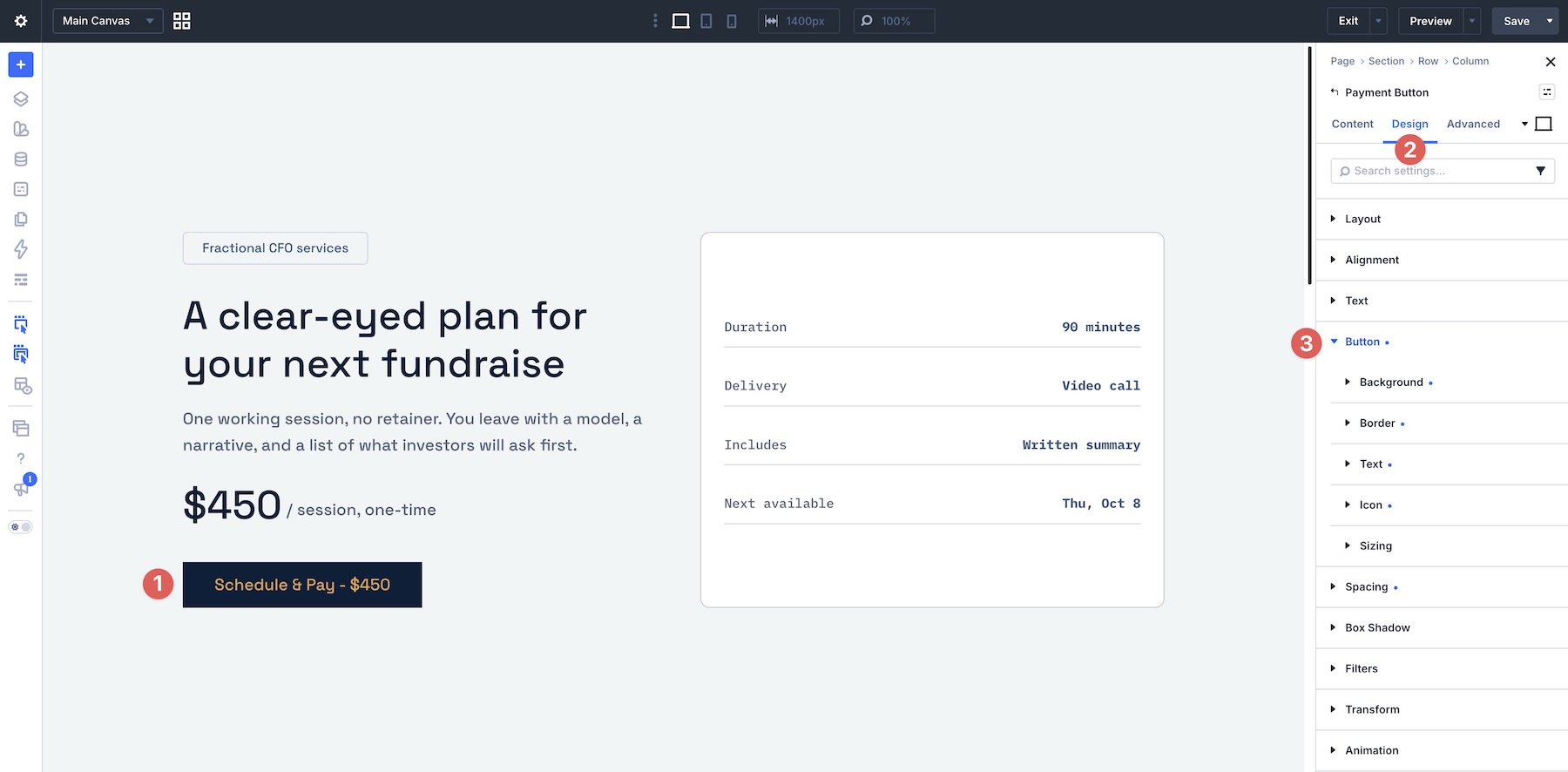
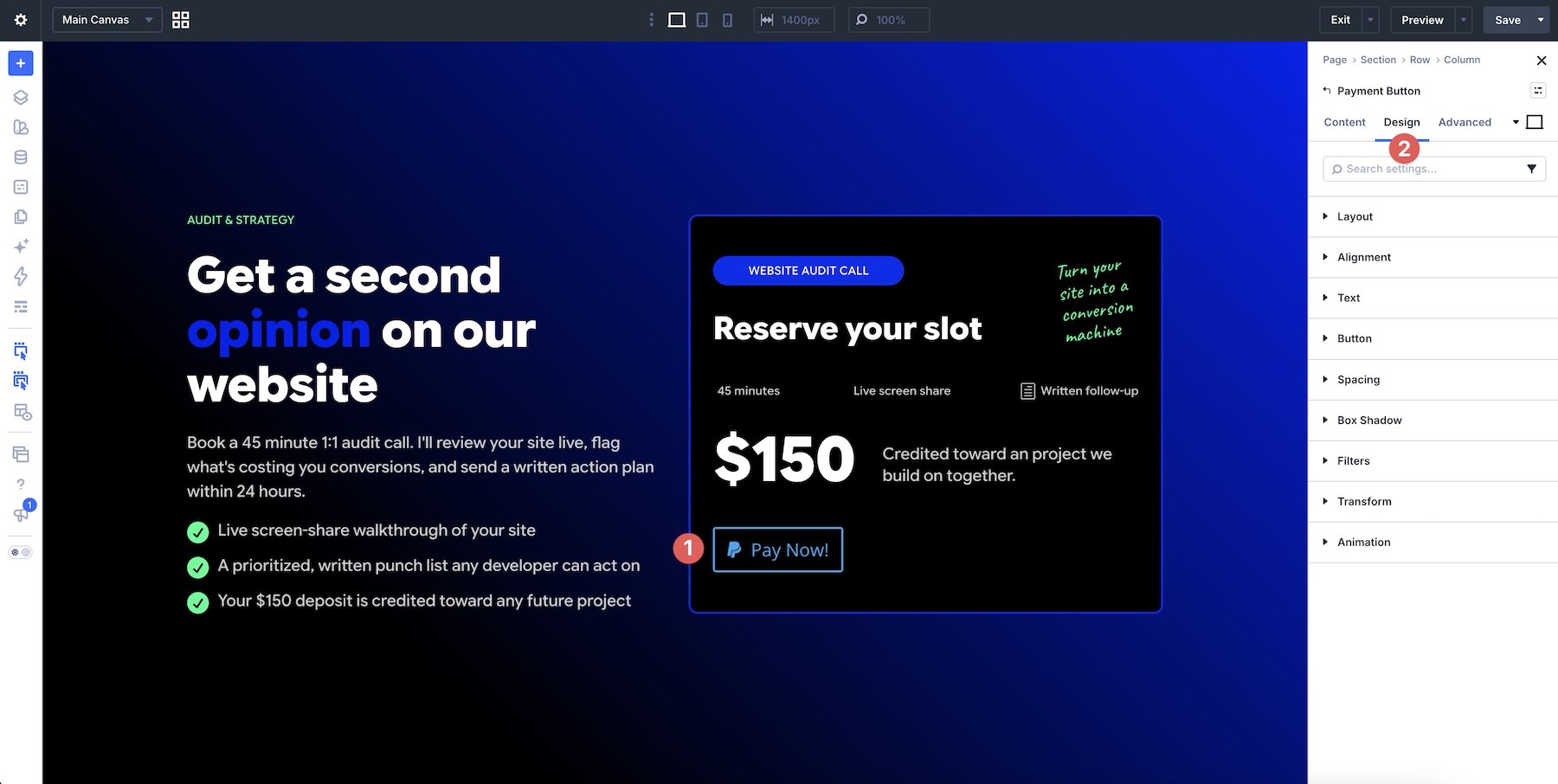
Once the module is dragged onto the page in the Visual Builder, the user is presented with a standard set of design controls. This includes typography, button spacing, border radius, and icon placement. A major highlight is the ability to save these configurations as Element Presets, allowing developers to maintain brand consistency across dozens of different payment buttons on a single site.
3. The Testing Phase (Sandbox Mode)
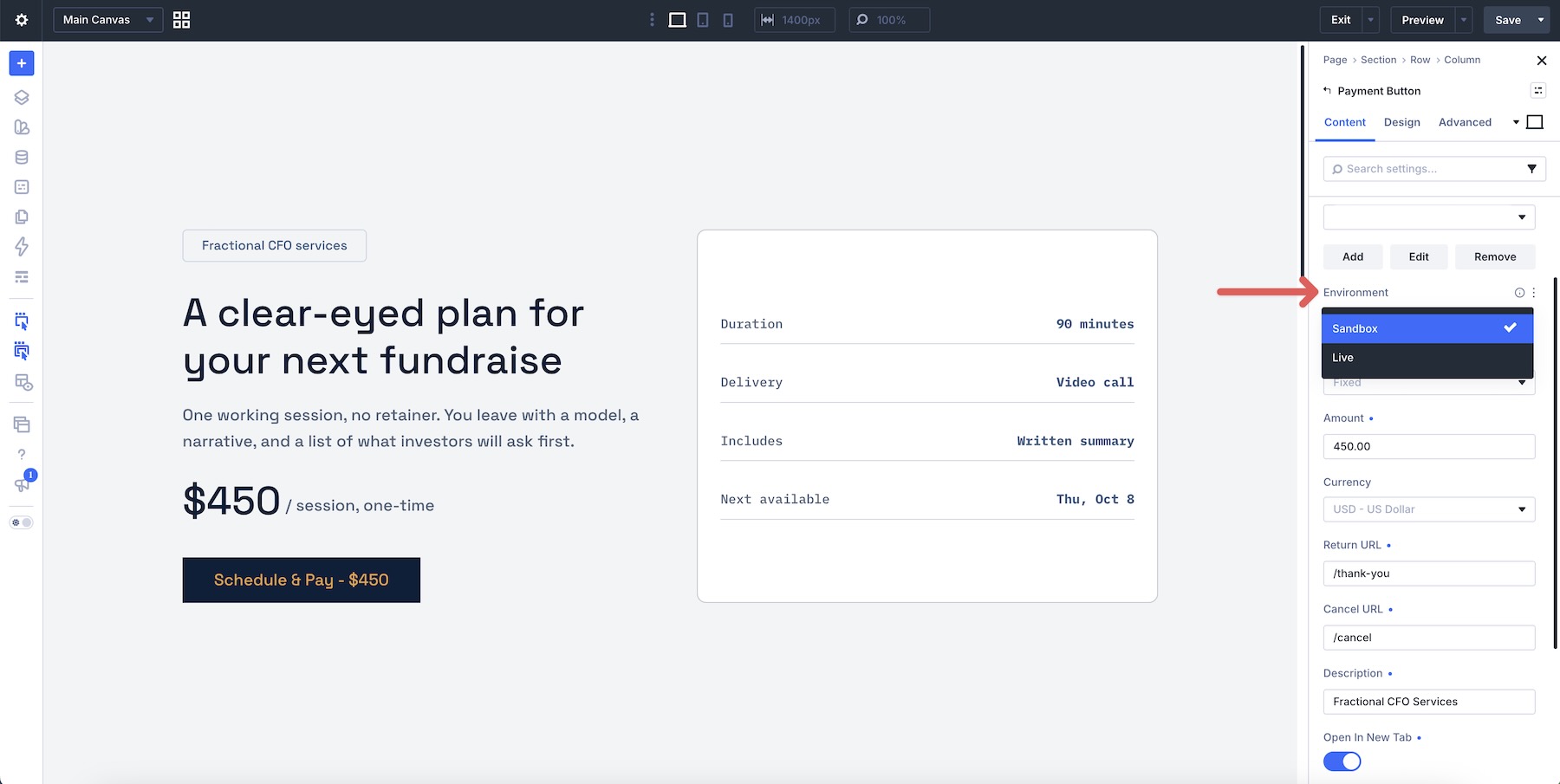
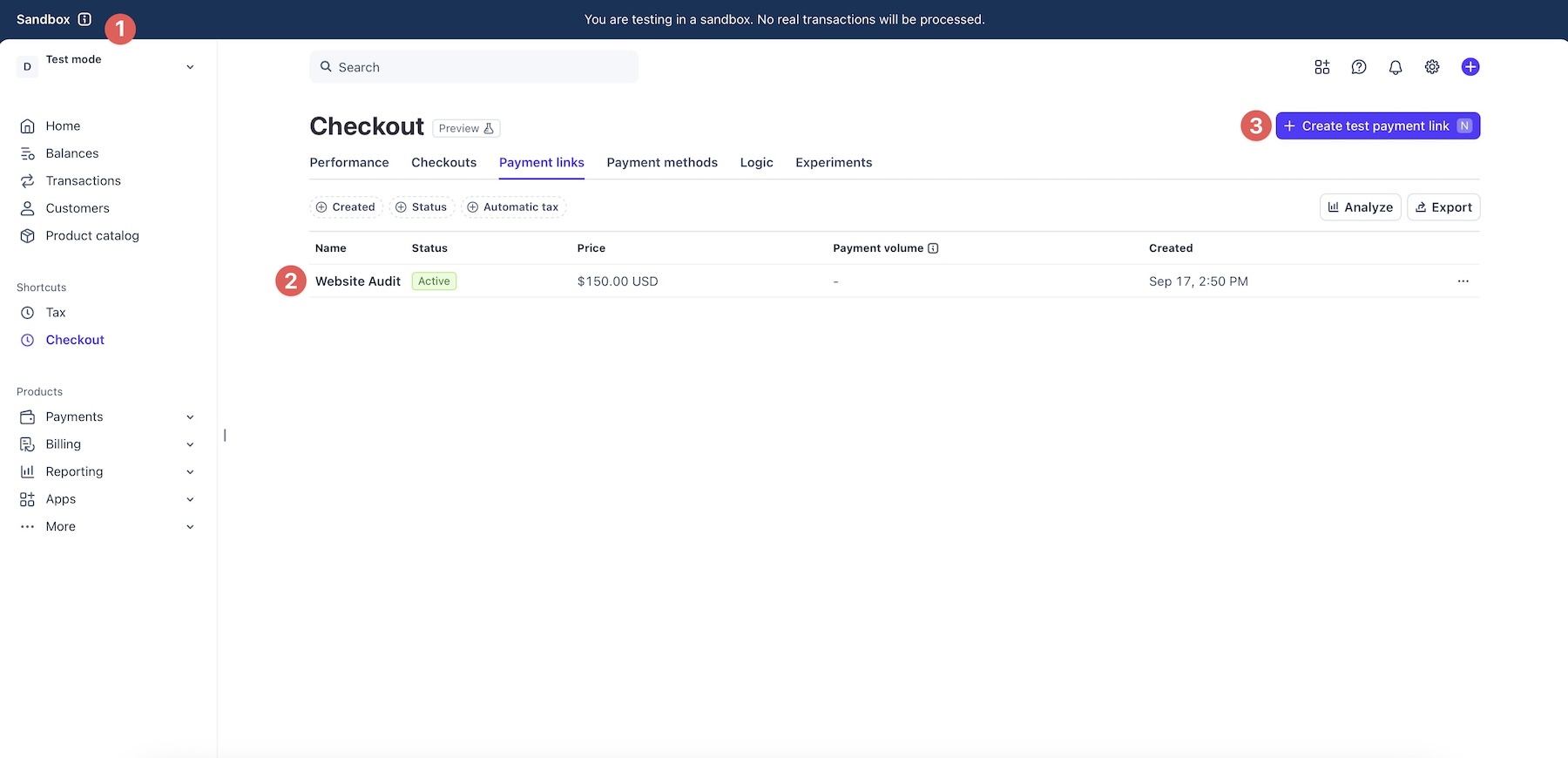
A critical step in the chronological workflow is the use of sandbox environments. The module provides a toggle between "Sandbox" and "Live" modes. During the testing phase, developers are encouraged to use test accounts provided by PayPal and Stripe. This allows the designer to walk through the entire checkout flow—from the button click to the final redirection—without processing real currency.
Supporting Data and Technical Workflow
The technical implementation of the Payment Button Module is intentionally decoupled from the WordPress database. This is a deliberate design choice aimed at performance and security.
PayPal Integration
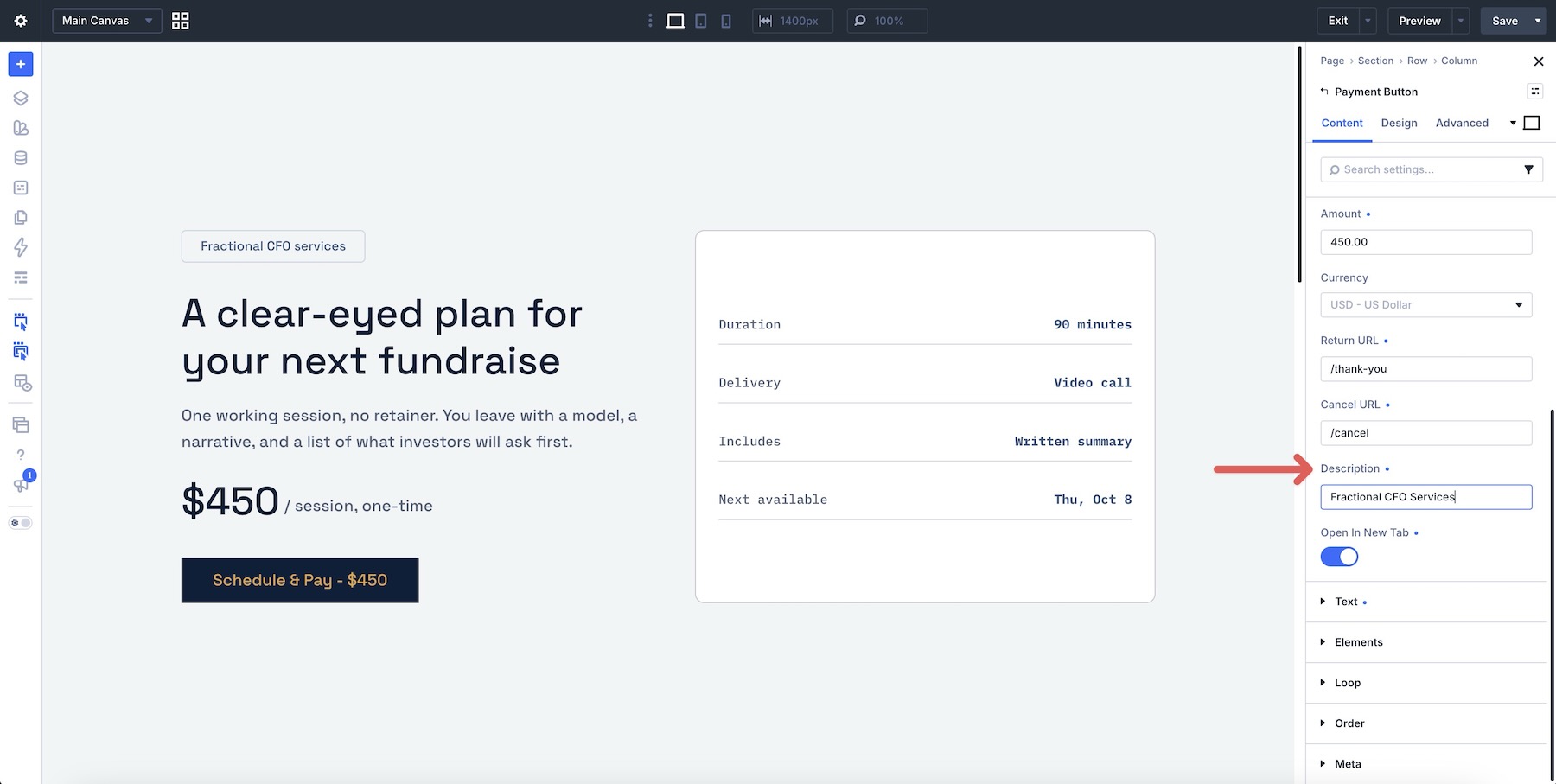
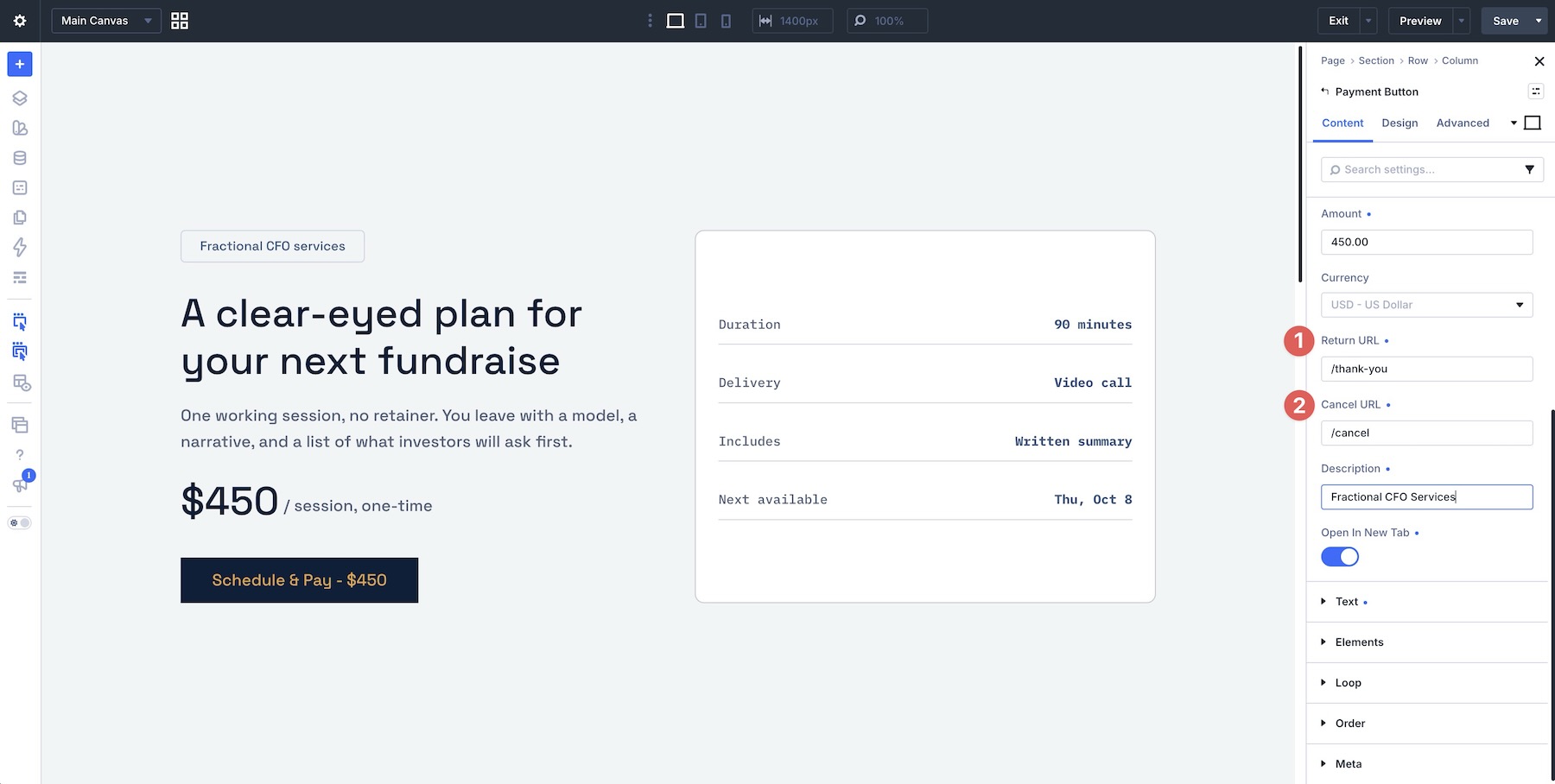
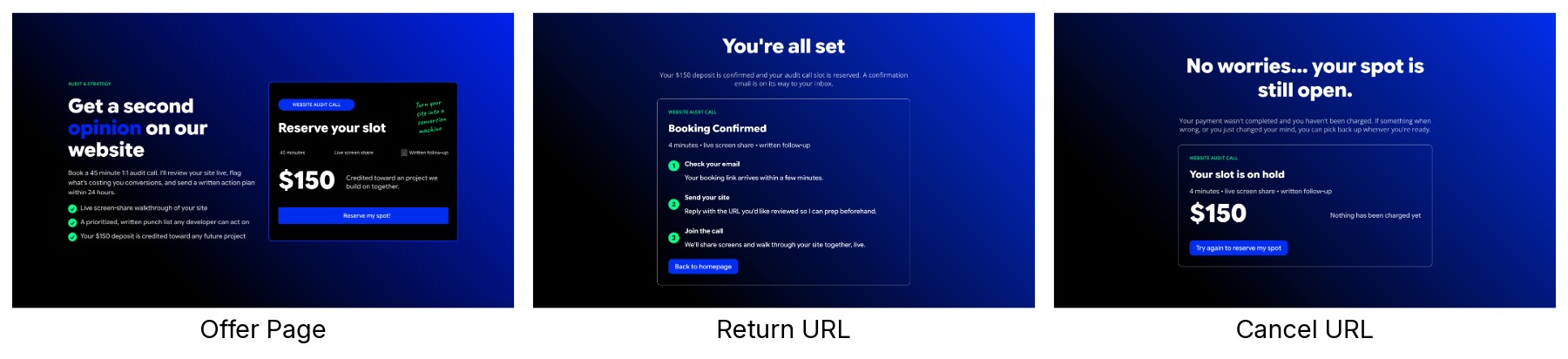
When configured for PayPal, the module requires the user to define the amount and currency directly within the Divi builder. The "User Defined" mode is particularly powerful for non-profits, as it empowers donors to input their own contribution amount. The "Return URL" and "Cancel URL" fields allow for a branded user experience, guiding the customer back to the site once the transaction is complete.
Stripe Integration
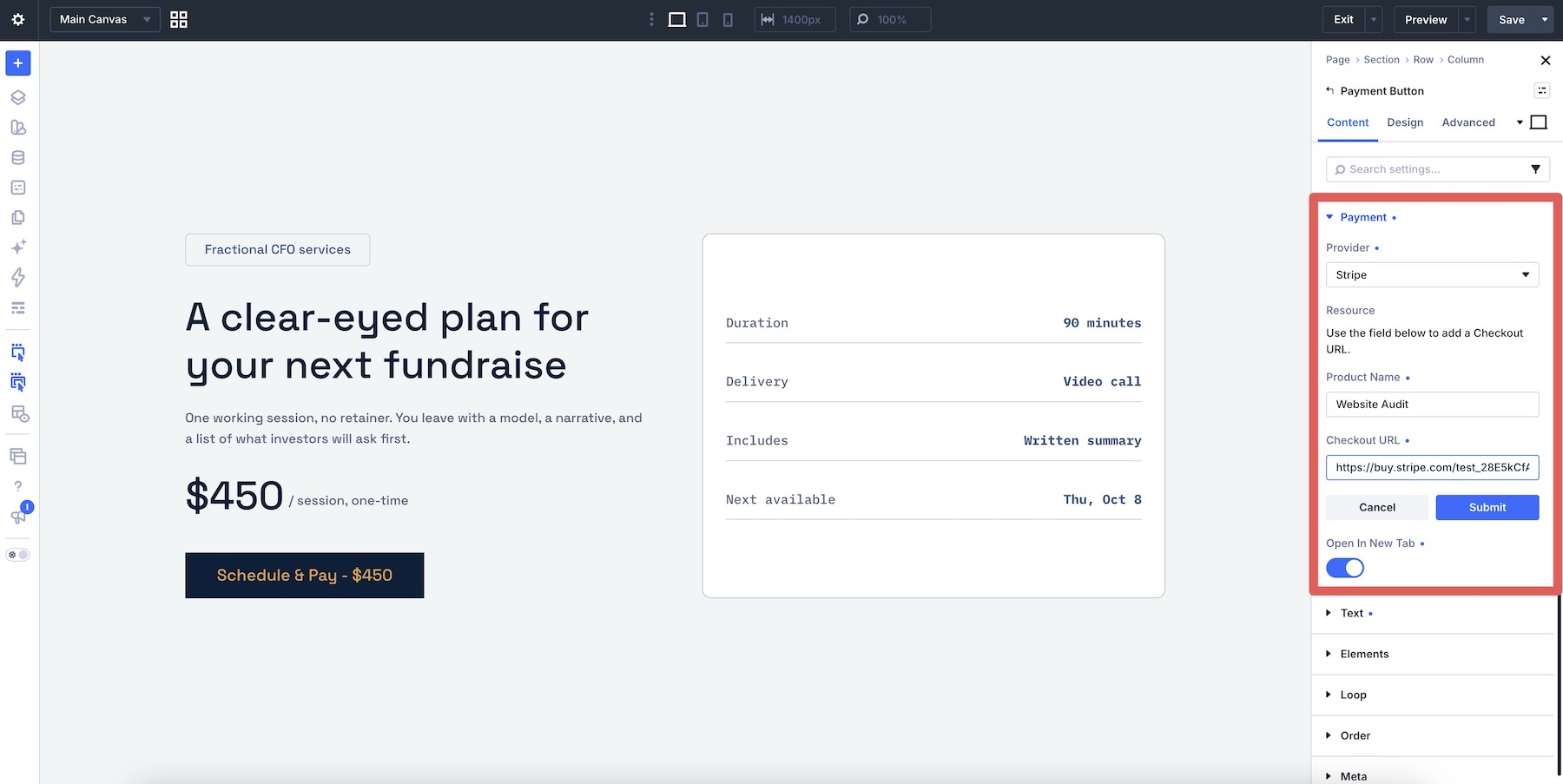
Stripe’s integration relies on "Payment Links." Rather than configuring the price in WordPress, the user creates a product in their Stripe dashboard, generates a link, and pastes that URL into the Divi module. This ensures that the payment details are always in sync with the user’s financial dashboard. Because the payment processing occurs on Stripe’s servers, the site remains lightweight and avoids the security risks associated with storing credit card information locally.
Official Responses and Strategic Vision
Elegant Themes has positioned the Payment Button Module as a "strategic alternative" rather than a replacement for full-featured e-commerce. According to their development team, the goal was to "reduce the friction of entry."

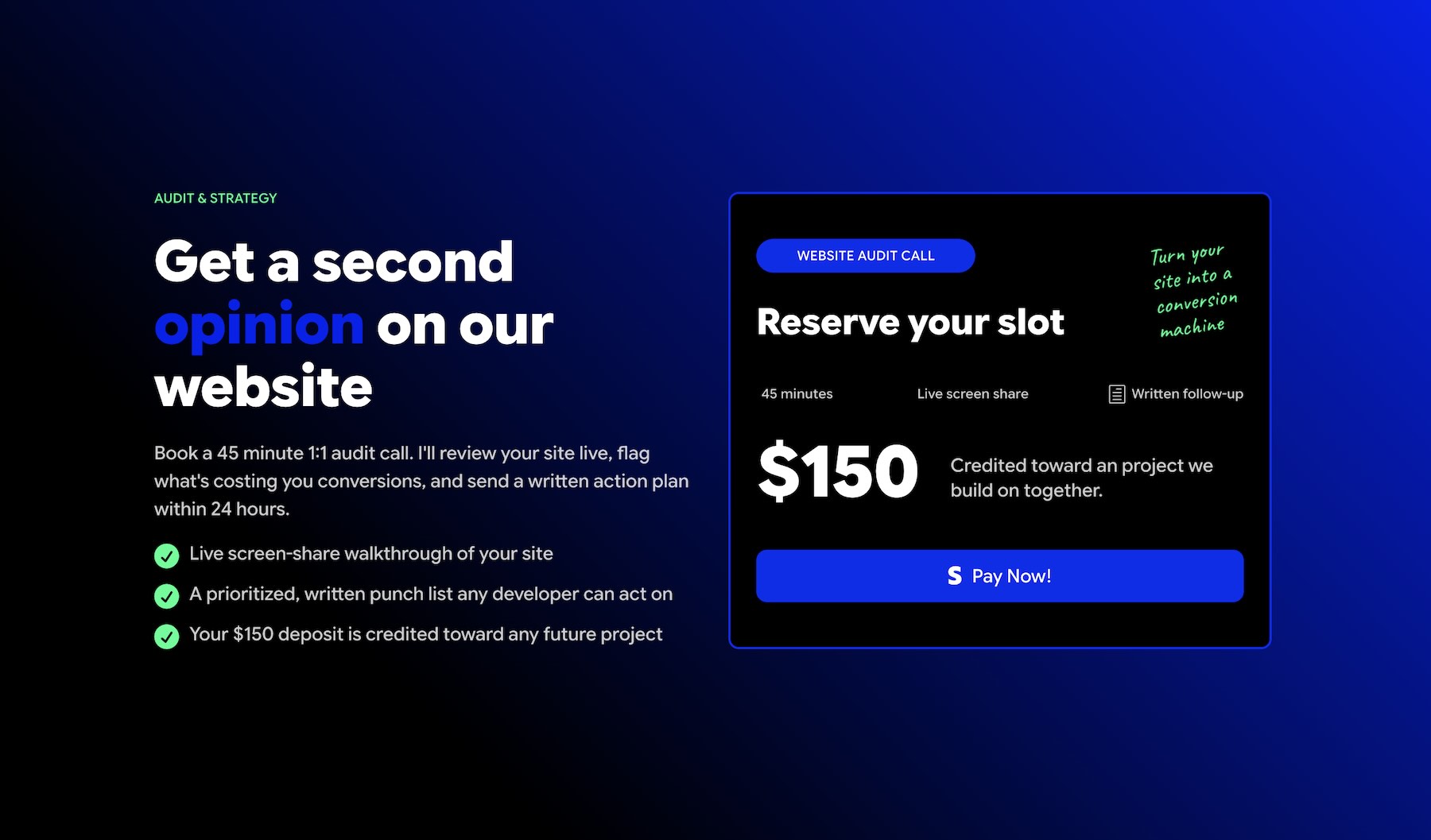
For a user who simply wants to sell a $150 website audit, installing a heavy plugin like WooCommerce—which requires setting up taxes, shipping zones, and cart pages—can feel like "using a sledgehammer to crack a nut." By isolating the payment functionality, Divi 5 allows users to remain focused on design and content. The company emphasizes that while this module does not handle fulfillment or digital delivery, it perfectly complements a "Lean Web" philosophy where external services (like Zapier or custom email triggers) can handle the post-purchase logistics.
Implications for the Future of Web Design
The release of the Payment Button Module has significant implications for how freelancers and small businesses approach their online presence.
Lowering Barriers to Digital Sales
The most immediate implication is the democratization of online sales. By removing the technical hurdle of setting up a shop, Divi 5 lowers the barrier for artists, consultants, and hobbyists to monetize their work. This could lead to a surge in single-service landing pages, which are generally more conversion-friendly than complex, multi-page stores.
The Rise of the "Micro-Storefront"
We are likely to see a trend toward "micro-storefronts"—pages that are highly specialized, containing a single offer and a single, highly optimized payment button. Because these buttons are so easy to style and move, marketers can perform A/B testing on their call-to-action designs with unprecedented ease.
Security and Maintenance
From a security perspective, this module is a win for site administrators. Since the module does not touch credit card numbers, it reduces the scope of PCI-DSS compliance requirements for the website owner. Maintenance is also simplified; because the payment logic is handled by industry giants like PayPal and Stripe, the site owner doesn’t need to worry about updating plugin code to fix checkout bugs.
When to Upgrade to Full E-Commerce
It is vital to recognize the limitations highlighted by the developers. The module does not manage stock or prevent over-selling. If a user is running an event with a hard limit of 50 seats, this module will not automatically "close" the button once the 51st person tries to pay. In these cases, the implication is clear: the Payment Button Module is a tool for the interface, but the logic of the business must still be managed by the user through a booking system or inventory manager.
Conclusion
The Divi 5 Payment Button Module is a sophisticated, simplified solution for the modern web. It reflects an industry-wide trend toward modularity—taking complex, bulky systems and breaking them down into manageable, purpose-built components.
By prioritizing design flexibility, security, and ease of use, Elegant Themes has provided a bridge for those who want to sell their services without the burden of managing a digital warehouse. Whether you are a consultant looking to collect retainers, a non-profit seeking to simplify donations, or a creator selling a single digital guide, this module offers a clear, efficient, and professional path to monetization. As you embark on your own implementation, remember the golden rule: start in the sandbox, verify your flow, and keep your fulfillment workflows distinct from your checkout experience. The future of web commerce is not just about having a store—it’s about having a button that works.