







GLOBAL — Picking colors sounds deceptively easy until you actually have to do it. You open a blank canvas, type in a few hex codes, hate all of them, and then end up mindlessly nudging saturation sliders for twenty minutes as if that somehow counts as verifiable design progress.
Digital creators, web developers, and UI/UX designers the world over know this frustration intimately. It is the modern paradox of choice: in an era of limitless digital freedom and millions of available color combinations, selecting the right palette can easily paralyze a project before a single line of code is written.
Fortunately, a new generation of sophisticated web-based utilities has emerged to solve this exact problem. Moving far beyond basic color pickers, these platforms help professionals generate palettes, browse curated combinations, test contrast for accessibility compliance, and build complex gradients without fighting against counterintuitive software.
For designers seeking a deeper comprehension of why certain color pairings work while others fail, foundational resources like a comprehensive guide to the basics behind color theory remain essential reading. However, when it is time to execute, having the right utility belt is everything. Here are five exceptional color and gradient generators worth bookmarking right now.
Main Facts: The Evolution of Digital Color Workflows
For decades, digital color selection was a manual, painstaking chore. Designers relied heavily on desktop graphic design suites, manually entering RGB and CMYK values, or building swatches from scratch based on strict color harmony rules. The process was slow, siloed, and disconnected from the realities of modern web development, where colors must adapt to responsive layouts, dark modes, and stringent accessibility standards.
The current landscape of color tools represents a massive paradigm shift. Today’s platforms are web-native, lightning-fast, and integrated directly into the modern web development ecosystem. They bridge the gap between abstract artistic inspiration and concrete front-end implementation—offering direct exports for CSS, Tailwind, and various UI frameworks.
Rather than replacing human creativity, these tools eliminate the mechanical friction of color exploration. They allow designers to test thousands of variations in seconds, preview palettes on simulated landing pages, and ensure compliance with Web Content Accessibility Guidelines (WCAG) long before a product ships to production.
Chronology: From Static Swatches to Interactive Suites
To understand how we arrived at today’s sophisticated color ecosystem, it helps to look at how color selection tools have evolved over the years.
- The Early Web Era (Late 1990s – Early 2000s): Designers relied on the web-safe 216-color palette and basic HTML color charts. Hex codes were memorized or looked up in reference books. Tools were non-existent, and trial-and-error in a text editor was the standard operating procedure.
- The Desktop Software Era (Mid 2000s – Early 2010s): Advanced color pickers built into professional software suites dominated. Adobe Kuler (later rebranded as Adobe Color) launched, introducing the first major web-based color wheel utilizing traditional color harmony rules (analogous, complementary, triad, etc.).
- The Utility-First Web Era (Mid 2010s – Present): A surge of independent web tools transformed color generation from a mathematical exercise into an intuitive, sensory experience. Platforms introduced randomized spacebar generators, instant CSS gradient export, real-time contrast checking, and template-based UI previews, fundamentally streamlining the digital design workflow.
Supporting Data: The 5 Essential Color and Gradient Tools
When you are stuck staring at a blank screen, the right web application can instantly unblock your creative process. Here are five of the best tools currently available to help you take your projects from rough inspiration to functional reality.
1. Coolors
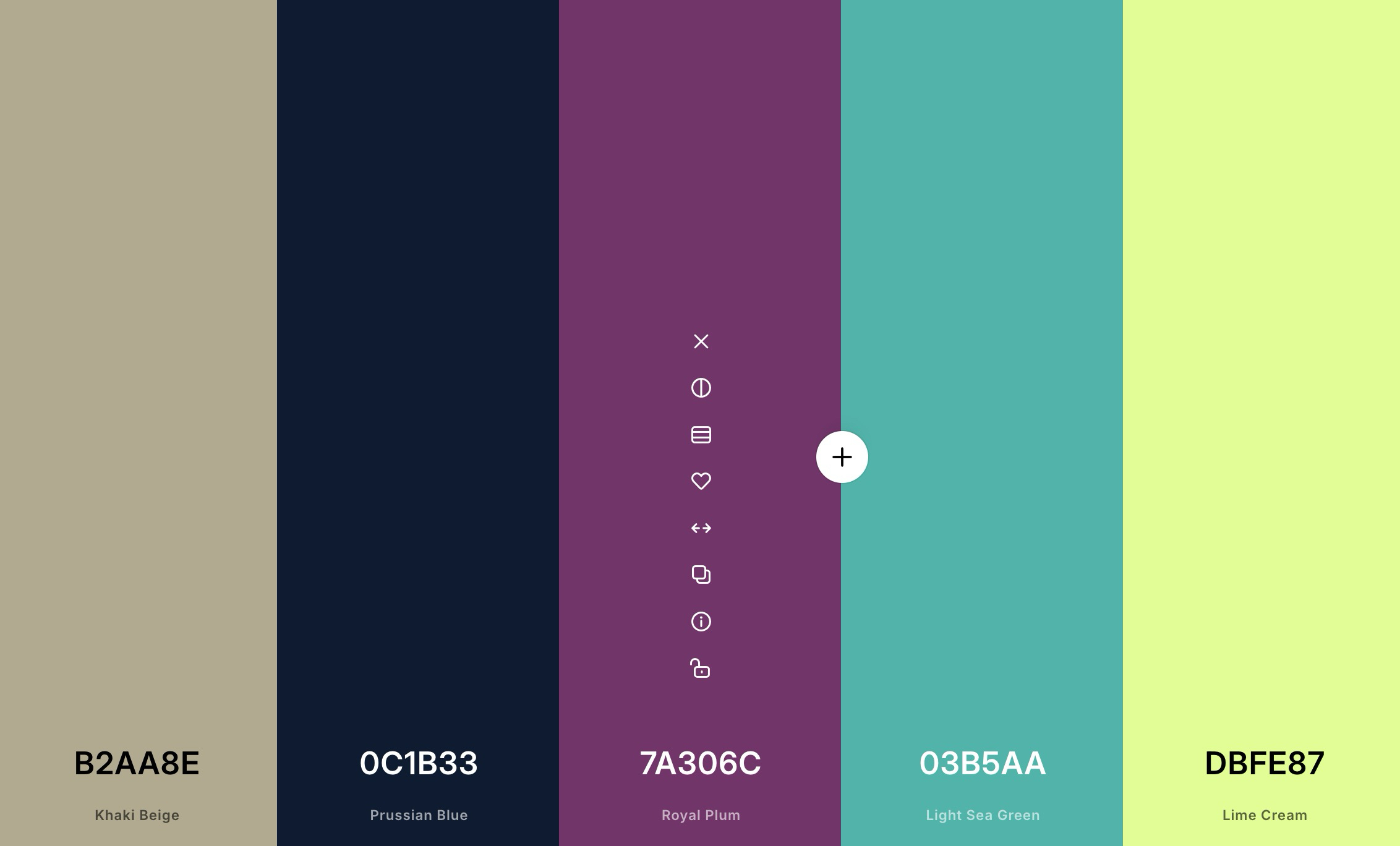
Coolors remains arguably the fastest and most versatile way to get unstuck when your creative well runs dry.
Its primary draw is the lightning-fast palette generator. Simply tap your keyboard’s spacebar, and the system instantly serves up mathematically and aesthetically balanced new combinations until something finally clicks. But Coolors goes far beyond basic random generation.
The platform includes a robust suite of features:
- Advanced palette exploration and filtering
- An image picker that extracts palettes from uploaded photographs
- A built-in contrast checker to evaluate text readability
- A palette visualizer to test colors across simulated UI components
- Comprehensive gradient tools and Tailwind-focused color helpers
If you want one comprehensive site that can take you seamlessly from raw inspiration to production-ready UI testing, Coolors is the most complete option on the market. For a broader view of alternative platforms, you can explore this detailed roundup of free color tools for web designers.
2. Grabient
When a project brief calls for rich, immersive gradients right out of the gate rather than flat, minimalist palettes, Grabient is an indispensable resource.
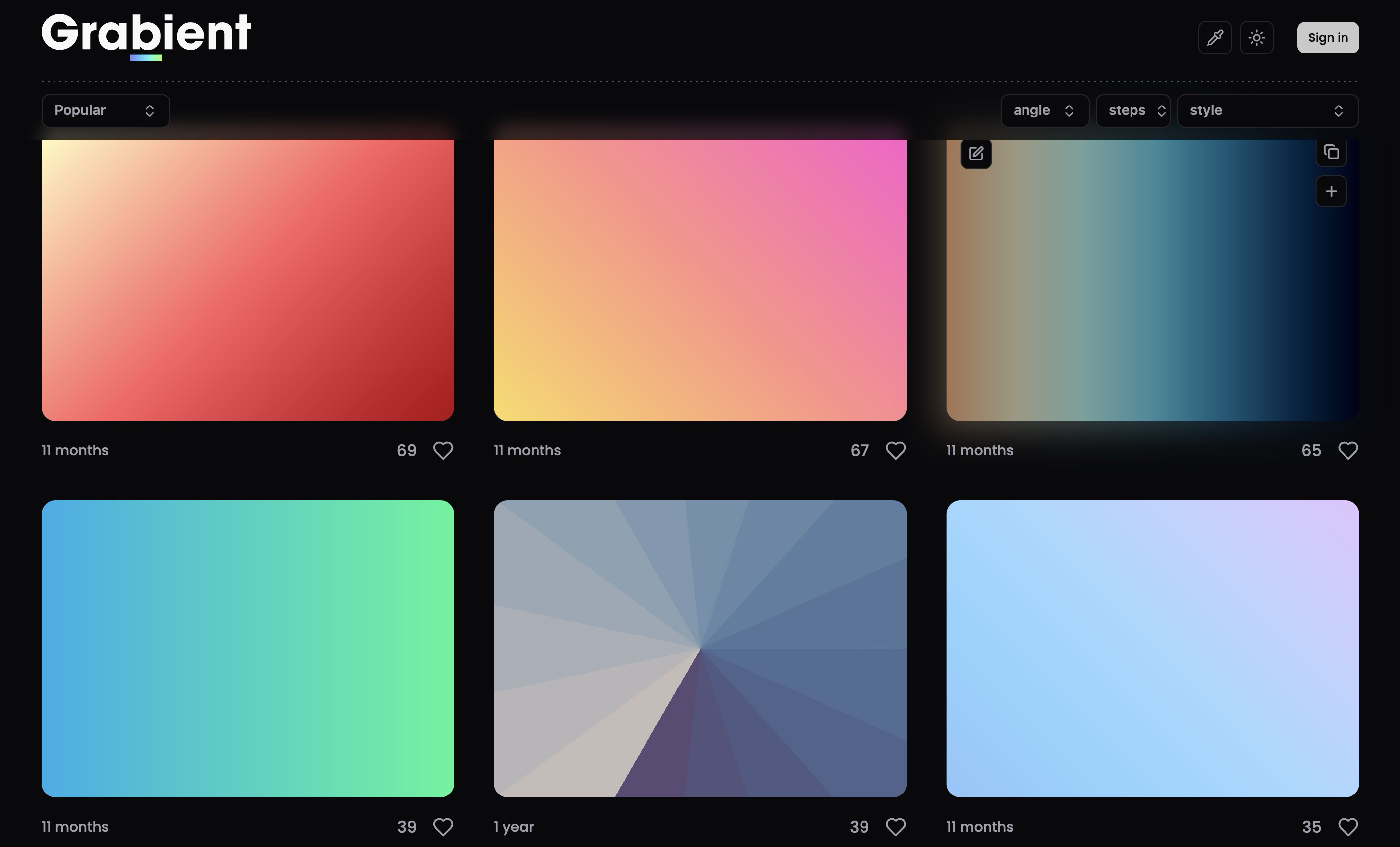
Grabient is custom-built around generating smooth CSS gradients via an exceptionally clean, user-friendly interface with instant export options. While the platform also functions as a palette finder—meaning it is not strictly limited to flashy background blends—gradients are undeniably the star of the show.
For developers and agencies building modern landing pages, high-converting hero sections, or engaging marketing visuals, Grabient provides an effortless shortcut. It allows you to fine-tune color angles, stops, and blends without manually wrestling with complex CSS linear-gradient syntax by hand.
3. ColorHub
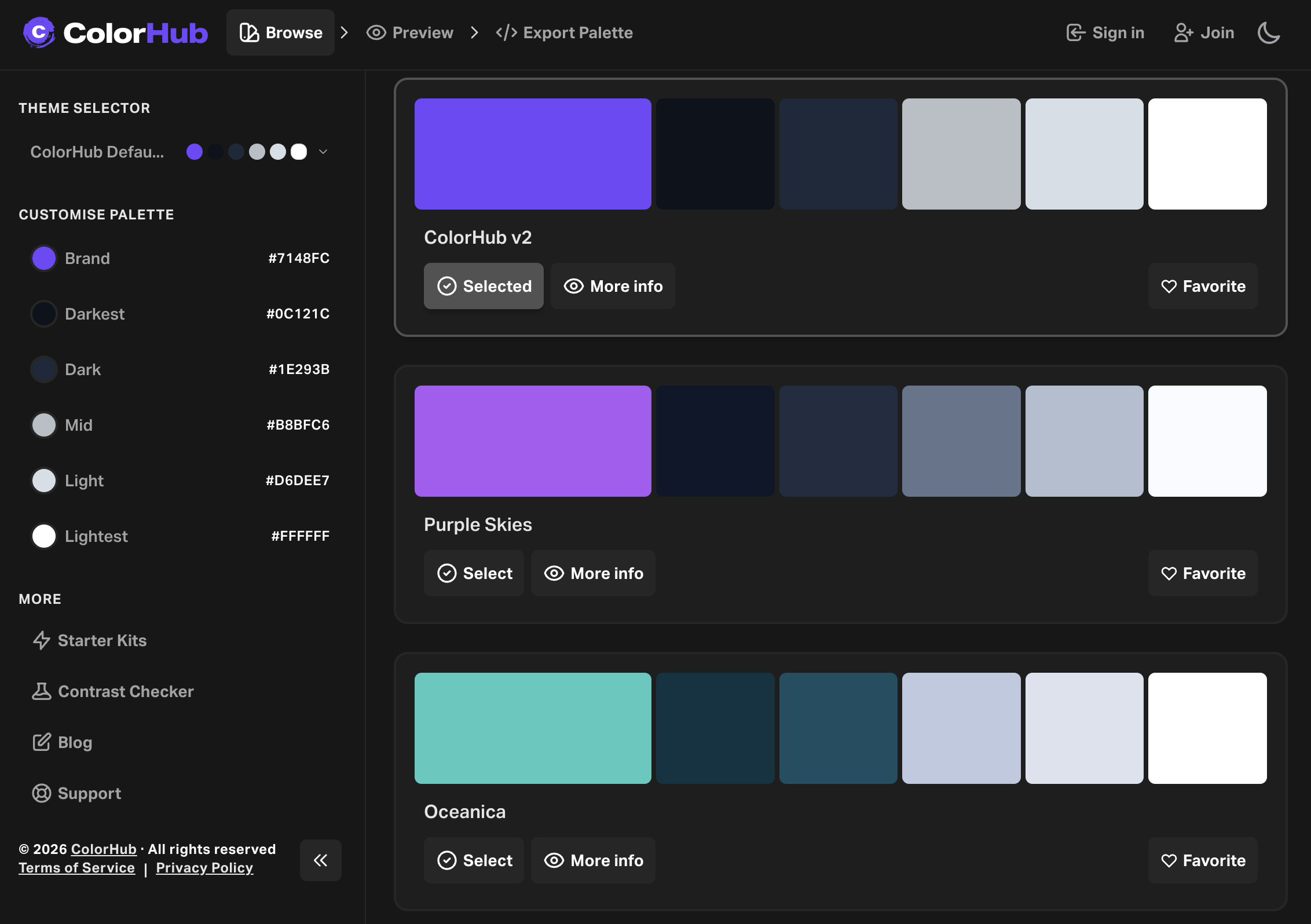
ColorHub approaches color selection from a distinctly product-minded perspective, bridging the gap between theoretical palettes and practical UI design.
Instead of stopping at abstract color generation, ColorHub actively helps you preview your chosen palettes within realistic, structured layouts. Recent iterations of the platform have introduced valuable additions such as:
- Quick-start design kits
- Live palette previews on landing-page-style templates
- Integrated contrast checking
- Personal favorites organization and curated community libraries
This makes ColorHub especially powerful when you are not just hunting for a visually appealing combination, but actively trying to determine whether that palette will maintain its integrity and hierarchy once applied to a functional, data-dense interface.
4. Color Hunt
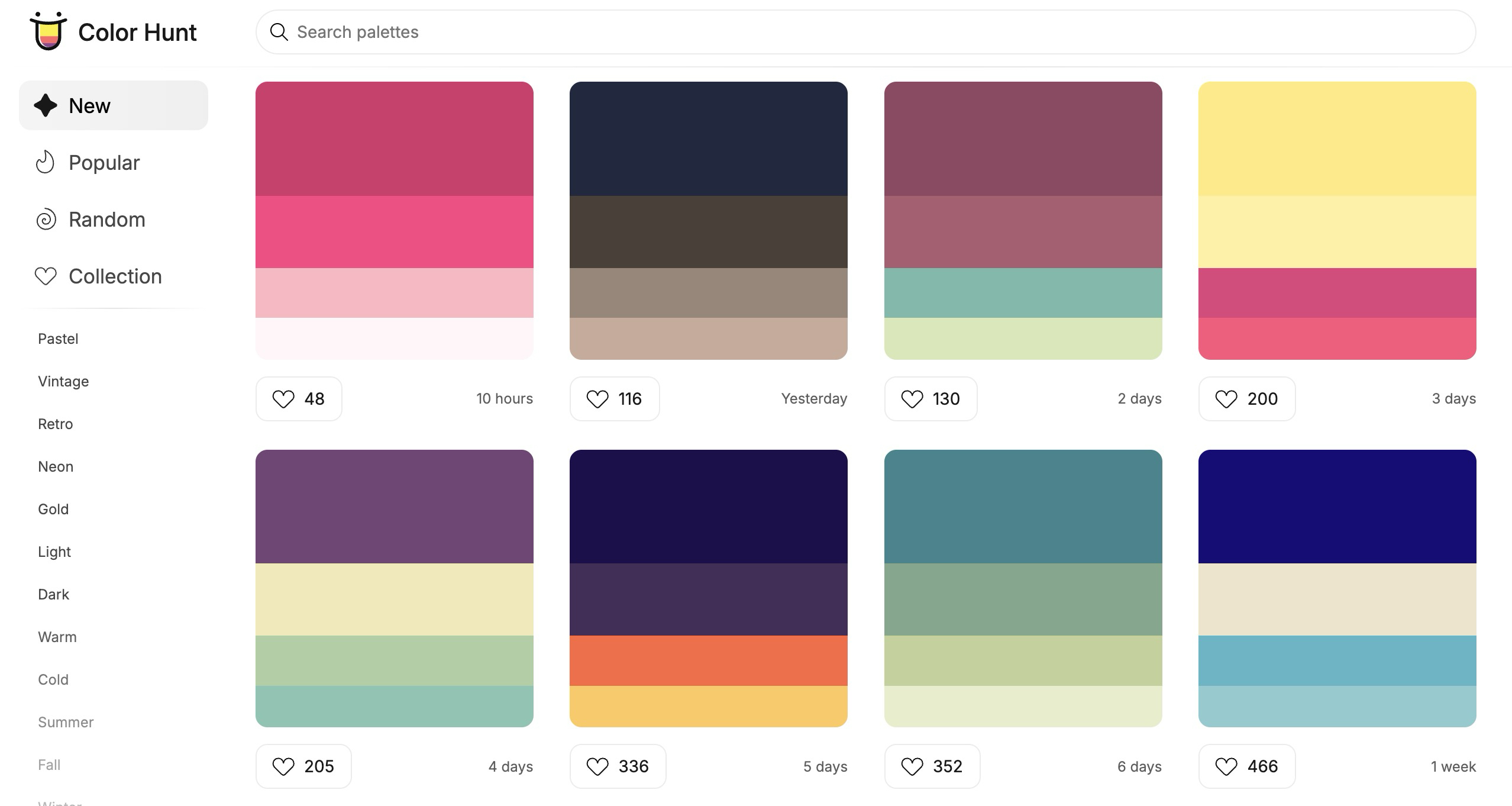
Color Hunt succeeds because of its radical simplicity and curated curation model.
It functions as a massive, highly browsable archive of hand-picked color palettes, cleanly categorized by mood, theme, and style. Whether you are searching for pastel aesthetics, retro vibes, moody dark-mode tones, wedding palettes, food themes, dramatic sunsets, or vibrant neon highlights, you can drift through the database for five minutes and almost invariably walk away with a ready-to-use combination.
Color Hunt is beloved by designers because it completely avoids overcomplicating the job. Sometimes, you do not want to configure a full-scale palette laboratory or tweak sliders; you simply want to browse proven combinations until one instantly feels right for the project at hand.
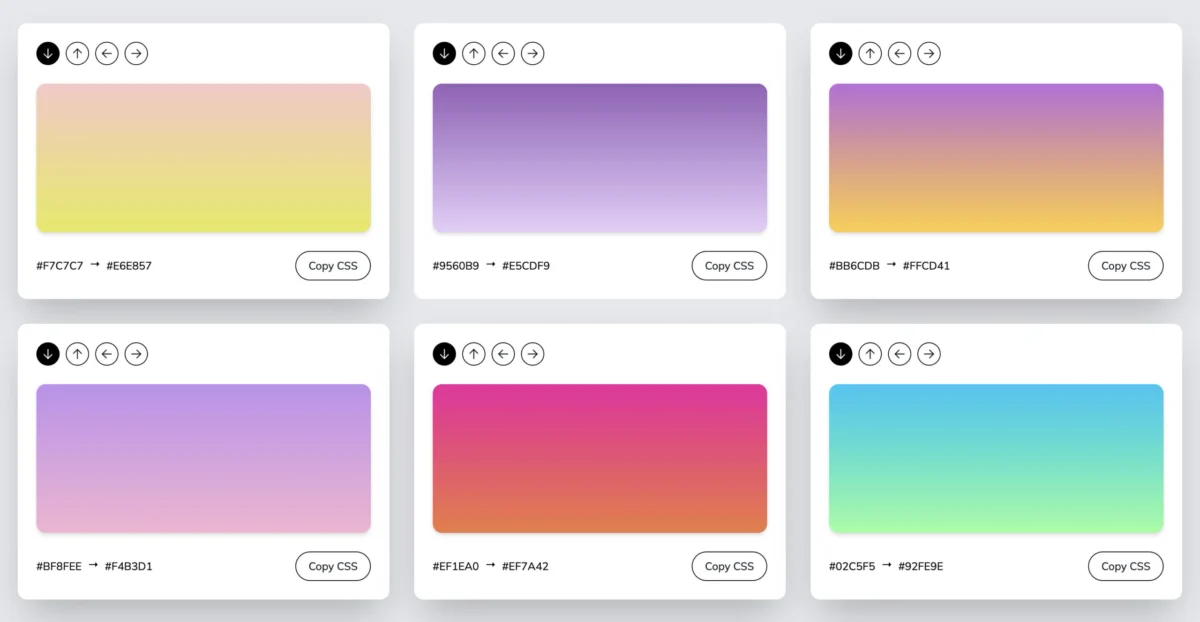
5. Gradients by Colorion
When your design requirements are hyper-specific—meaning all you need is a clean background gradient and the exact CSS code to render it—Gradients by Colorion keeps the process direct and frictionless.
The site offers a carefully curated collection of background gradients. Users can quickly adjust gradient direction, preview the visual output, and copy the generated CSS code instantly. There is no bloated setup process, no unnecessary account creation, and zero technical friction. You simply browse, tweak, copy your code, and move on to the next task.
It is particularly useful for rapid web design iteration, where you need to quickly deploy a soft background, an eye-catching callout section, or a subtle color blend that looks significantly more polished than a flat, uninspired fill.
Official Responses and Industry Expert Perspectives
Industry veterans and front-end developers frequently emphasize that mastering color is rarely just about artistic talent—it is deeply tied to workflow efficiency and systematic thinking.
"The biggest bottleneck in modern web design isn’t a lack of inspiration; it’s the friction of implementation," notes prominent UI/UX design educator Elena Rostova. "When tools allow designers to test contrast ratios and export production-ready code in seconds, it eliminates the guesswork. It keeps creators in a state of flow rather than getting bogged down in technical minutiae."
Front-end engineers also praise the integration of design tokens and framework-specific outputs (such as Tailwind CSS helpers found in platforms like Coolors). By aligning design tools directly with developer workflows, teams can maintain brand consistency and accessibility standards across massive enterprise applications without endless back-and-forth design handoffs.
Implications: Fixing the Workflow, Not the Palette
Ultimately, most creative professionals do not actually have a "color problem"—they have a workflow problem.
The absolute best tool in the world will not magically inject raw artistic taste into a flawed layout, but the right utility will help you explore options exponentially faster, compare choices objectively, and stop second-guessing every single hex code you enter. That efficiency alone provides a compelling justification for keeping these five platforms bookmarked in your browser toolbar.
As you embark on your next digital venture and continue refining your aesthetic choices, exploring comprehensive foundational guides—such as this deep dive on how to choose a color scheme for your website—will ensure your final aesthetic decisions are as strategic as they are visually striking.