






For years, the dream of the "all-in-one" computing experience has centered on a single, portable laptop that transforms into a high-performance gaming rig with the simple click of a cable. External Graphics Processing Units (eGPUs) promised to bridge the gap between thin-and-light ultrabooks and power-hungry desktop towers. However, as the hardware landscape evolves, the reality of eGPU performance reveals a complex web of bandwidth bottlenecks, exorbitant costs, and diminishing returns. For most users, the verdict remains blunt: you are often better off building a dedicated gaming PC.
Main Facts: The Anatomy of an eGPU Setup
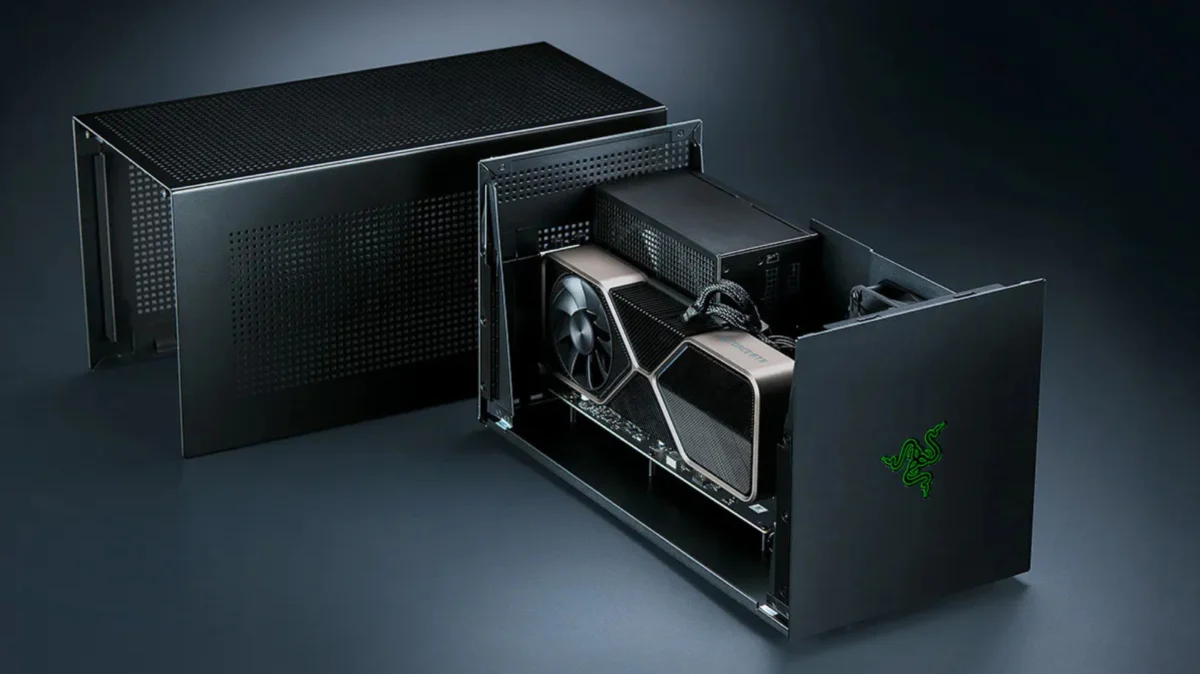
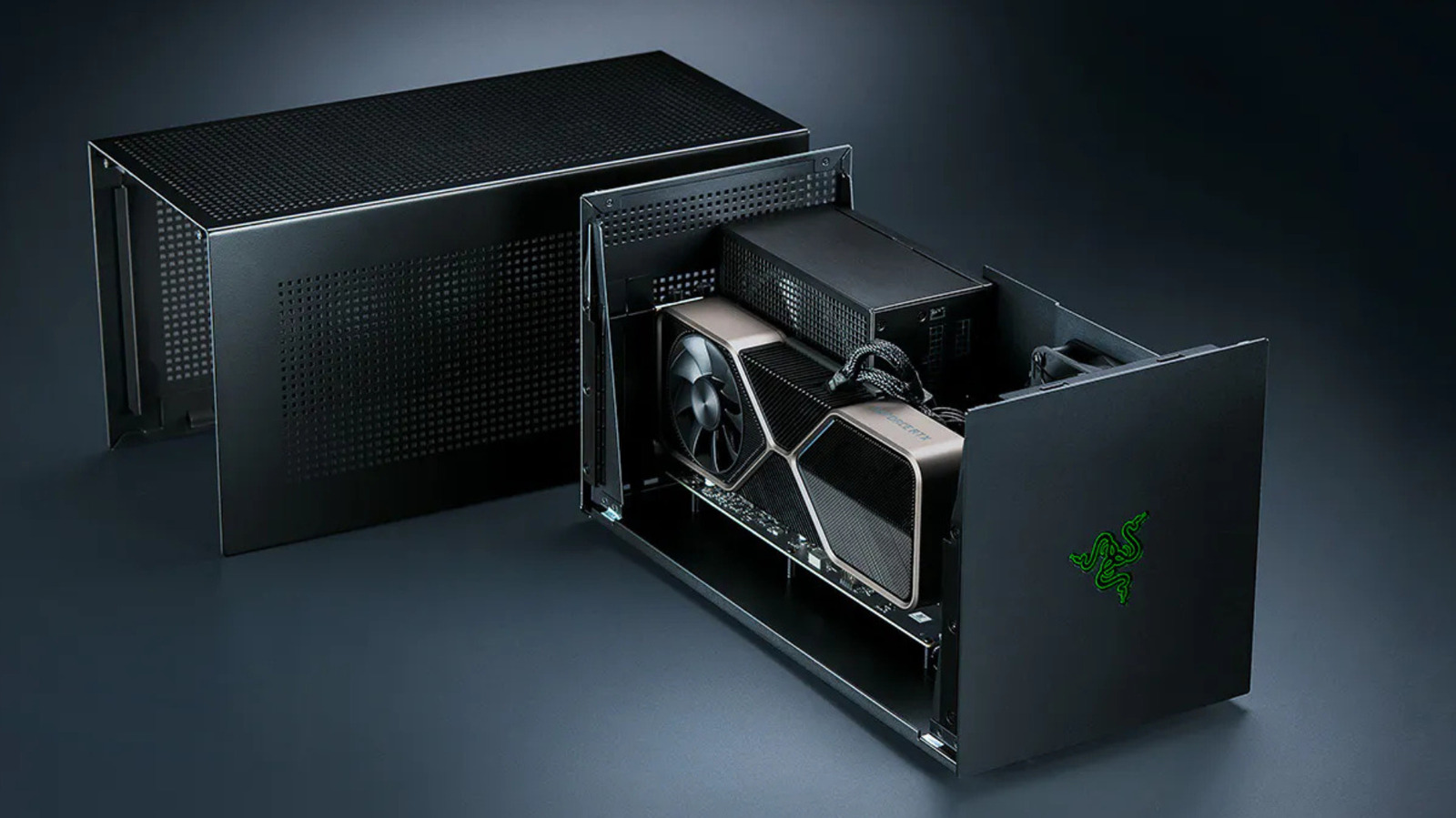
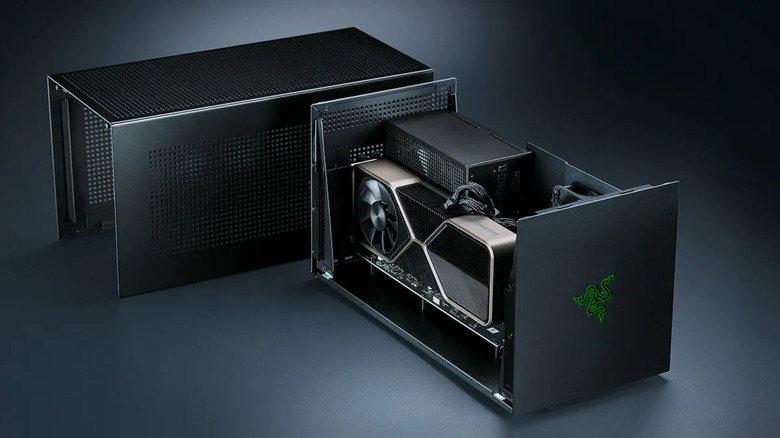
An eGPU is essentially an external chassis housing a desktop-grade graphics card, connected to a laptop or handheld device via high-speed interfaces like Thunderbolt 3, 4, or the emerging USB4/Thunderbolt 5 standards. The concept is theoretically sound: offload the intensive mathematical heavy lifting of rendering 3D graphics from the laptop’s integrated silicon to a dedicated, high-wattage desktop card.
When successful, this allows a portable machine—even one designed for office productivity—to handle modern, demanding AAA titles. However, the connection is rarely seamless. Unlike a desktop motherboard where the GPU sits directly on the PCIe bus, an eGPU must translate data through a controller, travel across an external cable, and re-integrate into the laptop’s internal processing loop. This "middleman" architecture introduces latency and data throughput limitations that define the eGPU experience.
Chronology: From Niche Curiosity to Modern Standard
The history of the eGPU is one of hardware evolution attempting to overcome the physics of data transfer.
- The Early Days (2010–2016): External graphics were largely relegated to DIY enthusiasts using "mPCIe" adapters—messy, internal-mod solutions that required opening a laptop’s chassis and risking hardware damage.
- The Thunderbolt Era (2017–2020): With the standardization of Thunderbolt 3, companies like Razer, Sonnet, and Akitio popularized "plug-and-play" enclosures. This was the golden age of the eGPU, where a single cable could theoretically provide power and data to a laptop.
- The Apple Pivot (2020–Present): Apple’s transition from Intel processors to its proprietary "Apple Silicon" (M1, M2, M3, M4) effectively killed eGPU support for macOS. Apple prioritized unified memory architecture, rendering external GPUs incompatible with the gaming pipeline on Macs.
- The Current Landscape (2025): We are seeing a resurgence in interest, driven by Thunderbolt 5 and alternative standards like OCuLink. Razer’s recent revival of its eGPU line and Framework’s modular OCuLink approach indicate that while the technology is maturing, it is simultaneously moving away from the universal "plug-and-play" dream toward specialized, enthusiast-grade connectivity.
Supporting Data: The Bandwidth Bottleneck
The core issue with eGPUs is the "bandwidth tax." A standard desktop PCIe 4.0 x16 slot offers 256 Gbps of bandwidth. In contrast, Thunderbolt 4 is limited to 40 Gbps, with only 32 Gbps reserved for PCIe data.
Performance Deficits
Independent testing by outlets such as Notebookcheck and PC Gamer paints a sobering picture:
- Throughput Losses: Mid-range cards (like the RTX 4070 Ti) typically see performance degradation ranging from 20% to 30% compared to a native desktop environment.
- The 4K Paradox: While performance losses shrink slightly at 4K resolution, the latency involved in sending frames back to the internal laptop screen—known as the "internal display loop"—creates a significant bottleneck. Using an external monitor connected directly to the eGPU enclosure is mandatory for the best performance, as it avoids sending finished frames back across the already congested Thunderbolt cable.
- Diminishing Returns: High-end cards, such as the RTX 4090, suffer the most when restricted by Thunderbolt bandwidth. The performance gains of upgrading to a top-tier card are severely stunted, as the card is constantly waiting for the cable to deliver instructions, essentially wasting the potential of the high-end hardware.
Official Responses and Industry Shifts
The industry is currently divided on how to solve the bandwidth crisis.
The Thunderbolt 5 Path
Razer has doubled down on the convenience of the Thunderbolt standard. Their latest dock solutions leverage the 80 Gbps bandwidth of Thunderbolt 5, attempting to provide a "one-cable-does-all" solution. While this is the most consumer-friendly approach, it remains trapped by the high cost of premium hardware and the limited availability of Thunderbolt 5-compatible laptops.
The OCuLink Alternative
Framework and other boutique manufacturers are increasingly pivoting toward OCuLink. By bypassing the complex Thunderbolt controller and running "raw" PCIe signals over a cable, OCuLink achieves significantly higher data rates (up to 128 Gbps for eight-lane configurations).
However, industry experts note the trade-off: OCuLink is not "hot-swappable" in the same way Thunderbolt is. It lacks the sophisticated power-delivery handshaking that allows a user to charge their laptop while gaming, and it lacks the universal plug-and-play driver experience. It is a "bare-metal" solution for power users who are willing to sacrifice convenience for performance.
Implications: The Financial Reality
The financial justification for an eGPU is increasingly difficult to defend. When you tally the costs:
- The Enclosure: $300–$500.
- The Power Supply: Often sold separately or requiring an upgrade ($100+).
- The Graphics Card: The cost of the GPU itself ($400–$1,000+).
- The Docking/IO: Additional costs for Ethernet and USB expansion if not included.
For the price of a high-end eGPU setup—often exceeding $1,200 to $1,500—a user could build a dedicated small-form-factor (SFF) gaming PC. A native desktop PC avoids all bandwidth limitations, offers superior cooling, allows for future component upgrades, and ensures zero compatibility issues with proprietary OS drivers.
The "Death" of the Mac eGPU
For Apple users, the implications are final. The lack of eGPU support for gaming on macOS means that if you own a MacBook, your gaming destiny is tied strictly to the internal GPU of the machine you purchased. While the tinygrad project’s "TinyGPU" driver allows for AI/Compute workloads via Thunderbolt, it provides no path for gaming, cementing the Mac as a machine for content creation rather than AAA gaming.
Conclusion: A Specialized Tool, Not a Universal Solution
eGPUs occupy a narrow niche. They are effective for users who have a specific, high-performance professional laptop and need a secondary boost for GPU-accelerated tasks like 3D rendering, video encoding, or light-to-moderate gaming.
However, for the average gamer looking to transform a budget laptop into a powerhouse, the eGPU is a deceptive shortcut. The combination of bandwidth throttling, the premium cost of proprietary enclosures, and the emergence of more robust, albeit less convenient, technologies like OCuLink makes the "just build a desktop" advice more relevant than ever. Before investing in an external enclosure, consumers should weigh the cost of the hardware against the inevitable performance loss. In an era where even budget gaming rigs can outperform high-end eGPU setups, the external GPU is less of a revolution and more of an expensive, temporary compromise.