





The landscape of web administration is undergoing a seismic shift. For nearly two decades, managing a WordPress site has required a manual, click-heavy approach: logging into the dashboard, navigating through nested menus, and performing repetitive updates. Today, that paradigm is being disrupted by the integration of large language models (LLMs) directly into the site’s backend.
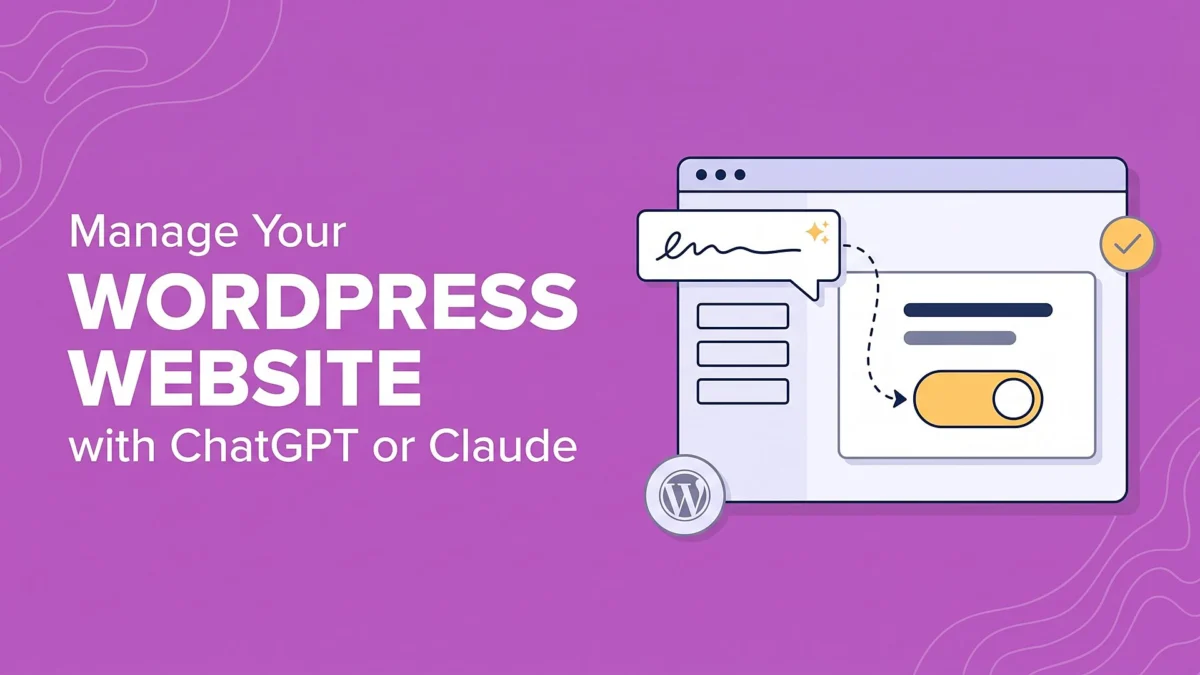
Through the emergence of the Model Context Protocol (MCP), tools like ChatGPT and Claude are moving beyond simple text generation. They are now acting as administrative agents, capable of diagnosing broken links, optimizing SEO, and performing site-wide updates. By leveraging the WPVibe plugin, site owners can transform their AI assistants from mere chatbots into fully functional, site-aware administrators.
The Core Mechanism: What It Means to Manage WordPress with AI
To understand this technological leap, one must distinguish between "chatbot plugins" and "AI agents." Most existing AI tools for WordPress are designed to serve visitors—answering customer queries or suggesting products. However, the integration of ChatGPT and Claude via WPVibe represents a fundamental change: the AI is no longer on your site’s frontend; it is in your site’s command center.
The breakthrough technology enabling this is the Model Context Protocol (MCP). Think of MCP as a "universal translator" or a "standardized power outlet" for AI. Instead of building bespoke connections for every single application, MCP allows an AI assistant to connect to your WordPress site, your Google Calendar, your local files, and your database using a unified, secure standard.
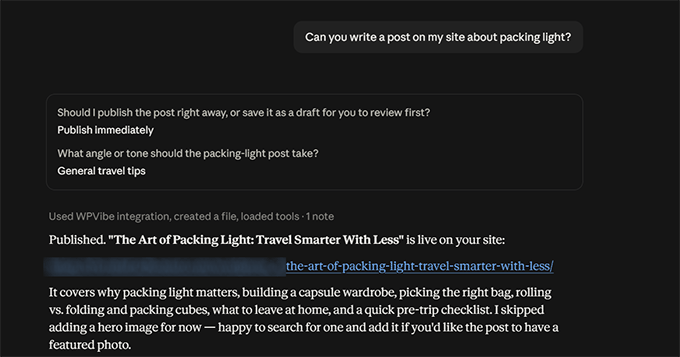
When connected, the AI does not just "read" your site; it possesses the authorization to "act" upon it. This moves site management from a manual, time-consuming chore to a conversational, task-oriented workflow.
Chronology: The Evolution of AI-Assisted Site Management
The path to direct AI-WordPress integration has been incremental:
- Phase 1 (2022–2023): The Era of Copy-Paste. Users generated content in ChatGPT and manually pasted it into the Gutenberg editor. While helpful, it remained a tedious, fragmented workflow.
- Phase 2 (2024): Limited Plugin Integration. AI tools appeared within the WordPress admin dashboard, but they were largely "boxed in." They could write a paragraph or generate a meta description, but they could not interact with the broader site architecture.
- Phase 3 (2025–2026): The Agentic Workflow. With the maturation of MCP, we have entered the age of "Agentic WordPress." By installing an MCP server (WPVibe), the AI gains the ability to navigate your site’s file structure, modify database entries, and execute maintenance scripts.
Technical Setup: Connecting Your AI Agent
Implementing this system requires a two-fold approach: preparing your WordPress environment and configuring your AI interface.
1. WordPress Configuration
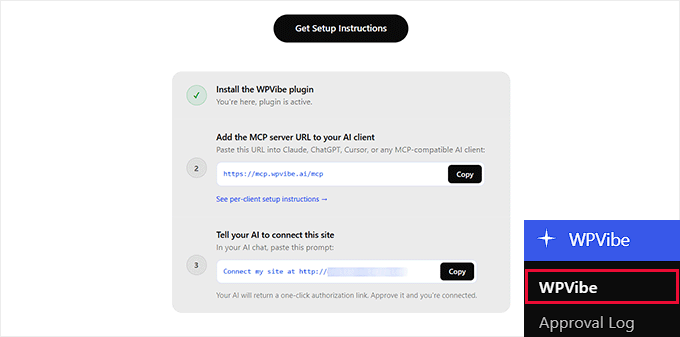
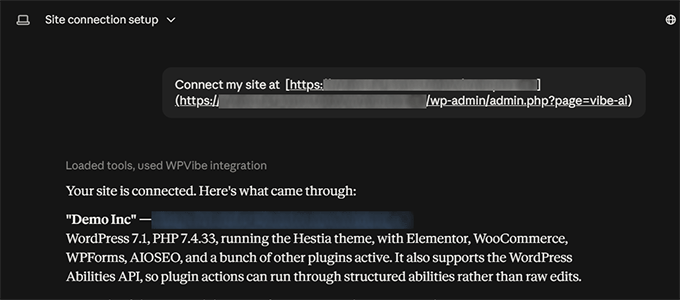
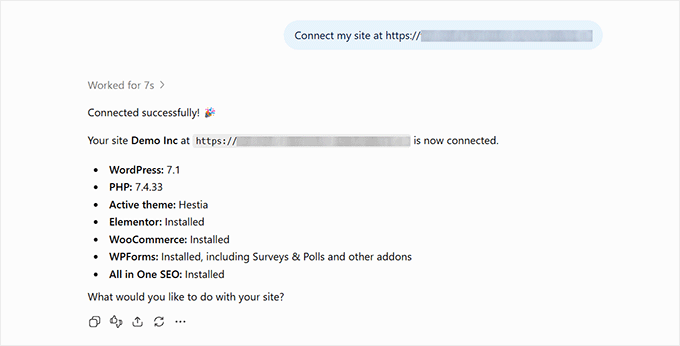
First, navigate to your WordPress dashboard and install the WPVibe plugin. Once activated, the plugin provides a unique server address and an authorization prompt. This prompt is the "key" that allows your AI assistant to communicate securely with your server.
2. Configuring the AI Assistant
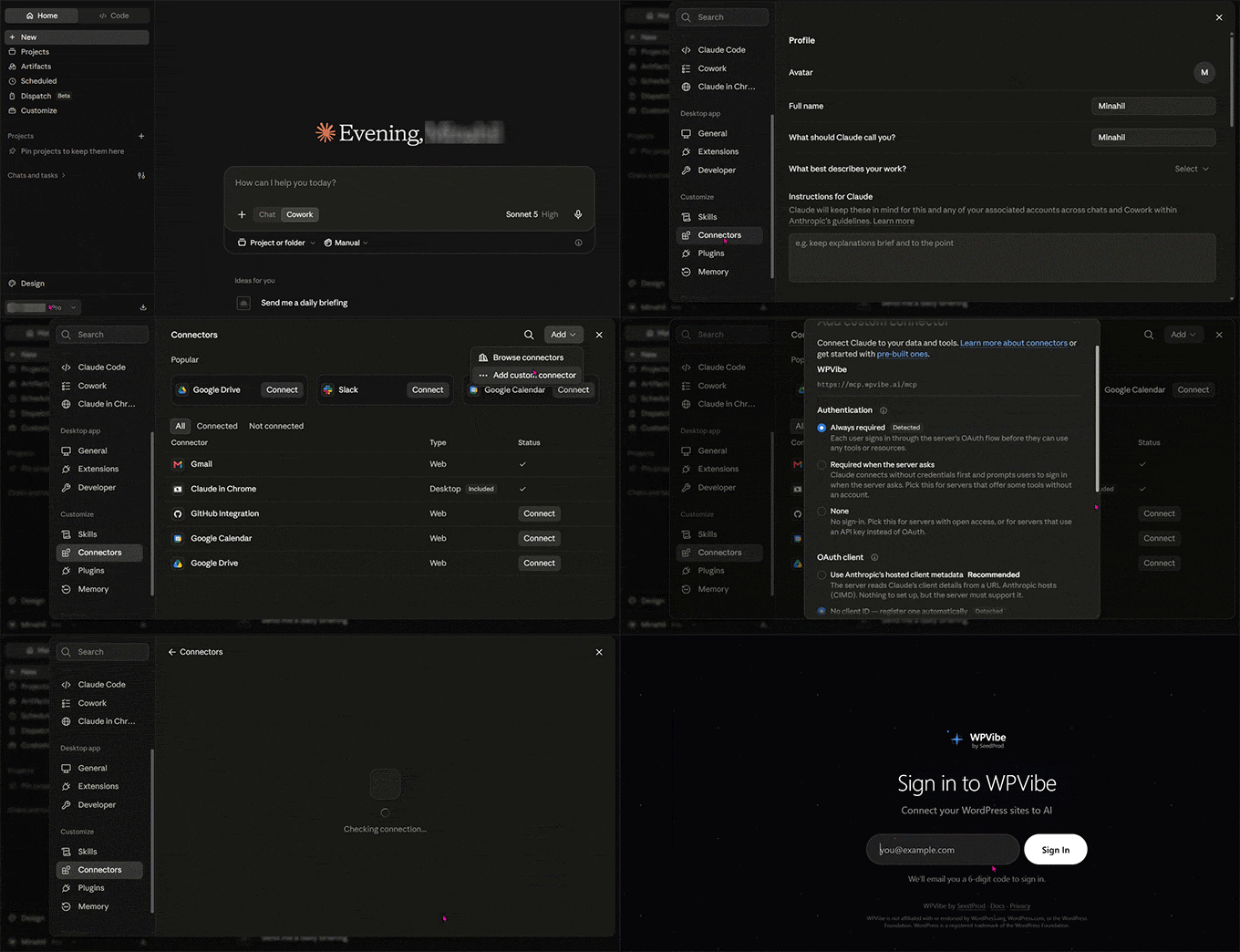
- For Claude: Navigate to Settings > Connectors within the Claude interface. Select "Add Custom Connector," input the WPVibe URL, and complete the authorization via the secure link provided by the WPVibe dashboard.
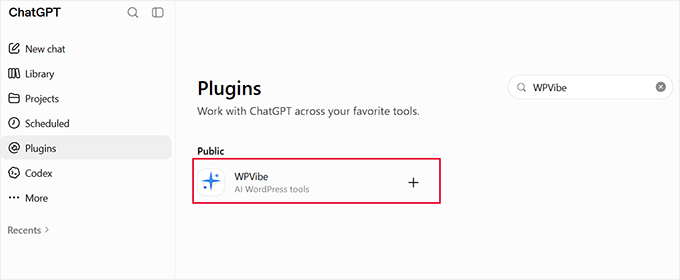
- For ChatGPT: Use the "Plugins" or "GPTs" directory within the sidebar. Search for WPVibe, add it, and follow the authentication flow. It is important to note that for ChatGPT, you must ensure the plugin is active for each new conversation; otherwise, the model will revert to its general web-search mode.
Supporting Data: Efficiency Gains in Real-World Testing
In testing conducted on a sample travel-industry website, the efficiency gains were profound. We tasked the AI with three specific maintenance objectives:
- Broken Link Remediation: The AI scanned the entire site and identified 14 broken internal links. It was able to verify that these links resulted in 404 errors by pinging the URLs directly, rather than relying on cached data.
- SEO Audit and Correction: We tasked the AI with identifying all posts missing meta descriptions. It identified 82 such posts. Upon instruction, it generated and applied unique meta descriptions, focus keyphrases, and canonical URLs for every post, completing the task in roughly 15 minutes—a process that would take an average user several hours.
- Maintenance Protocol: The AI flagged four outdated plugins and two themes that required security patches. By providing a single command, we updated the entire site environment, bypassing the need for multiple manual clicks.
Implications for Site Owners and Developers
The ability to offload technical debt to an AI agent has significant implications for the future of site management.
Operational Scale
For large-scale sites, such as e-commerce stores with thousands of products or content-heavy blogs, the ability to automate metadata entry and broken-link management is transformative. It allows small teams to manage a site with the efficacy of a full-scale IT department.
The Shift in Skill Sets
The role of the webmaster is shifting from "doer" to "orchestrator." You no longer need to know where to find the "Settings > Permalinks" menu; you simply need to know how to ask the AI to verify that your site is configured for optimal SEO. The technical barrier to entry is lowering, potentially democratizing professional-grade site management.
Mitigating Risks: How to Prevent Unwanted Changes
With great power comes the risk of "hallucination" or unintended consequences. Because an AI agent has the power to change your site, it is vital to implement "guard rails."
- The Approval Loop: WPVibe is designed to request human confirmation before executing critical changes. Never disable this feature.
- Version Control: Always maintain a recent backup of your database and files. If an AI makes a configuration change that breaks your site, you must be able to restore the previous state immediately.
- Specific Permissions: Only grant the AI access to the specific areas of the site it needs to work on. Avoid broad administrative permissions if a task can be accomplished with more restricted access.
Frequently Asked Questions
Does this work with page builders like Elementor or Divi?
Yes. WPVibe is engineered to recognize the unique data structures used by major page builders. It avoids overwriting the layout code, instead interacting with the text and content fields that the builder provides.
What are the costs involved?
The WPVibe plugin is free for standard use (100 tool calls per day). For high-volume sites that require extensive daily updates, a Pro plan is available that increases the capacity to 500 calls per day.
Can other AI tools, like Gemini, be used?
Yes, provided the AI platform supports the Model Context Protocol. While the standard Gemini app may have limitations, power users accessing Gemini through advanced developer interfaces (such as Google’s AI Pro/Ultra with custom app support) can integrate WPVibe effectively.
Conclusion: A New Era of Web Management
The integration of ChatGPT and Claude into WordPress is not merely a novelty; it is the natural evolution of site administration. By embracing agentic workflows, users can spend less time navigating complex admin menus and more time focusing on content strategy, growth, and audience engagement. As the Model Context Protocol becomes the industry standard, we expect to see a surge in AI-first site management, where the "dashboard" becomes a conversation, and the "administrator" becomes a digital partner.