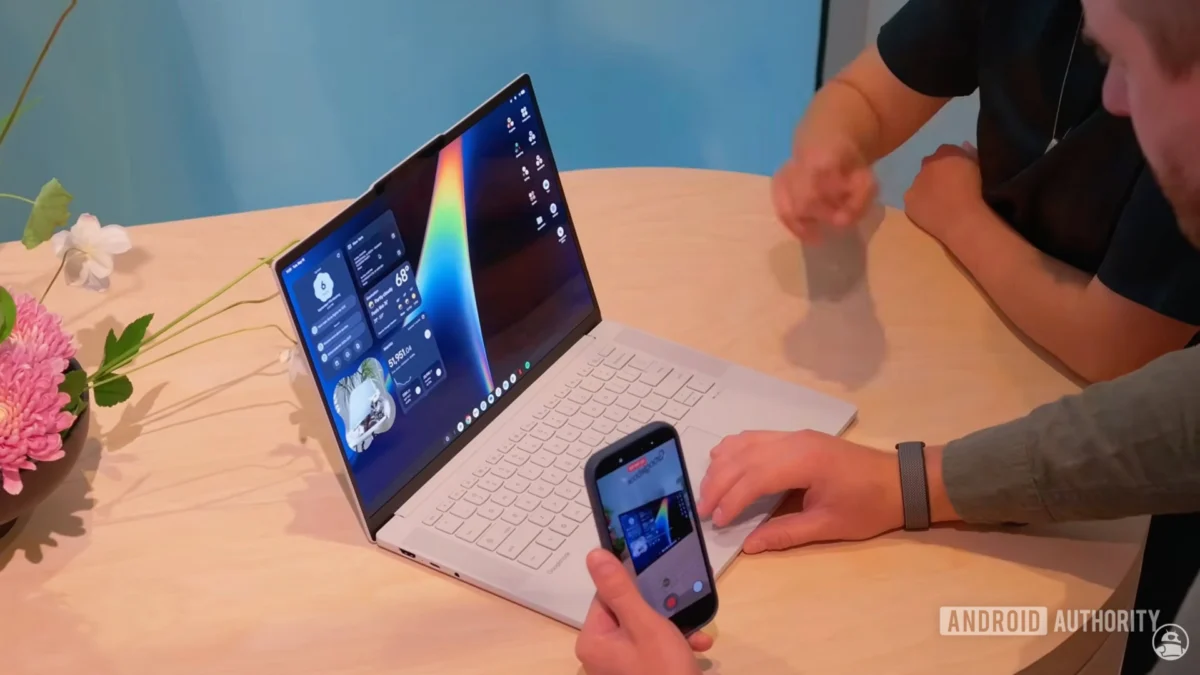
As the countdown to the official release of the Googlebook—Google’s ambitious foray into the dedicated desktop computing market—nears its conclusion, the software ecosystem surrounding the platform is rapidly taking shape. Following the initial pre-order window that opened last month, the first units are slated to reach consumers this Sunday. In the lead-up to this launch, Google has begun populating the Play Store with native applications designed specifically for its new desktop environment. The latest addition, a comprehensive media management and editing suite titled "Viewer," signals a clear intent: Google is positioning the Googlebook as a productivity powerhouse, not just a consumption device.
Main Facts: What is the ‘Viewer’ App?
The newly discovered Viewer app is a centralized media powerhouse designed to handle the core file types that form the backbone of modern digital workflows. By consolidating image editing, video playback, audio management, and PDF manipulation into a single interface, Google is streamlining the user experience to minimize app-switching.
The application serves as a universal hub where users can open, modify, and organize their digital assets. Most notably, the app features a sophisticated integration of AI-driven productivity tools. Upon launching the application for the first time, users are greeted with a prompt to "enable timely suggestions with AI." This feature acts as a context-aware assistant; for example, if a user opens a PDF containing a calendar date or a street address, the AI detects this information and offers an immediate, one-click shortcut to sync the data with Google Calendar or plot a route via Google Maps.
Beyond these smart features, the application provides a robust suite of creative tools. The image editor includes essential functionalities such as cropping, rotation, text insertion, and annotation tools, all accessible via a simplified, docked toolbar. The PDF viewer is equally competent, supporting document signing, text annotation, and page management—features that were previously reserved for third-party professional software.
Chronology: The Road to the Googlebook Launch
The emergence of the Viewer app is the latest milestone in a carefully orchestrated rollout strategy by Google. To understand the significance of this software, one must look at the recent timeline of the Googlebook platform:
- Mid-2026 (Development Phase): Rumors of a "Googlebook" desktop project began to circulate, with reports suggesting Google intended to bridge the gap between Android’s mobile-first interface and the functional requirements of a desktop workstation.
- August 2026: Leaks regarding the Desktop Camera app and a dedicated text-editing tool provided the first glimpses into the platform’s UI design language, emphasizing minimalism and high-density information displays.
- September 2026 (Pre-orders): The Googlebook officially became available for pre-order, generating significant buzz among tech enthusiasts and enterprise analysts.
- Late September 2026: The Viewer app surfaced on the Google Play Store, marking the most significant utility to date.
- October 2026 (Launch): The first units are scheduled to ship to early adopters, providing the first real-world stress test for the desktop-optimized Android ecosystem.
Supporting Data and Performance Analysis
While the Viewer app is optimized for the expansive display of the Googlebook, early testing reveals that the application is built on a modular architecture that allows for surprising cross-device compatibility.
Desktop-First Design
The UI architecture is tailored for mouse and keyboard input. Menus are spaced for precision clicking, and the PDF interface utilizes a sidebar for page previews—a layout that feels familiar to users of traditional desktop operating systems like Windows or macOS. The integration of "Edit in Photos" buttons within the video player suggests that Google is building a seamless pipeline between the Viewer app and its cloud-based storage services.
Cross-Platform Testing
Though Google has stated that the app is intended for the Googlebook, independent testing has shown that it functions on high-end Android tablets. Furthermore, tech researchers have successfully sideloaded the application onto standard slab-style smartphones. While the app is technically functional, the user experience on smaller screens is hampered by limited screen real estate, causing some menus to overlap or become inaccessible. This confirms that the app’s "Desktop" tag is not merely a label, but a fundamental design constraint that prioritizes high-resolution, landscape-oriented displays.
Implications for the Desktop Market
The release of the Viewer app—following the reveal of the Desktop Camera and the native text editor—has profound implications for the competitive landscape of personal computing.
1. The Death of Fragmented Workflows
Historically, Android users on tablets or desktop-style setups have had to rely on a patchwork of third-party apps to handle different file formats. By providing an "all-in-one" solution, Google is attempting to create a "walled garden" that provides a frictionless experience. If the Viewer app can handle 90% of a user’s daily tasks, the reliance on third-party software—and the associated security risks—decreases significantly.
2. The AI Integration Pivot
Google is clearly betting that AI will be the primary differentiator for the Googlebook. By embedding intelligence directly into the file-viewing layer, the platform isn’t just showing a document; it is analyzing it. This proactive approach to data management transforms the OS from a passive container into an active collaborator.
3. A Challenge to ChromeOS and Windows
The existence of the Googlebook and its accompanying suite of apps raises questions about the future of ChromeOS. If the Googlebook platform proves successful, it may eventually serve as a successor to ChromeOS, offering a more powerful, app-centric desktop experience that merges the vast Android ecosystem with the professional demands of a desktop environment.
Official Stance and Community Reaction
While Google has remained tight-lipped regarding specific sales figures for the upcoming launch, the official marketing communications emphasize "efficiency, simplicity, and intelligence." The company has framed the Googlebook not as a replacement for high-end workstations used by video editors or engineers, but as the ultimate device for the modern "knowledge worker."
The community response has been largely optimistic, though cautious. On forums and social media, users have expressed excitement about the prospect of a desktop-native Android experience. However, some power users remain concerned about the "walled garden" approach. "If the Viewer app is the only way to effectively manage files on the Googlebook, what happens if the app lacks a specific power-user feature?" noted one prominent tech analyst.
The success of the platform will ultimately hinge on whether third-party developers choose to adopt these desktop-friendly design patterns or if they stick to mobile-first layouts that feel clunky on a desktop screen.
Future Outlook: What’s Next?
As Sunday approaches, the tech world is watching closely. The Googlebook is a high-stakes experiment. If it succeeds, it could revitalize the desktop market by bringing the massive, feature-rich Android ecosystem to a larger form factor. If it fails, it may serve as a cautionary tale about the limits of scaling mobile software for desktop use.
What is clear is that Google is not launching a piece of hardware; they are launching a new paradigm of computing. With tools like the Viewer app leading the charge, the transition from mobile to desktop for the Android ecosystem is no longer a "maybe"—it is happening in real-time. Whether consumers are ready to move their professional workflows onto this new platform remains to be seen, but the infrastructure being laid today suggests that Google is committed to a long-term, iterative evolution of the desktop experience.
For now, those who have pre-ordered the device have a clear path ahead: they will be among the first to test whether the promise of a "desktop-class" Android experience can truly hold up under the weight of daily professional demands. As the software ecosystem continues to grow, the Googlebook could very well define the next decade of personal computing.