







By Editorial Staff
October 21, 2026
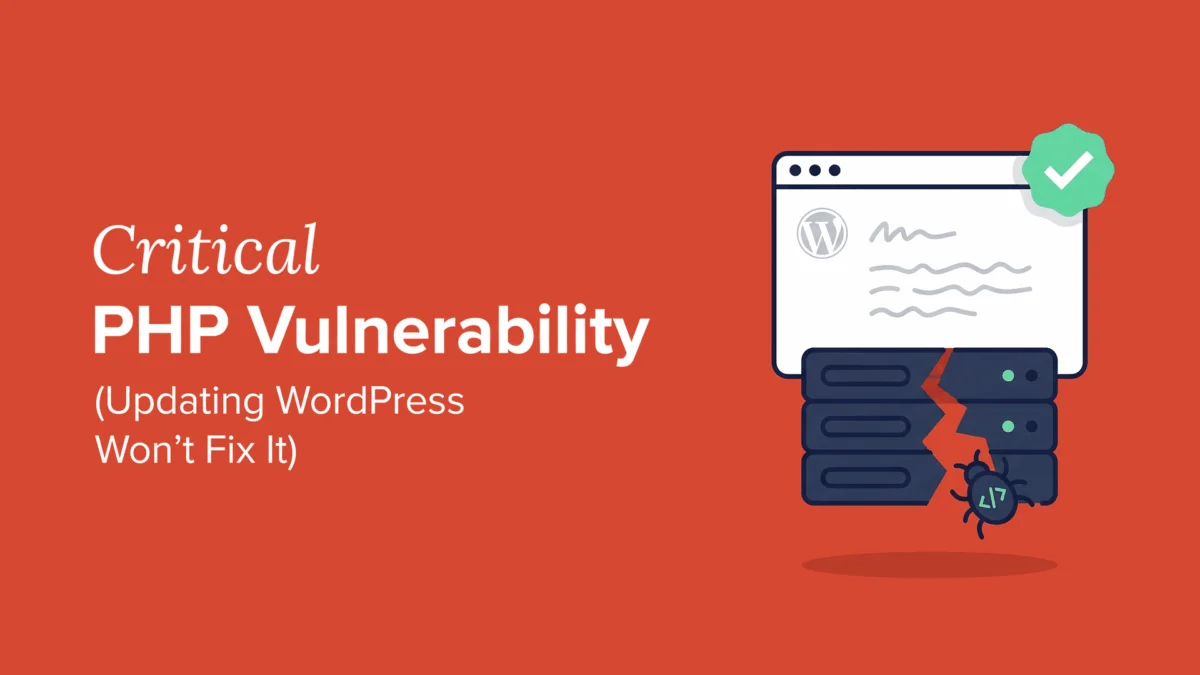
In a significant development for the global web infrastructure, the PHP development team issued an emergency security release today, October 21, 2026, addressing two critical vulnerabilities that threaten the integrity of millions of websites worldwide. These flaws, which allow for Remote Code Execution (RCE), represent a top-tier security risk. Because the technical details of these exploits were leaked into the public domain prior to the availability of the official patches, the window for attackers to weaponize these vulnerabilities is exceptionally narrow.
For the WordPress ecosystem, which powers over 40% of the internet, this update is not optional—it is an immediate operational necessity. Site administrators must prioritize upgrading their server-side PHP versions to mitigate the risk of full site takeover.
The Core Threat: Understanding the Vulnerabilities
At the heart of the modern web is PHP, a server-side scripting language that handles the dynamic content of WordPress sites. When a flaw is discovered within the PHP core, the potential impact is catastrophic because the vulnerability exists at the foundational level of the server environment, rather than within a plugin or theme.
The two critical vulnerabilities disclosed today permit unauthorized actors to execute arbitrary code on a web server without requiring administrative credentials or a valid login. In security parlance, this is the "holy grail" for attackers. An RCE exploit grants the attacker the ability to interact with the server’s filesystem, exfiltrate sensitive database information, install malicious backdoors, or distribute malware to unsuspecting site visitors.
Because details regarding these vulnerabilities were leaked ahead of the patch release, security researchers have observed a surge in automated scanning activity. Attackers are currently crawling the web, searching for servers that remain unpatched. Every hour that passes without an update increases the likelihood that a site will be compromised.
A Chronology of the Disclosure
The timeline of this event underscores the volatility of open-source software security:
- Pre-Patch Disclosure: Early this week, reports emerged regarding technical discussions in public forums that inadvertently revealed the nature of the PHP vulnerabilities before a fix was finalized.
- Active Exploitation Concerns: Security firms began reporting "proof of concept" code circulating in underground communities shortly after the initial leaks.
- October 21, 2026 (The Patch Release): The PHP development team officially released security patches across multiple supported branches.
- Immediate Response Phase: Hosting providers and systems administrators worldwide have been placed on high alert to roll out these updates to their infrastructure.
The rapid progression from leak to patch is a testament to the responsiveness of the PHP team, but it leaves site owners with a very small buffer to secure their environments.
The Scope: Which PHP Versions are Affected?
It is a common misconception that updating WordPress plugins or the WordPress core itself is sufficient to address server-side vulnerabilities. This is false. PHP runs on your hosting server; it is the engine beneath the hood of your WordPress installation.
Current Support Status
If your website is running on PHP 8.1 or older, you are in a high-risk category. These versions have reached their "End of Life" (EOL) or are no longer receiving active security updates from the PHP maintainers.
- The Problem: Running an EOL version of PHP means that even if a patch is released for newer versions, your server remains perpetually vulnerable to known exploits.
- The Solution: You must migrate to a supported version, ideally the latest stable release (PHP 8.3 or 8.4, depending on your host’s availability).
If you are unsure of your current version, you can check it through your WordPress dashboard under Tools » Site Health » Info » Server. If the version number is below the current stable threshold, you are effectively operating an insecure server.
Implications for WordPress Site Owners
The implications of ignoring this update are severe. For a typical WordPress site, a compromise often results in:
- Data Exfiltration: Attackers can dump your
wp-config.phpfile, which contains your database credentials, potentially exposing your entire user database. - SEO Poisoning: Hackers frequently inject "spamvertising" links into the site’s database. This causes Google to flag your site as malicious, leading to a massive drop in search engine rankings and blacklisting by security services like Sucuri or Google Safe Browsing.
- Resource Hijacking: Your server could be turned into a "zombie" node in a botnet, used to conduct DDoS attacks against other targets, which could lead to your site being suspended by your hosting provider.
- Reputational Damage: Losing the trust of your visitors is difficult to recover from. A site that displays "This site may be hacked" warnings in search results often loses a significant portion of its recurring traffic.
Taking Immediate Action: A Step-by-Step Guide
If you are a WordPress user, follow these steps immediately to secure your digital property:
1. Verify Your Current PHP Version
Log in to your WordPress dashboard. Navigate to Tools » Site Health. Click on the Info tab and look for the Server section. Identify the "PHP version" listed there.
2. Communicate with Your Hosting Provider
For the vast majority of users, the PHP update is handled at the hosting level.
- Managed WordPress Hosts: If you use services like WP Engine, SiteGround, or Bluehost, they often have a dashboard setting to toggle PHP versions. Log into your hosting control panel (e.g., cPanel, Plesk, or a proprietary dashboard) and look for "PHP Version Manager" or "MultiPHP Manager."
- Direct Support: If you do not see an option to update, reach out to your host’s support chat. Use the following prompt: "I am aware of the critical PHP vulnerabilities released on October 21, 2026. Please confirm that my server is running the latest patched version of PHP and, if not, please apply the necessary updates immediately."
3. Test for Compatibility
While PHP updates are essential, they can sometimes cause "White Screen of Death" (WSoD) errors if your theme or plugins are using outdated code (deprecated functions).
- Create a Backup: Before changing any server settings, ensure you have a full, recent backup of your site.
- Staging Environments: If your host provides a "Staging" feature, clone your site there first. Switch the PHP version on the staging site and thoroughly test all functionality, including checkout flows, contact forms, and admin logins.
4. If You Cannot Update Immediately
If your legacy theme or a critical plugin prevents you from upgrading to a secure version of PHP, you are in a precarious position. In this case, you must implement a robust Web Application Firewall (WAF) such as Cloudflare, Sucuri, or Wordfence. While a WAF cannot fix the underlying PHP flaw, it can block the malicious requests targeting these vulnerabilities, providing a temporary shield until you can refactor your site to be compatible with a modern, secure PHP version.
Official Responses and Industry Context
The PHP Group has urged all maintainers and hosting providers to treat this release with the highest level of priority. Industry security analysts note that the speed at which these vulnerabilities were weaponized serves as a stark reminder of the "always-on" nature of modern cyber threats.
The WordPress community has also rallied, with major security plugins pushing out specialized firewall rules to detect and intercept traffic patterns associated with these specific PHP exploits. However, these are secondary measures. The primary defense remains the direct patching of the PHP interpreter itself.
Conclusion
Security in the digital age is not a set-it-and-forget-it task. The events of October 21, 2026, demonstrate that the infrastructure supporting your website requires constant vigilance. By taking the time to update your PHP version today, you are not just protecting your own site—you are contributing to a safer internet for all users. Do not wait for a security notification from your host; take proactive control of your server environment now.
For detailed, platform-specific tutorials on updating PHP, consult your hosting provider’s knowledge base or refer to authoritative guides on managing WordPress server environments. Stay informed, stay updated, and stay secure.