








October 24, 2026
By Abhinav Raj
Introduction: A Paradigm Shift in Windows-Based Containerization
For years, developers and technology enthusiasts working within the Windows ecosystem faced an inevitable bottleneck when trying to run Linux containers: the friction of heavy, third-party virtualization layers. While tools like Docker Desktop have long served as the industry standard for bridging this gap, they often introduce complex installation wizards, subscription tiers, resource overhead, and licensing prerequisites.
However, the landscape of local development shifted dramatically with the release of Windows Subsystem for Linux (WSL) version 3.0.1. Introducing a native, streamlined command-line utility known as wslc, this latest iteration fundamentally alters how developers pull images, run containers, map ports, and build applications directly from PowerShell or Command Prompt.
In a notable evolution of its developer documentation, Microsoft—once a staunch advocate for third-party desktop utilities in its official tutorials—has pivoted toward teaching native wslc commands on Microsoft Learn. For developers seeking a frictionless, lightweight mechanism to run Linux environments on Windows 11, WSL 3.0.1 represents a massive leap forward.
Main Facts: What is WSL 3.0.1 and the wslc Command?
At its core, WSL 3.0.1 builds upon the robust architecture of earlier WSL iterations, introducing deep, native integration for container lifecycles straight from the Windows shell.
- The
wslcUtility: This new command-line tool brings native container orchestration capabilities directly to standard Windows terminals (PowerShell and CMD). It allows users to pull remote images, execute isolated containers, manage port mappings, and even build custom images directly from aContainerfilewithout ever launching an external GUI dashboard. - Instantaneous Setup: The entire installation process can be boiled down to a single terminal command.
- Zero Bloatware: Unlike traditional desktop applications that require separate background daemons, user account logins, and licensing checks,
wslcoperates directly within the lightweight virtualized Linux kernel managed by WSL. - Seamless GPU Passthrough: Leveraging Windows display drivers,
wslcsupports hardware acceleration out-of-the-box for Nvidia GPUs, making heavy computational tasks like local Large Language Model (LLM) inference viable inside containers.
Chronology: The Evolution of WSL Containers on Windows
To understand the significance of WSL 3.0.1, it is essential to trace how Microsoft’s approach to containerization on Windows has matured over the years.
Phase 1: The Dependency on External Tools (2018–2021)
When WSL 2 was first introduced, it provided a genuine Linux kernel running inside Windows, vastly improving file I/O performance and system call compatibility. However, running containers still required installing heavy third-party hypervisors and applications like Docker Desktop. Microsoft’s official developer documentation heavily centered around guiding users through third-party setup procedures, account creations, and helper services.
Phase 2: Native Integration and Expanding Horizons (2022–2025)
Over the subsequent years, Microsoft steadily optimized WSL, introducing systemd support, GUI application capabilities (WSLg), and improved GPU passthrough for machine learning workloads (DirectML and CUDA). Despite these hardware advancements, managing individual containers still typically relied on external CLI tools or desktop applications.

Phase 3: The wslc Era (Late 2026)
With the launch of WSL 3.0.1, Microsoft addressed the final major hurdle of local development friction: command-line parity. By introducing the wslc command, the company bridged the gap between native Windows scripting and Linux container runtimes. Official Microsoft Learn tutorials were updated to feature wslc as a primary method for container workflows, signaling a strategic shift toward first-party, lightweight container management on Windows 11.
Supporting Data & Hands-On Testing: Performance and Usability
To evaluate real-world performance, tests were conducted on a Windows 11 workstation equipped with an AMD Ryzen 5 7600X processor and an Nvidia RTX 4070 Ti Super with 16GB of VRAM.
1. The One-Command Installation
Setting up the environment requires minimal effort. By invoking a simple update command in PowerShell:
wsl --updateThe system pulls the latest WSL 3.0.1 binaries. Post-installation verification and initial container execution can be tested immediately using:
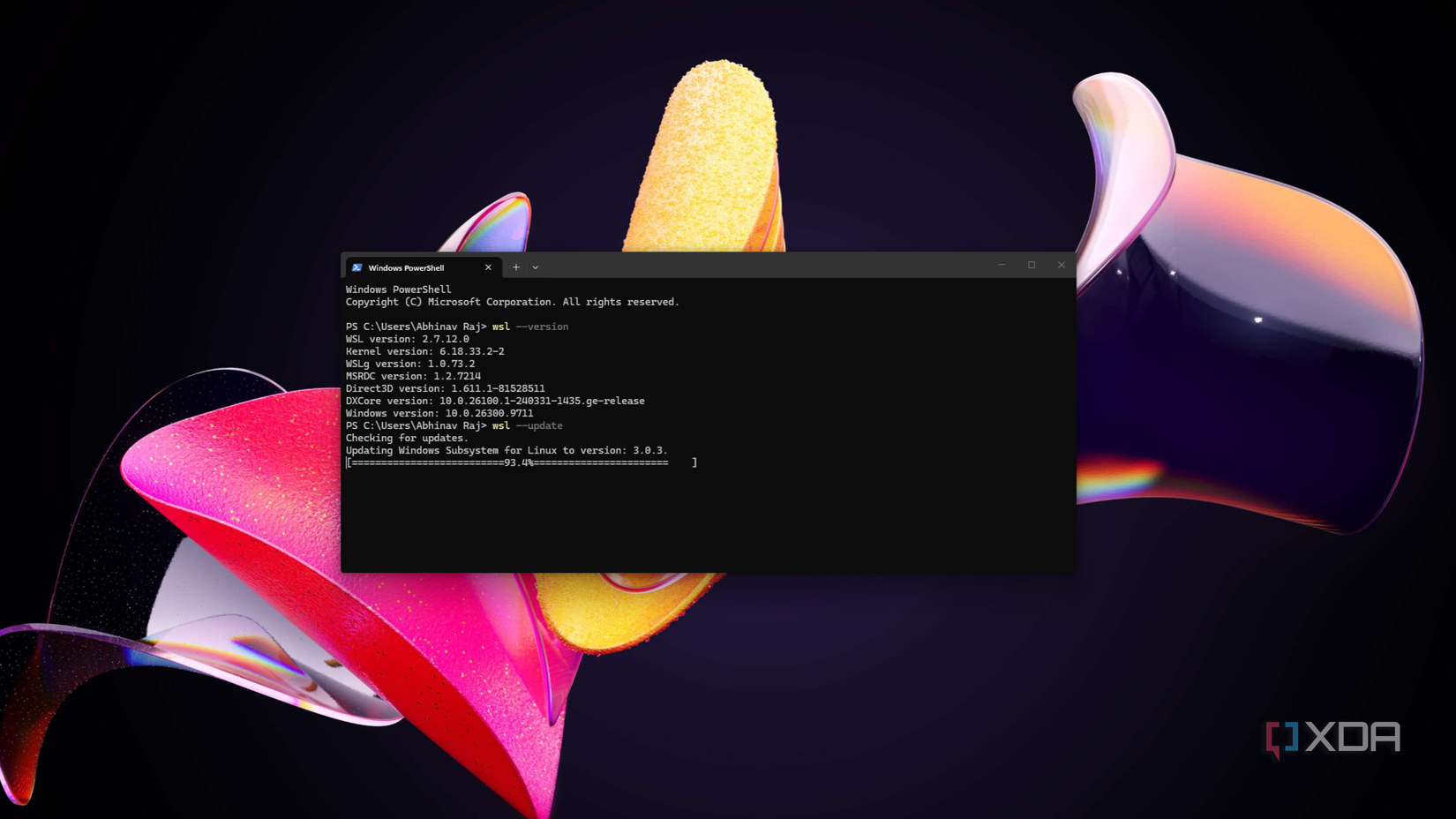
wslc version
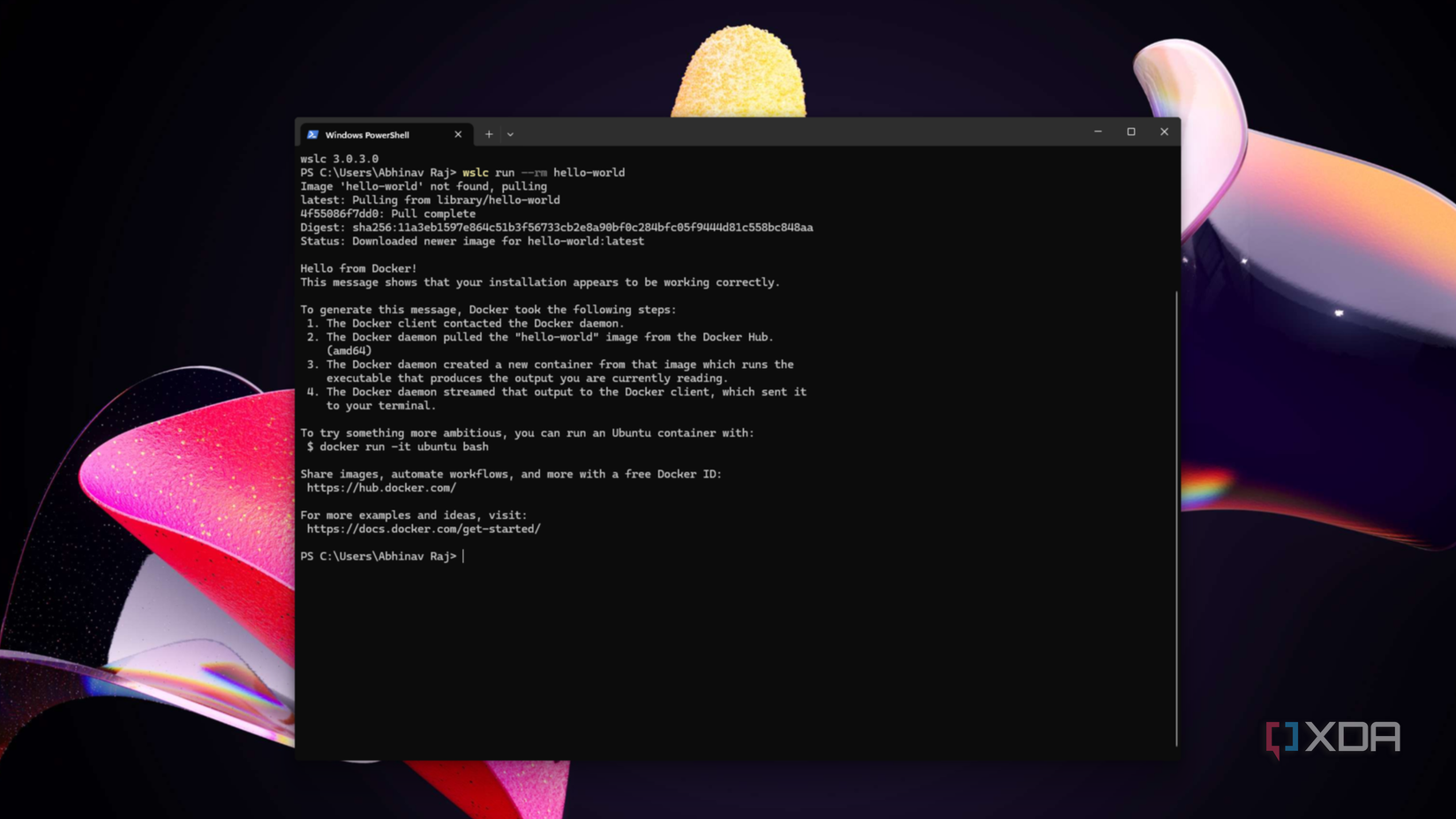
wslc run --rm hello-world
In testing, the hello-world test image downloaded, initialized, and printed its success greeting in under 10 seconds. Crucially, the process required zero account sign-ins, no system reboots, and no manual license agreements—achieving the smoothest out-of-the-box containerization experience ever witnessed on Windows.
2. Unleashing GPU Acceleration for Local AI Inference
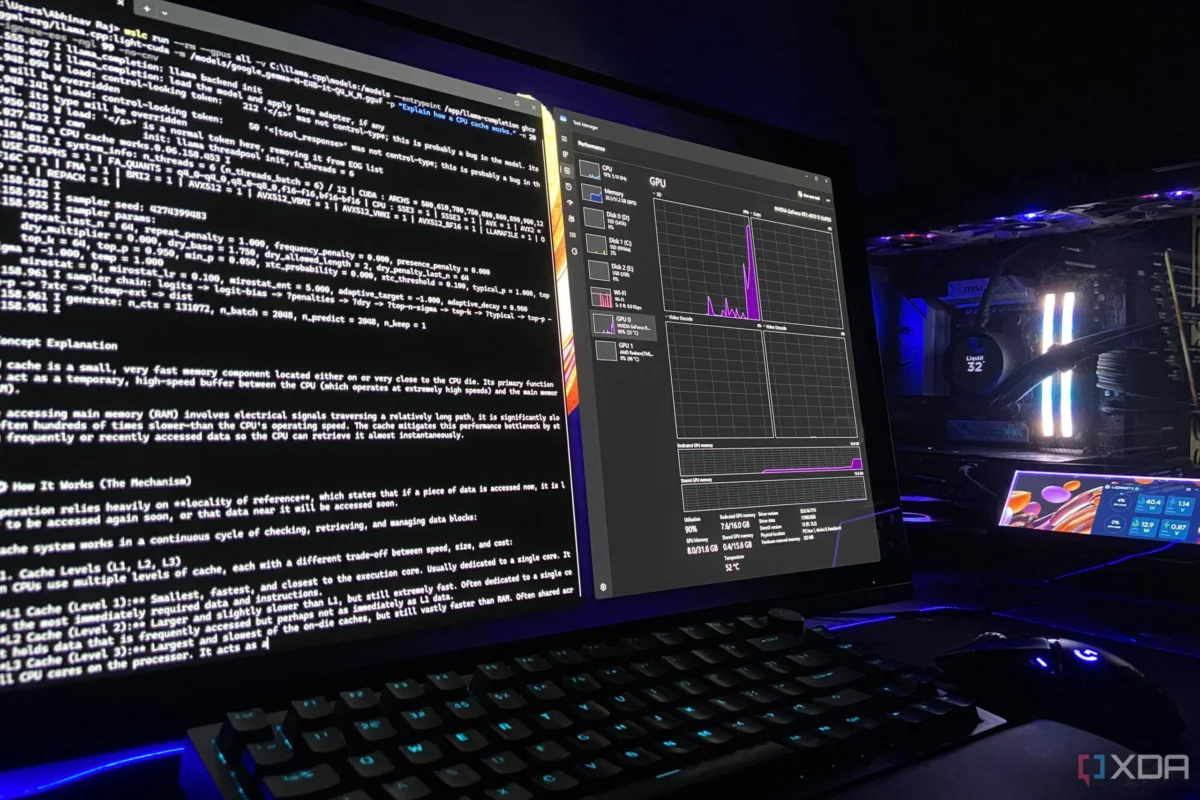
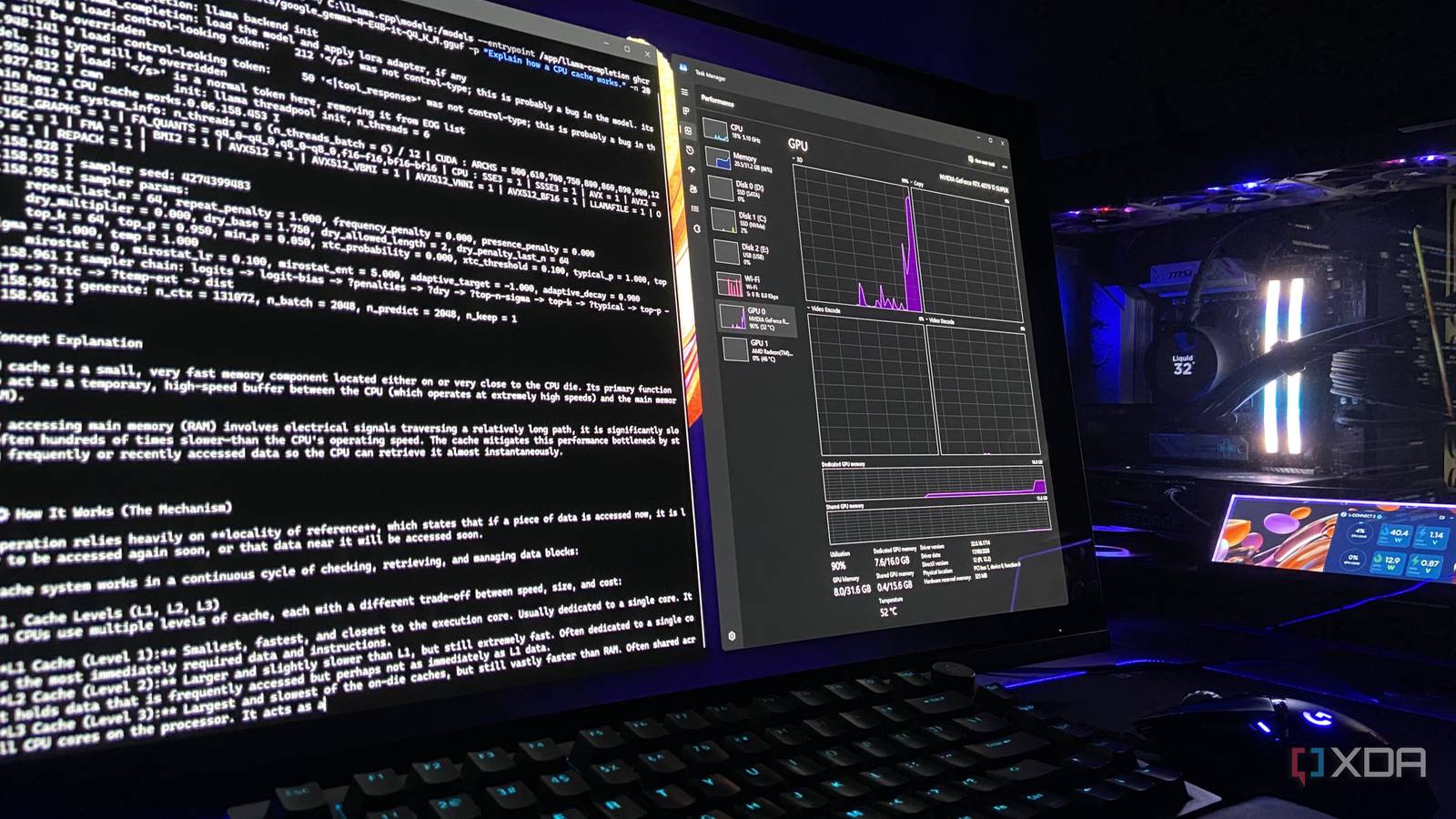
A critical test for modern developer environments is hardware passthrough, particularly for local AI workflows utilizing frameworks like llama.cpp and CUDA container images. Running inference entirely on a CPU (such as the Ryzen 5 7600X) results in unacceptable processing speeds, whereas utilizing dedicated GPU memory unlocks real-time token generation.
Because WSL seamlessly leverages the Nvidia display driver already installed on the Windows host, no separate Linux drivers were required inside the container. Executing an Nvidia CUDA base image verification command:
wslc run --rm --gpus all nvidia/cuda:12.9.1-base-ubuntu24.04 nvidia-smiInstantly recognized the RTX 4070 Ti Super, verifying its 16GB VRAM and matching the host driver version (617.14).
Performance Benchmark: Native vs. WSL Container
To measure performance overhead, an official llama.cpp CUDA container image was pointed at a local Gemma 4 E4B model file (using Q4_K_M quantization with full GPU offload at a 128K context window).
- Native Windows Execution (
llama.cpp): Generated an average of 130 tokens/second. - WSL Container Execution (
wslc): Generated a consistent 124 tokens/second.
The marginal 4% performance variance is virtually imperceptible in daily workflows, proving that wslc delivers near-native hardware performance without the typical virtualization penalties.
Official Responses and Ecosystem Implications
While wslc represents a massive step forward for individual developers, enterprise architecture teams are closely watching how Microsoft positions the tool alongside established industry standards.
The Missing Piece: Docker Compose Support
At present, wslc is primarily designed for single-container execution, interactive testing, and rapid image building. A notable omission in this initial release is built-in support for multi-container orchestration via Docker Compose files.

Microsoft’s engineering teams have openly acknowledged this limitation, confirming that native Compose support is the most requested feature for wslc and is actively being developed. The stated goal is to allow developers to run existing docker-compose.yml files natively without requiring modifications.
Coexistence with Docker Desktop and Alternatives
Industry analysts note that wslc does not necessarily spell the immediate demise of Docker Desktop. Key distinctions remain:
- Container Types:
wslcis strictly tailored for Linux containers, whereas Docker Desktop maintains the ability to switch between Linux and Windows container modes. - Enterprise Features: Large organizations with complex compliance, centralized team management, and expansive microservices architectures will continue to rely on robust orchestration platforms.
- Alternative Open-Source Ecosystems: For users who require advanced orchestration today but wish to avoid proprietary or paid tiers of desktop managers, alternative open-source tools like Podman Desktop and Rancher Desktop continue to provide strong feature sets built on top of WSL.
Conclusion: A New Standard for Windows Developers
The arrival of WSL 3.0.1 and the wslc command marks a defining moment for Windows 11 as a premier development environment. By stripping away unnecessary installation bloat, eliminating login barriers, and offering near-native GPU acceleration out-of-the-box, Microsoft has dramatically lowered the barrier to entry for containerization.
For single-container workflows, machine learning model testing, and rapid local deployments, wslc provides an unmatched level of speed and simplicity. As Microsoft continues to roll out upcoming enhancements—most notably native Compose support—the line between Windows and Linux development blurs even further, cementing WSL as an indispensable tool for the modern software engineer.