





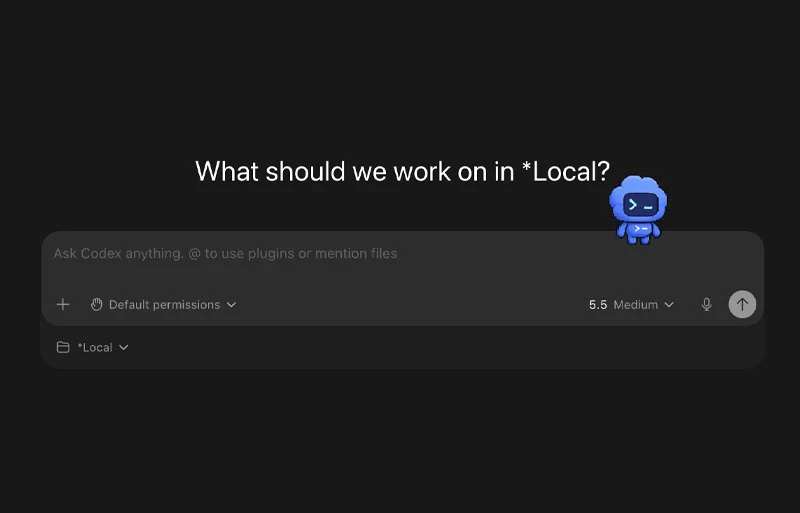
SAN FRANCISCO — In an unexpected fusion of productivity engineering and playful software design, OpenAI has rolled out a whimsical yet surprisingly practical feature for its flagship developer environment: Codex Pets.
Initially dismissed by many in the developer community as a late-April Fools’ joke or a frivolous gimmick when hints first appeared, Codex Pets are fully realized, optional animated desktop companions. These small, floating digital overlays sit discreetly on a user’s screen, tracking the real-time status of automated coding tasks. While the aesthetic choice—bringing pixelated goblins, domesticated animals, and custom sprites to enterprise-grade developer tooling—has drawn amused reactions, initial adopters are discovering a deeper utility. Far from mere digital toys, Codex Pets offer an innovative approach to "ambient user interfaces," designed to keep developers in their creative flow without demanding constant context-switching.
1. Main Facts: What Are Codex Pets?
At their core, Codex Pets are animated, floating sprite overlays integrated directly into the desktop Codex application. They serve as a visual bridge between the developer and the background operations of AI-driven coding agents.
Rather than forcing developers to constantly alt-tab back into the Codex interface to check whether a complex refactoring job is finished, awaiting a permission prompt, or running into errors, a Codex Pet reflects these operational states right in the user’s peripheral vision.
Key mechanics of the feature include:
- State Reflection: The pet visually communicates whether Codex is actively working, idling, waiting for user input, or ready for a code review.
- Contextual Prompts: Alongside the animation, the overlay can surface short, high-level progress prompts.
- Multiple Activation Methods: Users can summon a pet instantly by typing
/petdirectly into the Codex composer, navigating through the settings menu (Settings > Appearance > Pets), or utilizing global command menus via Cmd + K (Mac) and Ctrl + K (Windows). - The
hatch-petSkill: Beyond pre-installed built-in options, OpenAI has released a specialized tool called thehatch-petskill. This allows developers to generate entirely custom, animated pixel-art or sprite-sheet companions using natural language prompts or reference images.
2. Chronology: From Concept to Community Phenomenon
The evolution of Codex Pets reflects a growing industry trend where developer tools incorporate humanizing elements to ease cognitive fatigue.
- Early Development & Internal Testing: OpenAI’s UX and design teams initially experimented with peripheral status indicators—such as glowing borders and taskbars—to help engineers monitor long-running background loops without losing focus on their primary editors (like VS Code or JetBrains). Finding traditional UI notifications too intrusive, designers gravitated toward lightweight, localized avatars.
- The Integration Phase: The feature was silently baked into recent builds of the Codex desktop app. Early beta testers noticed hidden sprite assets and configuration strings pointing toward "companion overlays," sparking quiet speculation across developer forums and subreddits.
- Official Public Rollout: OpenAI officially lifted the veil on Codex Pets, publishing documentation on the app settings and releasing the companion
hatch-petGitHub skill repository. - Community Explosion: Almost immediately following the release, developers began sharing custom-hatch prompts. Open-source galleries, notably the community hub Codex Pets, emerged to catalog user-created sprites, ranging from cyberpunk androids to classic corporate tech mascots transformed into floating desktop companions.
3. Supporting Data and Technical Implementation
To understand how Codex Pets transition from a cute concept into a functional workflow utility, one must look at how they are built and managed locally within the user’s workspace.
Hatching a Custom Companion
Developers are not restricted to the default roster shipped with the application. By utilizing the OpenAI skills ecosystem, users can execute the following command inside Codex:
$skill-installer hatch-petOnce installed and skills are force-reloaded via the command palette, users can issue creative instructions to the AI agent. The generation process handles rigorous back-end logistics, including concept planning, frame-by-frame animation rows, sprite sheet assembly, visual validation, and local packaging.
Effective Prompting Guidelines for Custom Pets
Because Codex Pets must remain small, non-intrusive overlays, design constraints are tight. Developer feedback and internal OpenAI documentation emphasize specific principles for successful pet generation:
- Prioritize Silhouettes: Due to the small rendering scale, clean, bold shapes and distinct outlines perform significantly better than intricate, hyper-realistic details.
- Limit Props and Backgrounds: Complex backdrops or multiple accessories cause visual noise at low resolutions. A pet should read instantly at a glance.
- Reference Image Clarity: When feeding photos of pets or personal artwork into the
hatch-petgenerator, users must explicitly state which features matter most—such as color palettes, distinct markings, or iconic expressions—rather than expecting the algorithm to replicate a photograph pixel-for-pixel.
4. Official Perspectives and Industry Context
While the introduction of animated companions to a professional coding environment might seem unorthodox, tech industry analysts view it as a calculated move in the fierce competition between modern AI coding agents.
As developers increasingly weigh tools like Codex against alternatives such as Anthropic’s Claude Code, the differentiator is no longer just raw code generation capability—it is ergonomics and developer experience (DevEx).
OpenAI’s product philosophy behind the feature centers on the psychology of deep work. Continuous context-switching—jumping between a terminal, a browser, and a heavyweight AI application interface—is one of the leading causes of developer fatigue. By turning asynchronous agent states into ambient information, Codex Pets reduce the cognitive tax of monitoring automated workflows.
Industry observers have likened Codex Pets to the legendary Microsoft Office Assistant, Clippy, but with a crucial philosophical reversal: instead of interrupting users with unwanted advice, Codex Pets quietly sit back, mind their own business, and only convey vital system telemetry through non-verbal cues. They act as a silent digital co-worker sitting at the corner of the monitor.
5. Implications for the Future of Developer Workflows
The arrival of Codex Pets signals broader implications for how software is built and interacted with in an AI-saturated landscape.
The Rise of Ambient UI
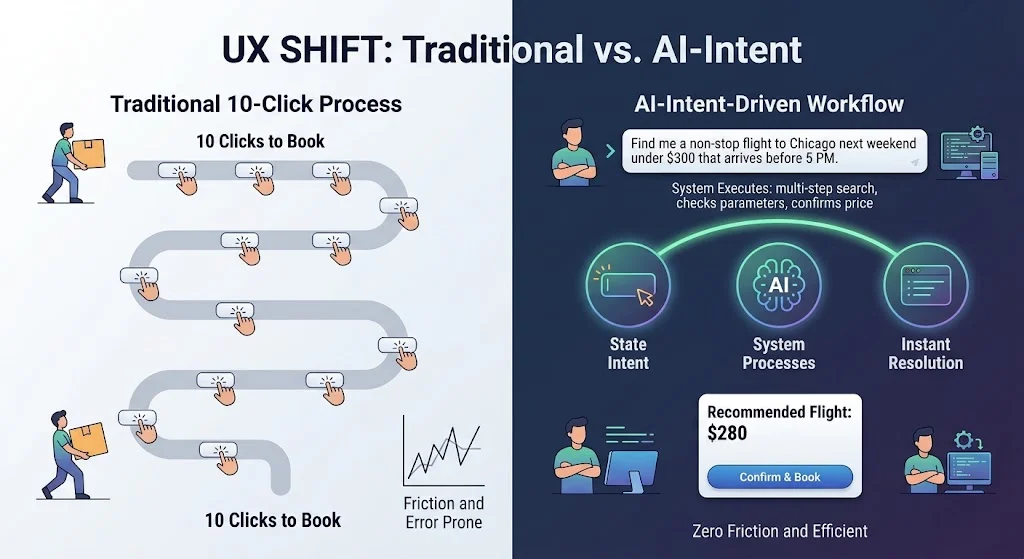
Traditional software user interfaces are notoriously rigid, relying on pop-up dialog boxes, flashing icons, and aggressive notification trays to capture attention. Codex Pets point toward a different future: ambient computing interfaces. By mapping critical application states to living, breathing visual metaphors in the user’s peripheral vision, software can communicate urgency and progress naturally, mirroring how humans read physical cues in an office environment.
Humanizing AI Collaboration
As AI agents evolve from simple autocomplete tools into autonomous systems capable of executing multi-hour, multi-file refactors, the relationship between human and machine is shifting. Giving these agents localized, tangible personas—even whimsical ones like desk goblins or digital puppies—creates an emotional anchor. It transforms an abstract cloud service into a localized teammate, which psychological studies suggest can increase trust, reduce user anxiety during long execution loops, and make human-in-the-loop validation feel more conversational.
Conclusion: Should You Use Codex Pets?
Ultimately, Codex Pets will not write cleaner code, fix legacy bugs, or replace rigorous code review habits. For developers operating in high-stakes corporate environments, the feature may initially be met with skepticism.
However, for those willing to look past the novelty, the feature delivers a surprisingly frictionless way to track background workloads. Whether a developer chooses a minimalist status dot or a pixelated, custom-hatched companion representing their real-life dog, Codex Pets demonstrate that enterprise software development does not always have to take itself entirely seriously to be profoundly useful.