






In the rapidly evolving landscape of mobile photography, Google Photos has long positioned itself as the definitive all-in-one ecosystem for users. By integrating seamless cloud backup, intuitive gallery management, and an increasingly sophisticated suite of AI-driven editing tools, Google has successfully captured the mainstream market. However, a growing cohort of mobile enthusiasts and professional photographers is finding that this convenience comes at a cost: the erosion of granular, manual control.
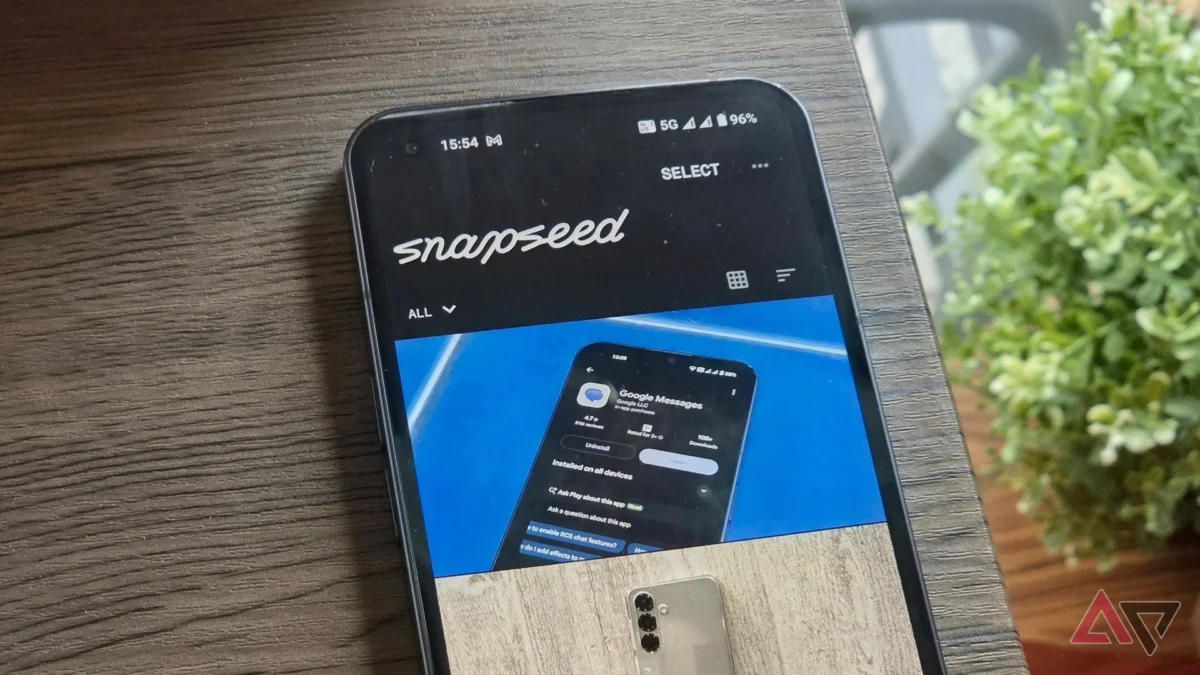
As Google continues to pivot its software strategy toward automated, "one-tap" AI enhancements, power users are feeling the squeeze. The recent trend of replacing precise sliders with generative AI shortcuts has left many longing for a more tactile, intentional approach to image manipulation. This shift has prompted a quiet, yet significant, migration back to an older, often-overlooked companion within the Google ecosystem: Snapseed. Despite being owned by Google, Snapseed offers a starkly different philosophy—one that prioritizes the artist’s hand over the machine’s approximation.
The Chronology of a Mobile Editing Divide
To understand the current frustration, one must look at the trajectory of mobile software over the last decade. In the mid-2010s, mobile editing apps were in a "Golden Age" of manual innovation. Snapseed, acquired by Google in 2012, was the gold standard for mobile photo editing, introducing revolutionary tools like Selective Adjust and Brush masks.
In contrast, the last 24 months have seen Google Photos undergo a radical transformation. With the introduction of the Tensor-powered Magic Editor and a suite of generative AI tools, the focus of the app has shifted away from the "Adjust" tab and toward "Magic." For the average consumer, this is a boon—a quick way to fix lighting or remove a photobomber. For the creative user, however, it represents a loss of agency.
This tension reached a breaking point in late 2026, as Google’s updates prioritized AI-driven "Looks" and automated background blurring over the deeper, more nuanced controls that power users rely on. The resurgence of Snapseed—which has received its own suite of modern, manual-focused updates—is not merely a trend; it is a pushback against the "black box" nature of contemporary AI photography.
Supporting Data: AI vs. Manual Precision
The core of the debate lies in the difference between estimation and execution. Google Photos’ AI tools, while impressive in their ability to detect a face or identify a horizon, are inherently probabilistic. They make an educated guess about what a user wants. Snapseed, conversely, functions on a deterministic model, where the user is the final arbiter of every pixel.
The Power of Motion and Depth
One of the most significant recent additions to the Snapseed toolkit is the Motion Blur and Lens Blur update. While Google Photos offers a "Portrait Blur" setting that creates a software-generated bokeh effect, it is largely binary: it detects a subject and applies a global blur to the background.
Snapseed’s approach allows for creative intervention. With its Motion Blur tool, users can apply directional blur to specific areas of the frame, simulating long-exposure photography without the need for a tripod or ND filter. The Lens Blur tool allows for fine-tuning of bokeh shapes—from standard circles to hexagons and stars—and, crucially, provides independent control over the transition zone between in-focus and out-of-focus areas. This level of control is simply not present in the automated pipelines of Google Photos.
Multi-Wheel Color Grading
For professional colorists, the "Adjust" tab in Google Photos is functionally limited. It relies on singular sliders for contrast, saturation, and warmth. Snapseed’s Color Grade tool, however, brings professional-grade workflows to a mobile interface. By using color wheels to target shadows, midtones, and highlights, users can perform complex color science adjustments. The ability to import external LUTs (Look-Up Tables) means that a photographer can maintain a consistent aesthetic across their mobile and desktop workflows—a capability Google Photos has yet to integrate in any meaningful way.

Official Responses and Strategic Shifts
Google has not commented directly on the "exodus" of users to Snapseed, but their product roadmap speaks volumes. In recent shareholder meetings and developer conferences, Google has doubled down on its commitment to "AI-first" photography. The company maintains that the vast majority of users prefer faster, easier workflows that deliver "good enough" results in seconds rather than minutes.
However, the lack of an integrated "Pro Mode" in Google Photos remains a point of contention. Industry analysts suggest that Google keeps Snapseed and Photos separate intentionally: Photos is a mass-market utility designed to retain users in the Google Cloud ecosystem, while Snapseed acts as a legacy tool for the niche enthusiast. Despite this, there is mounting pressure for Google to fold Snapseed’s manual precision back into the primary Photos app, or at the very least, stop neglecting the app’s long-term development.
The Implications for Mobile Photography
The implications of this divide are profound. As mobile photography continues to mature, we are seeing a bifurcation in the user base.
- The Convenience Gap: Users who rely solely on AI are losing their "photographic eye." By allowing an algorithm to determine the contrast and color balance of an image, the user ceases to understand why an image looks good.
- Professional Integrity: For professional photographers using mobile devices for field work, the inability to control EXIF data or export in specific, lossless formats (as Google Photos currently restricts) is a non-starter. Snapseed’s ability to strip GPS data or maintain 100% JPG quality provides a level of professional utility that AI-centric apps are currently ignoring.
- The "Look" of the Future: The community-driven aspect of Snapseed—where users can study the edit history of a "Look"—fosters a culture of learning. When a user downloads a look from the #SnapseedLook community, they are presented with a breakdown of every filter and adjustment used. This creates a pedagogical loop that AI-driven "magic" apps fundamentally destroy.
Practical Advantages: Why I Reinstalled Snapseed
My personal transition back to Snapseed was driven by the realization that my photos were starting to look identical to everyone else’s. The "AI signature"—that hyper-sharpened, overly HDR-saturated look common to modern smartphones—was becoming impossible to escape in Google Photos.
Subject-Background Separation
Snapseed’s ability to apply masks to the subject versus the background is a game-changer. By tapping "Layers," I can independently adjust the white balance of my subject’s skin tone while simultaneously cooling down the background to add depth. This level of masking is usually reserved for desktop applications like Adobe Photoshop. Google Photos, by comparison, only offers limited touch-up tools that lack the surgical precision of Snapseed’s brush and masking engine.
Granular Export Settings
Perhaps the most understated feature of Snapseed is its control over the final file. In a world where social media platforms compress everything, having the ability to set a maximum pixel width (e.g., 4,000 pixels) or control the specific JPG compression ratio (80% vs 100%) allows for a level of technical control that preserves image integrity. Google Photos’ "share" button is a black box that hides these settings, often resulting in heavy re-compression that degrades the image quality before it ever hits a server.
Conclusion: A Tool for the Artist
While Google Photos remains an unparalleled gallery and backup solution, its evolution into an AI-only playground is a double-edged sword. It has succeeded in making photography accessible, but it has simultaneously made "craft" secondary.
Snapseed stands as a necessary counterweight. It respects the user’s intent and provides the tools to execute a vision rather than suggesting one. As mobile sensors improve and smartphones become the primary camera for more people, the demand for manual control will not vanish—it will only grow. For now, those who want to do more than just "auto-fix" their memories will continue to turn to Snapseed, keeping the spirit of manual photography alive in the palm of their hands.
If you find yourself frustrated by the limitations of "one-tap" edits, it may be time to revisit your app drawer. You might find that the best way forward is to look back at the tools that truly understand the art of the image.