







Even for the most digitally literate marketers, the first encounter with Meta Ads Manager can be an exercise in humility. Buttons, drop-down menus, optimization toggles, and multi-layered configurations routinely greet first-time users with an overwhelming wall of complexity.

Yet, looking past the initial learning curve reveals a foundational truth of modern digital marketing: Facebook advertising remains one of the most powerful engines for customer acquisition available. With a user base surpassing 3 billion people, Meta’s ecosystem—spanning Facebook, Instagram, Messenger, and the broader Audience Network—offers a scale that few, if any, competing platforms can match.
While the interface may look intimidating, running successful Facebook ads is not an insurmountable task. It is a procedural workflow. Once you understand the correct chronological order of operations—moving logically from overarching campaigns down to specific ad sets and creative assets—the process transforms from a guessing game into a predictable, scalable system.
Main Facts: Understanding the Meta Advertising Architecture
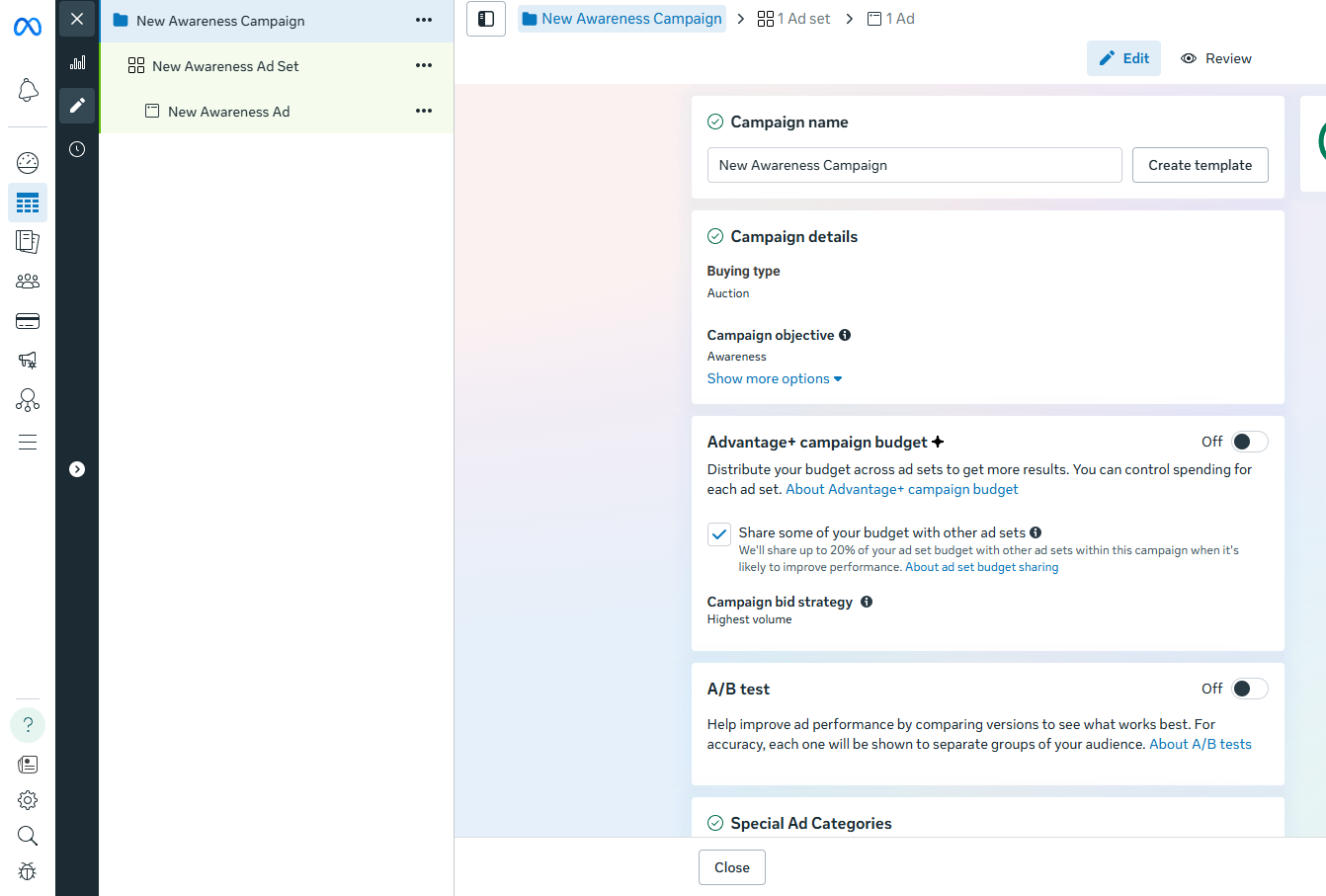
At its core, Meta Ads Manager operates on a rigid, three-tier architectural hierarchy. Every campaign you build hangs off three distinct layers:
- The Campaign Level: Where you define your overarching objective, buying type, and high-level budget strategies.
- The Ad Set Level: Where you dictate scheduling, financial allocation, audience targeting, and placement parameters.
- The Ad Level: The actual creative output—the imagery, video, copy, and destination links that users interact with.
Before diving into Ads Manager, certain prerequisites are non-negotiable. To successfully deploy an ad, you must have:
- An active Facebook Business Page.
- A verified payment method linked to your account.
- Appropriate administrative permissions if you are managing campaigns on behalf of a client or third-party entity.
Ads do not exist in a vacuum. They are deeply interconnected with your organic social presence. When an ad successfully directs a user to your Facebook Page, that visitor’s perception will be heavily influenced by your organic content calendar. Utilizing multi-channel scheduling and analytics tools ensures that your organic feed is active, engaging, and worthy of scrutiny before you commit hard-earned capital to paid amplification.
Chronology: A Step-by-Step Walkthrough of the Meta Ads Workflow
Mastering the desktop version of Meta Ads Manager requires following a structured chronological sequence. While Meta frequently updates its user interface—often leaning into AI-assisted features like Advantage+—the foundational steps remain consistent.
Phase 1: Setup and Campaign Foundations
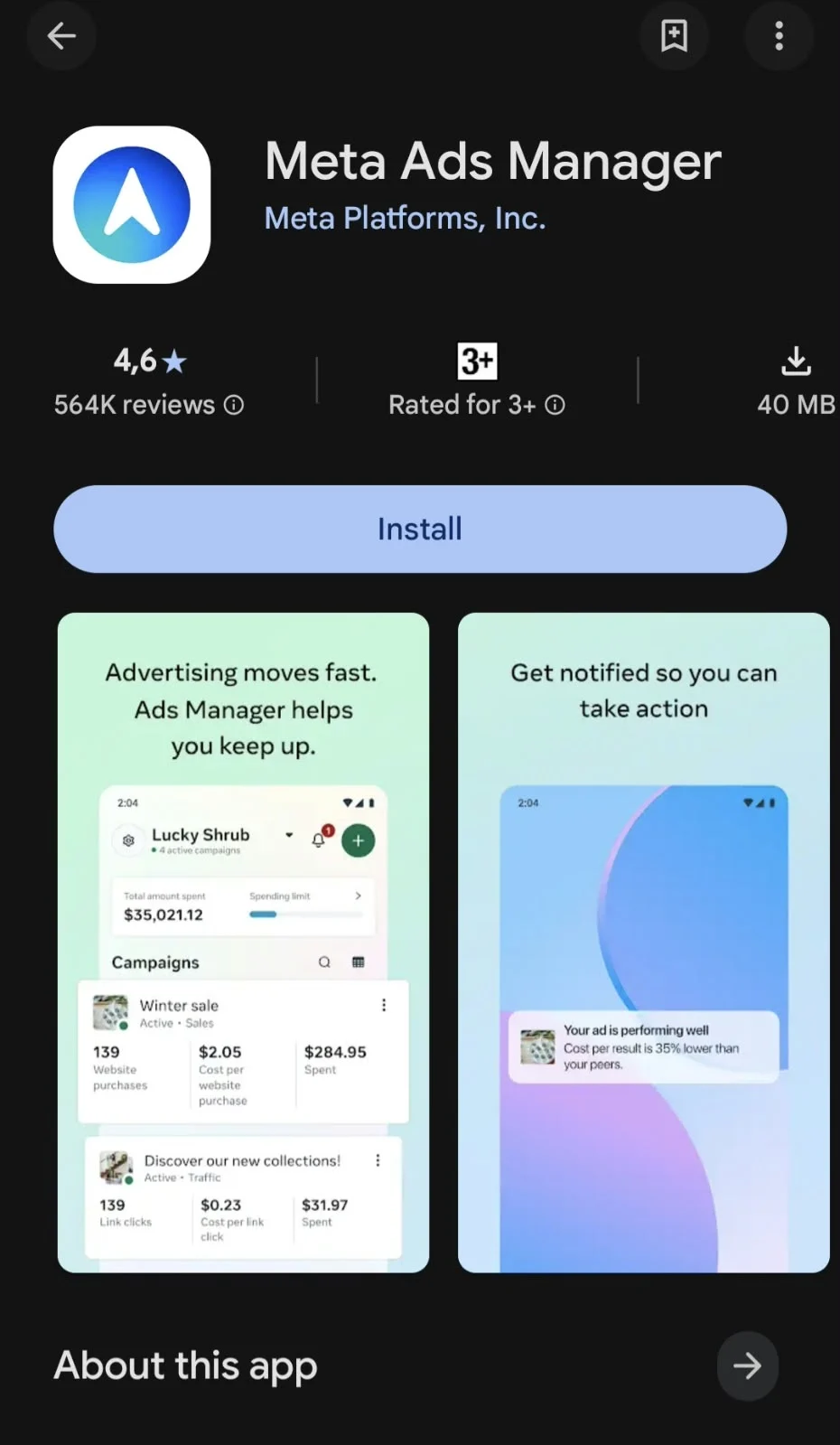
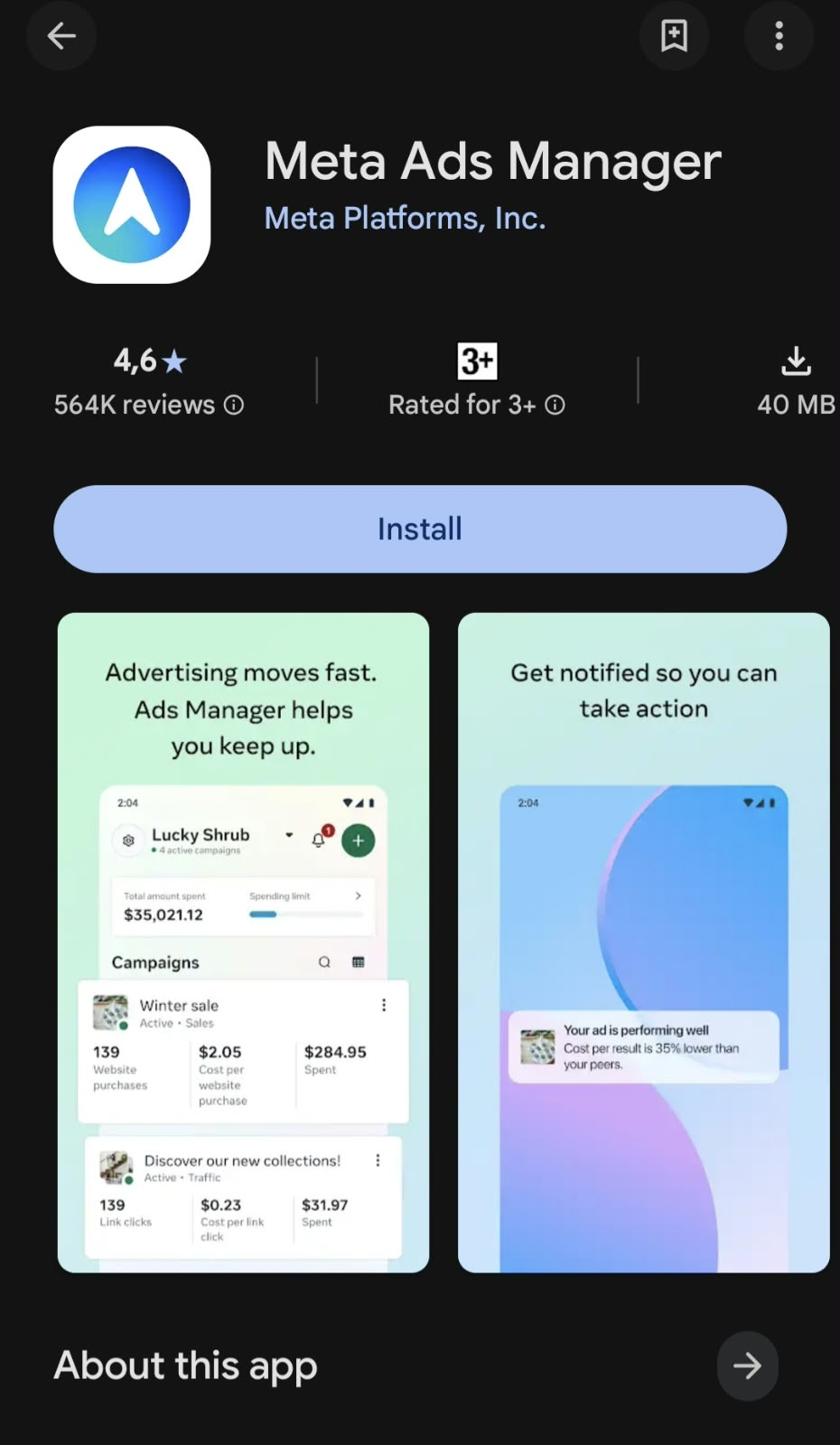
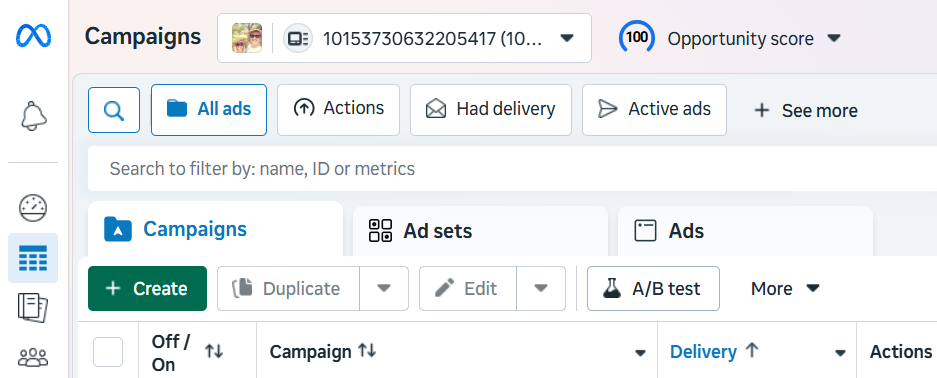
- Step 1: Access Ads Manager. Navigate directly to Meta Ads Manager via your desktop browser or use the dedicated mobile app available for iOS and Android. If managing multiple accounts, ensure the correct entity is selected from the upper-left drop-down menu.
- Step 2: Initialize Creation. Click the green Create button to initiate a new campaign.
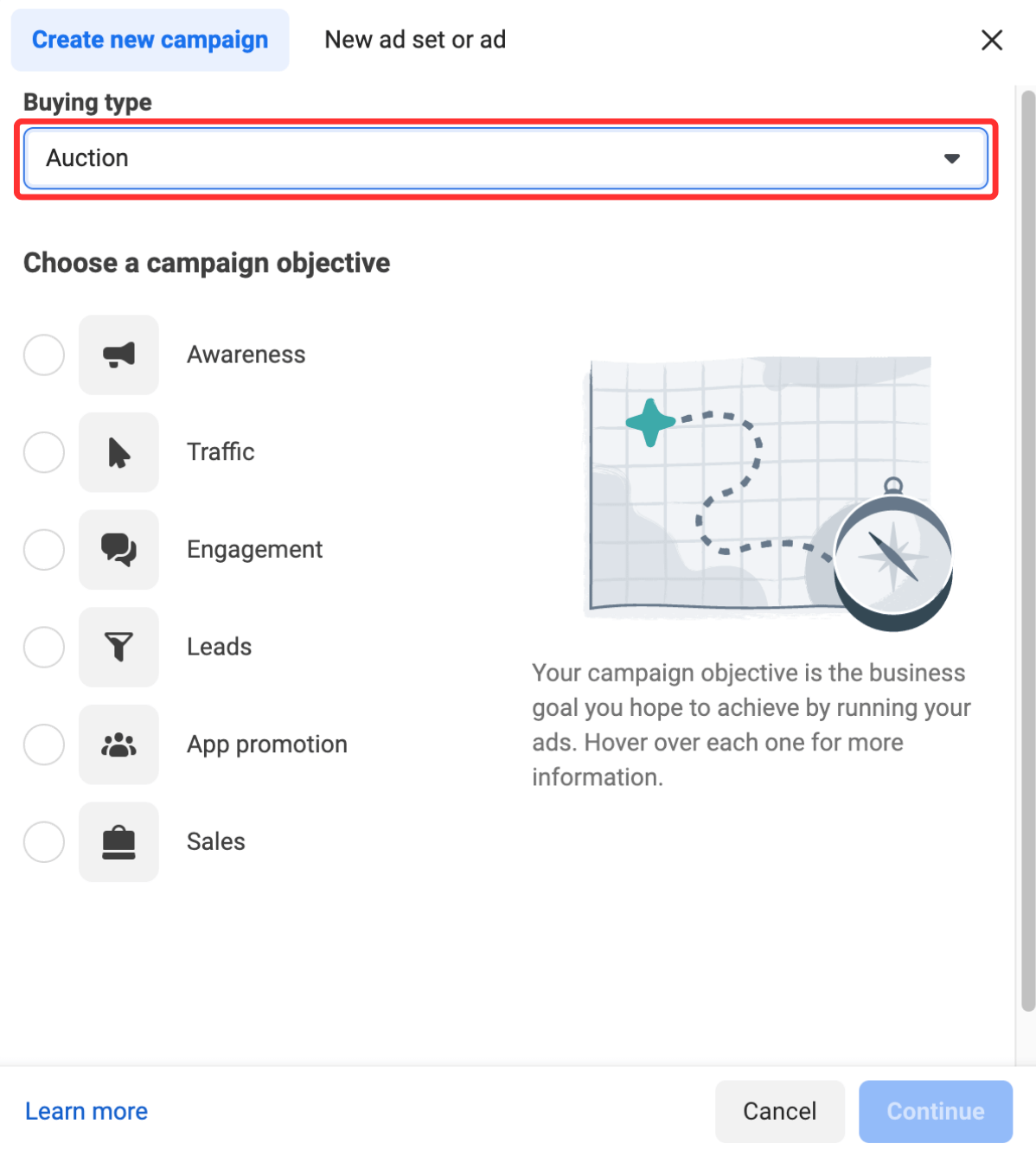
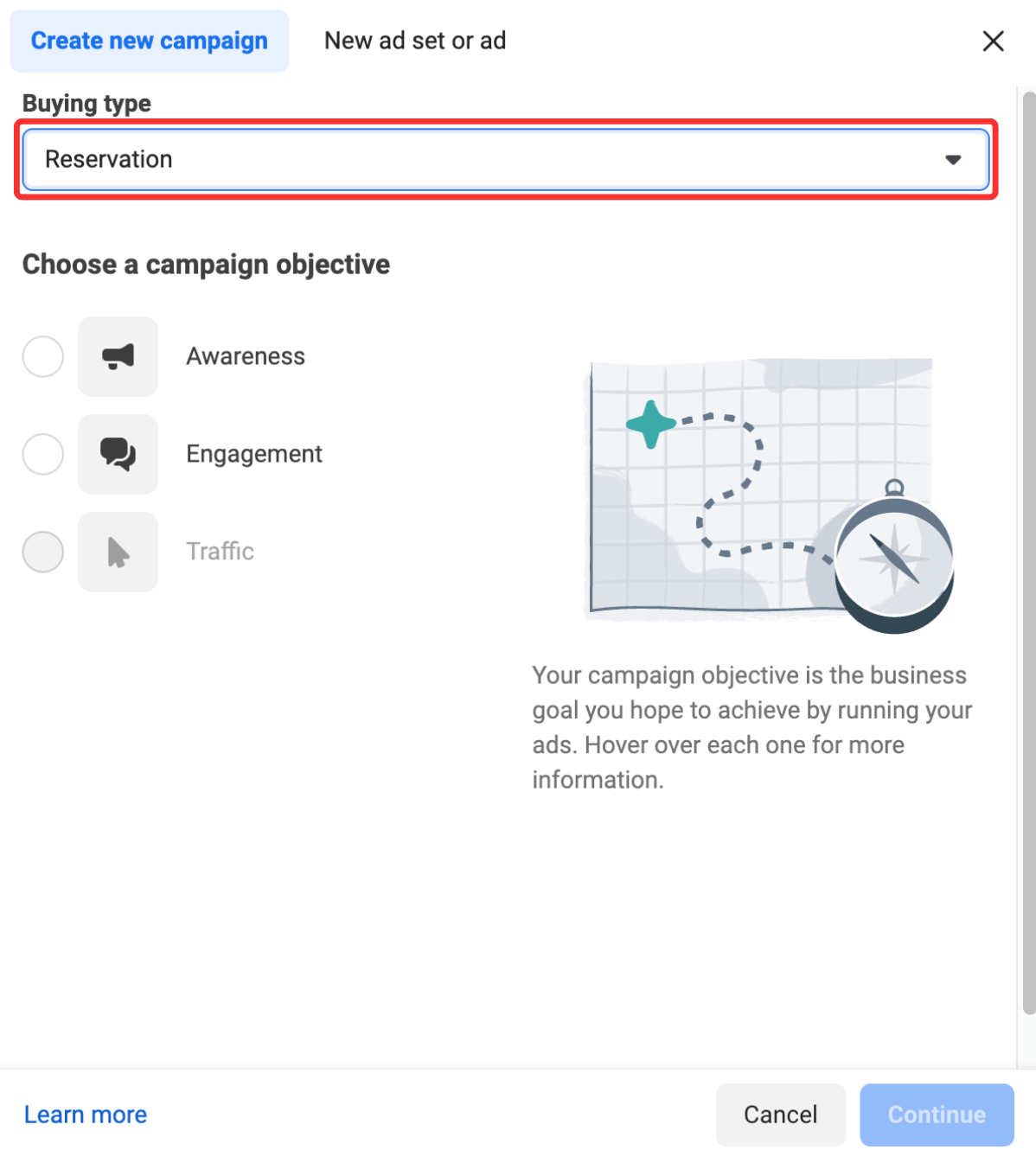
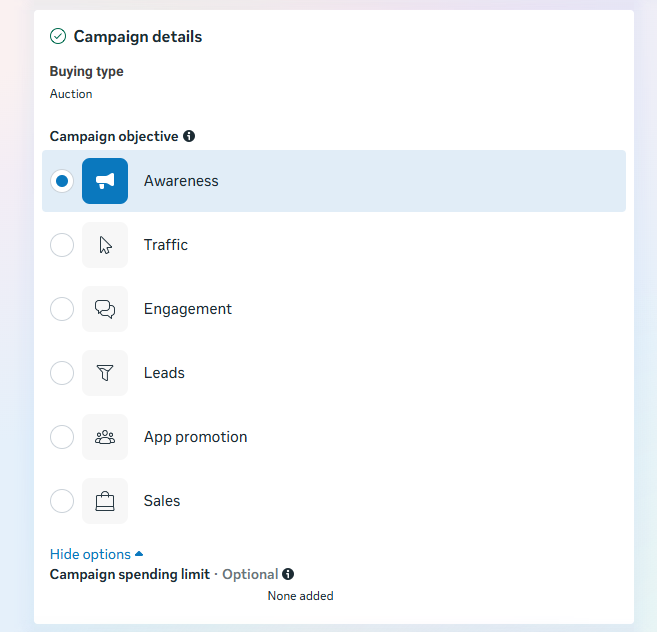
- Step 3: Select Your Buying Type. Choose between Auction (offering maximum flexibility, dynamic optimization, and access to all objectives) or Reservation (permitting predictable delivery, fixed pricing, and advanced frequency control, typically reserved for awareness campaigns).
- Step 4: Define Your Campaign Objective. Meta categorizes objectives into six core buckets: Awareness, Traffic, Engagement, Leads, App Promotion, and Sales. Your selection locks in what the Meta algorithm optimizes for. Ensure this aligns cleanly with your broader marketing strategy.
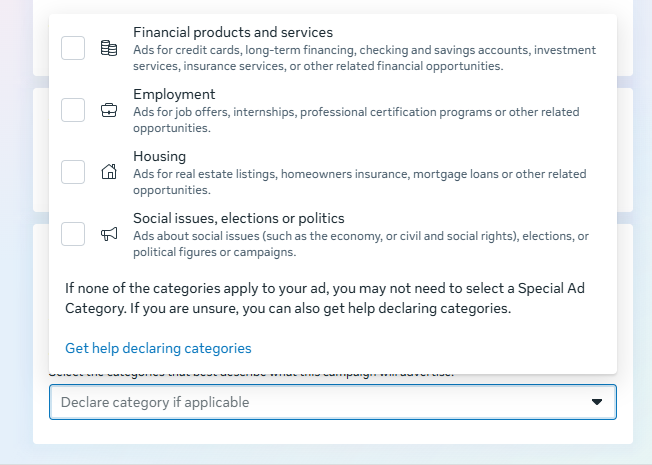
- Step 5: Declare Special Ad Categories. If your business operates in sensitive sectors—such as credit, employment, housing, or social issues/politics—you are legally and operationally required to declare it here to maintain compliance with regional advertising standards.
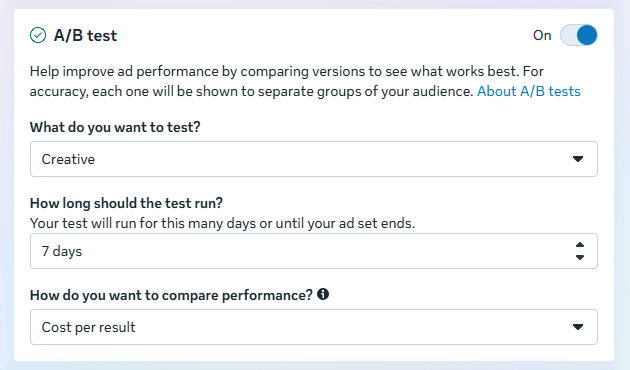
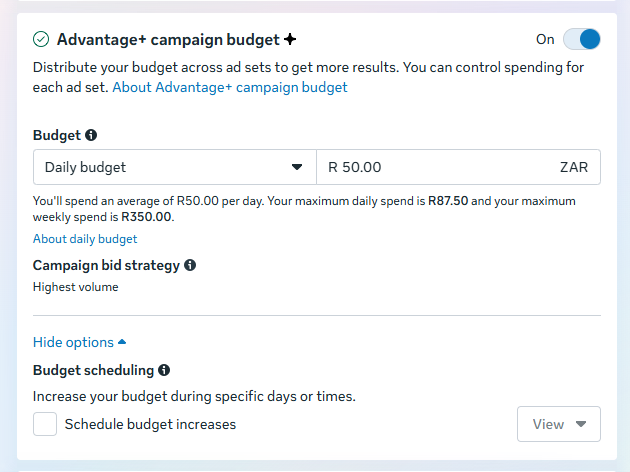
- Step 6: Configure A/B Testing and Budgets. Decide whether to activate A/B testing for creative variations and determine if you wish to use the Advantage+ campaign budget (formerly Campaign Budget Optimization), which automatically distributes funds across ad sets in real time based on performance.
- Step 7: Set Performance Goals. Choose precise metrics to target within your chosen objective, balancing broad initial trials with hyper-specific micro-goals as your data matures.
Phase 2: Ad Set Configuration
- Step 8: Establish Your Budget and Schedule. Define your financial parameters, choosing between a daily spend limit or a lifetime budget. Remember that this figure represents a maximum ceiling.
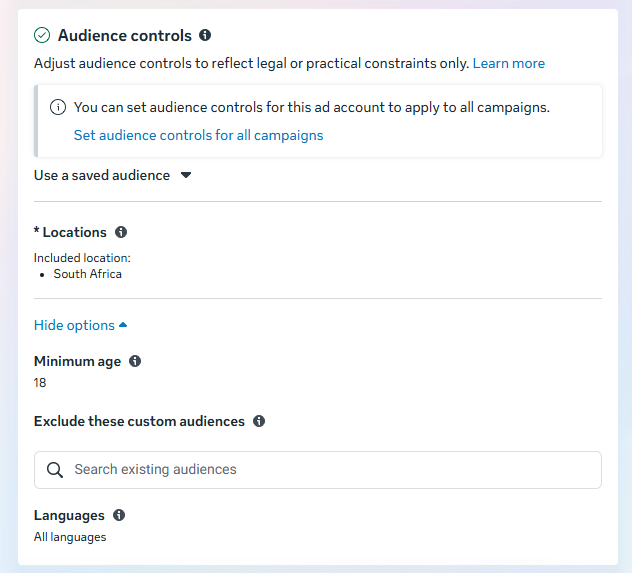
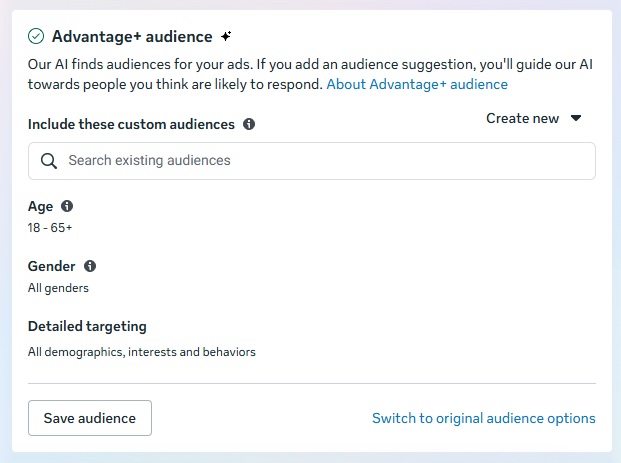
- Step 9: Shape Your Audience. Modern Meta Ads Manager interfaces prioritize streamlined controls (location, age, language) by default. For advanced targeting, leverage Meta Advantage+ audience tools, which employ machine learning to dynamically seek out high-intent users based on real-time signals, while retaining the ability to deploy legacy custom and lookalike audiences.
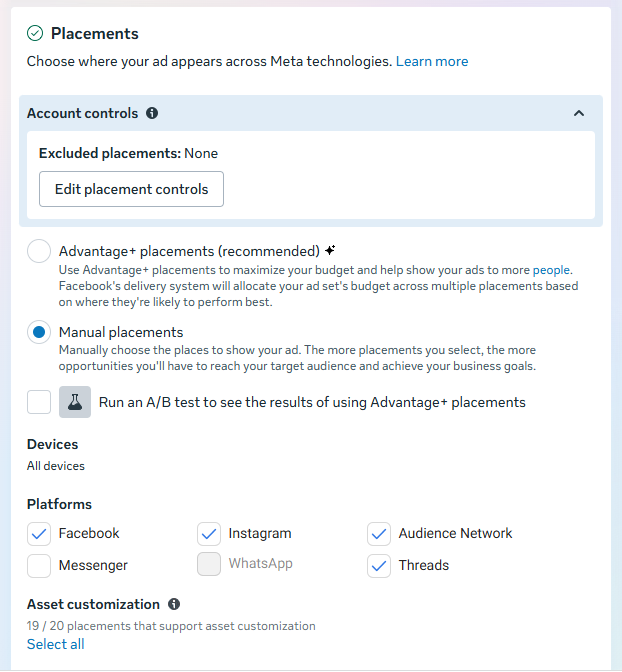
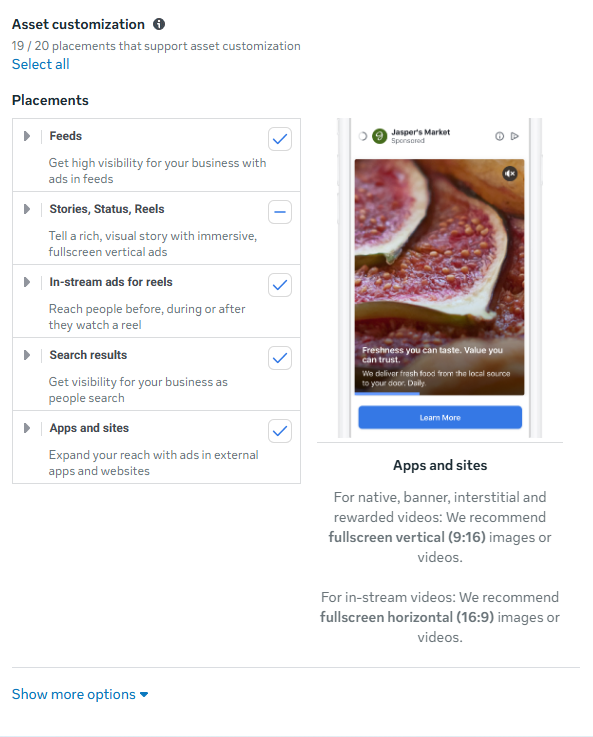
- Step 10: Determine Placements. Choose between Advantage+ placements (letting Meta’s AI distribute your ads across Feeds, Stories, Reels, and Messenger where they perform best) or Manual placements to retain granular control over exactly where your creative appears.
Phase 3: Ad Level Execution
- Step 11: Select Your Creative Format. Choose your structural asset type—single image or video, a carousel format for multi-product showcases, or immersive collections. Ensure your creative adheres strictly to current platform specifications to avoid blurriness or awkward cropping.
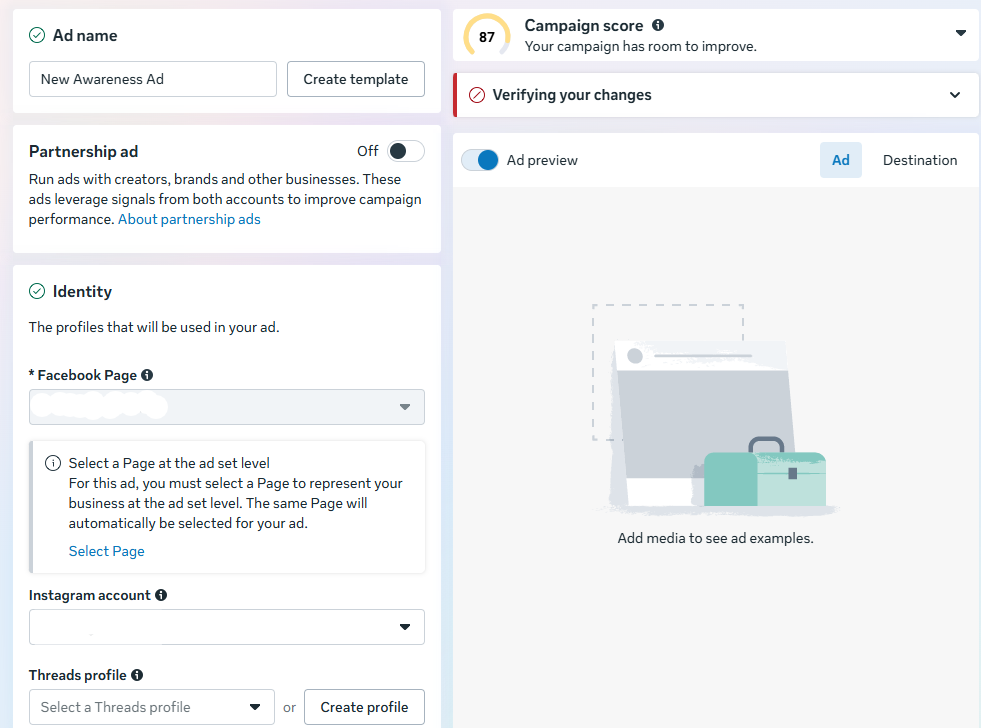
- Step 12: Input Media, Copy, and Destinations. Upload your visual assets, write compelling primary text, and incorporate a clear Call-to-Action (CTA).
- Step 13: Choose Your Conversion Destination. Direct traffic to an external website (incorporating UTM tracking parameters for robust analytics), an Instant Experience mobile landing page, an active phone call line, or direct messaging threads via Messenger, WhatsApp, or Instagram.
- Step 14: Publish and Review. Click the Publish button to submit your campaign. Meta typically reviews submissions within 24 hours to ensure compliance with community standards and advertising policies.
Supporting Data: Benchmarks, Costs, and Financial Realities
Understanding the financial mechanics of Facebook advertising requires looking at industry-wide economic data. Ads run on flexible budgets with a nominal minimum spend threshold (often around $1 per day per ad set), but actual performance metrics vary wildly depending on your sector.
Data from digital marketing benchmarks indicates that the average Cost Per Click (CPC) across all industries hovers around $1.72. However, sector-specific dynamics create stark contrasts:
| Industry | Average CPC |
|---|---|
| Apparel | $0.45 |
| Travel & Hospitality | $0.63 |
| Retail | $0.70 |
| Education | $1.06 |
| Technology | $1.27 |
| Healthcare | $1.32 |
| Legal | $1.32 |
| Fitness | $1.90 |
| Real Estate & Beauty | $1.81 |
| Industrial Services | $2.14 |
| Auto | $2.24 |
| B2B | $2.52 |
| Employment & Job Training | $2.72 |
| Home Improvement | $2.93 |
| Consumer Services | $3.08 |
| Finance & Insurance | $3.77 |
These figures highlight a crucial strategic reality: low-ticket impulse purchases in retail and apparel thrive on low CPCs, while high-value B2B, legal, and financial services require a significantly higher financial investment per acquisition to yield positive returns.
Official Responses & Algorithmic Realities: The Role of Meta AI
Meta has increasingly integrated machine learning and artificial intelligence into the Ads Manager infrastructure through its Advantage+ suite. According to official platform guidance, Advantage+ features are explicitly designed to maximize campaign performance by utilizing real-time AI to match ads with the specific users statistically most likely to take desired actions.
Platform architects emphasize that manual micro-management of audiences and placements is frequently outperformed by algorithmic optimization—provided the campaign has been given sufficient runway.
However, digital marketing experts offer two critical caveats regarding this AI-driven approach:
- The Comprehension Barrier: If your product or service requires a lengthy, complex explanation before a consumer understands its value, Facebook ads may underperform. The platform’s native user experience heavily rewards immediate visual and conceptual comprehension.
- The Budget Threshold: Operating on ultra-minimized budgets (such as $5 a day) severely hampers the algorithm’s ability to exit its initial "learning phase." Machine learning requires a critical mass of conversion data to optimize effectively; starving a campaign of capital transforms your ad spend into an expensive data-gathering exercise rather than a revenue generator.
Implications: Strategic Governance and Long-Term Measurement
Launching an ad campaign is merely the beginning of the lifecycle. The implications of modern digital advertising demand continuous governance, testing, and analytical discipline.
Marketers must resist the temptation to evaluate performance prematurely. Meta’s delivery systems require a stable window—typically three to seven days—to process data, test delivery variables, and stabilize performance metrics. Judging a campaign on day one often leads to panic-driven changes that reset the algorithmic learning phase.
Furthermore, accurate attribution requires robust tracking infrastructure. Integrating the Meta Pixel and the Conversions API into your content management system is no longer optional for serious advertisers; it is the bedrock upon which retargeting, custom audience creation, and precise ROI calculations are built.
By aligning your ad objectives with your overarching business strategy, respecting the chronological steps within Ads Manager, and allowing data-driven insights to dictate your optimization schedule, Meta advertising transforms from a confusing digital black box into a reliable, predictable engine for brand growth.