







Published on May 24, 2026 | 21 Minute Read
Yoast SEO stands as a titan in the WordPress ecosystem, providing millions of website owners with the tools necessary to optimize their digital presence. From comprehensive sitemap management to real-time content analysis, the plugin’s free version remains a staple for developers and content creators alike. However, for those managing high-traffic client sites or simply seeking a minimalist administrative environment, the "freemium" model presents a significant hurdle: persistent, intrusive, and often distracting upsell notifications.
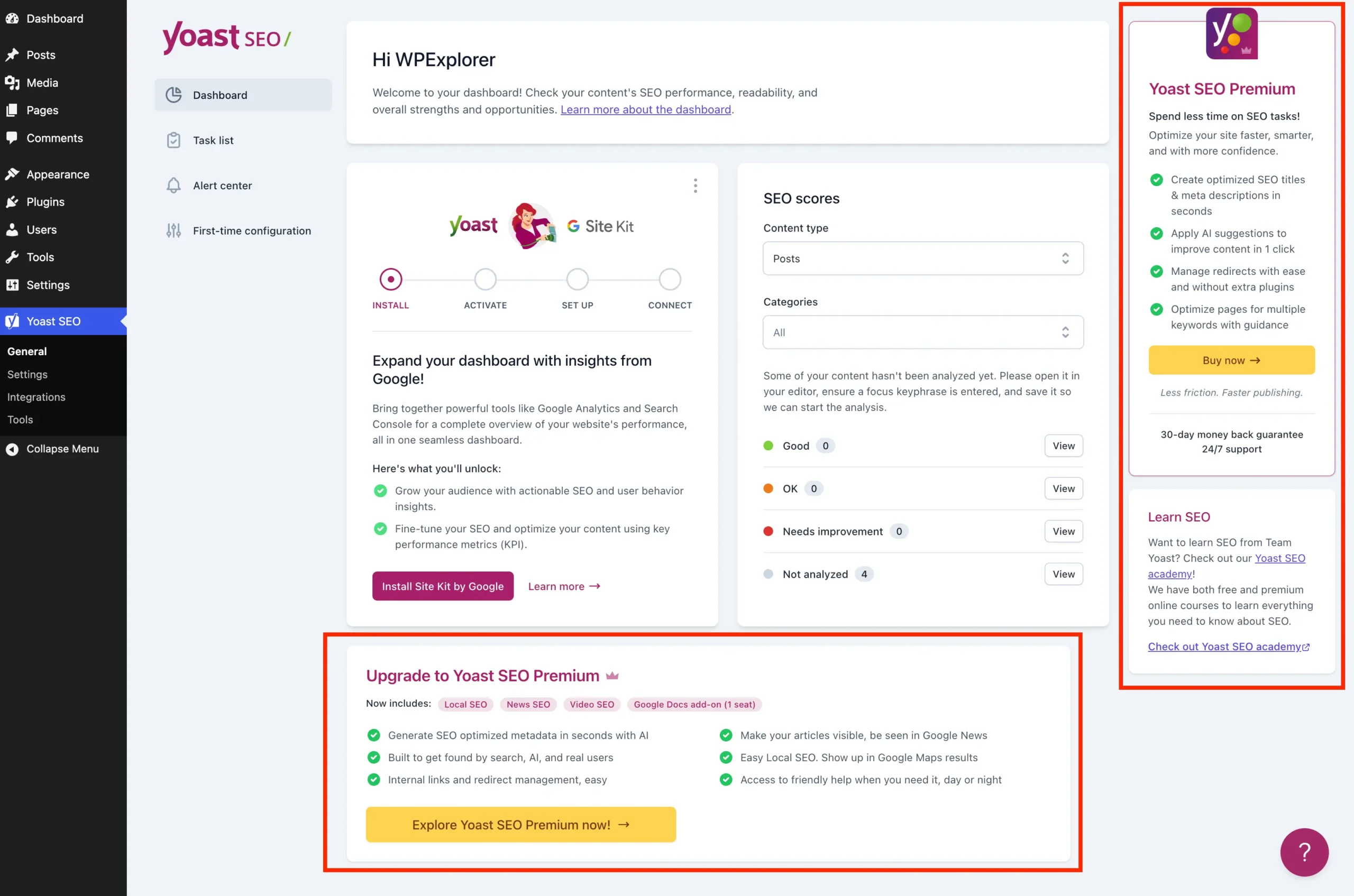
The WordPress admin area has become increasingly cluttered with premium upgrade banners, sidebar advertisements, and dashboard widgets designed to funnel users toward the paid version of Yoast SEO. For professionals, this "upsell noise" is more than a minor annoyance—it is a disruption to the workflow. This article provides a technical deep dive into how to regain control of your WordPress interface by systematically removing these promotional elements through custom PHP and CSS.
The Core Conflict: Feature Parity vs. Admin Noise
The fundamental issue lies in the tension between Yoast’s business model and the user experience of site administrators. Yoast SEO Premium offers legitimate value, including AI-generated metadata, robust redirect management, and multi-keyword analysis. For many, these features justify the investment. However, for a vast segment of the WordPress user base, the free version is more than sufficient.

When an interface is designed to constantly remind the user of what they don’t have, it degrades the efficiency of the admin dashboard. The cumulative effect of these prompts—ranging from admin toolbar buttons to locked settings fields—creates a cluttered workspace that complicates basic maintenance tasks. Removing these elements is not an act of piracy or feature restriction; it is an act of "digital housekeeping" intended to focus the administrative UI on the tasks that truly matter.
Chronology of the "Upsell Creep"
The evolution of Yoast SEO’s administrative interface has followed a predictable trajectory in the SaaS world.
- Initial Phase: The plugin offered a clean, utility-focused dashboard.
- Growth Phase: As the user base expanded, Yoast introduced subtle "Upgrade to Premium" links in the sidebar to sustain development costs.
- Current Aggressive Phase: Modern versions of the plugin utilize JavaScript-injected components, sticky sidebar advertisements, and prominent dashboard widgets that consume server resources and visual real estate.
This evolution has forced developers to transition from simple CSS hiding techniques to more sophisticated methods—such as hooking into the WordPress admin_menu and admin_bar filters—to suppress the promotional content effectively.
Technical Implementation: The "Clean Admin" Framework
To maintain a professional standard of code, all modifications should be encapsulated within a single PHP class. This approach prevents conflicts and ensures that the cleanup logic only executes when the free version of Yoast SEO is active.

Establishing the Base
Before implementing specific removals, we must initialize a dedicated class. This code can be placed within your child theme’s functions.php file, a custom functionality plugin, or a Must-Use (MU) plugin.
if ( ! class_exists( 'WPEX_Remove_Yoast_SEO_Upsells' ) )
    class WPEX_Remove_Yoast_SEO_Upsells
        public function __construct()

    new WPEX_Remove_Yoast_SEO_Upsells;
Removing Premium Admin Pages
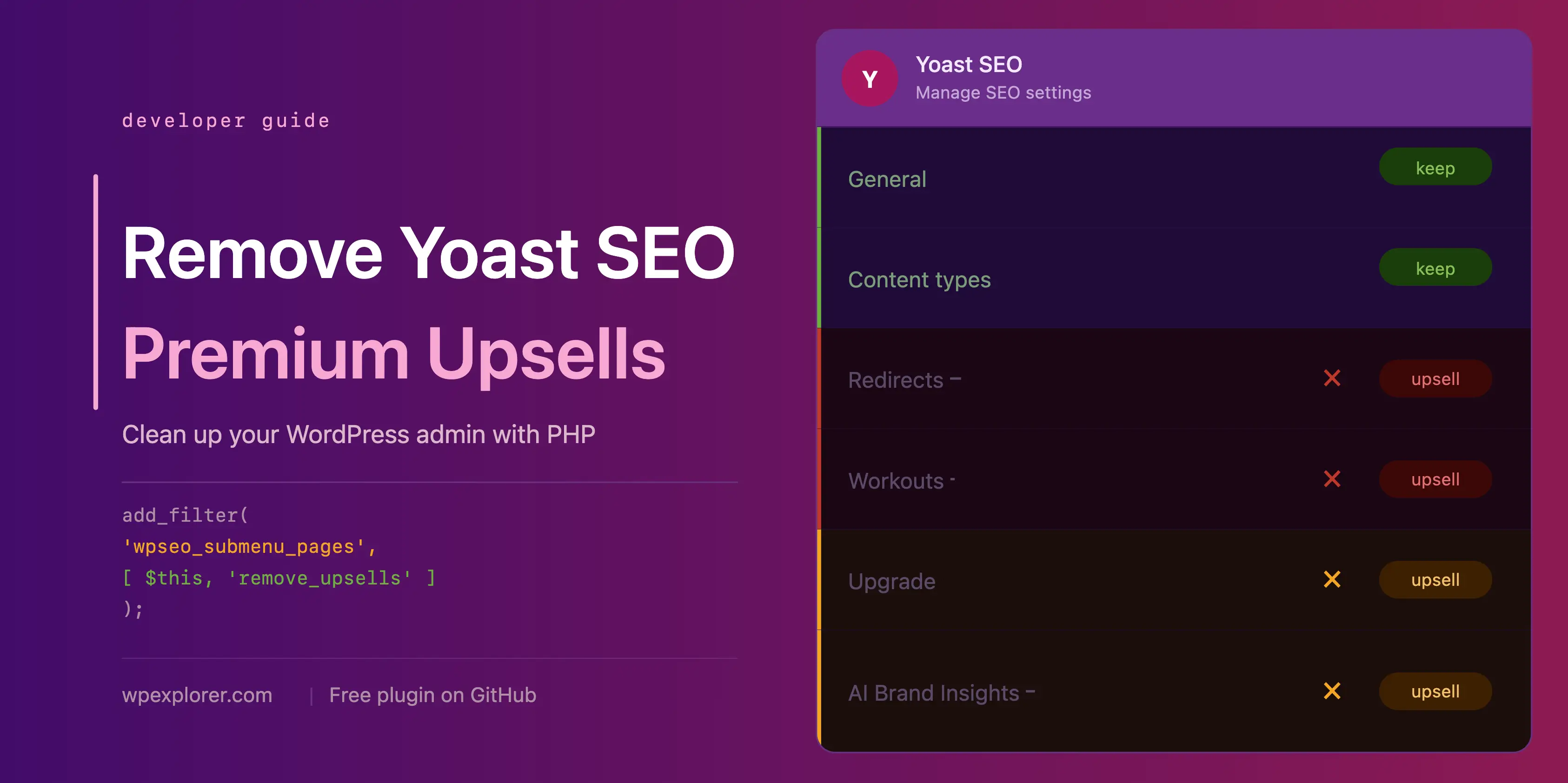
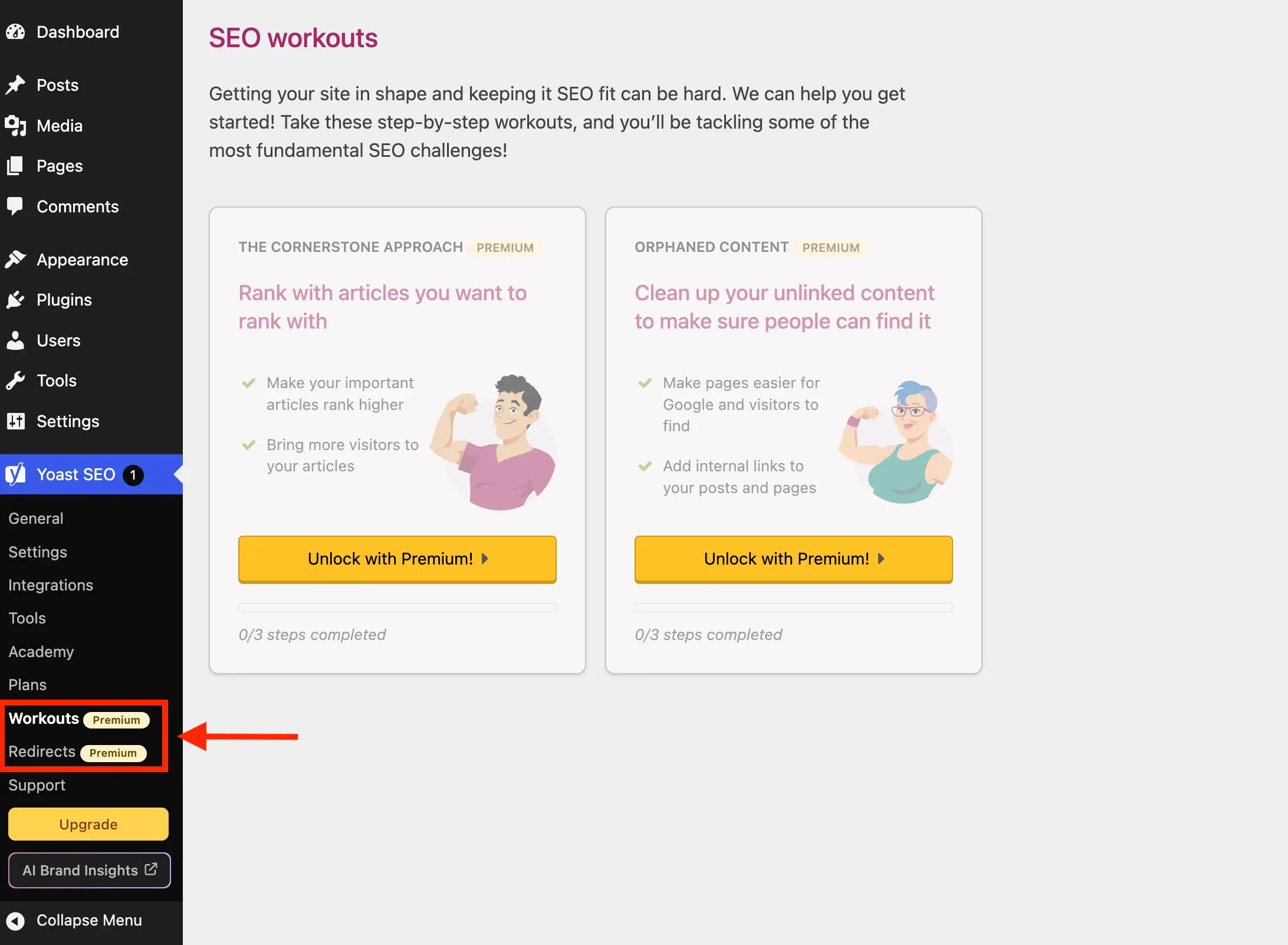
Yoast often populates the dashboard menu with pages that are essentially landing pages for their premium services, such as "Redirects" or "Workouts." By filtering the wpseo_submenu_pages hook, we can programmatically identify and purge these pages based on their metadata badges.

public function remove_premium_admin_pages( array $pages ): array
    $pages_to_remove = ['wpseo_redirects', 'wpseo_workouts', 'wpseo_licenses', 'wpseo_page_academy'];
    return array_filter( $pages, function( $page ) use ( $pages_to_remove )
        if ( isset( $page[2] ) && str_contains( $page[2], 'yoast-premium-badge' ) ) return false;
        if ( isset( $page[4] ) && in_array( $page[4], $pages_to_remove, true ) ) return false;
        return true;
     );
Supporting Data: Why Performance Matters
Beyond the visual clutter, there is an architectural argument for removing these elements. The Yoast SEO dashboard widget, for instance, performs an uncached HTTP request to yoast.com/feed/widget/ every time the dashboard is loaded.
This request transmits data including your WordPress version, PHP version, and site URL. By removing this widget, you not only declutter the screen but also reduce the number of external API calls, potentially improving load times for the dashboard and enhancing privacy by limiting the transmission of environmental metadata.

Official Responses and Ethical Considerations
Yoast has historically maintained that their upsell strategy is necessary to fund the continued development of the free plugin. In developer forums and public Q&A sessions, representatives emphasize that these prompts are intended to educate users about the expanded capabilities of the Premium version.
From an ethical standpoint, it is important to note that the methods provided here are "clean." They do not modify the plugin’s core files—a practice that is strictly discouraged in the WordPress community. Instead, these methods utilize standard WordPress APIs to dequeue scripts or modify arrays. This ensures that the site remains stable during automatic plugin updates.

Implications of Manual Modification
While the provided snippets are robust, they are not "future-proof" in the absolute sense. Because these methods rely on current CSS classes and WordPress hook structures, major updates to the Yoast SEO codebase could theoretically alter the identifiers used.
Maintaining Your Setup
- Testing: After any major plugin update, it is prudent to check the SEO settings pages to ensure the layout remains intact.
- CSS Selectors: The CSS approach used for JS-injected components (like the sticky sidebar) is highly specific. If Yoast changes their DOM structure, these styles may need to be updated.
- GitHub Resources: For those who prefer not to manage the code manually, the wpex-remove-upsells-for-yoast-seo repository provides an open-source solution that tracks these changes.
Conclusion: Reclaiming Your Workspace
A professional website environment should be a tool for productivity, not a billboard for upsells. While Yoast SEO is an invaluable tool for search engine optimization, the responsibility of maintaining a clean, distraction-free workspace rests with the developer.
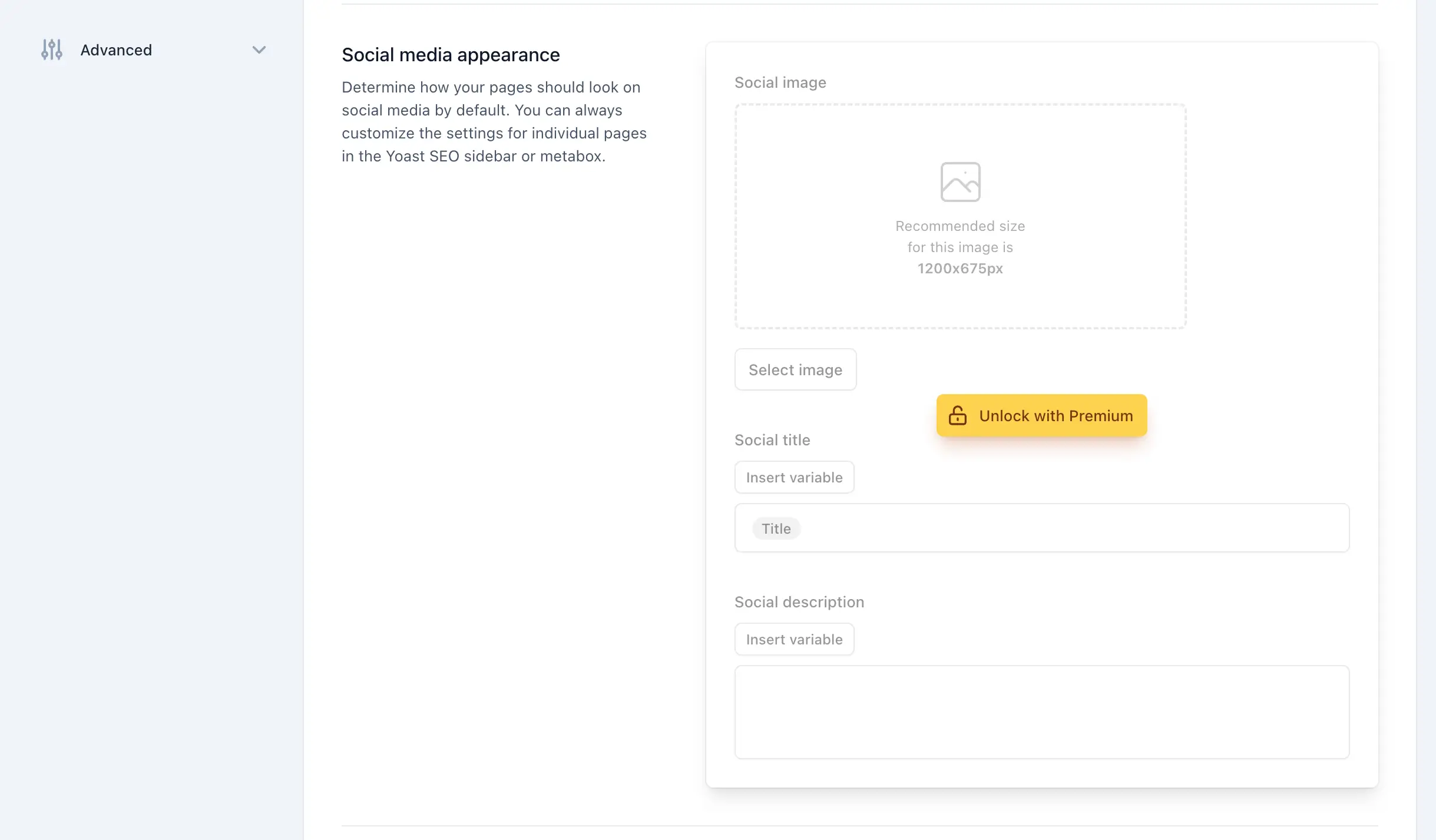
By implementing the class-based approach outlined above, you can strip away the unnecessary noise—from the AI Brand Insights buttons to the persistent metabox upgrade prompts—without sacrificing the core functionality that makes Yoast SEO the industry standard. Whether you are managing one site or one hundred, a leaner dashboard allows you to focus on the primary objective: creating high-quality content and driving organic growth.
If you find that the overhead of maintaining these clean-up scripts outweighs the benefits, it may be time to evaluate whether other SEO plugins better align with your specific workflow requirements. However, for those committed to the Yoast ecosystem, these steps provide the definitive pathway to a focused, professional administrative experience.