







In the modern digital economy, a website is the storefront, office, and business card of any venture. Whether you are launching a personal blog to share your passion or building a multi-million dollar e-commerce empire, the digital real estate you occupy is critical. However, many entrepreneurs focus exclusively on design and content, neglecting the fundamental infrastructure that makes it all possible: web hosting.
Web hosting is the invisible engine of the internet. Without it, your domain name is merely a signpost pointing to an empty lot. Understanding how to select the right provider, hosting type, and technical configuration is not just a logistical necessity—it is a strategic decision that influences your site’s security, performance, and ultimate success in the eyes of search engines.
Main Facts: What is Web Hosting and Why Does It Matter?
At its core, web hosting is a service that allows you to store your website’s files, code, and databases on a server. A server is essentially a powerful, always-on computer designed to handle incoming requests from users. When a visitor types your domain name into their browser, the server "serves" the requested data, rendering the website visible.
The SEO Connection
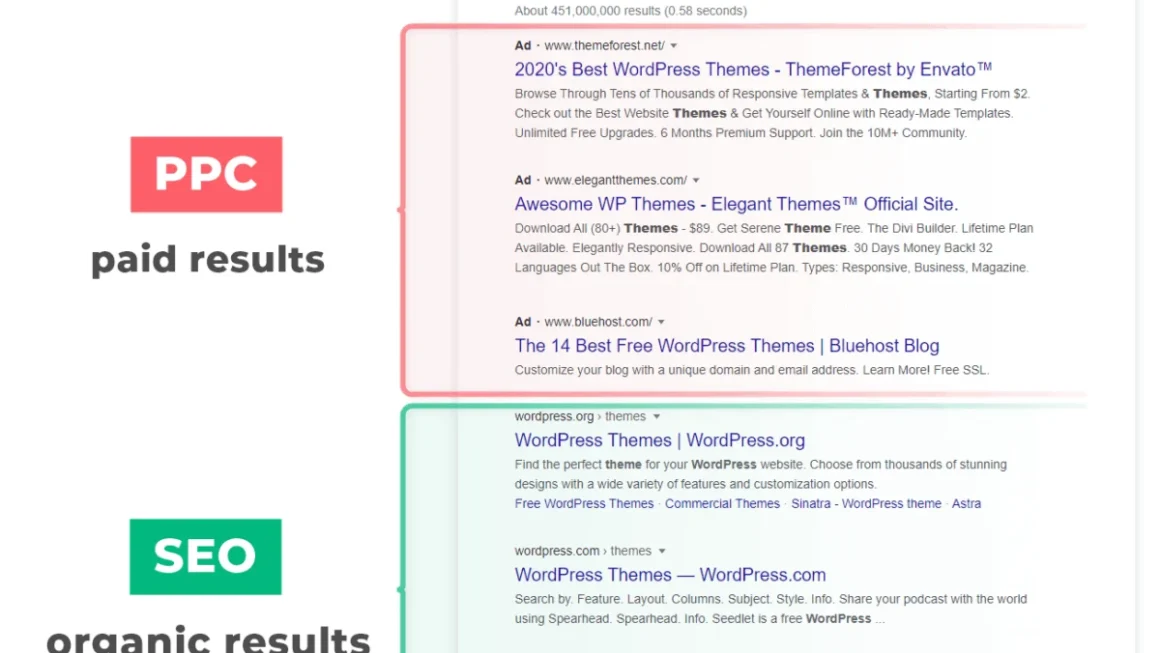
While hosting is a technical backend service, its impact on Search Engine Optimization (SEO) is profound. Search engines like Google prioritize user experience. A site that takes too long to load due to a slow server, or one that frequently experiences "downtime" (where the site is inaccessible), will be penalized in search rankings. Reliable hosting ensures:
- Security: High-quality hosts implement robust firewalls and SSL certification, protecting your data and your users.
- Speed: Proximity to the server and efficient hardware decrease "Time to First Byte" (TTFB).
- Uptime: Consistent availability ensures that search engine crawlers can index your site whenever they visit.
Chronology: Understanding the Evolution of Hosting Needs
The journey of a website usually follows a predictable growth cycle, and understanding this timeline helps in choosing the right plan.

- The Incubation Phase (Launch): Most beginners start with a "shared hosting" environment. In this phase, the primary goal is cost-effectiveness and ease of use. You are learning the ropes of content management systems (CMS) like WordPress.
- The Traction Phase (Growth): As traffic increases, the shared resources of a entry-level plan begin to throttle your site’s speed. This is when site owners typically transition to Virtual Private Servers (VPS) to gain more control over server configurations.
- The Scaling Phase (Enterprise): Once a site becomes a high-traffic destination, the limitations of shared or virtualized hardware become apparent. This is the stage where "Dedicated Hosting" becomes necessary to ensure that the site can handle thousands of concurrent users without crashing.
Supporting Data: Selecting the Right Infrastructure
Choosing a host is not a one-size-fits-all process. It requires evaluating several key variables.
Server Location: The Physics of Latency
Data must travel across physical cables. If your server is in Singapore but your target audience is in New York, the physical distance creates "latency." Even a delay of a few hundred milliseconds can cause a visitor to bounce. Always prioritize hosts that offer data centers geographically close to your primary audience.
Storage and Bandwidth
Storage space refers to the physical capacity for your images, videos, and databases. Bandwidth, conversely, refers to the volume of data transferred to users. If you are building a video-heavy site, you will need a plan with high throughput. Conversely, a text-based blog might prioritize storage for long-term archiving but require less bandwidth.
The "Fully-Hosted" vs. "Self-Hosted" Debate
- Fully-Hosted (e.g., Shopify, WordPress.com): These platforms operate on a "Software as a Service" (SaaS) model. They manage the server, the updates, and the security. The advantage is convenience; the trade-off is a lack of control over the underlying codebase.
- Self-Hosted (e.g., WordPress.org): This provides full ownership. You are responsible for your own security patches and hosting provider, but you possess the keys to the entire site. This is the preferred route for developers and those wanting full creative autonomy.
Official Perspectives: Modern Tools and AI Integration
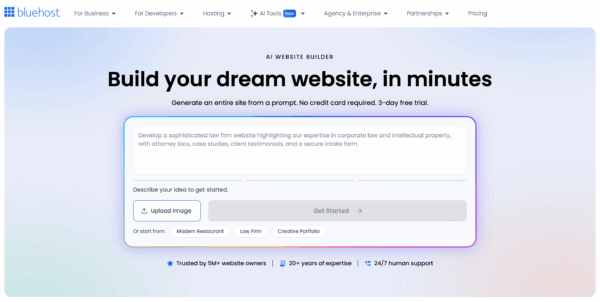
The landscape of hosting is currently being disrupted by Artificial Intelligence. Companies like Bluehost have recently integrated AI Website Builders into their hosting packages. These tools allow users to input natural language prompts—such as "Create a floral shop website with a booking feature"—and the AI handles the initial architecture.
Industry experts note that while these tools are revolutionary for small business owners who lack coding skills, they have limitations. "AI builders are excellent for getting a brochure-style site live in minutes," says one senior systems architect. "However, for complex, database-heavy membership portals or custom applications, human-led development remains the gold standard."
Implications: The Risks of Poor Hosting
Choosing the wrong host has long-term implications that go beyond just a slow website.
- Data Vulnerability: Cheap, unmanaged hosting often lacks regular, automated backups. In the event of a cyberattack or a botched plugin update, a site without a backup can be permanently lost.
- Scalability Bottlenecks: A "cheap" host may look appealing today, but if they do not offer a clear path for upgrading to VPS or dedicated servers, your success will eventually become your own downfall. When your traffic spikes—perhaps due to a viral marketing campaign—your host may suspend your site for exceeding resource limits.
- Support Quality: When your site goes down, you are losing money every second. The difference between a low-tier host and a premium provider is often the support team. Access to 24/7, human-led, technical support is an insurance policy for your business.
Strategic Recommendations for Site Owners
To navigate this landscape effectively, consider the following checklist before committing to a provider:
- Audit your requirements: Do you need a simple blog, or an e-commerce store with high-security requirements?
- Prioritize Managed Hosting: If you are using WordPress, look specifically for "Managed WordPress Hosting." These providers specialize in the platform, offering pre-installed security, staging environments, and automatic updates.
- Test the Support: Before you sign up, initiate a live chat or email support ticket with a pre-sales question. Their response time and technical depth will tell you everything you need to know about how they will treat you when you have a real emergency.
- Look for Transparency: A good host will clearly explain their resource limits. If a host promises "unlimited everything" without defining their fair usage policy, exercise caution.
Conclusion: Investing in Your Digital Future
Web hosting is not merely an expense; it is the foundation of your digital presence. While it is tempting to minimize costs during the startup phase, skimping on hosting is often a false economy. A robust, secure, and fast-loading website builds trust with your visitors and authority with search engines.
As you embark on your project, remember that your needs will evolve. The best hosting company is not necessarily the cheapest one, but the one that grows alongside you, providing the stability required to transform a simple web address into a powerful, professional digital destination. Whether you choose a fully-hosted solution for speed or a self-hosted environment for control, ensure that your technical foundation is as strong as the content you plan to build upon it.