







Main Facts: The Compromise of Rank Math SEO PRO 3.0.123
In the complex ecosystem of content management systems, supply chain attacks represent one of the most insidious threats facing site administrators. Unlike traditional brute-force attacks or targeted vulnerabilities, a supply chain compromise leverages the highest level of trust: the official update channel of a legitimate, widely used software vendor.
This nightmare scenario materialized when malicious code was quietly injected into copies of Rank Math SEO PRO version 3.0.123. The incident forced thousands of WordPress administrators worldwide into a high-stakes, clock-is-ticking race to audit their digital assets, verify their database integrity, and hunt for hidden backdoors.
While a targeted security review of a network comprising roughly thirty WordPress sites—ranging from high-traffic digital publications and e-commerce stores to corporate landing pages—ultimately yielded a clean bill of health regarding this specific injection, the audit acted as an operational stress test. It exposed long-dormant security liabilities, forgotten server artifacts, and structural hygiene issues that had been festering for months.
The malicious insertion in Rank Math SEO PRO 3.0.123 highlights a recurring reality in modern web development: relying blindly on automated updates without a proactive audit strategy leaves organizations profoundly vulnerable. Understanding how to systematically scan a WordPress environment—whether via terminal access, database queries, or centralized management hubs—is no longer an optional skill for administrators; it is a fundamental requirement of digital survival.
Chronology of the Threat: From Deployment to Detection
To fully grasp the velocity required during a supply chain incident, it is essential to trace the timeline of how such vulnerabilities propagate through the WordPress ecosystem.
The Eleven-Hour Window
The malicious payload associated with the Rank Math SEO PRO incident was active within a restricted update window lasting approximately eleven hours. During this period, sites configured to pull automated updates immediately downloaded version 3.0.123. For developers utilizing automatic updates as a convenience feature, this window proved perilous.
However, the automated update mechanism also acted as a double-edged sword. While it unwittingly installed the compromised version during the initial hours of exposure, it subsequently propagated the patched version (3.0.124) across the entire network with equal speed once the vendor pushed a remediation release.
Discovery and Indicator Publication
As telemetry data from security firms like Wordfence and reports from individual administrators began to align, the indicators of compromise (IoCs) were published. These included specific database option names, administrative user signatures, anomalous file paths (such as disguised core files in wp-includes), and distinct strings within the codebase.
Upon the release of these advisories, site operators faced an immediate triage challenge:
- Inventory: Which assets in the network were running version 3.0.123?
- Containment: Were any of those instances actively compromised during the exposure window?
- Remediation: How could administrators rapidly scan tens or hundreds of sites simultaneously without missing persistent backdoors hidden deep in the server architecture?
Supporting Data & Technical Methodology: Auditing WordPress Under Pressure
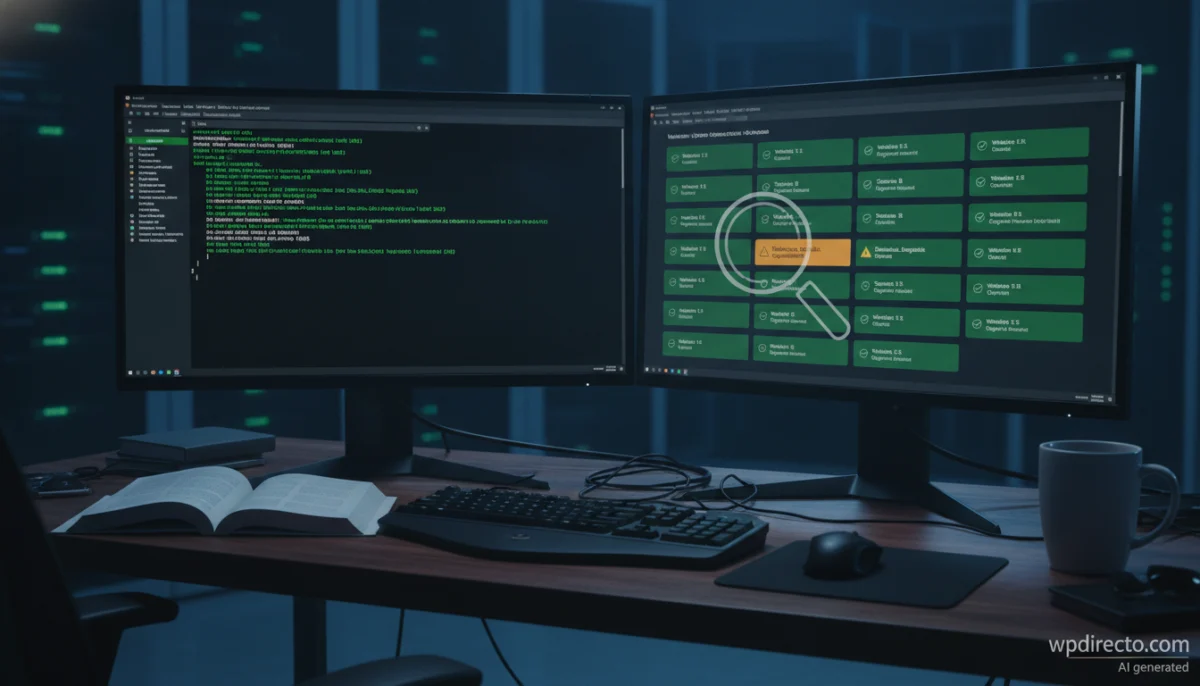
Conducting a comprehensive forensic audit across a network of thirty sites requires standardized workflows. Depending on the hosting infrastructure, administrators generally fall into two categories: those with terminal access (Secure Shell) and those reliant on shared hosting environments restricted to database managers and file managers.
1. Auditing via WP-CLI (For Terminal-Enabled Environments)
When terminal access is available, WP-CLI provides the fastest and most granular path to identifying anomalies. Executed from the root directory of each WordPress installation, a series of precise commands can surface the indicators published by security analysts.
Plugin Verification
First, administrators must query the exact version installed and check its status:
wp plugin list --fields=name,status,version | grep -i rank
wp plugin get seo-by-rank-math-pro --field=version
Note during auditing: The rank_math_pro_version option stored in the database does not always synchronize instantly with the actual file version. It only updates when the plugin executes its internal upgrade routine. Verifying the header within rank-math-pro.php or checking the administration dashboard remains the ultimate source of truth.
Database and User Audits
The malware associated with this vector characteristically injected specific options into the database and occasionally provisioned rogue administrative accounts. Running these checks yields rapid visibility:
wp option get _uf6qdn2hmm
wp option get t8krdk990phb
wp option get _np5pvf754c
wp user list --role=administrator --fields=ID,user_login,user_email,user_registered
wp cron event list
A completely empty result for the targeted option keys is a positive indicator, while reviewing the registration dates of administrative users flags unauthorized accounts created during the attack window.
File Integrity and Codebase Scans
Core file verification detects added or modified system files—such as malicious inclusions in wp-includes/class-wp-cache-util.php. While wp plugin verify-checksums functions reliably for plugins hosted in the official WordPress.org repository, premium commercial plugins like Rank Math Pro require manual comparison against a clean, freshly downloaded archive from the vendor.
wp core verify-checksums
wp plugin verify-checksums --all
ls -la wp-includes/class-wp-cache-util.php
ls -la wp-content/mu-plugins/
find wp-content/uploads -name "*.php" -size +0
find wp-content -name "*.php" -newermt "2026-10-15 20:00"
grep -RIl --include="*.php" "xmmqhn" wp-content/
grep -RIl "rank1cdn" wp-content/ .htaccess
System-Level Checks Beyond WordPress
Many administrators mistakenly believe that securing WordPress file structures is sufficient. True persistence, however, often resides outside the CMS entirely. Inspecting the system cron jobs of the web server user, authorized SSH keys, and active PHP processes can reveal hidden backdoors invisible to WordPress security plugins:
crontab -l -u www-data | grep ms6v46
cat ~/.ssh/authorized_keys
ps aux | grep -i php
(Note: The user www-data should be substituted with the specific web server user dictated by your hosting configuration, such as nginx, apache, or a cPanel user).
2. Auditing Without Terminal Access: SQL, Hosting Panels, and Centralized Hubs
For shared hosting environments where terminal access is restricted, administrators must leverage phpMyAdmin or similar database management tools, coupled with file managers.
Database Queries via SQL
Executing targeted queries using the correct database table prefix (replacing the default wp_ if customized) allows administrators to spot rogue elements quickly:
SELECT option_name FROM wp_options
WHERE option_name IN ('_uf6qdn2hmm', 't8krdk990phb', '_np5pvf754c', 'rank_math_pro_version');

SELECT user_login, user_email, user_registered FROM wp_users
WHERE user_login LIKE 'wpsupport%' OR user_email LIKE '%wp-mail.net'
OR user_registered >= '2026-10-15';
Centralized Management Hubs
When auditing dozens of sites manually, fatigue sets in, increasing the margin for human error. During real-world network reviews, centralized infrastructure hubs—such as MCP Content Manager, MainWP, or ManageWP—prove invaluable. These tools allow administrators to deploy read-only SQL queries, inspect directory listings, scan wp-content, and run core checksum verifications across an entire portfolio of sites from a single unified dashboard.
Official Responses and Network Audit Findings
The empirical reality of auditing thirty diverse WordPress sites in a single morning revealed both the efficacy and the frustrating limitations of modern security tooling.
What the Audit Uncovered (Beyond the Target)
While the network was confirmed clean of the Rank Math SEO PRO 3.0.123 payload, the diagnostic sweeping exposed severe hygiene issues that had persisted undetected for months:
- Exposed Backups: A complete, unencrypted database dump weighing 254 megabytes discovered sitting directly in the public root directory of a corporate site.
- Orphaned Migrators: Forgotten migration archives and installer scripts left behind by developers months after a domain transition.
- Stray PHP Files: Random, unreferenced PHP files residing in legacy root folders.
- Maliciously Disguised Uploads: Forty-five files within the
wp-uploadsdirectory bearing a.phpextension. Manual inspection revealed a mixed scenario: while some were harmless JPEG images incorrectly renamed or uploaded, 31 of them were actively utilized as featured images across active posts. Deleting them blindly would have corrupted front-end database relationships, requiring surgical cleaning rather than wholesale deletion.
Limitations of Automated Scanning
The audit also exposed structural limitations in standard security protocols:
- Lack of Update Timestamps: Determining the exact hour version 3.0.123 was installed on individual sites proved difficult due to the absence of granular update logging.
- Blind Spots in Hosting Environments: Server-level crontabs and SSH configurations could not be audited via the WordPress application layer.
- False Positives: Signature-based file scanners generated dozens of false positives per site, frequently flagging legitimate third-party libraries that legitimately utilized functions like
proc_openorexec. This necessitated exhaustive manual code review to separate true threats from benign utilities.
Implications and Post-Audit Hardening Best Practices
An incident-driven audit should never be treated as a one-off chore; it is an invaluable catalyst for structural security reform. Even when an audit returns clean results, security frameworks dictate a strict post-incident hardening protocol.
Immediate Post-Audit Remediation Steps
- Credential Rotation: If any uncertainty remains regarding whether a site had an compromised plugin active, administrators must perform a complete credential reset. This includes changing WordPress administrative passwords, database access passwords, API keys, and regenerating all cryptographic salts within
wp-config.php. - Sanitize the Root Directory: All backup archives, migration utilities, and staging directories must be permanently purged from public-facing web roots.
- Execution Restrictions: The
wp-content/uploadsdirectory must be hardened via server configuration rules (such as.htaccessdirectives in Apache or Nginx configuration blocks) to strictly prohibit the execution of PHP scripts. - Proactive Scheduling: Move from reactive emergency audits to scheduled, recurring security sweeps supported by centralized management infrastructure.
The Paradox of Automatic Updates
The Rank Math incident reignited the ongoing debate regarding automatic plugin updates. Critics argue that automatic updates strip developers of control, transforming a trusted update channel into a vector for rapid infection. Conversely, advocates emphasize that manual updating is prone to human delay, leaving known vulnerabilities unpatched for weeks or months.
In this specific scenario, automation played a dual role: it acted as the vector during the eleven-hour threat window, but it also served as the remedy, instantly inoculating entire networks with version 3.0.124 the moment it became available. Ultimately, disabling automatic updates does not eliminate risk; true resilience requires maintaining robust, tested backup retention policies coupled with real-time audit logging.
Frequently Asked Questions (FAQ)
How can I verify if my WordPress site is running Rank Math SEO PRO 3.0.123?
You can check the installed version directly through the WordPress administration panel under the Plugins screen, or via terminal using the WP-CLI command:
wp plugin get seo-by-rank-math-pro --field=versionNote: Do not rely solely on the rank_math_pro_version database option, as it may lag behind the actual file version until internal update routines execute.
Is it possible to audit a WordPress site without terminal (SSH) access?
Yes. Database integrity checks can be performed via SQL queries executed through phpMyAdmin or any database client. File integrity can be reviewed using your hosting provider’s native File Manager or dedicated security plugins. However, system-level configurations—such as server crontabs and authorized SSH keys—cannot be audited without direct server terminal access.
Does wp plugin verify-checksums work for commercial/premium plugins?
No. Checksum verification commands native to WordPress only reference the official WordPress.org plugin and theme directories. Premium, commercial plugins like Rank Math Pro must be verified by manually comparing their file structures against a clean, newly downloaded archive obtained directly from the manufacturer.
Should I disable automatic updates for WordPress plugins?
Disabling automated updates entirely is generally discouraged, as it leaves sites vulnerable to known exploits while administrators delay manual intervention. Instead, mitigate risk by implementing reliable, automated backup systems with extended retention periods, maintaining strict user permission hierarchies, and utilizing centralized management tools to track plugin update history across your portfolio.