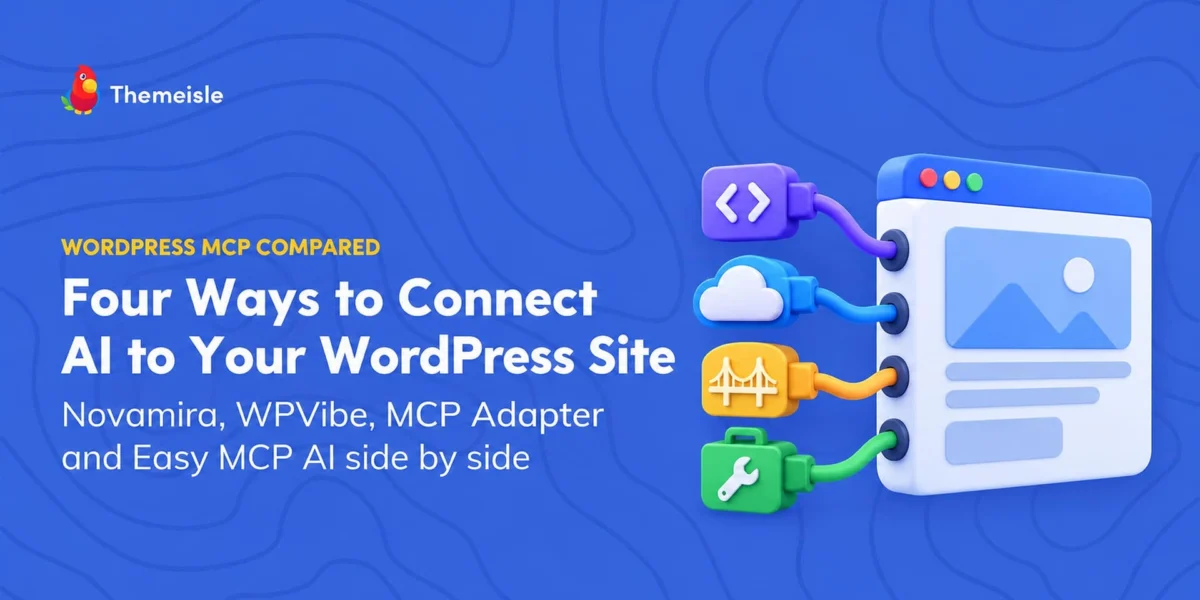
The intersection of artificial intelligence and content management systems is undergoing a profound paradigm shift. Rather than relying on rigid, siloed chat interfaces or basic dashboard plugins, developers and site administrators can now directly bridge conversational AI clients—such as Anthropic’s Claude and OpenAI’s ChatGPT—with the core mechanics of WordPress.
At the center of this evolution is the Model Context Protocol (MCP), an open standard designed to securely connect AI models to external data sources and tools. Within the WordPress ecosystem, four distinct solutions have emerged to harness MCP, each tailoring its architecture to solve fundamentally different operational problems.
This comprehensive analysis examines Novamira, WPVibe, the official MCP Adapter, and Easy MCP AI (developed by Themeisle). By evaluating their underlying architecture, security models, live-site suitability, and pricing structures, technical stakeholders can determine which framework best suits their operational environments.
Main Facts: The Four Pillars of WordPress MCP Integration
To understand how conversational AI can manipulate or interact with a WordPress environment, one must first recognize that these four tools are not direct competitors vying for the exact same use case. Instead, they occupy different tiers of the technology stack, ranging from low-level developer toolkits to turnkey production managers.
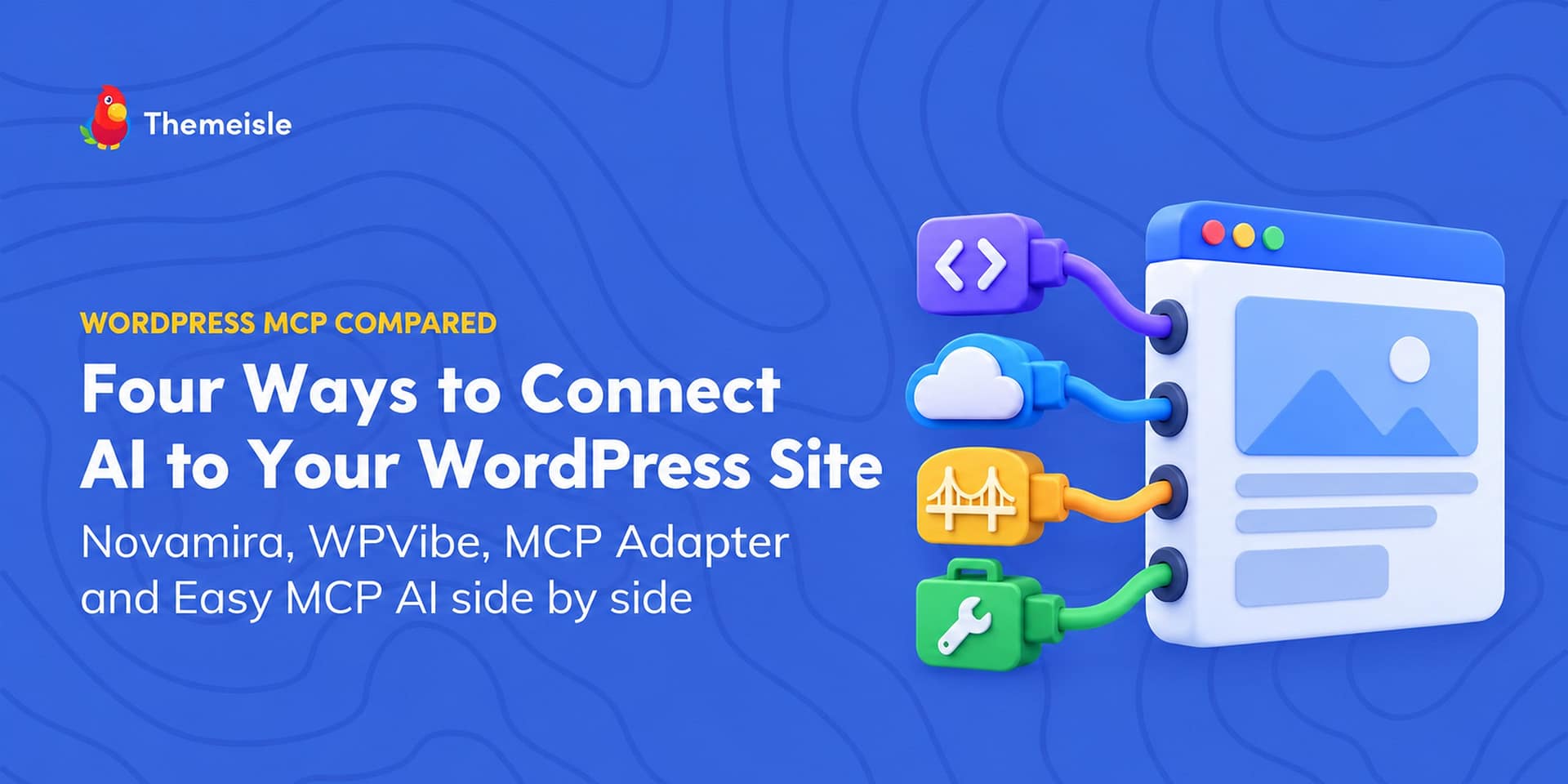
- Novamira: Built explicitly for developers and staging environments, Novamira grants an AI client deep, unrestricted programmatic access. It executes raw PHP code, runs WP-CLI commands, and modifies core file structures directly within the site environment.
- WPVibe: Operating via a hosted relay architecture (hosted on Cloudflare via
mcp.wpvibe.ai), WPVibe provides AI clients with a curated toolbox of over 125 WP-CLI-style commands and REST API wrappers, balanced by an administrator approval workflow for high-risk changes. - MCP Adapter: Released as part of WordPress’s nascent AI Building Blocks initiative, this plugin serves as the foundational transport and server layer. It exposes zero native AI features of its own; instead, it acts as a bridge, making core and plugin-registered abilities reachable over MCP only when explicitly flagged as "public."
- Easy MCP AI: Functioning as a self-contained, native MCP server inside WordPress, Easy MCP AI exposes over 280 specialized tools. It bypasses external relays or vendor-hosted queues entirely, relying instead on granular, per-token access levels (such as Read-Only or Full Access) and automated audit logging.
Chronology of Development and Ecosystem Emergence
The race to integrate conversational models directly into WordPress administration pipelines accelerated sharply through late 2025 and mid-2026, culminating in standardized protocol adoption by October 2026.
- Early 2025: Early iterations of AI-to-WordPress connectors relied heavily on proprietary REST API wrappers and custom plugins, which often suffered from severe security limitations, lack of standardization, and fragile authentication protocols.
- Mid-2026: The introduction of the Model Context Protocol standardized how large language models request context and execute commands. Developers began building dedicated server implementations natively compatible with WordPress core updates.
- October 2, 2026: WordPress officially published version 0.7.0 of the MCP Adapter to the official WordPress.org plugin directory. Marking a milestone for the CMS’s AI Building Blocks initiative, this release established a standardized base layer utilizing the WordPress Abilities API.
- October 5–7, 2026: A comprehensive cross-platform audit of vendor documentation, public source code (specifically for Novamira under AGPL), and WordPress.org metrics crystallized the functional divide between direct-access developer staging tools and production-safe conversational managers like Easy MCP AI and WPVibe.
Architectural Breakdown and Live-Site Suitability
How these tools interact with a live database and file system varies significantly based on their architectural design.
1. Novamira: The Developer’s Power Tool
Novamira layers directly on top of the WordPress ecosystem, bundling an older iteration of the MCP Adapter (v0.6.1) while introducing nine proprietary operational abilities. These include an Execute PHP function—which runs arbitrary code with full access to the database, core functions, and loaded plugins under a 30-second time limit—alongside file read/write operations and background WP-CLI execution.
Because code execution bypasses standard sandboxing guardrails, Novamira’s vendor documentation explicitly warns: "For development and staging environments only. Always keep backups." Its crash recovery mechanisms do not automatically roll back database queries or file modifications, making it unsuitable for standard, unbacked-up production environments.
2. WPVibe: The Cloud-Relay Approach
WPVibe utilizes a cloud-hosted relay architecture. When an AI client makes a request, it hits mcp.wpvibe.ai (running on Cloudflare infrastructure), which validates the user’s WPVibe account limits before dispatching an HTTPS request to the target WordPress site.
This configuration allows browser-native AI clients like Claude.ai and ChatGPT to interact with WordPress without requiring complex local installations. For safety, WPVibe introduces an approval queue: destructive actions (such as permanent deletions, raw SQL writes, or user role modifications) pause on an administrative review page until manually cleared. However, certain assets—like media attachments, tags, and categories—can be purged via REST API calls without triggering an approval prompt.
3. MCP Adapter: The Infrastructure Baseline
As a pure server and transport layer, the MCP Adapter implements the WordPress Abilities API. By default, it exposes nothing. Developers must explicitly register and mark specific capabilities as "public" for an AI client to perceive them. Operating natively within WordPress 6.9 and later, it serves as the foundational API layer upon which more complex developer tools are built.
4. Easy MCP AI: The Self-Contained Production Manager
Developed by Themeisle, Easy MCP AI operates entirely locally within the WordPress environment, omitting external relays or vendor-hosted intermediaries. It manages interactions via more than 280 structured tools governing posts, pages, comments, menus, and third-party plugins (such as WooCommerce and major SEO suites).
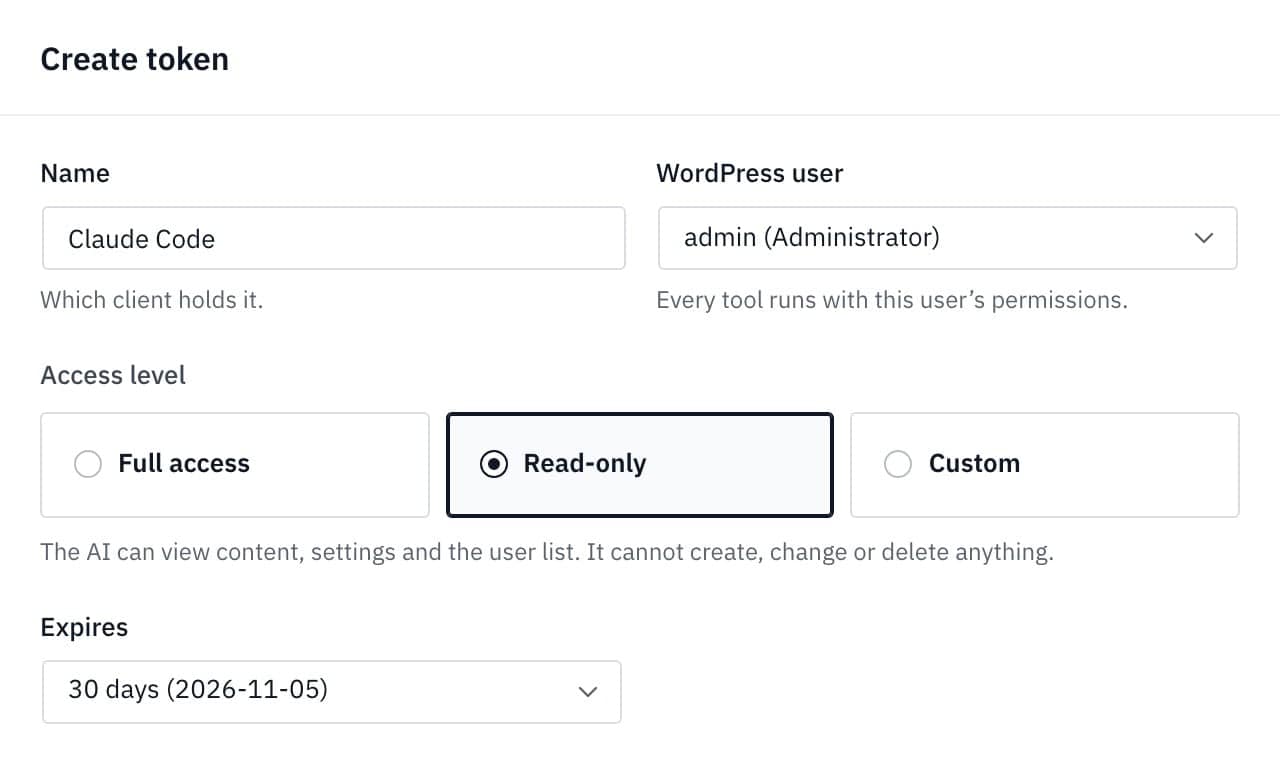
Security is enforced through granular access tiers. Tokens and OAuth connections can be restricted to Read-Only, preventing the AI from creating, altering, or deleting data. Furthermore, automated change-history snapshots (introduced in version 2.1.0) allow administrators to track and revert modifications made via chat sessions.
Supporting Data: Comparative Analysis
| Feature / Metric | Novamira | WPVibe | MCP Adapter | Easy MCP AI |
|---|---|---|---|---|
| Execution Location | Direct on-site | Hosted Relay + Local Plugin | Direct on-site | Direct on-site |
| Primary Capabilities | PHP, WP-CLI, Database, Files | Curated tools, 125+ WP-CLI commands | Publicly flagged abilities only | 280+ structured tools, plugin integrations |
| Primary Safeguards | Staging recommended, Sandboxed files | Approval queues for high-risk tasks | Strict opt-in for public abilities | Read-only tokens, Audit logs, Change snapshots |
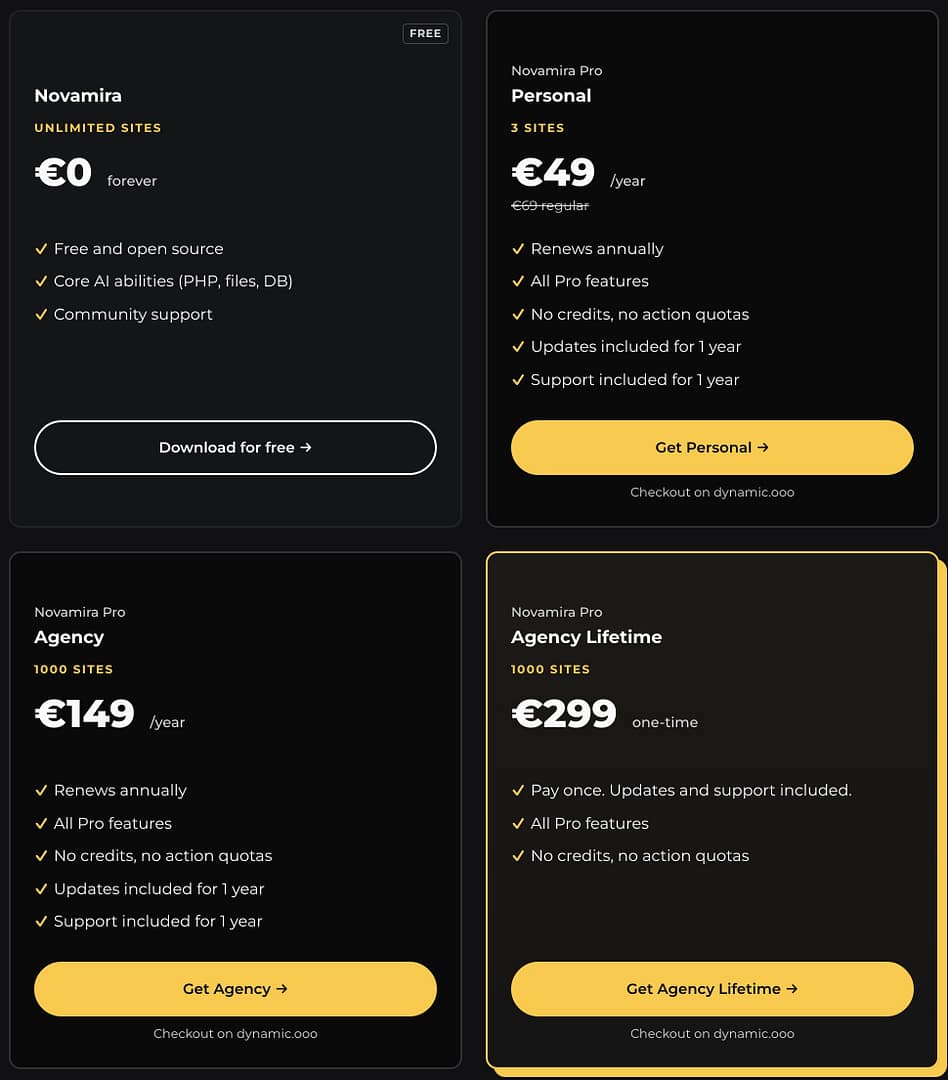
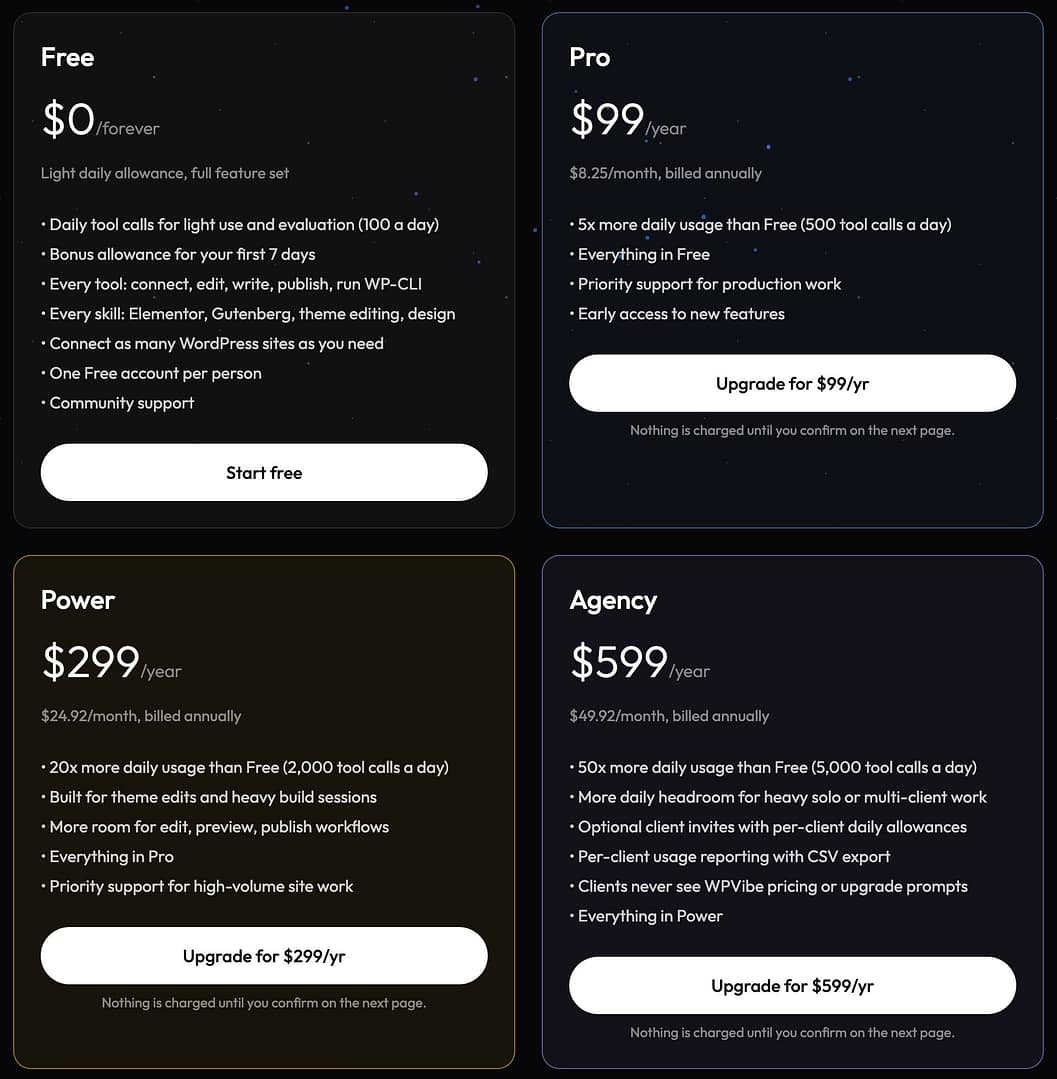
| Pricing Model | Free (Open Source); Pro from €49/year | Free tier (100 calls/day); Pro from $99/year | Free (WordPress.org) | Free (No vendor quota or limits) |
| Target Audience | Developers / Staging environments | Hosted workflows / Managed setups | Developers building custom abilities | Site owners managing live production sites |
Empirical Test Scenario: The Status Report Query
To evaluate how these architectures handle real-world requests, consider a standardized test executed in Claude Code on a WordPress 7.1.2 installation containing 3 published posts, 1 page, 1 draft, and 1 pending comment:
- Query: "Give me a quick status report for this WordPress site: how many posts and pages are published, which plugins are active, and whether any comment is waiting for approval. Don’t change anything."
- With MCP Adapter Only: The AI reported it could not retrieve the requested data because the foundational layer exposes no out-of-the-box native content listing tools—functioning precisely as designed for developers.
- With Easy MCP AI (Read-Only Token): The AI executed four read-only calls, accurately returning the exact counts of posts, pages, active plugins, and quoting the pending comment verbatim ("Is The Lantern Keeper available in hardcover?"), while verifying zero changes were made to the database.
Official Responses and Security Implications
As artificial intelligence agents gain write access to CMS platforms, industry-wide concerns regarding security have intensified. According to the OWASP Top 10 for Large Language Models, Prompt Injection (LLM01) remains the number one risk.
If an AI reads malicious or untrusted text—such as a spam product review or a manipulated blog comment left by an external actor—that text can harbor hidden instructions designed to trick the AI into executing unauthorized commands (e.g., creating administrative backdoors or modifying user roles).
- Mitigation Strategies: Administrators utilizing production tools like Easy MCP AI can mitigate these vulnerabilities by enforcing strict Read-Only access tiers, restricting connected user accounts to minimal permissions, and reviewing changes via automated audit logs.
- The Novamira Caveat: Because Novamira operates on unrestricted PHP execution and requires an administrator-level connection, it does not support read-only constraints. Consequently, it remains strictly confined to isolated staging workflows where security isolation is less critical than rapid code iteration.
Implications for the Future of WordPress Administration
The rapid maturation of Model Context Protocol plugins highlights a broader industry pivot: conversational interfaces are replacing traditional dashboard navigation for complex administrative tasks.
- For Site Owners and Agencies: Tools like Easy MCP AI and WPVibe reduce the friction of routine content management, allowing non-technical users to query metrics, generate reports, and update drafts via natural language. However, robust audit logging and granular access controls are mandatory to prevent accidental or malicious data corruption.
- For Core Developers: The inclusion of the official MCP Adapter and the proliferation of raw execution engines like Novamira signal that WordPress is positioning itself as a first-class citizen in AI-driven development workflows. Developers can now programmatically orchestrate theme generation, plugin debugging, and database migrations straight from localized terminal or chat environments.
Which Option Should You Choose?
- Choose Easy MCP AI if you manage a live production site and want conversational control backed by strict read-only permissions, audit logging, and change-rollback capabilities.
- Choose WPVibe if you prefer a hosted relay setup that supports browser-based AI clients alongside administrator approval queues.
- Choose Novamira if you are a developer looking for unhindered PHP and WP-CLI execution inside a secure, backed-up staging environment.
- Choose the MCP Adapter if you are a developer writing custom capabilities from scratch.