Yoast SEO stands as a titan in the WordPress ecosystem, powering millions of websites with its comprehensive suite of search engine optimization tools. From its inception, the plugin has been lauded for democratizing complex technical SEO, making tasks like sitemap management, meta tag optimization, and content analysis accessible to beginners and professionals alike. However, as the plugin has evolved into a commercial powerhouse, the user experience within the WordPress dashboard has shifted. For developers, agency owners, and power users who demand a pristine, distraction-free interface, the increasing volume of "upsell noise"—premium upgrade banners, sidebar advertisements, and persistent promotional widgets—has become a point of contention.
This article explores the mechanics of streamlining your WordPress dashboard by removing these promotional elements. While the premium version of Yoast offers genuine value, including AI-driven content suggestions and robust redirect management, not every site requires these advanced features. For those committed to the free version, this guide provides a professional, programmatic approach to reclaiming your workspace.
The Evolution of the "Freemium" Model in WordPress
To understand the prevalence of upsells, one must first recognize the shift in the WordPress plugin economy. Most major plugins have transitioned to a "freemium" model, where the base functionality is provided at no cost, while advanced features are locked behind a paywall. This model is essential for the sustainability of plugin development, allowing creators to support teams, provide documentation, and fund continuous updates.
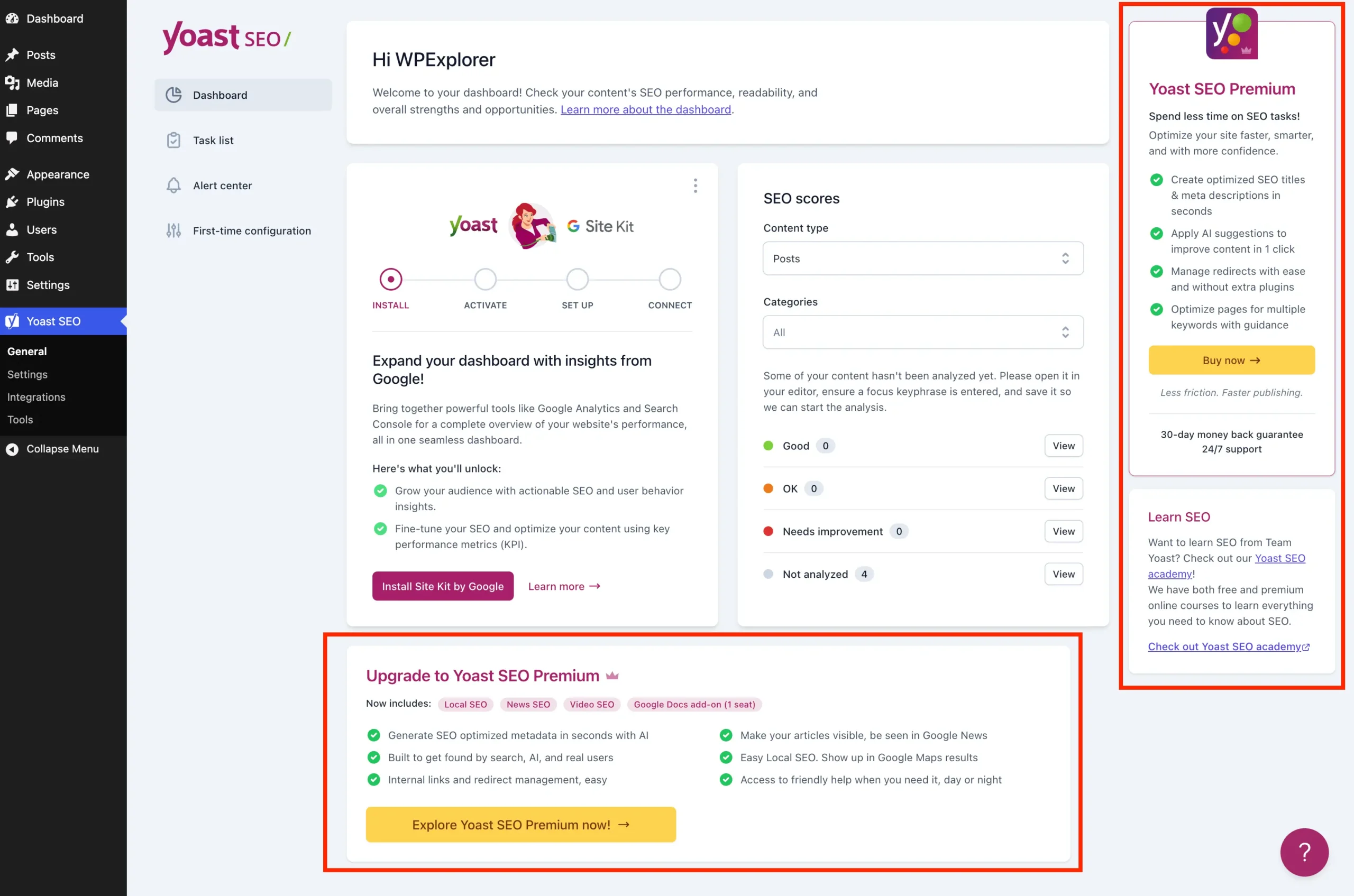
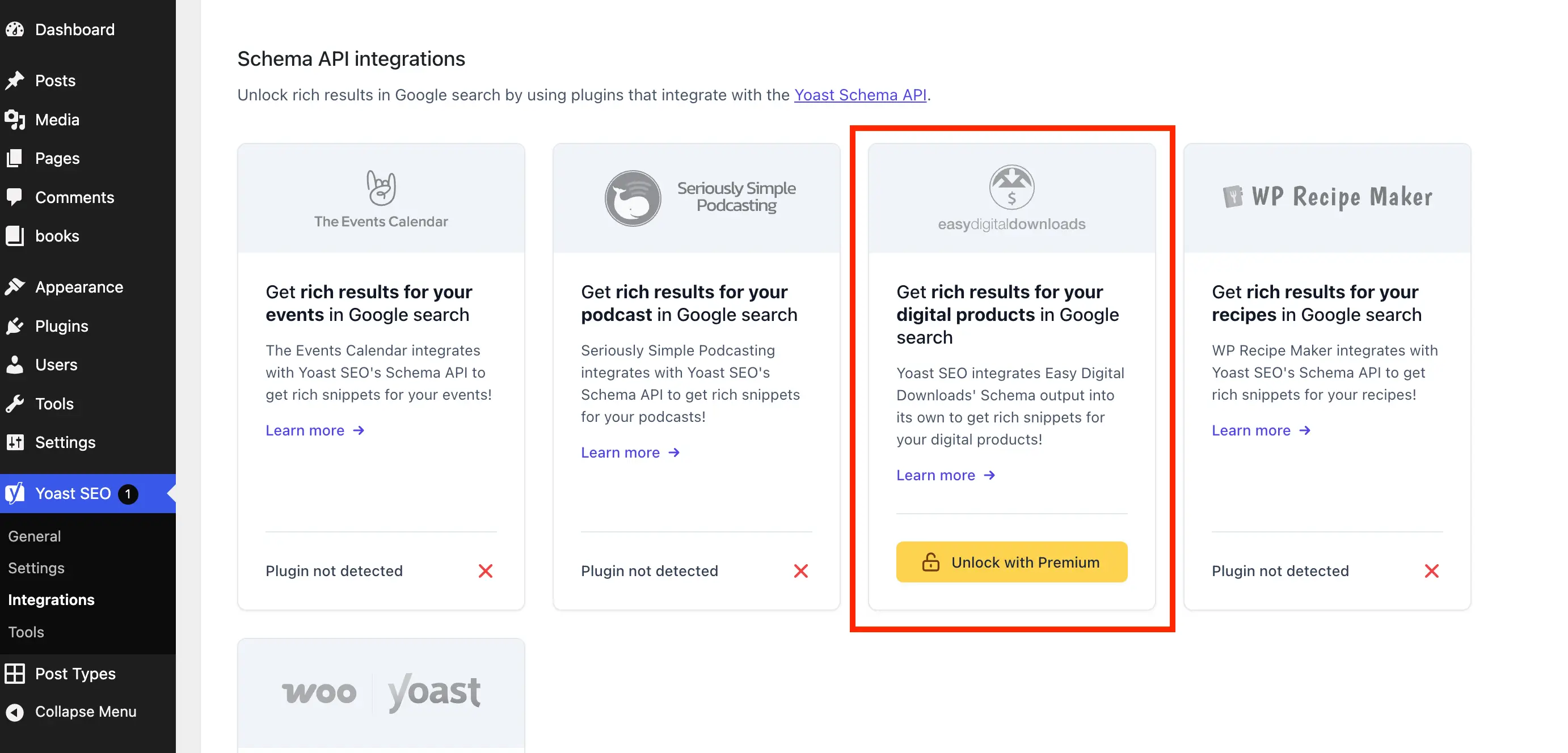
However, the implementation of these promotions has become increasingly aggressive. In the case of Yoast SEO, the admin dashboard often serves as a primary marketing channel. Users are frequently greeted by "Upgrade to Premium" banners, locked settings fieldsets, and educational prompts that redirect to external sales pages. While effective for conversion, this design philosophy creates a fragmented administrative experience, often cluttering the very environment meant to facilitate site management.

Chronology of Admin Bloat
The accumulation of these promotional elements has occurred in phases:
- The Early Years: Yoast SEO focused primarily on functionality, with minimal intrusive marketing.
- The Monetization Phase: As the company scaled, promotional widgets, such as the dashboard "SEO News" and "Upgrade" notices, were introduced to cross-sell the Premium version.
- The Modern Era: Recent updates have integrated JavaScript-driven components and sticky sidebars. These elements are not merely static images; they are interactive, dynamic components that consume resources and occupy significant screen real estate.
The Technical Case for a Lean Admin Interface
Beyond aesthetics, there are practical reasons to consider removing these elements. The Yoast SEO dashboard widget, for instance, initiates an uncached HTTP request to the Yoast server upon every load of the WordPress dashboard. This adds overhead to page load times and, perhaps more significantly, transmits server environment data—including your PHP and WordPress versions—to external servers. For security-conscious administrators, reducing the "fingerprint" of the site by removing unnecessary external calls is a best practice.
Setting Up Your Custom Cleanup Class
To achieve a clean dashboard, we will employ a custom PHP class. This approach is superior to using multiple disparate snippets, as it keeps your code encapsulated and organized. Before implementation, ensure you are working within a safe environment—either a child theme’s functions.php file, a dedicated code snippets plugin, or an MU (Must-Use) plugin file.
The base class structure performs two critical checks:

- Existence Check: Ensures that the class is only defined once, preventing fatal errors.
- Environment Validation: Confirms that the free version of Yoast SEO is active and that the user does not already have the Premium version installed.
if ( ! class_exists( 'WPEX_Remove_Yoast_SEO_Upsells' ) )
    class WPEX_Remove_Yoast_SEO_Upsells
        public function __construct()  defined( 'WPSEO_PREMIUM_VERSION' ) )
                return;

            // Implementation hooks will go here...


    new WPEX_Remove_Yoast_SEO_Upsells;
Removing Premium Admin Pages
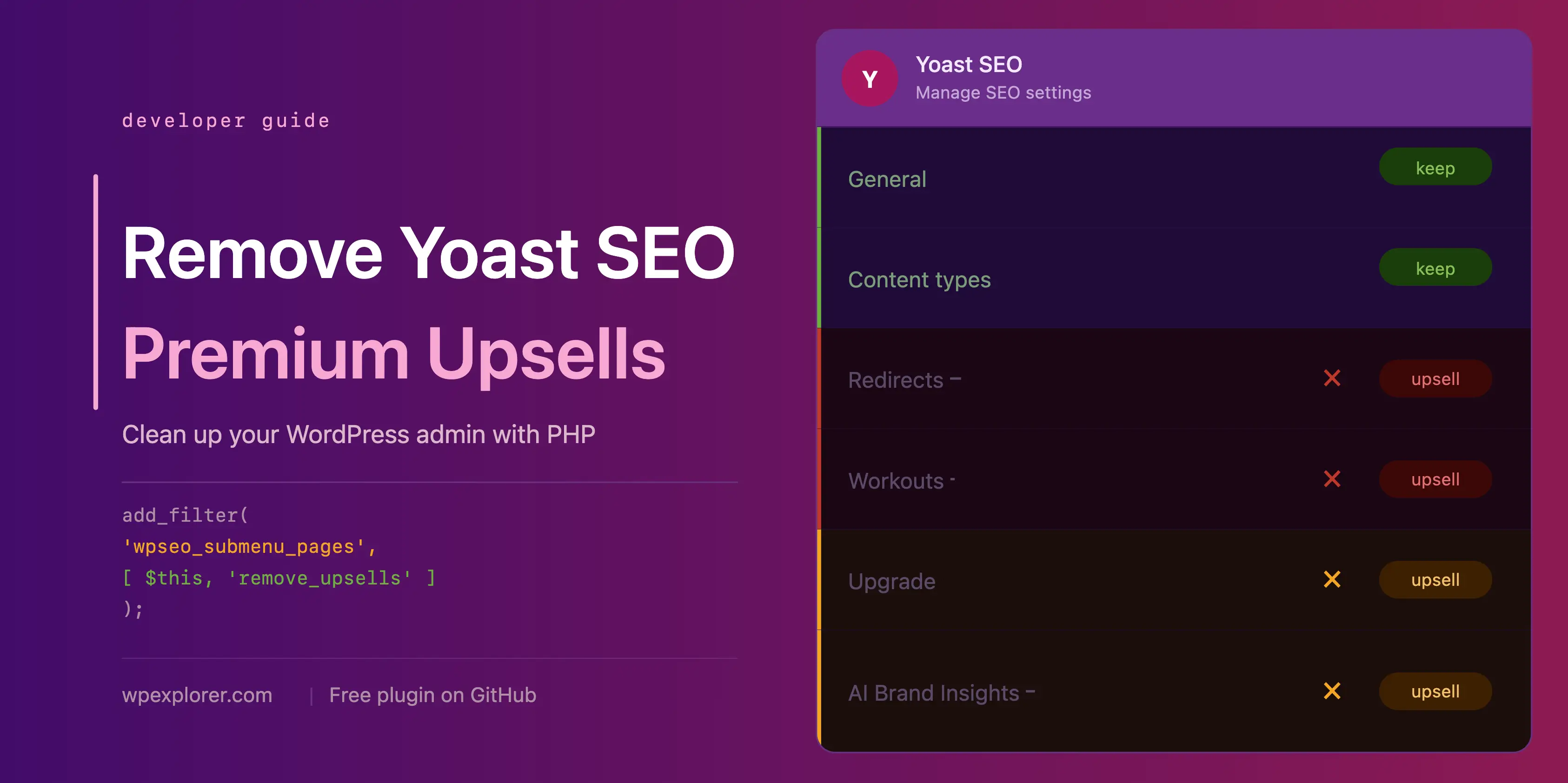
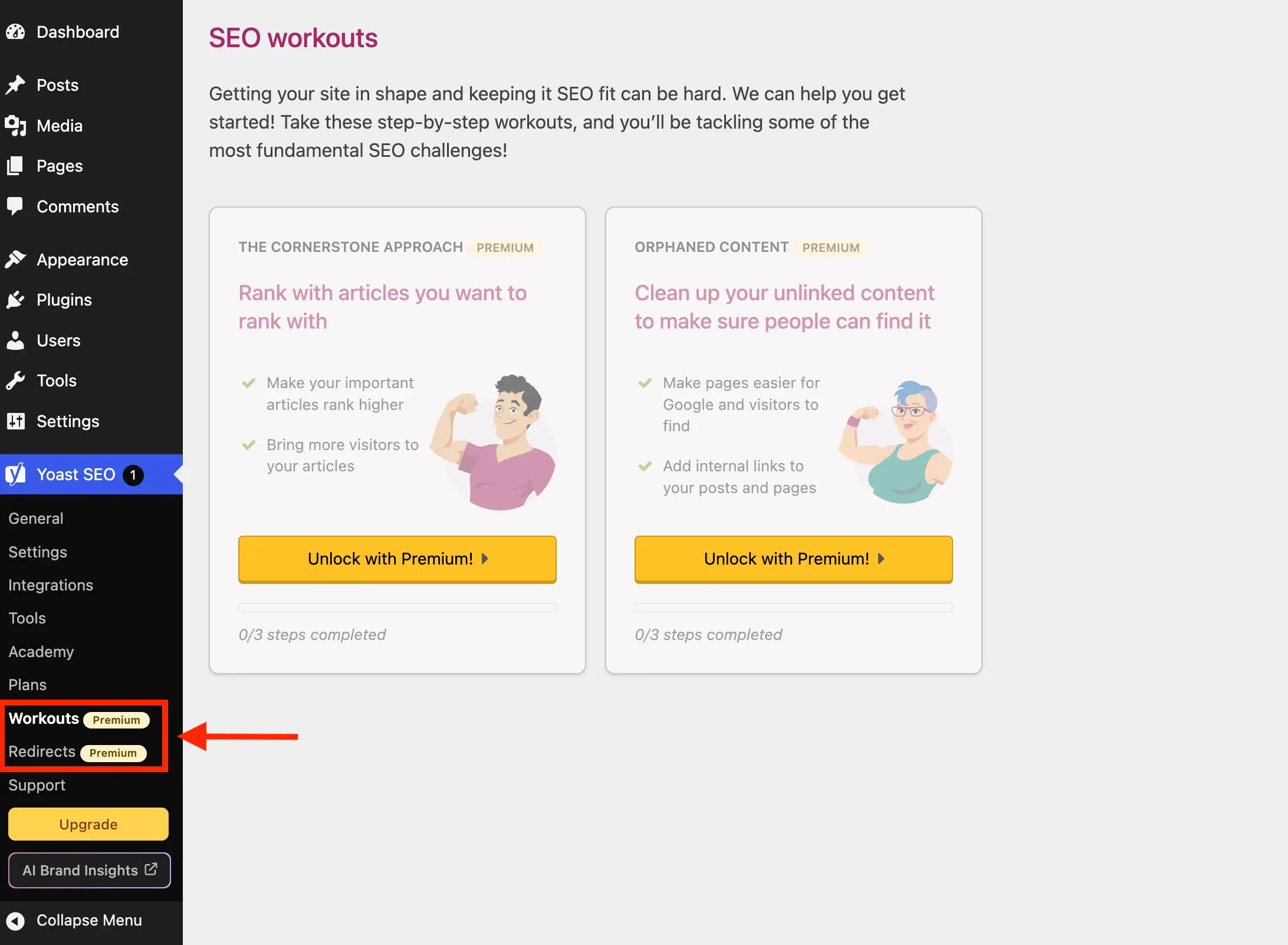
Yoast often populates the sidebar with menu items that are essentially dead ends for free-tier users, such as "Redirects" or "Workouts." Clicking these typically results in a redirection to a purchase landing page. By hooking into the wpseo_submenu_pages filter, we can programmatically identify and purge these entries.
The most robust method involves detecting the "premium badge" HTML that Yoast injects into menu titles. By filtering the $pages array, we can identify pages that contain this marker and remove them entirely, ensuring that only functional, free-tier-appropriate links remain in your admin menu.

Addressing the Upsell Buttons and Widgets
The administrative toolbar and the sidebar are prime real estate for "Get Premium" buttons. Furthermore, the dashboard widget—while informative—is often unnecessary for site owners who do not require real-time SEO news from the Yoast blog.
To remove the dashboard widget, we use remove_meta_box tied to the wp_dashboard_setup action. We also dequeue the associated scripts and styles to ensure the browser does not attempt to load the assets required for that widget, further streamlining the dashboard loading process.

Handling JavaScript-Driven Banners and Locked Fields
Unlike traditional menu items, many of the modern upsells in Yoast SEO are rendered via JavaScript. This makes them resistant to traditional PHP-based removal. To combat this, we must inject CSS via admin_enqueue_scripts. By targeting the specific classes used by Yoast (e.g., yst-feature-upsell or yst-button--upsell), we can hide these elements globally.
This method requires a precise selection of CSS selectors. While this is highly effective, it is important to note that these selectors are dependent on Yoast’s current markup. Should the plugin undergo a significant UI redesign, these CSS rules may need adjustment. It is a recommended practice to test your settings pages after any major Yoast update.

Implications for Site Management
By implementing these changes, administrators can enjoy a significantly reduced "cognitive load" when managing site content. The benefits include:
- Improved Focus: The editor interface becomes cleaner, allowing users to concentrate on content creation rather than upgrade prompts.
- Performance Gains: By dequeueing unnecessary scripts and preventing external HTTP requests, the administrative dashboard becomes more responsive.
- Professionalism: For agencies managing sites for clients, a clean, white-labeled-style experience reduces confusion and maintains a professional look.
Official Stance and Community Perspectives
It is important to acknowledge that the Yoast team maintains these upsells to sustain the free plugin, which continues to provide immense value to the community. The existence of these prompts is the financial engine that allows the free version to remain updated and compatible with the latest WordPress core releases.
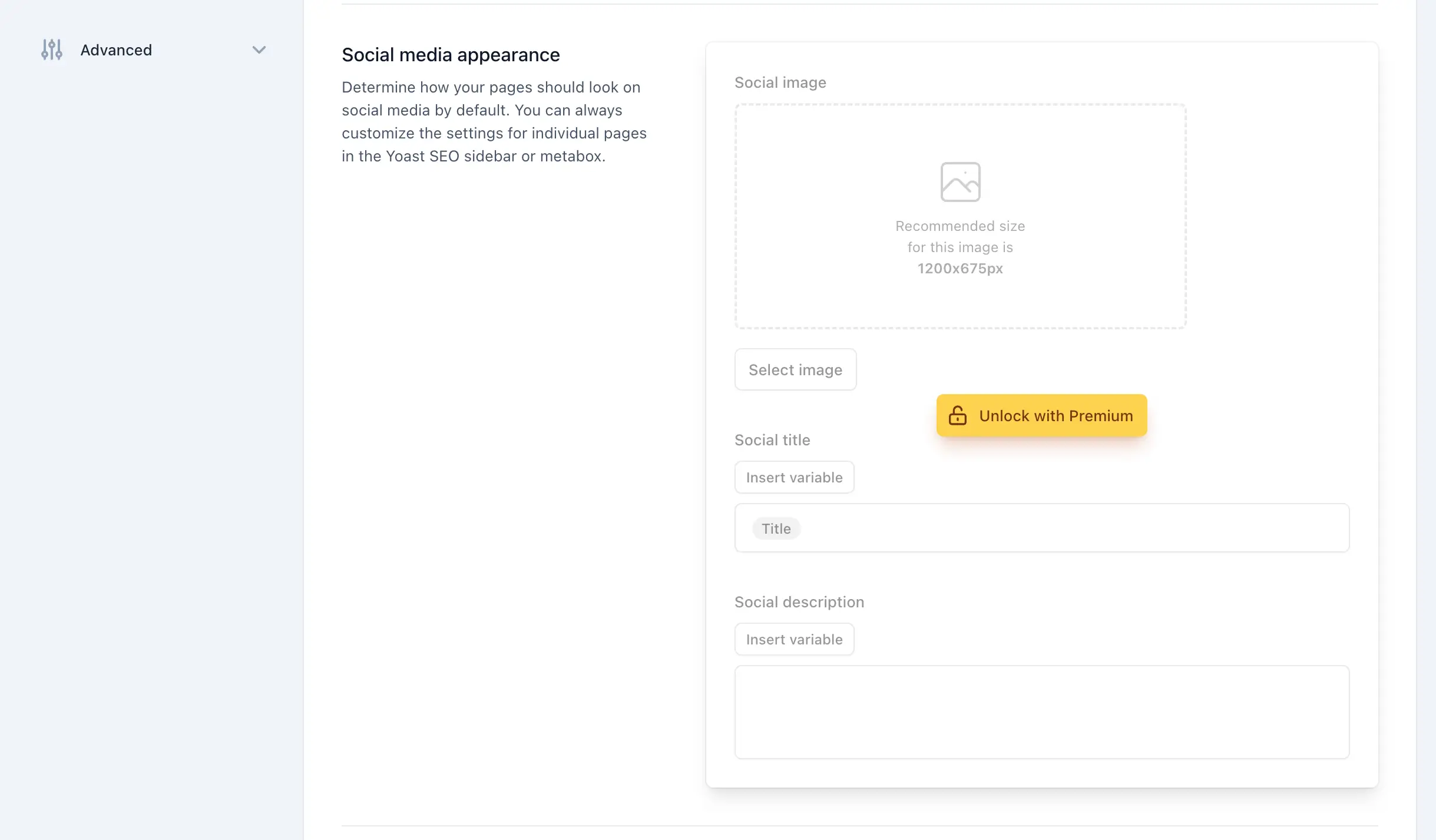
However, the WordPress philosophy—"Code is Poetry"—often favors user control. The ability to modify the dashboard to suit one’s specific workflow is a hallmark of the WordPress experience. While Yoast does not provide a native "Disable Upsells" toggle, the open-source nature of the plugin allows for the modifications discussed in this article.
Conclusion and Recommendations
Cleaning up your Yoast SEO interface is a highly effective way to improve your day-to-day WordPress experience. By using the provided PHP class, you can systematically remove redundant admin pages, annoying upsell buttons, and performance-draining widgets.
For those who prefer a "plug-and-play" solution, the wpex-remove-upsells-for-yoast-seo plugin, available via GitHub, encapsulates all the logic discussed above into a single, installable package. Whether you choose to implement the code manually or use the plugin, remember to review your site periodically. As WordPress evolves and Yoast continues to update its plugin, keeping your custom cleanup code current will ensure that your admin dashboard remains as lean and efficient as the day you first optimized it.
If you find that the level of configuration required to manage Yoast SEO’s upsells is becoming too high, it may be a suitable time to evaluate alternative SEO plugins. While Yoast is a market leader, the ecosystem offers several lightweight alternatives that provide powerful SEO capabilities without the heavy reliance on in-dashboard marketing. Regardless of your choice, the goal remains the same: a powerful, high-performing website with an administrative interface that works for you, not against you.